See which AI crawlers really read your site, from your own logs
Import an access log and Surfacedd counts AI crawler visits per bot, page and day, checks each against the operator's published IP ranges, and throws the IPs away.
By the Surfacedd teamUpdated 5 min readMarkdown
On this page
Short answer
Surfacedd reads nginx and Apache logs, Cloudflare Logpush JSON, JSON lines and CSV, gzipped or plain, up to 2 GB, on your computer. It matches each request to its AI bot catalog, checks it against published IP ranges or reverse DNS, and keeps only daily totals and top paths for 13 months. IP addresses are never stored.
Website › AI crawlers shows which AI bots visit your site, whether they are who they claim to be, and what your server gives them back. The data comes from server logs you import; nothing is collected from your site in the background.
Import a log
- Open Website › AI crawlers and press Import log (or Choose a log file the first time).
- Pick an access log. The file picker accepts
.log,.gz,.json,.jsonl,.ndjson,.csvand.txt. - The import runs in the background. Large files take a minute; you get a notification when it's done.
- Choose the period: last 7, 28 or 90 days, or the last 13 months.
Supported formats
The format is detected from the first lines of the file.
| Format | Detected when the first line | Notes |
|---|---|---|
| nginx or Apache, common or combined | contains a bracketed timestamp and a quoted request | vhost-prefixed variants work too |
| Cloudflare Logpush (JSON) | is JSON with ClientRequestUserAgent or EdgeStartTimestamp | see Cloudflare for exporting |
| Generic JSON lines | is any other JSON object | common keys such as user_agent, http_user_agent, status, remote_addr are recognised |
| CSV, TSV and other delimited text | splits into the same number of columns (4 or more) on every sample line | you match the columns before the import, see below |
| Gzip | any of the above, compressed | read as a stream, never fully loaded |
Files up to 2 GB are accepted; split larger ones first. The parser streams the file, so memory use stays flat.
CSV logs: match the columns
CSV files (also tab-, semicolon- or pipe-separated) don't have one standard layout, so a CSV import asks which column holds what before it starts.
- Pick the
.csv(or.csv.gz) file as above. Surfacedd reads its first lines, finds the delimiter and whether the first row holds column names. - Match the columns opens with a guess for each field, made from the column names and the values: User agent, Page (path or full URL), Status and Time are required; IP address is optional and only used to verify the bot.
- Check the guesses against the sample rows: each matched column is labelled with its field, and unused columns are greyed out. Change any choice, or switch The first row holds column names off if your file has no header.
- Click Import. Import stays disabled until each required field has its own column.
Without an IP column every hit is counted but marked unchecked. The free AI bot log analyzer has the same mapping step in your browser.
Verification states
Anyone can put "GPTBot" in a user agent. Surfacedd checks each matched request against the operator's own verification method: published IP ranges, or forward-confirmed reverse DNS where the operator documents it. The lists are downloaded when you import, cached for 7 days, and can be refreshed under Published IP ranges.
The crawler list itself (user agents, robots.txt tokens and where each operator publishes its ranges) ships with the app and is also checked once a day for a newer signed copy from surfacedd.com, so new crawlers are recognised without waiting for an app update.
| State | Meaning | What to do |
|---|---|---|
| Verified | The IP is in the operator's published ranges, or passes forward-confirmed reverse DNS | Trust the visit |
| Spoofed | The operator publishes a way to verify and this IP fails it | Treat as an impostor; consider blocking it at your firewall |
| Unverifiable | The operator publishes no ranges or DNS method | Judge by behaviour; it may still be real |
| Unchecked | No ranges loaded yet, or the log line has no IP | Refresh the ranges and import again |
The catalog behind the matching has 32 AI bots, each with its operator, purpose and verification method; the full list is in the AI crawlers guide. Each operator's method is explained in how to verify AI crawlers.
What the screen shows
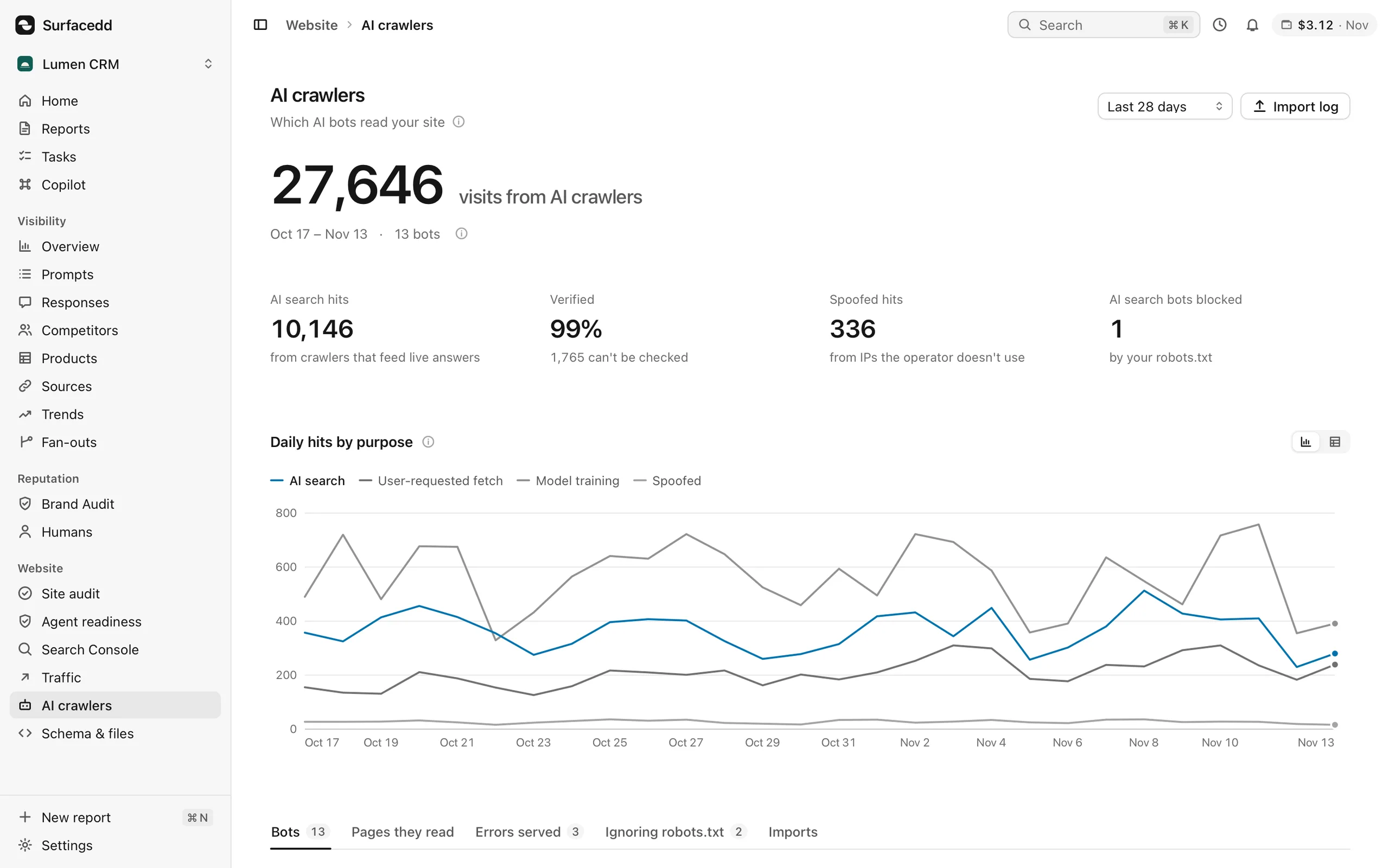
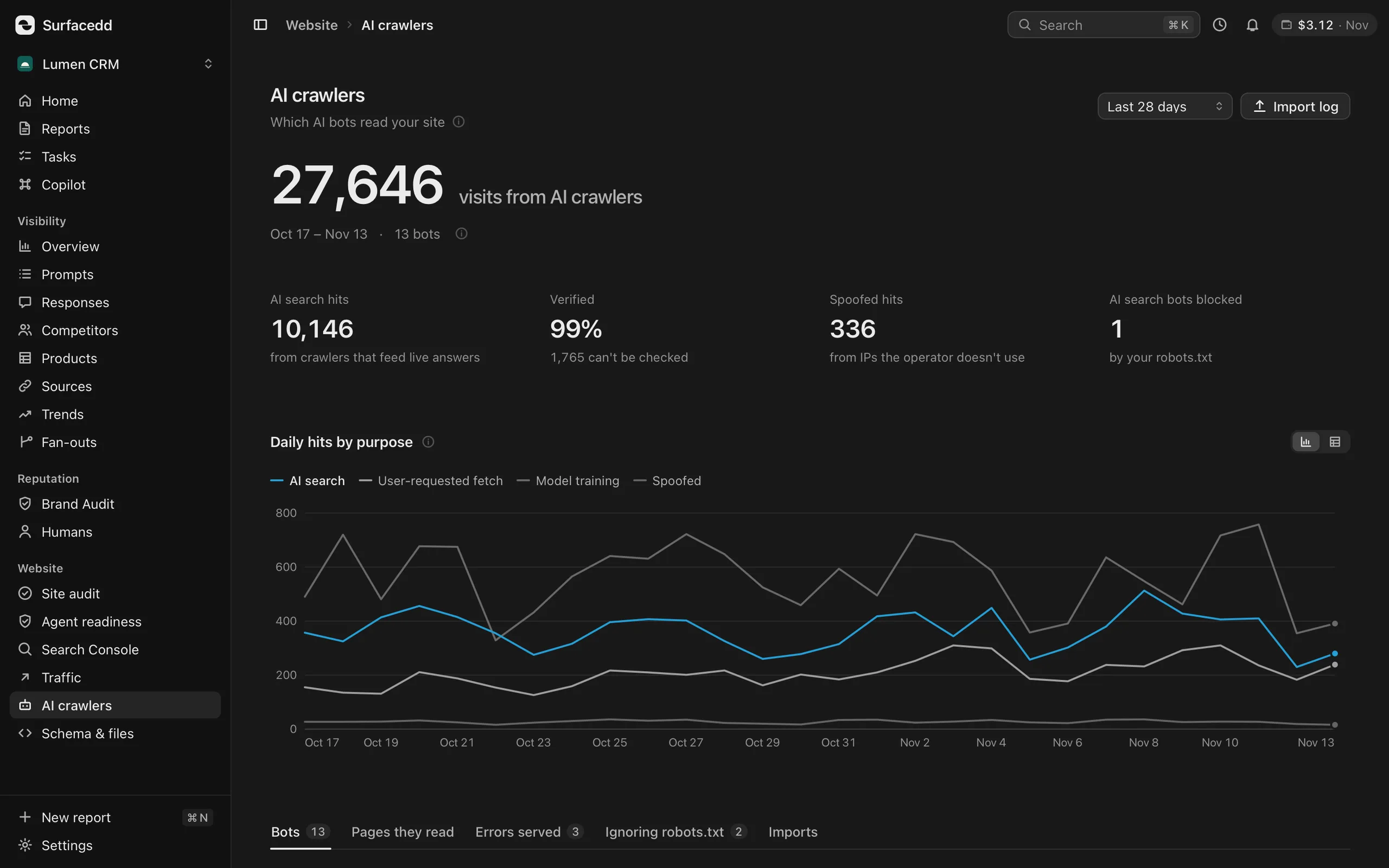
- Totals: visits, AI search hits, verified share, spoofed hits and AI search bots your robots.txt blocks.
- Daily hits by purpose: AI search, user-requested fetch, model training and spoofed as separate lines.
- Bots: per bot, its hits, verified share and the share of 4xx and 5xx responses.
- Pages they read: the paths each bot fetched most.
- Errors served: pages that returned errors to AI crawlers.
- Ignoring robots.txt: bots your robots.txt disallows on a path that fetched it anyway. Real AI crawlers respect robots.txt, so check whether these hits are spoofed.
- Imports: each file with its date range, format, bot hits out of total lines, and any unreadable lines.
What is stored, and for how long
Only daily aggregates: day, bot, verification state, status class and hits, plus the top 200 paths per day and bot. No IP address is stored anywhere; a test checks that no IP column or value reaches the bot tables. Data is kept for 13 months. Lines already counted from an earlier import are skipped, so overlapping log files don't double-count.
Troubleshooting
| What you see | Cause | What to do |
|---|---|---|
| "Surfacedd doesn't recognise this log format" | The first lines aren't combined, Logpush, JSON or delimited text with 4 or more columns (often a custom format) | Export as CSV with a header row, convert to JSON lines, or switch the server to the combined format |
| Import stays disabled in Match the columns | A required field has no column, or two fields share one | Pick a different column for each of User agent, Page, Status and Time |
| "log files over 2 GB are not supported; split the file first" | The file is over 2 GB | Split by day and import each part |
| Many unreadable lines | Lines that don't match the detected format, such as mixed formats in one file | Import one format per file |
| Everything "unchecked" | IP ranges not downloaded yet, or the log has no client IP | Refresh the ranges; add the client IP to your log format |
| Fewer hits than your CDN reports | The log is from the origin, behind a CDN cache | Import the CDN's logs (for example Cloudflare Logpush) |
| An AI search bot "blocked" but still visiting | robots.txt disallows it and it fetched anyway, or an impostor did | Check the verification state of those hits |
Related docs
- AI crawler analytics: what the feature is for.
- Log file analysis for AI crawlers: a 15-minute method for reading your logs.
- Site audit: whether robots.txt lets those crawlers in.
Keep reading
- ProductSee which AI crawlers actually read your siteImport your access logs. Surfacedd labels every AI bot hit verified, spoofed, unverifiable or unchecked, shows the pages each bot reads, and keeps only daily totals, never IP addresses.Read
- GuidesSpot fake Googlebot and fake AI crawlers in your logsA user agent is a string anyone can type. Check the IP instead: reverse DNS for Google, Bing and Apple, published IP lists for OpenAI, Anthropic and Perplexity.Read
- GuidesFind out from your logs whether AI crawlers can read your siteYour access log is the only record of what ChatGPT's, Claude's and Perplexity's crawlers actually fetched. Five questions, answered with any tool, show whether they can read the pages you want cited.Read
- IntegrationsSee which AI crawlers reach your site through Cloudflare, and which you blockLogpush writes every edge request to a gzipped NDJSON file. Surfacedd reads that file on your computer and keeps only daily counts per crawler, status and page.Read
How we research, write and correct pages: read our editorial policy.