Google Search Console + GA4 · read-only, on your computer
Search Console and GA4, explained.
Connect Google once and Surfacedd imports your Search Console performance and GA4 traffic into the database on your Mac or PC. It tells you why clicks fell, which queries are a push away from page one, which are seen but not clicked, and how many visits AI assistants send, next to how those assistants describe you.
Read-only access · data stays on your computer
Included in every licence · 14-day refund
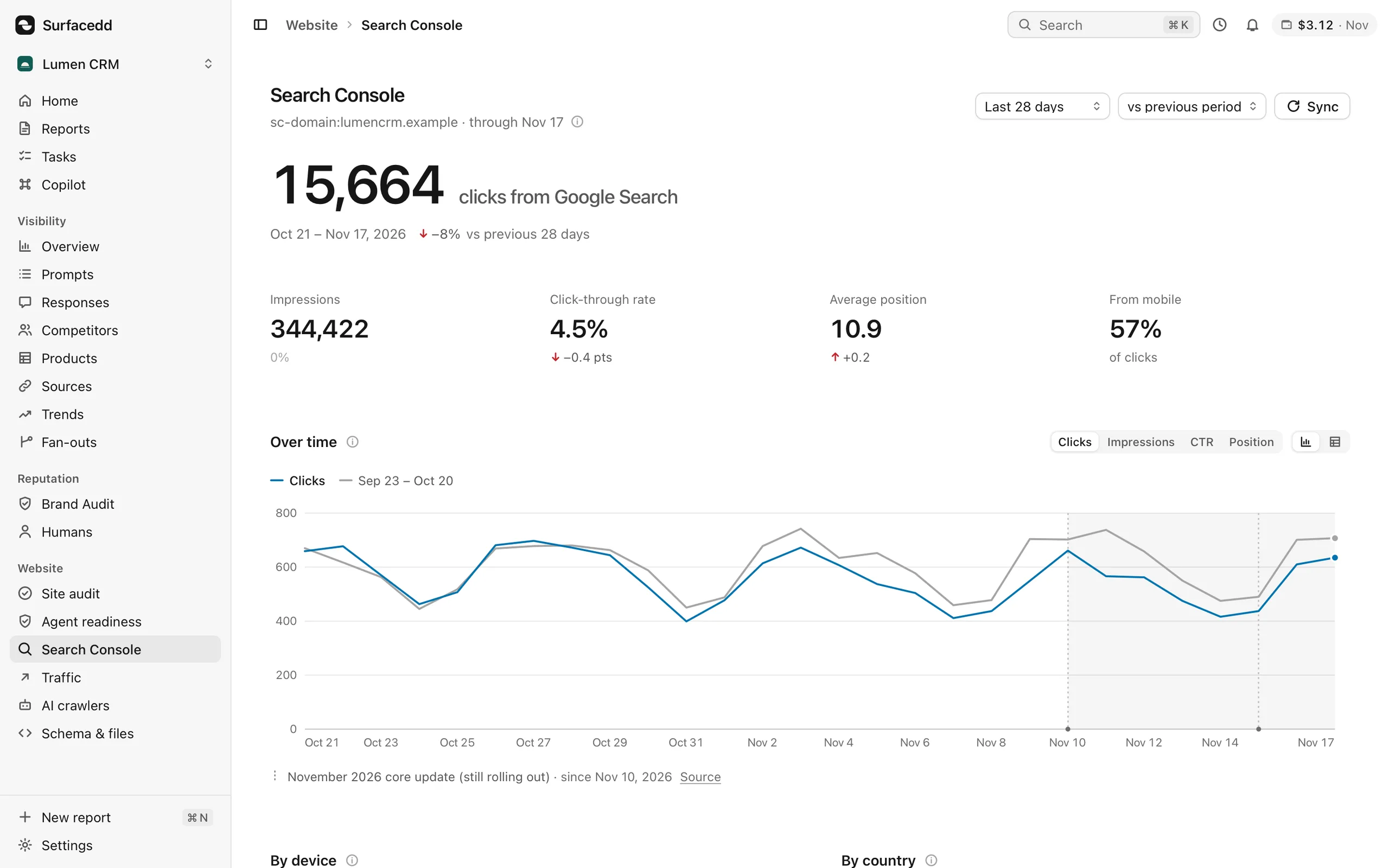
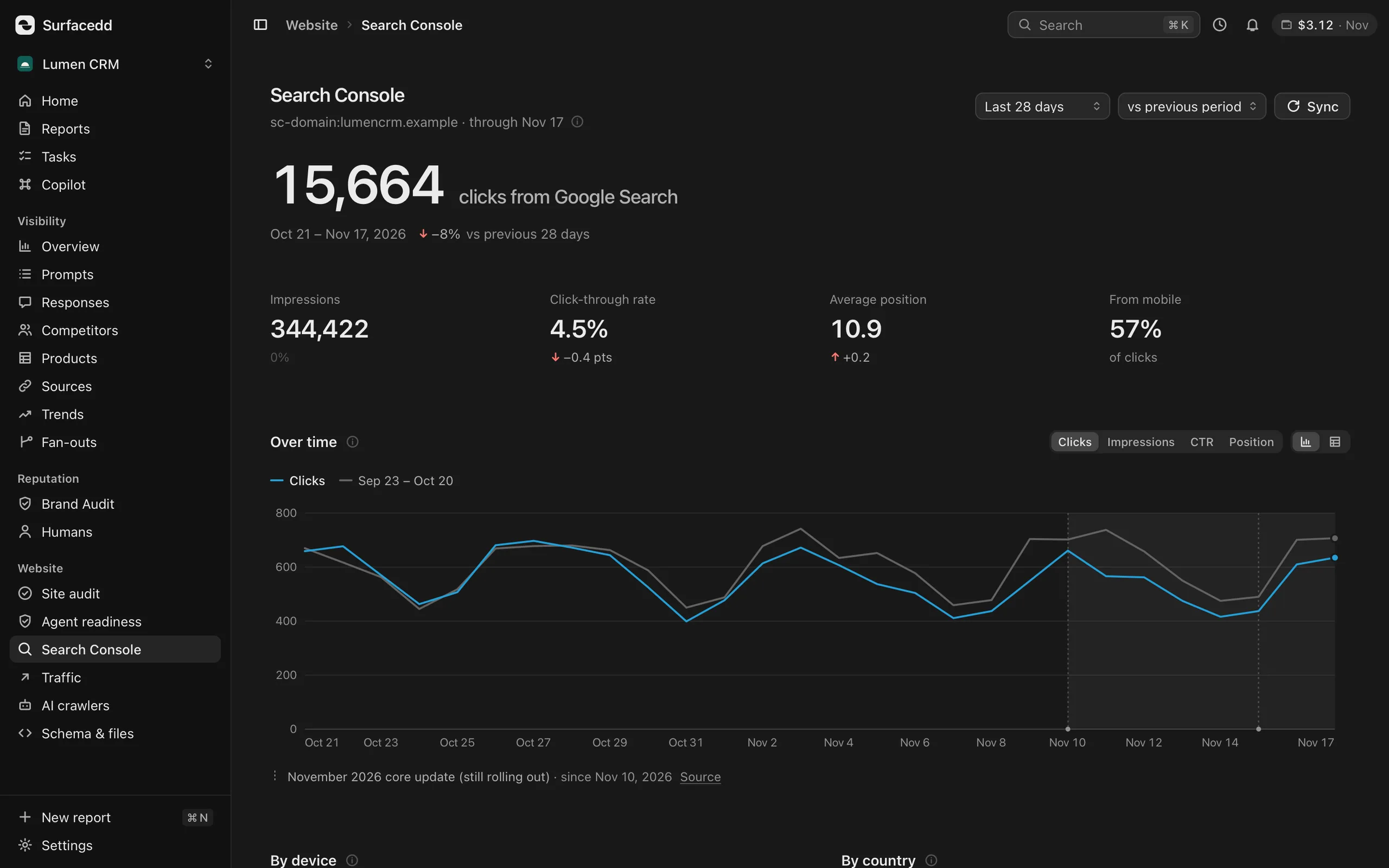
Website › Search Console · sample workspace with synthetic Google data · Lumen CRM is fictional
- months of Search Console history, as far back as Google keeps
- 16months of Search Console history, as far back as Google keeps
- months of GA4 traffic, refreshed daily
- 14months of GA4 traffic, refreshed daily
- AI assistants recognised in your traffic
- 15AI assistants recognised in your traffic
- copies of your Google data on Surfacedd's servers
- 0copies of your Google data on Surfacedd's servers
01 · What changed
Why did my traffic drop? Answered in parts that add up.
Pick a period and compare it with the one before or the same weeks a year earlier. Surfacedd splits the change in clicks into six causes. It is arithmetic on your data, not a model's opinion, so the parts sum to the total exactly and you can check every one.
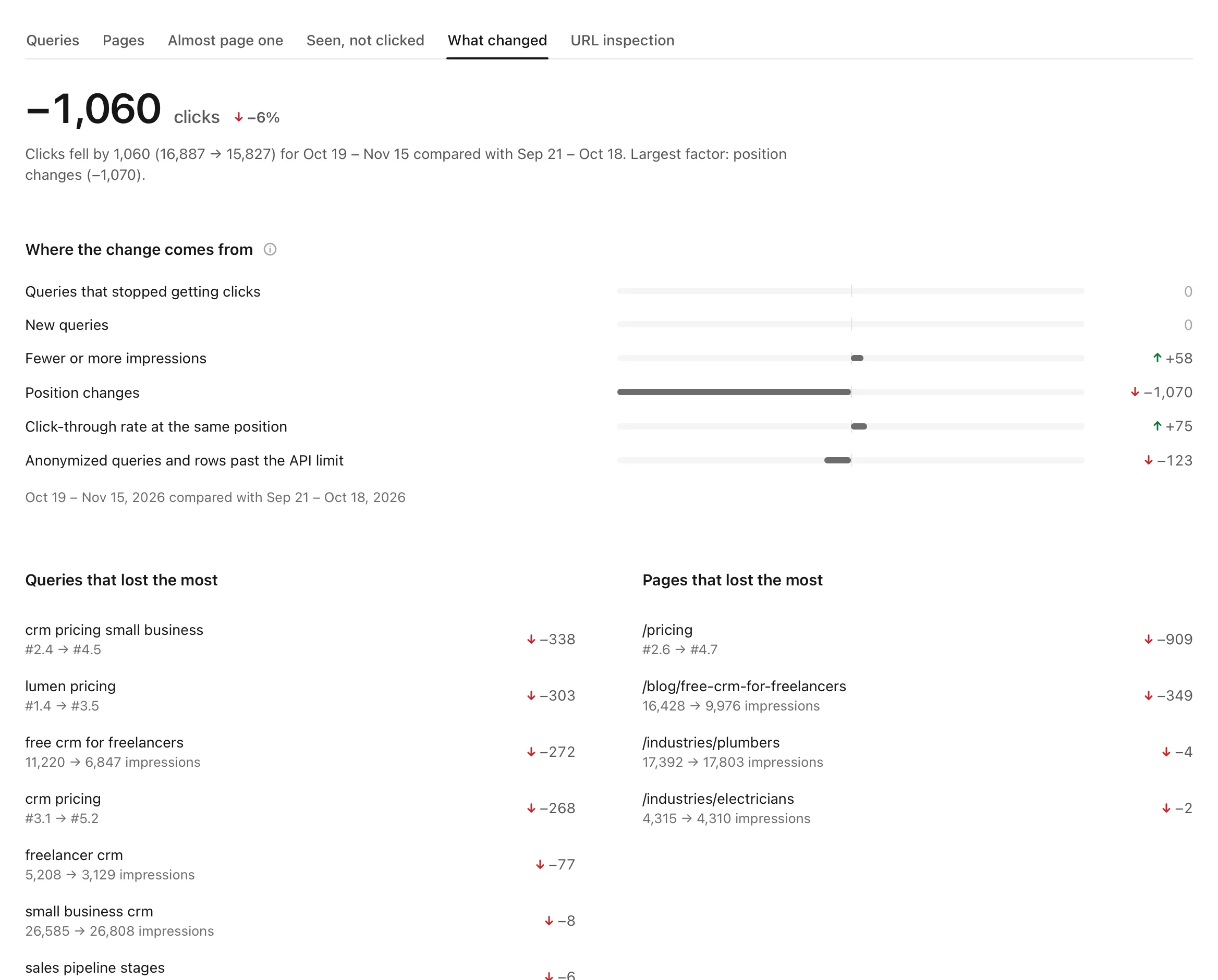
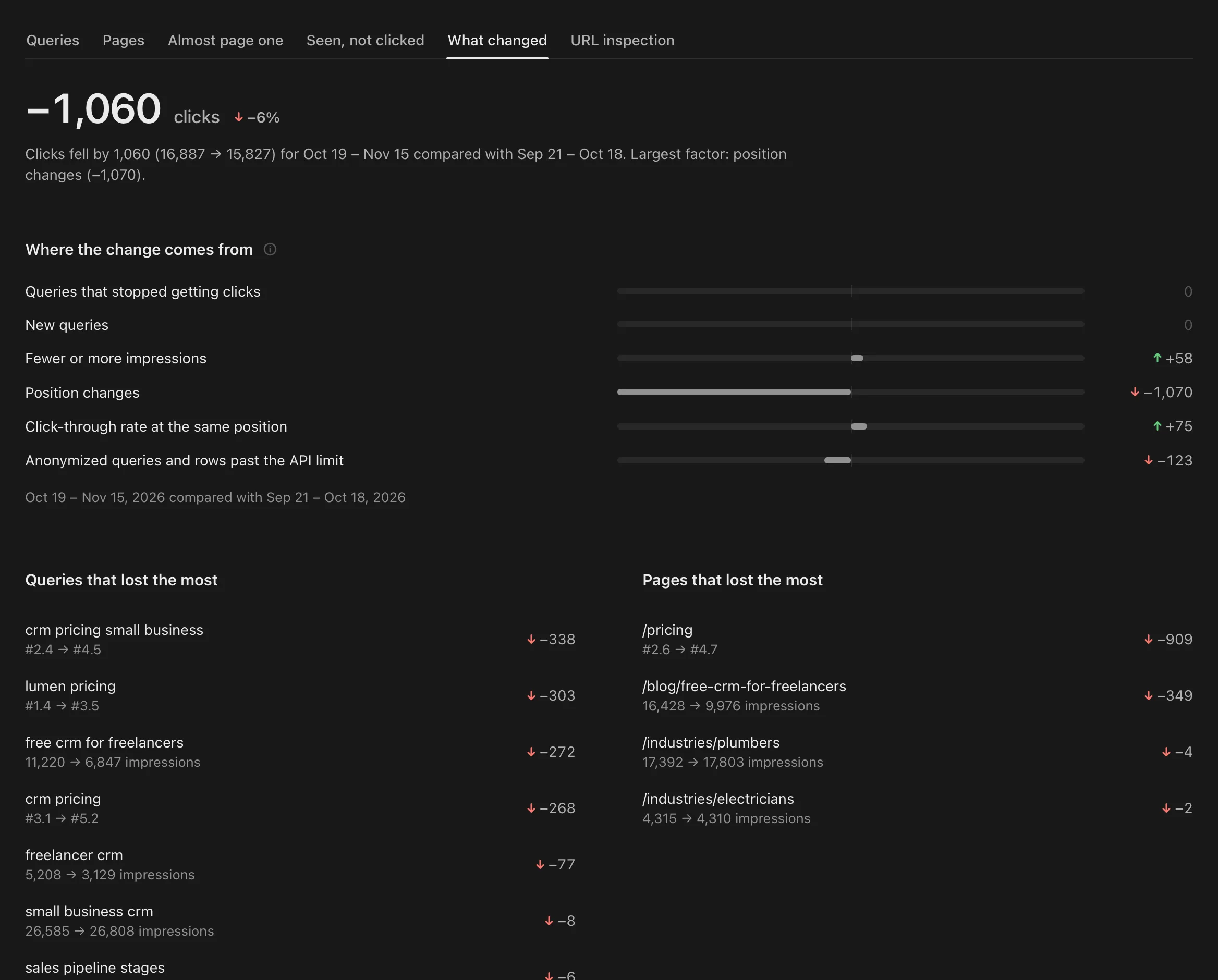
What changed, 28 days against the 28 before · sample data
01
Queries that stopped getting clicks
Clicks lost from queries that had clicks before and none now.
02
New queries
Clicks gained from queries that had none before.
03
Fewer or more impressions
For queries present in both periods: the change explained by being shown more or less often.
04
Position changes
The change explained by moving up or down, valued with a typical click-through rate per position.
05
Click-through rate at the same position
What remains for those queries: titles, snippets and SERP features winning or losing clicks.
06
Anonymized queries and rows past the API limit
The gap between Google's daily totals and the query rows it returns, shown instead of hidden.
Also on the tab: the queries and pages that lost the most, the same change split by device and country, and notes for data gaps, still-preliminary days and known Google updates in the window.
02 · Almost page one
The queries one push away from page one.
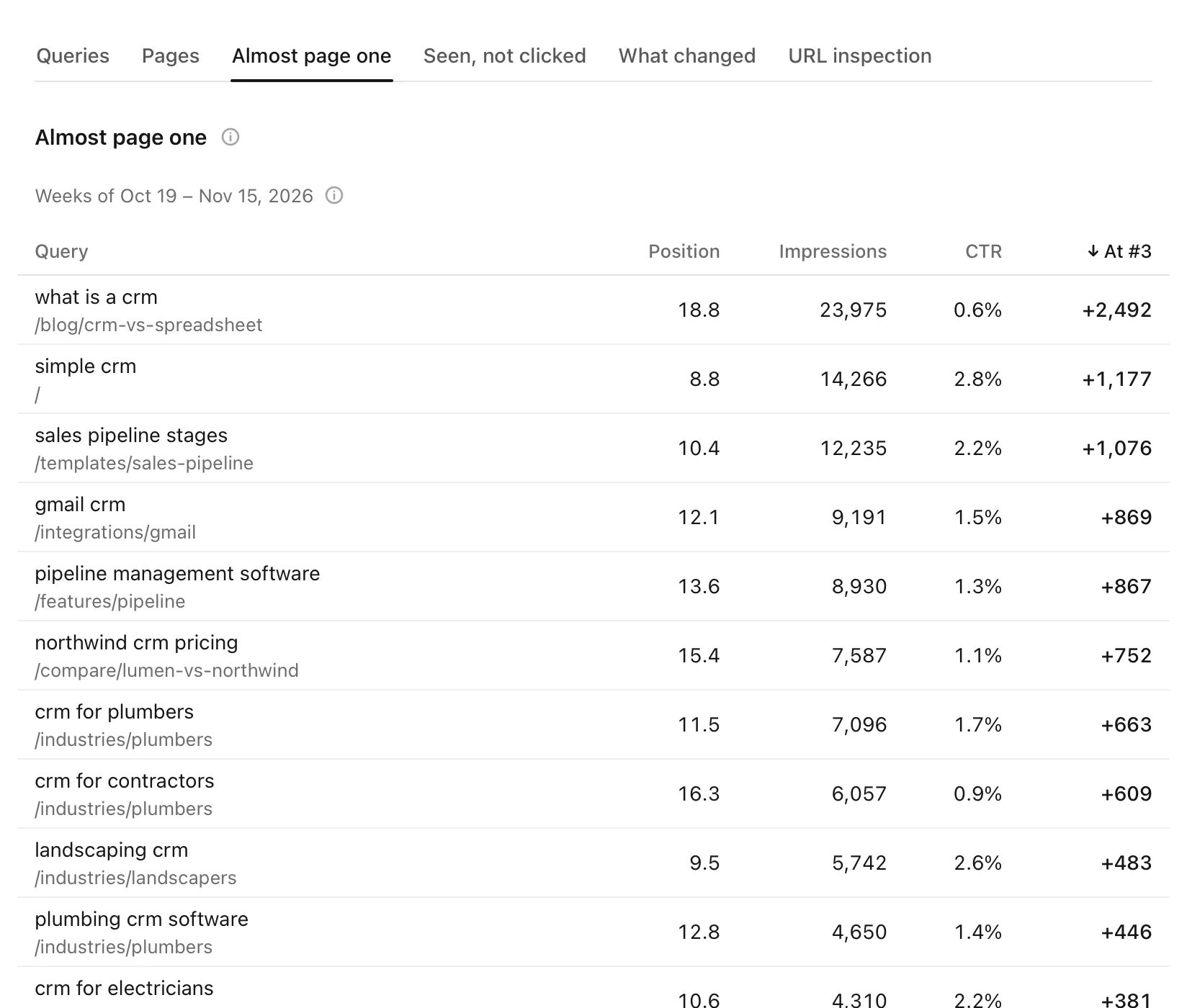
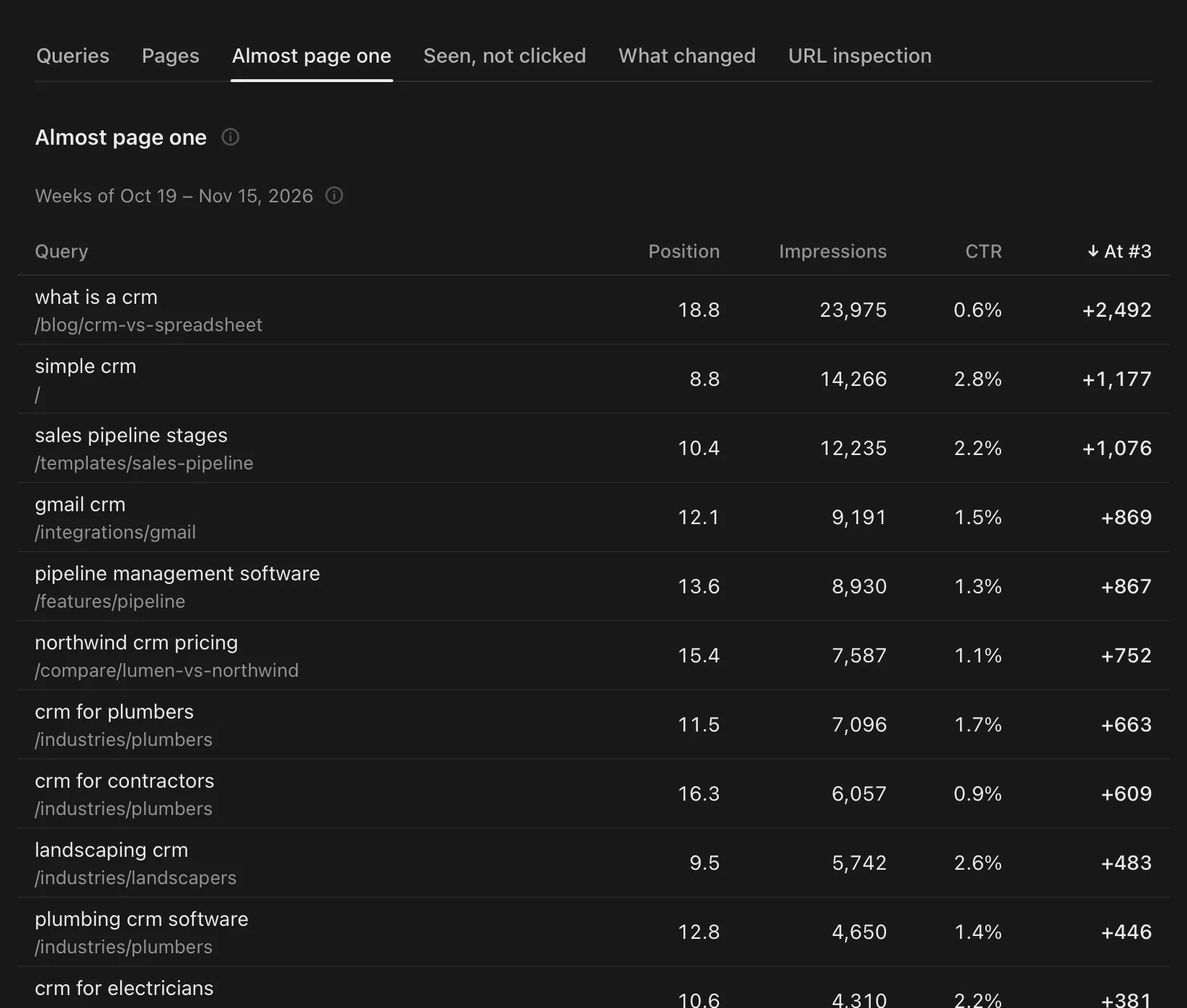
Queries where your page averages position 8 to 20 with at least 50 impressions, ranked by the extra clicks you would get at position 3. Each row names the page that ranks, so you know where the work goes.
- Position
- 8 to 20, impression-weighted
- Minimum
- 50 impressions in the period
- Ranked by
- extra clicks at position 3
- Weeks
- whole Monday–Sunday weeks, stated on screen
03 · Seen, not clicked
Ranking well. Losing the click anyway.
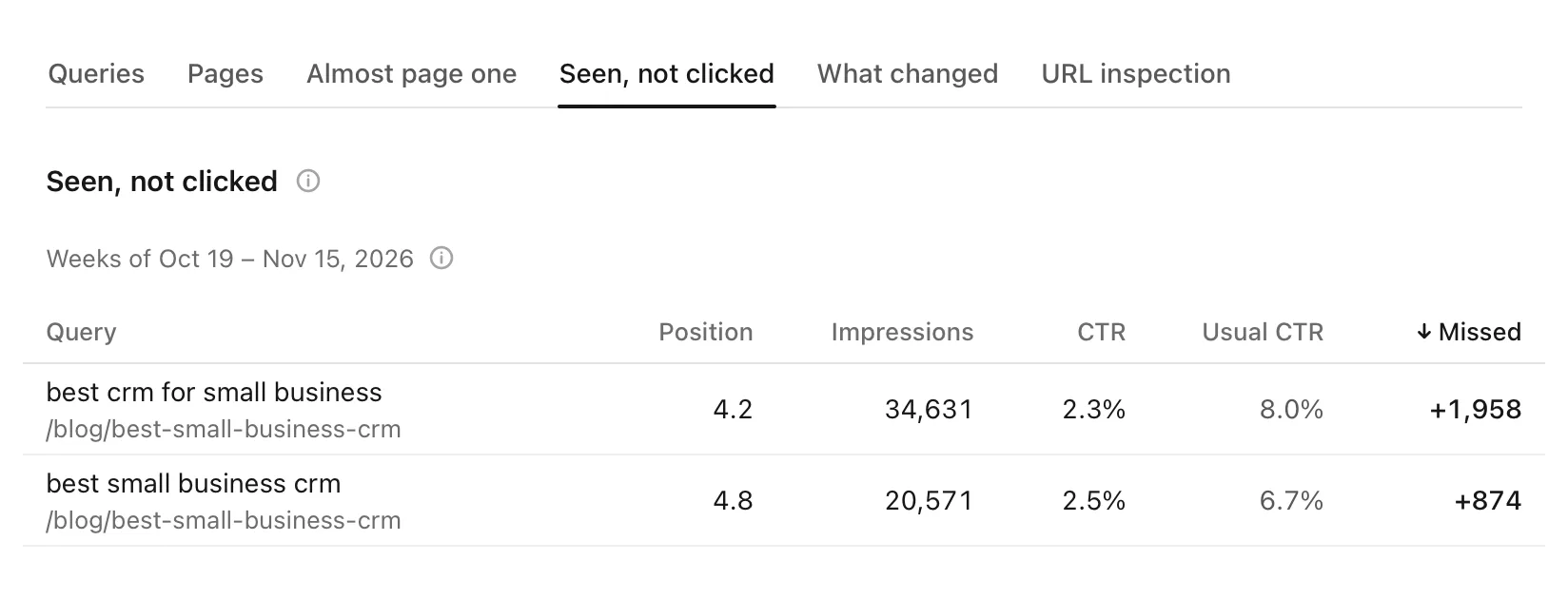
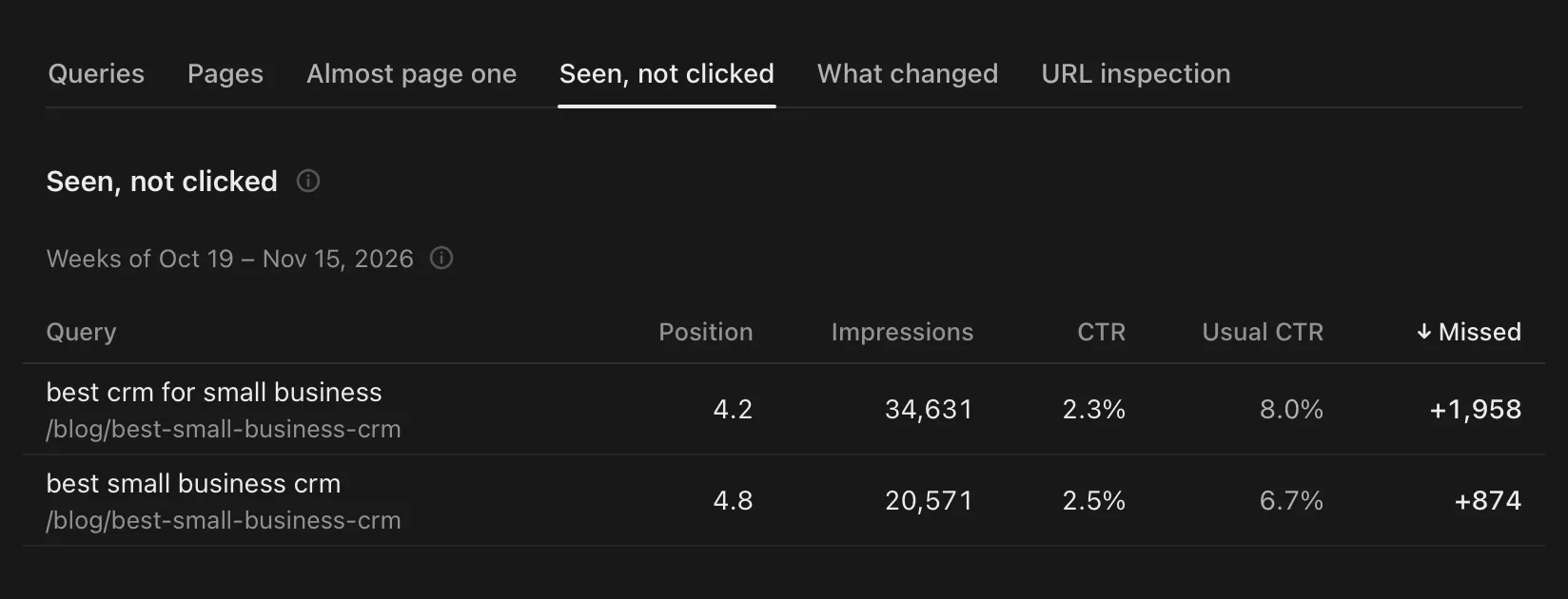
Top-ten queries whose click-through rate is under half of what that position usually earns. The usual rate is your own site's curve wherever there is enough data, and a typical curve elsewhere. The Missed column is the clicks you would get at the usual rate.
It is usually the title, the snippet or a search feature above you. The SEO Copilot can fetch the page and suggest a title or meta description to test.
04 · AI assistants
How many visits AI assistants actually send.
Surfacedd's tracking tells you whether ChatGPT, Perplexity or Claude name you. GA4 tells you whether anyone clicks through. The Traffic screen puts AI assistant visits beside your other channels: total, share of all visits, trend, which assistant sent them and the pages they land on.
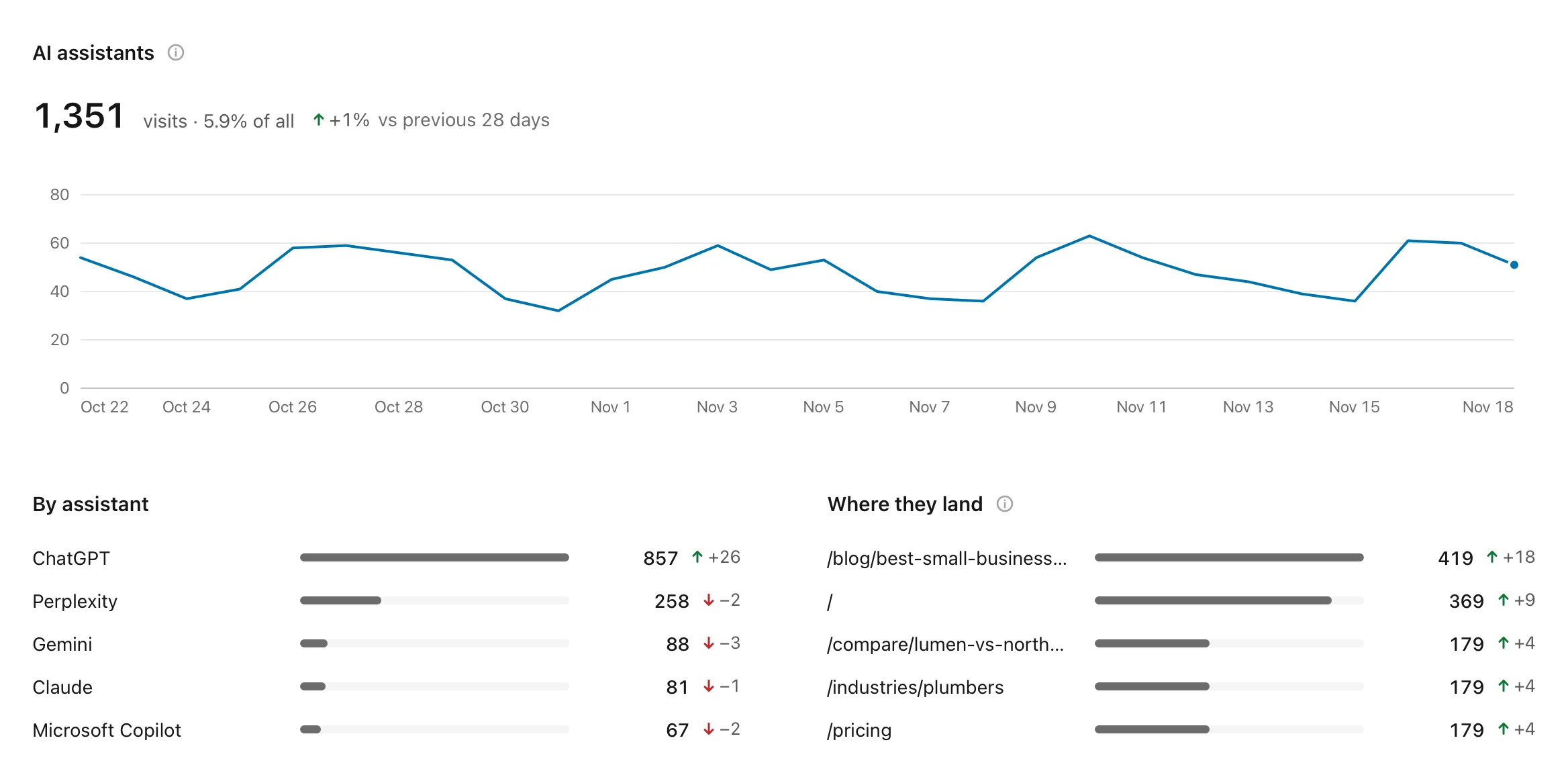
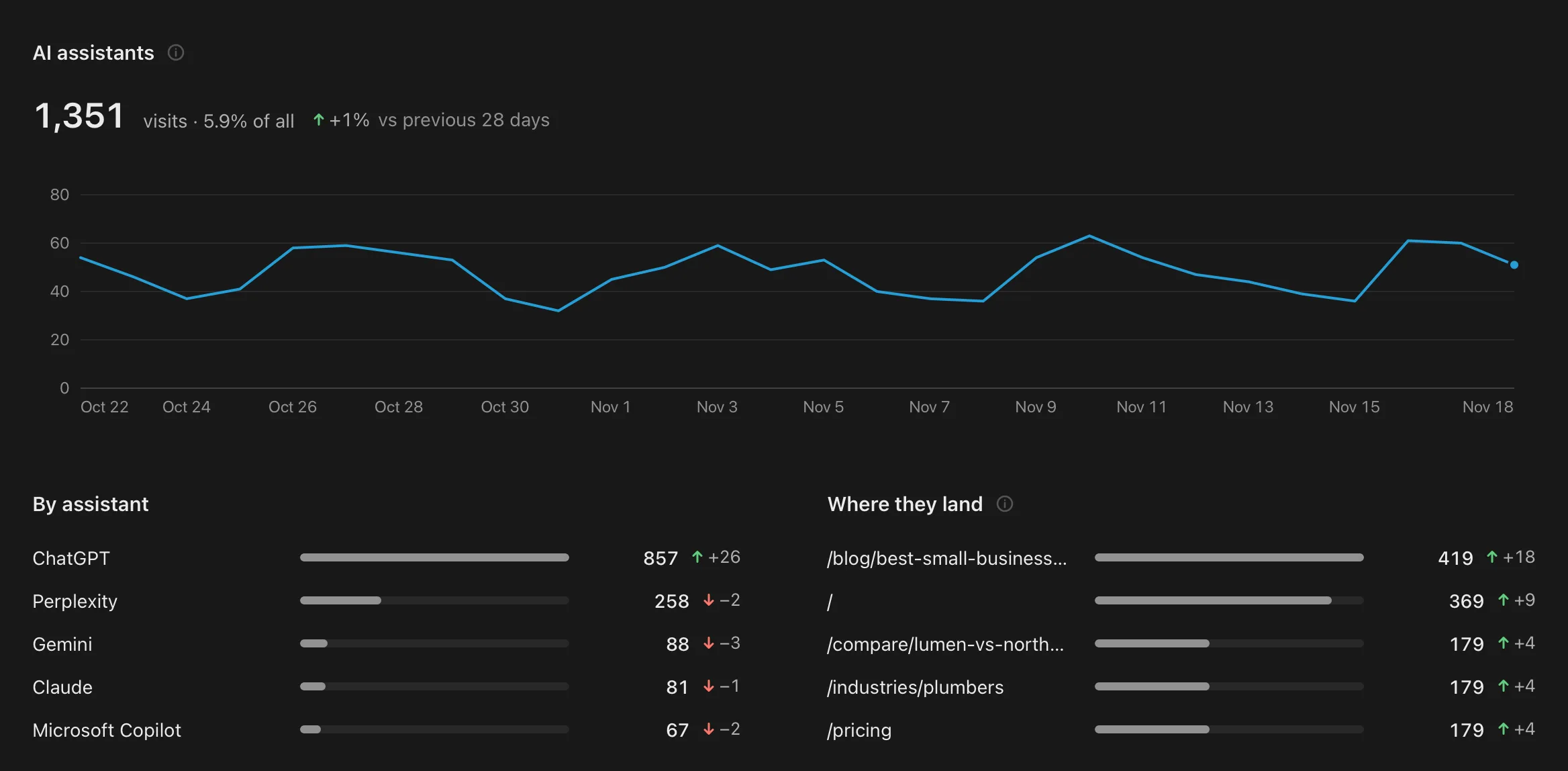
When your GA4 property reports an AI Assistant channel, Surfacedd uses Google's own grouping. When it doesn't, it matches session sources against referrer rules for 15 assistants. Assistants that send no referrer show up as Direct in GA4, so treat the figure as a floor.
- ChatGPT
- Perplexity
- Claude
- Gemini
- Microsoft Copilot
- Grok
- Meta AI
- DeepSeek
- Le Chat (Mistral)
- You.com
- Phind
- Poe
- Duck.ai
- Kimi
- Qwen Chat
05 · Also included
The rest of what you'd open Search Console for.
Queries and pages
Sortable by clicks, impressions or change. Open a page to see the queries it ranks for and inspect it.
URL inspection
Index status, last crawl and Google's chosen canonical for any page on your property, cached, with your remaining daily quota shown.
Periods and comparisons
Any range, compared with the previous period or 52 weeks earlier. Comparison lines are drawn on the same days.
Device and country
Clicks and change by device and by country, in the overview and in the drop diagnosis.
GA4 channels, sources, landing pages
Visits, change, share, engaged sessions and key events, with Google Search and AI shares in the header.
For your assistants too
The SEO Copilot and the local MCP server read the same tables, so Claude or Cursor can answer traffic questions from your data.
06 · Access
Read-only. Stored on your computer. Yours to revoke.
Surfacedd signs in through your browser with Google's standard flow for desktop apps and asks only for read-only access. The refresh token is kept in the macOS Keychain or Windows Credential Manager, never in the database or logs. Imported data lives in the local database and never reaches Surfacedd's servers.
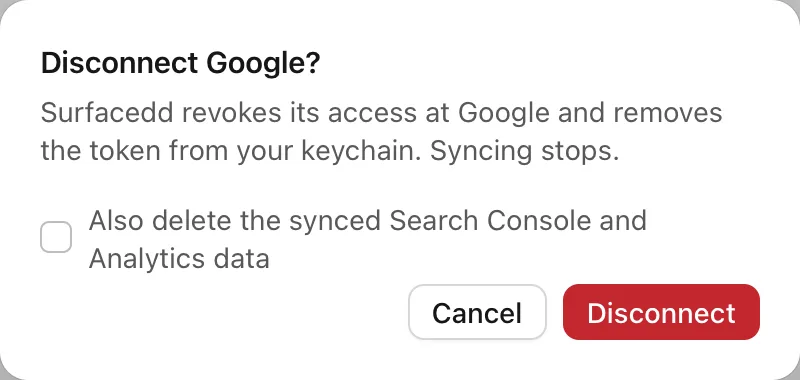
Disconnect in Settings › Integrations: Surfacedd revokes its access at Google, deletes the token and, if you tick the box, the imported data. You can also remove access at myaccount.google.com/permissions.
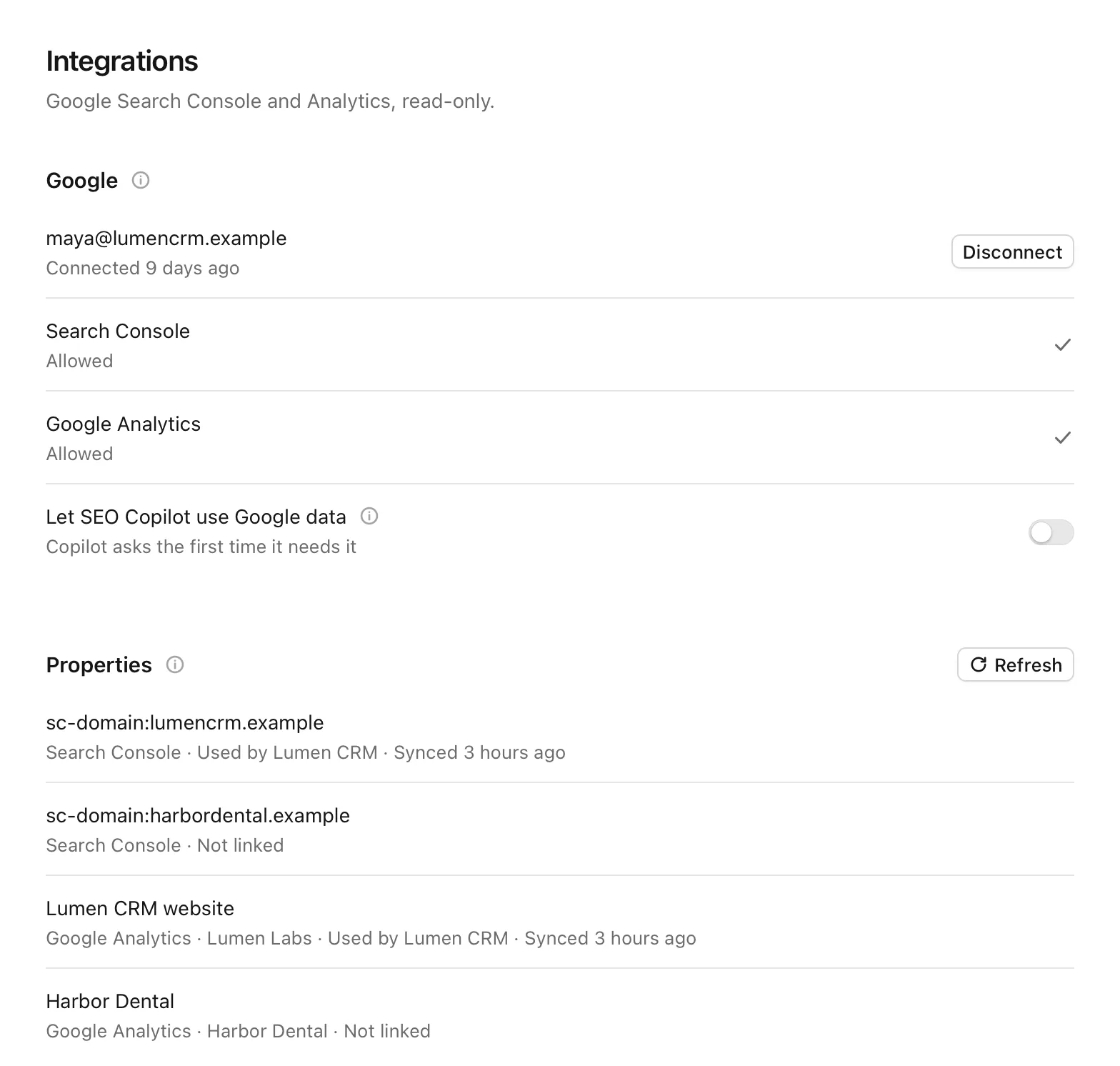
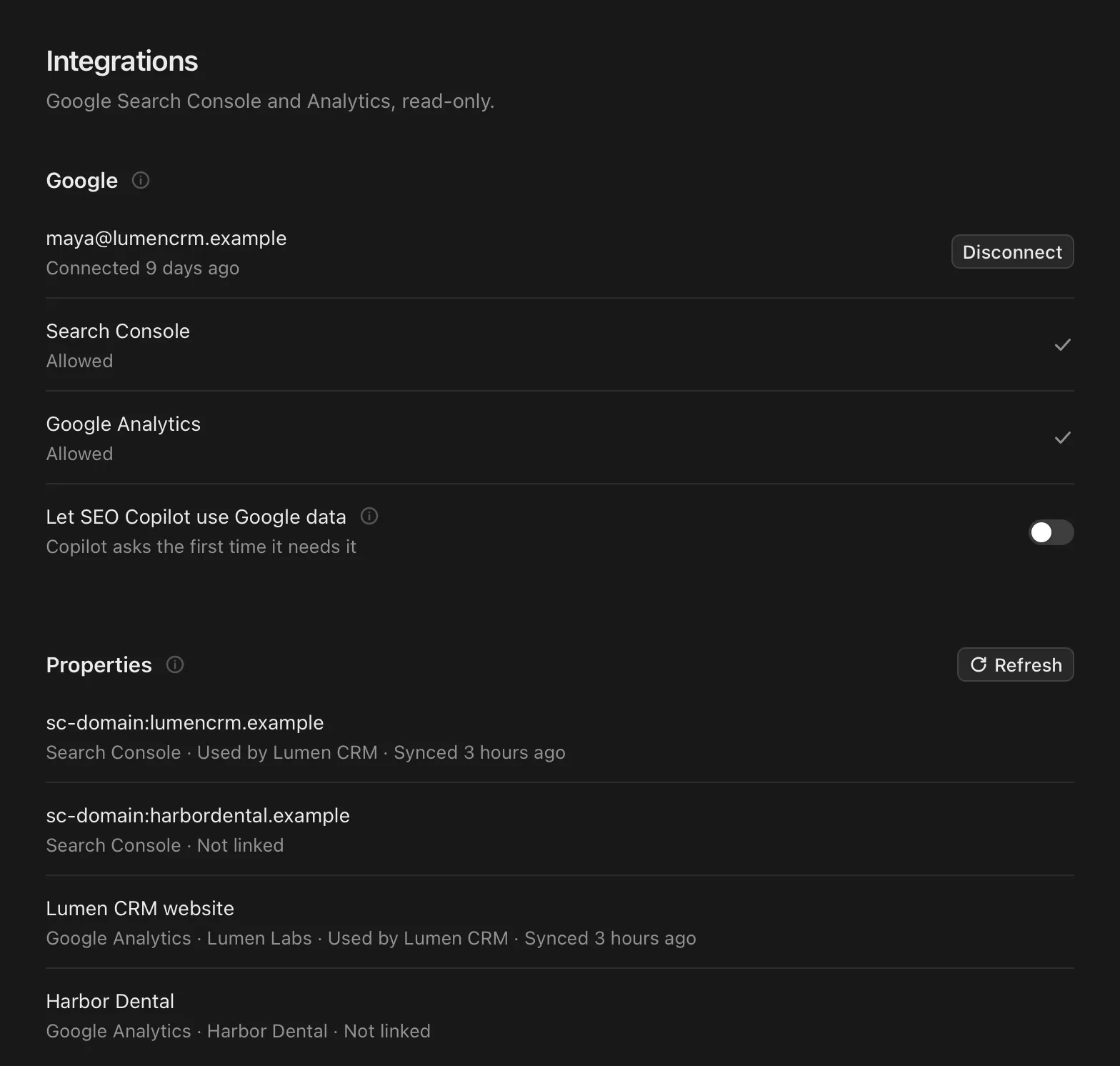
| Scope | What it is used for |
|---|---|
Sign-in identityopenid | Identifies the Google account you signed in with, so Surfacedd can tell which account is connected. |
Email addressemail | Shows the connected account's email address in Settings › Integrations. Not used to contact you. |
Search Console, read-only/auth/webmasters.readonly | Lists your Search Console properties and reads search performance (clicks, impressions, click-through rate and position by date, query, page, device and country) and URL Inspection results. It cannot submit sitemaps, request indexing or change settings. |
Google Analytics, read-only/auth/analytics.readonly | Lists your GA4 properties and reads reports: sessions, engaged sessions, key events and revenue by date, channel group, source, medium and landing page. It cannot change your Analytics configuration. |
Surfacedd's use of information received from Google APIs adheres to the Google API Services User Data Policy, including the Limited Use requirements. Read the Google user data section of the privacy policy.
07 · Ask about it
“Why did my traffic drop?” is a starter question.
The SEO Copilot runs the diagnosis, checks GA4 channels for the same weeks, inspects the pages that lost most and answers with a ranked plan whose figures cite this data.
What does Surfacedd do with Google Search Console and GA4?
It imports your Search Console performance data and GA4 traffic reports into the local database on your computer, then shows them next to your AI visibility: a traffic-drop diagnosis, queries almost on page one, queries seen but not clicked, visits from AI assistants, and URL inspection. The SEO Copilot and the local MCP server can read the same data.
Which Google permissions does it ask for?
Four: openid and email to identify the signed-in account, and the read-only Search Console (webmasters.readonly) and Google Analytics (analytics.readonly) scopes. Read-only means Surfacedd cannot change anything in your Google accounts. You can grant Search Console without Analytics, or the reverse.
Where is my Google data stored?
Only on your computer: imported data in Surfacedd's local database, the sign-in token in your operating system's keychain. The app talks to Google directly. Surfacedd's servers never receive your Google data or tokens, and we never sell it, use it for advertising or let anyone read it.
How much history does it import?
Up to 16 months of Search Console data, which is as far back as Google keeps it, and 14 months of GA4. After that it updates daily and re-reads the last four days, because Google revises recent figures. Imports resume where they stopped if the app is closed.
How does the traffic-drop diagnosis work?
It is arithmetic, not an AI guess. The change in clicks between two periods is split into lost queries, new queries, impressions, position and click-through-rate effects, plus the part Google doesn't attribute to queries. The parts add up to the total change exactly. It also splits the change by page, device and country, and notes data gaps and known Google updates.
How is AI assistant traffic counted?
When your GA4 property reports an AI Assistant channel, Surfacedd uses it. Otherwise it matches session sources against referrer rules for 15 assistants, including ChatGPT, Perplexity, Claude, Gemini, Microsoft Copilot. Visits from assistants that pass no referrer arrive as Direct in GA4 and can't be attributed.
How do I disconnect Google and delete the data?
In Settings › Integrations choose Disconnect. Surfacedd revokes its access at Google, removes the token from your keychain and stops syncing; tick the box to delete the imported Search Console and Analytics data as well. You can also remove access at any time at myaccount.google.com/permissions.
Can I use my own Google Cloud OAuth client?
Yes. In Settings › Integrations, add the client ID and secret of a Desktop OAuth client from your own Google Cloud project. They are stored in your keychain and used instead of Surfacedd's.
Does it replace Google Search Console?
No. It reads the same data and adds analysis Search Console doesn't do, such as splitting a drop into its causes and comparing traffic with AI visibility. Keep using Search Console for sitemaps, indexing requests, manual actions and settings, which Surfacedd's read-only access can't touch.