Connect DataForSEO to see what Google's AI says, city by city
One DataForSEO account powers both Google surfaces in Surfacedd, plus the paid lookups in the SEO Copilot. You need the API password, not your account password, and credit on the balance.
By the Surfacedd teamUpdated 3 min readMarkdown
On this page
Short answer
To connect DataForSEO, sign up, open API Access in the DataForSEO dashboard and copy your API login and API password, which is different from your account password. Top up the balance, then paste both into Surfacedd. New accounts get a $1 trial credit; the minimum payment after that is $50.
DataForSEO is how Surfacedd reads Google's AI answers. Google offers no public API for AI Mode or AI Overviews, so Surfacedd asks DataForSEO, a search-data provider, to fetch the real Google results page for your prompt at the location you set, and keeps the AI answer with the pages it cites, in order. You pay DataForSEO directly from a prepaid balance.
What it powers in Surfacedd
| Feature | What DataForSEO fetches | Billed per |
|---|---|---|
| Google AI Mode | The AI Mode results page | Results page |
| AI Overviews | The Google results page with the delayed Overview loaded | Results page |
| SEO Copilot paid lookups (optional) | Keyword, SERP, ranking and backlink data when a paid step is approved | Call, estimated on the confirmation card |
| Google keywords and rank tracking | Keyword research and metrics, Google results pages for rank checks and View SERP, competitor footprints and keyword gaps | Call or results page, estimated before it runs |
| Business Profile audit and local rank | The public Business Profile and newest reviews, Google Maps results per grid point, directory searches | Call, estimated before it runs |
| Page speed fallback (optional) | A Lighthouse lab test when PageSpeed Insights is out of quota | Page × device |
A paid Copilot lookup pauses and shows a confirmation card with the tool, its estimated cost and your budget left, unless you've set an auto-approve threshold for small calls. The Copilot's other tools read your local data and cost nothing at DataForSEO. See the SEO Copilot.
Per-use prices for the keyword, ranking, local and speed tools are listed in what Google, local and speed checks cost.
Create the credentials
- Register at app.dataforseo.com/register. New accounts get a $1 trial credit with no time limit, per DataForSEO's trial article.
- Open API Access from the dashboard's left menu or top bar (app.dataforseo.com/api-access).
- Copy your API login (your account email) and your API password. The API password is separate from the password you sign in with. DataForSEO shows it only for the first 24 hours after registration; after that, use Send by e-mail to receive it.
- Top up when the trial credit runs out. DataForSEO's minimum payment is $50, and the balance stays until spent.
Paste and test
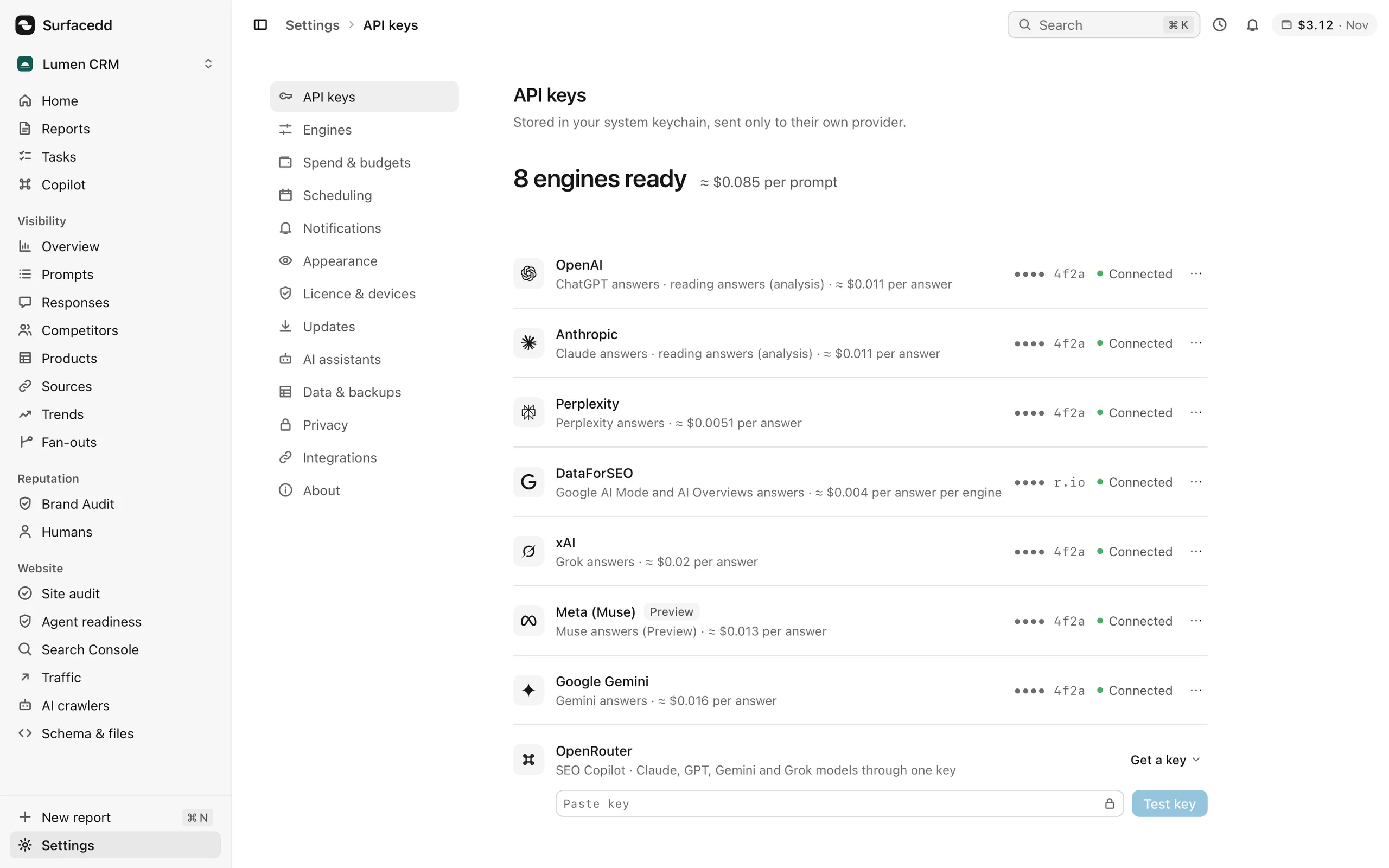
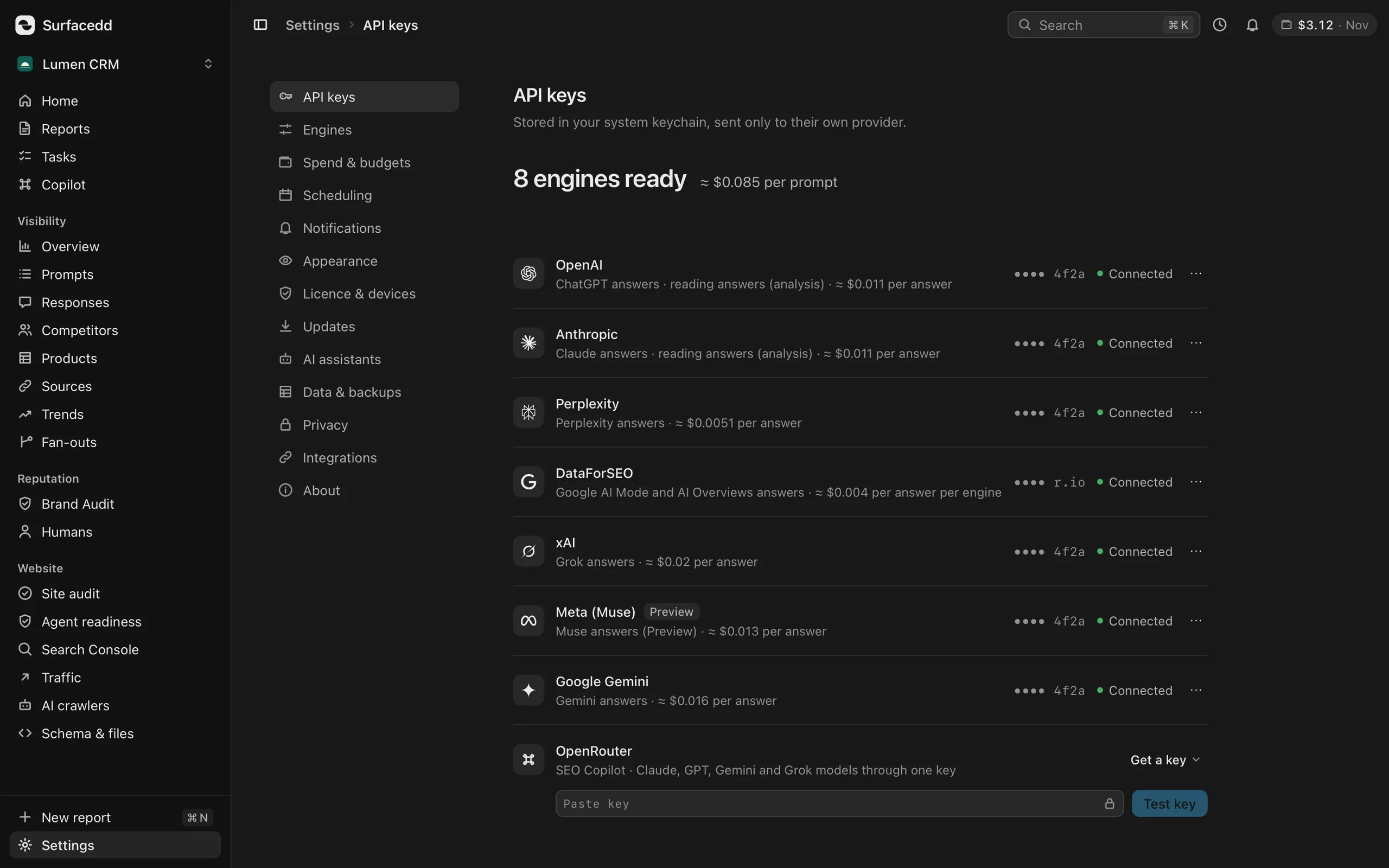
Paste the login and API password into the DataForSEO card in onboarding or Settings › API keys. The test reads your account details, which is free, and shows your current balance. After it passes, both are saved to your system keychain; the card shows only part of the login.
Scheduled runs vs Run now
DataForSEO prices each results page by queue, and Surfacedd picks the queue for you:
| DataForSEO queue | Price per results page | Used for |
|---|---|---|
| Standard | $0.0012 | Scheduled runs |
| Priority | $0.0024 | Faster scheduled runs |
| Live | $0.0040 | Run now |
Google AI Mode is captured from the Google results page through DataForSEO, so there is no model or token cost. Prices from price table 2026-11-13.1 on 2026-11-23 (UTC).
- Scheduled runs use the standard queue, the cheapest. Surfacedd posts tasks in batches and collects them when ready, usually within minutes, even across an app restart.
- Run now uses the live endpoint, which answers immediately at a higher price.
The estimate before each run reflects the queue. Billed requests are never retried automatically, so a timeout or server error can't charge you twice; failed items can be retried by hand.
Set a spend limit
DataForSEO is prepaid, so the balance is your ceiling. Surfacedd shows the balance on the key card, estimates each run and pauses schedules at an in-app budget for DataForSEO.
Troubleshooting
| What you see | DataForSEO status | What to do |
|---|---|---|
| Invalid | 40100 unauthorised | Re-enter the login and the API password (not your account password) |
| Account not verified | 40104 | Finish verifying the account at DataForSEO |
| Top up | 40200 / 40210 payment required or insufficient funds | Add funds at DataForSEO |
| Rate limited | 40202 / 40209 | Surfacedd waits and retries unbilled requests |
| No search results | 40102 | Stored as a valid, billed, empty answer: Google returned nothing for that query and place |
| Server error | 5xx | Never retried automatically, so you're not charged twice; retry failed items from the run |
Notes
- Surfacedd checks the status of every task inside a response, not just the HTTP status, so a failed task never looks like an empty answer.
- Prompts longer than 700 characters can't be sent to AI Mode.
- DataForSEO fetches Google's results pages on your behalf. Google's and DataForSEO's terms apply to that use; read them before you rely on it.
Related docs
Sources
Keep reading
- EnginesSee when Google's AI Overviews show up, and whether they cite youSurfacedd fetches the real Google results page through DataForSEO at the exact city and language you choose, records whether an AI Overview appeared, and reads every page it cited.Read
- EnginesSee who Google's AI Mode recommends for your searches, city by cityAI Mode is a different Google surface from AI Overviews, with its own endpoint and its own sources. Surfacedd captures it separately, at the exact city and language you choose, and keeps every reference in display order.Read
- ProductSEO Copilot: an AI SEO agent that works from your dataRead
- DocsFix provider errors fast: what each message means and what to doSurfacedd turns every provider error into one sentence and one button. This page lists them all, per provider, with the underlying code, whether Surfacedd retries, and what to do.Read
How we research, write and correct pages: read our editorial policy.