Fix provider errors fast: what each message means and what to do
Surfacedd turns every provider error into one sentence and one button. This page lists them all, per provider, with the underlying code, whether Surfacedd retries, and what to do.
By the Surfacedd teamUpdated 4 min readMarkdown
On this page
Short answer
Surfacedd maps every AI provider error to a plain message and a recovery button: Re-enter key, Add billing, Raise provider spend limit, Turn engine off, Review budget or Try again. Rate limits, timeouts and network errors are retried automatically up to four times; billing, key and spend-limit errors are never retried, because retrying can't fix them.
When a provider refuses a request, Surfacedd shows an inline card where the failure happened: the cause in plain words, a recovery button and Copy details (with keys redacted). Nothing fails silently, and a failed answer never blocks the rest of a run: other engines carry on, and failed items can be retried from the run sheet: Retry on an engine's row re-asks only that engine's failed answers, and Retry failed re-asks all of them. Both show the exact price first.
The messages, and what to do
| Message in Surfacedd | Meaning | Button | Retried automatically? |
|---|---|---|---|
| "{Provider} didn't accept the saved key." | The key is wrong, revoked or deleted | Re-enter key | No |
| "Add your {Provider} key to use this." | No key saved for this provider | Add {Provider} key | No |
| "{Provider} needs billing set up or more credit on your account." | No payment method, no credit or a free tier that can't do this | Add billing (opens the provider's billing page) | No |
| "You've reached the spend limit set in your {Provider} account." | Your limit at the provider, not in Surfacedd | Raise provider spend limit | No |
| "{Provider} is limiting requests right now. Surfacedd retries automatically." | Too many requests for your tier | (none needed) | Yes, honouring the provider's wait time |
| "The model … isn't available on your account." | The report's model is retired or not enabled for you | Pick another model in the report | No |
| "{Provider}'s API isn't available for your account's region yet." | The provider refuses your region | Turn engine off | No |
| "The engine declined to answer this prompt." | A refusal or content filter | (none) | No; stored as an answer that doesn't name you |
| "Gemini needs you to acknowledge Google's grounding terms first." | Gemini switched on without the acknowledgment | Review Gemini terms | No |
| "This would go over your monthly budget of …" | A Surfacedd budget would be exceeded | Review budget | No |
| "The cost changed since you confirmed it. Review the new estimate." | Prices or calibration moved by more than a quarter | Review the estimate | No |
| "Couldn't reach the network. Check your connection; nothing was lost." | You're offline or the provider is unreachable | Try again | Yes |
| "The request took too long and was stopped." | The provider didn't answer in time | Try again | Yes, except billed DataForSEO requests |
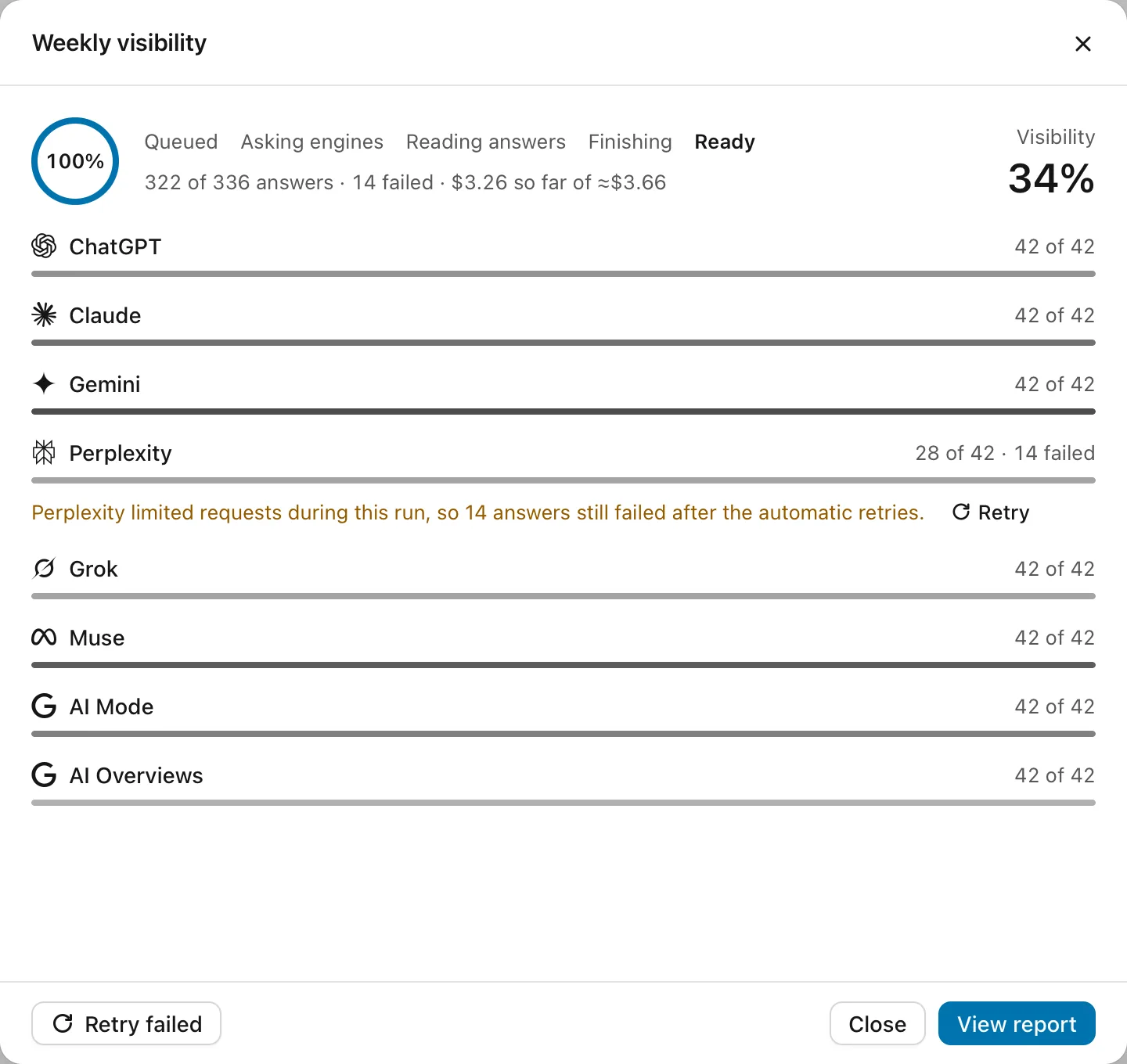
When Surfacedd retries, and when it never does
Surfacedd retries transient failures up to four times with randomised, growing waits, and honours a provider's Retry-After header: HTTP 408, 429, 500, 502, 503, 504 and 529, plus connection failures and timeouts.
It never retries:
- 400, 401, 403 and 404 responses, because the same request will fail the same way;
- a spend-limit 429 or OpenAI's
insufficient_quota, because only you can fix billing; - any billed DataForSEO request that may have reached the server, so a timeout can't charge you twice.
Searches run 10 seconds to connect and up to 120 seconds in total (150 for DataForSEO's live AI Mode).
Per provider
OpenAI (ChatGPT)
| Provider says | Surfacedd shows | Do this |
|---|---|---|
| 401 | Invalid | Re-enter the key from platform.openai.com/api-keys |
429 insufficient_quota | Billing needed | Add credit in OpenAI billing; not retried |
| 429 spend limit | Spend limit reached | Raise your OpenAI budget |
429 rate_limit_error | Rate limited | Wait; Surfacedd retries. Lower parallel requests if frequent |
status: incomplete, content_filter | Declined to answer | Nothing; stored as a refusal |
Anthropic (Claude)
| Provider says | Surfacedd shows | Do this |
|---|---|---|
| 401 | Invalid | Re-enter the key |
| 400 credit balance too low | Billing needed | Buy credit in the Claude Console |
| 400 web search not enabled | Web search disabled | An admin turns web search on in the console's capabilities settings |
| 400 unsupported location country | (no error) | Surfacedd asks again without location and labels the answer |
429 enforced_spend_limit_reached | Spend limit reached | Raise the Anthropic spend limit |
200 with web_search_tool_result_error | (no error) | The answer is kept; the failed search is noted |
stop_reason: refusal | Declined to answer | Nothing |
Perplexity
| Provider says | Surfacedd shows | Do this |
|---|---|---|
| 401 | Invalid | Re-enter the key |
| 402 / 403 | Billing needed | Add credit in the API console |
429 request_rate_limit_exceeded | Rate limited | Retried; raise your tier or lower the pace |
Google (Gemini)
| Provider says | Surfacedd shows | Do this |
|---|---|---|
| Invalid key | Invalid | Re-enter or recreate the key in AI Studio |
| Grounding refused on the free tier | Billing needed | Set up billing for the key's project and prepay |
| Daily grounded-request cap | Gemini paused until tomorrow | Nothing; other engines continue |
| No acknowledgment | Terms needed | Review the Gemini note in Settings › Engines |
xAI (Grok)
| Provider says | Surfacedd shows | Do this |
|---|---|---|
| 401 | Invalid | Re-enter the key |
| 402 / 403 | Billing needed | Add credit in the xAI console |
| 429 | Rate limited | Retried |
Meta (Muse)
| Provider says | Surfacedd shows | Do this |
|---|---|---|
invalid_api_key | Invalid | Re-enter the key |
| Region or permission refusal | Region unavailable | Turn the engine off; re-test later |
| 429 | Rate limited | Retried |
DataForSEO (AI Mode, AI Overviews)
| Provider says | Surfacedd shows | Do this |
|---|---|---|
| 40100 | Invalid | Use the API password, not your account password |
| 40104 | Account not verified | Finish verification at DataForSEO |
| 40200 / 40210 | Billing needed ("Top up") | Add funds; minimum payment applies |
| 40202 / 40209 | Rate limited | Retried |
| 40102 | (no error) | Google returned no results: stored as a valid, billed, empty answer |
| 5xx after a billed request | Failed item | Retry by hand; never retried automatically |
Key status labels
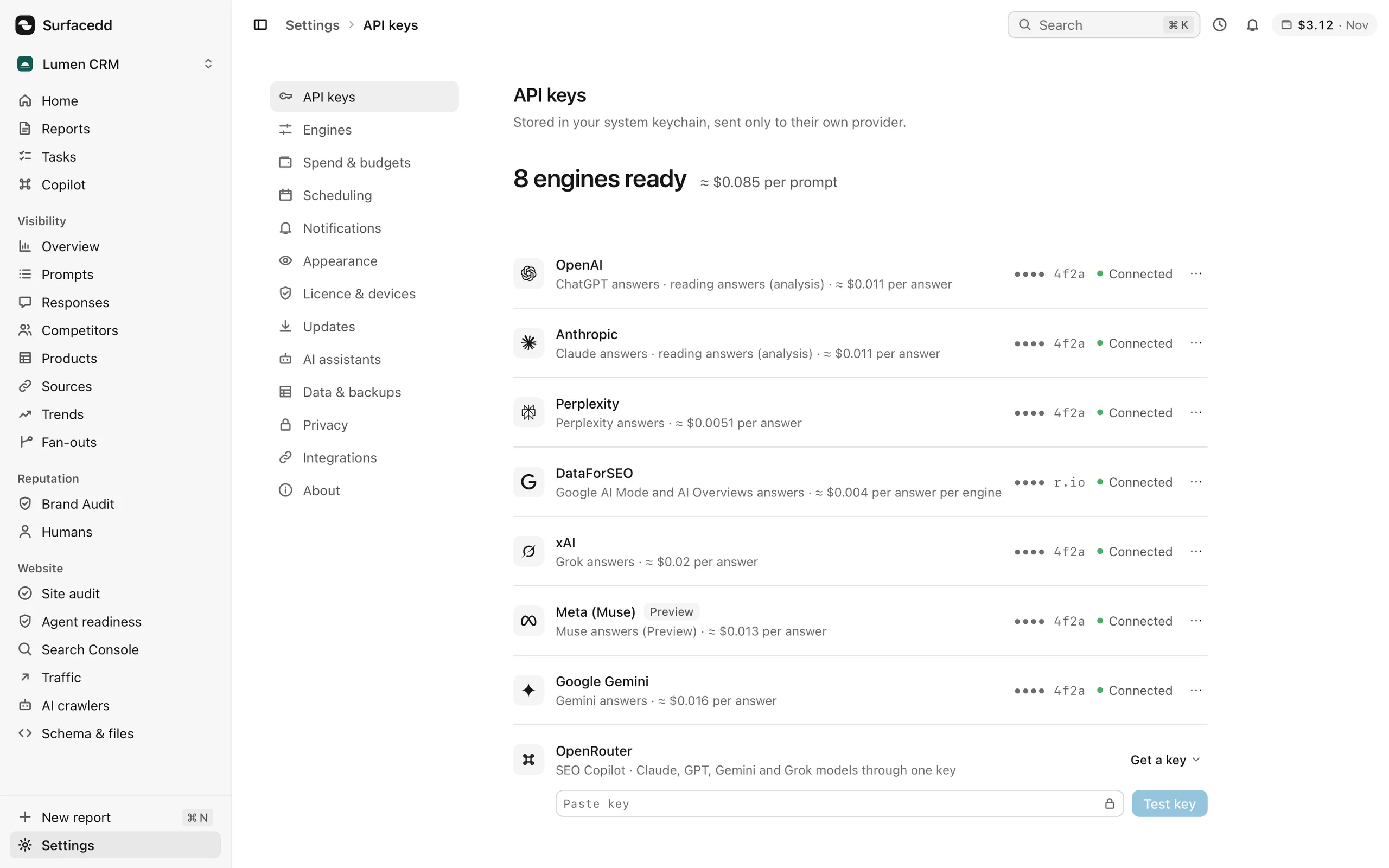
On the key cards in Settings › API keys, every key shows one of: Not connected, Testing…, Connected, Billing needed, Region unavailable or Invalid. A key with "Billing needed" is still saved, with a link to the provider's billing page, so you don't have to paste it again once billing is fixed.
Related docs
- API key guides: OpenAI, Anthropic, Perplexity, Gemini, xAI, Meta, DataForSEO
- Cost per prompt and budgets
Keep reading
- DocsConnect OpenAI so you can see what ChatGPT says about youFive minutes at OpenAI, one paste in Surfacedd. The key stays in your system keychain and is sent only to OpenAI.Read
- DocsConnect Anthropic so you can see what Claude says about youCreate the key, add credit, check one organisation setting most guides skip, and paste. The key stays in your system keychain and is sent only to Anthropic.Read
- DocsConnect DataForSEO to see what Google's AI says, city by cityOne DataForSEO account powers both Google surfaces in Surfacedd, plus the paid lookups in the SEO Copilot. You need the API password, not your account password, and credit on the balance.Read
- DocsKnow what a report will cost before you run itEvery run shows an estimate with a range before it starts, every answer records what it actually cost, and budgets can pause schedules before they overspend. You pay providers their list price; Surfacedd adds nothing.Read
How we research, write and correct pages: read our editorial policy.