Use one licence on three computers, and move it when you need to
One key, three computers at a time, any mix of Mac and Windows. Free a slot from the app or the website, and nothing you collected is ever held back by a licence problem.
By the Surfacedd teamUpdated 4 min readMarkdown
On this page
Short answer
A Surfacedd licence is a one-time purchase that runs on three computers at once, Mac or Windows. It works offline for 30 days between checks. If the licence can't be confirmed, the app turns read-only rather than locking you out. To move computers, deactivate the old one, export your workspace and activate the new one.
This page explains what your licence covers, what each licence state allows, and how to move Surfacedd to a new computer without losing data or a device slot.
What you buy
A Surfacedd licence is a one-time purchase that lets you use the app for as long as you like. Launch price $29, $79 after 23:59 UTC on January 30, 2027.$79 once. It includes one year of updates; renewing updates afterwards is optional and costs $49 a year. There are no subscriptions, credits or seats.
Your AI provider usage is separate. You pay OpenAI, Anthropic and the other providers directly on your own keys, at their prices. The app shows its cost estimate before every run.
Checkout is handled by Polar, our merchant of record, which collects sales tax or VAT and issues your receipt.
Three devices at a time
One licence is active on up to 3 computers at once, in any mix of Mac and Windows. The same key works for the Mac download, the Microsoft Store version and the direct Windows installer. A typical setup is a work Mac, a Windows PC and a spare slot for a replacement.
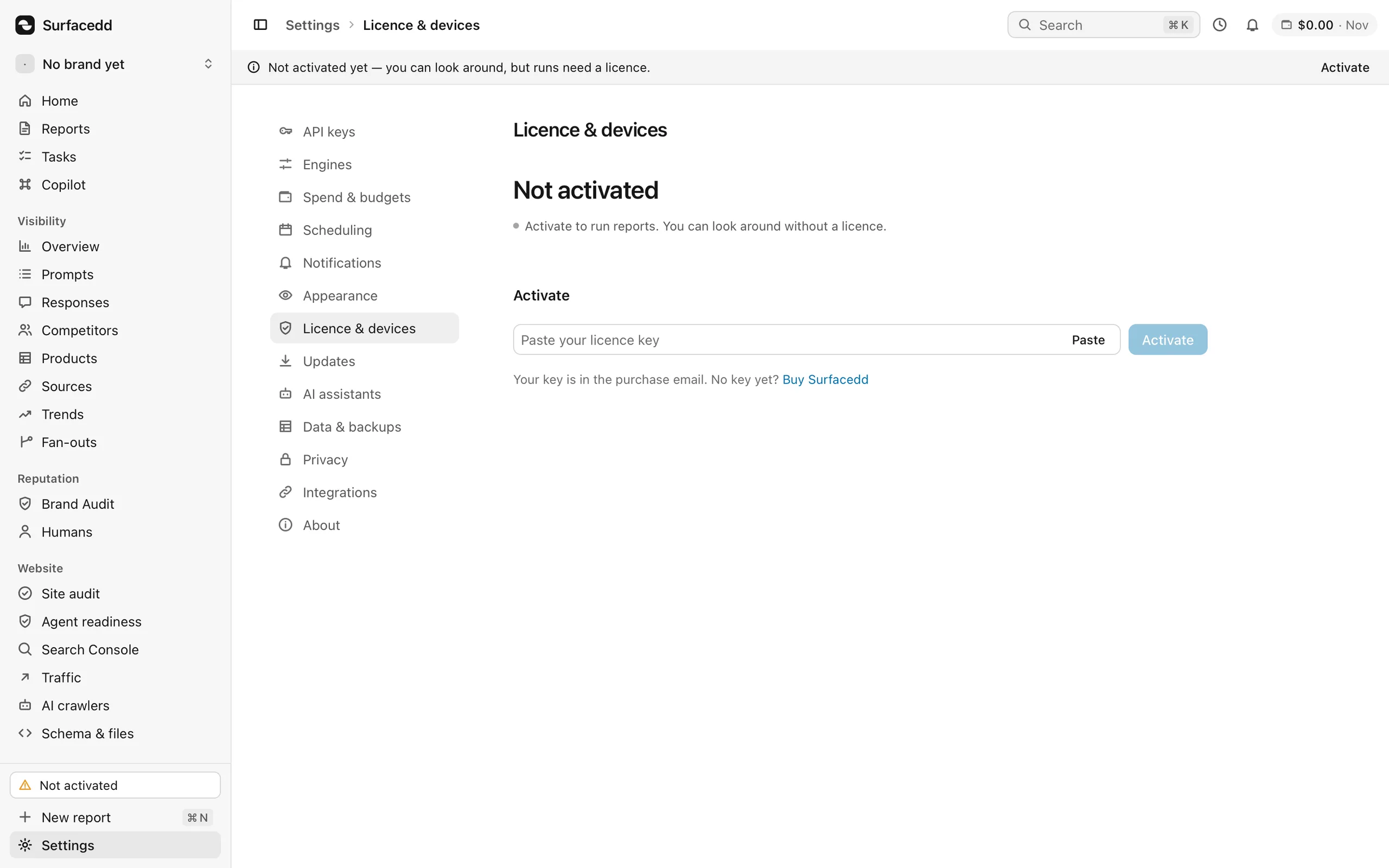
Each computer appears in Settings › Licence & devices under its host name and operating system, with the date it was activated. Manage devices lists every activation of your key; the one you're using is marked This computer.
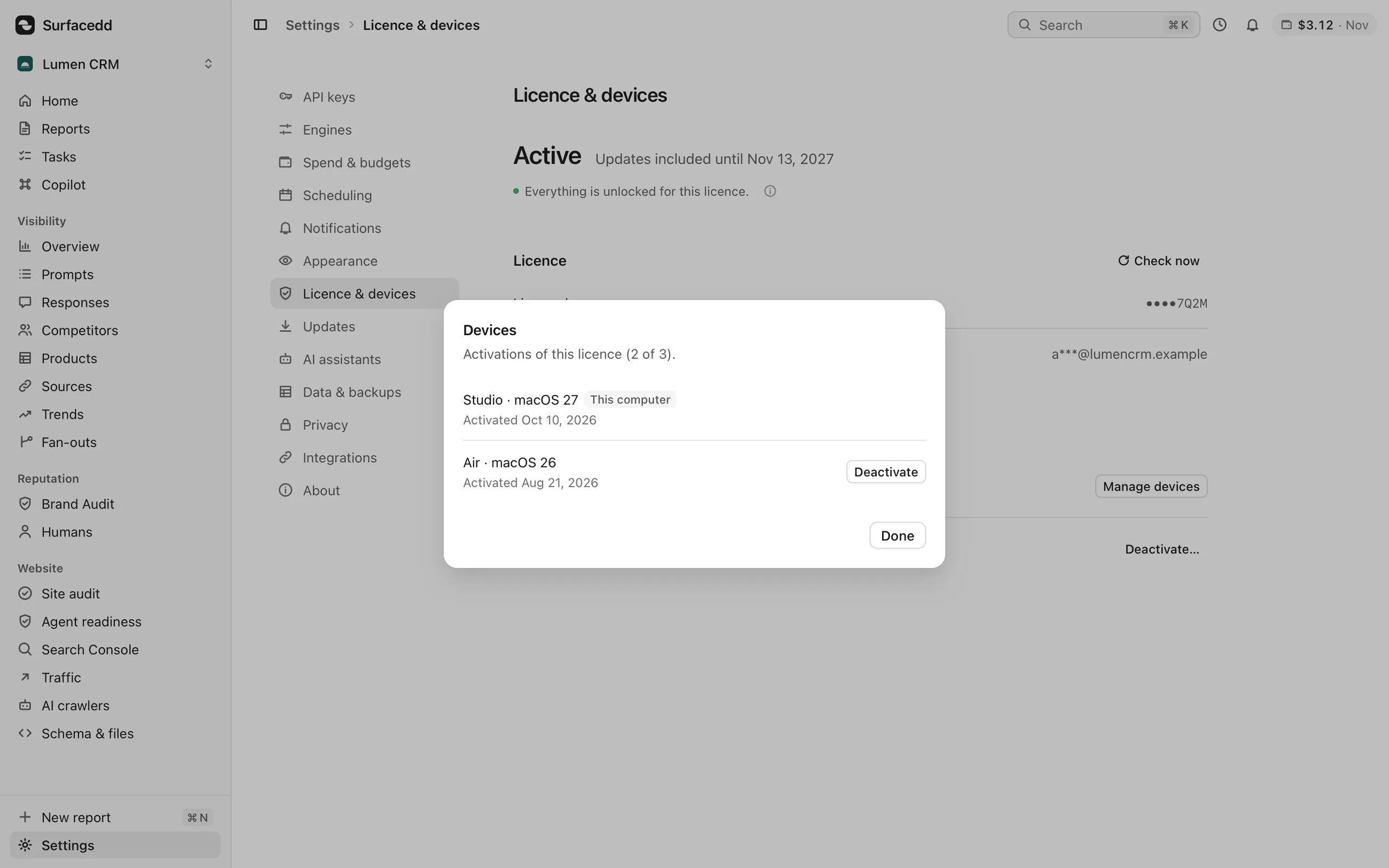
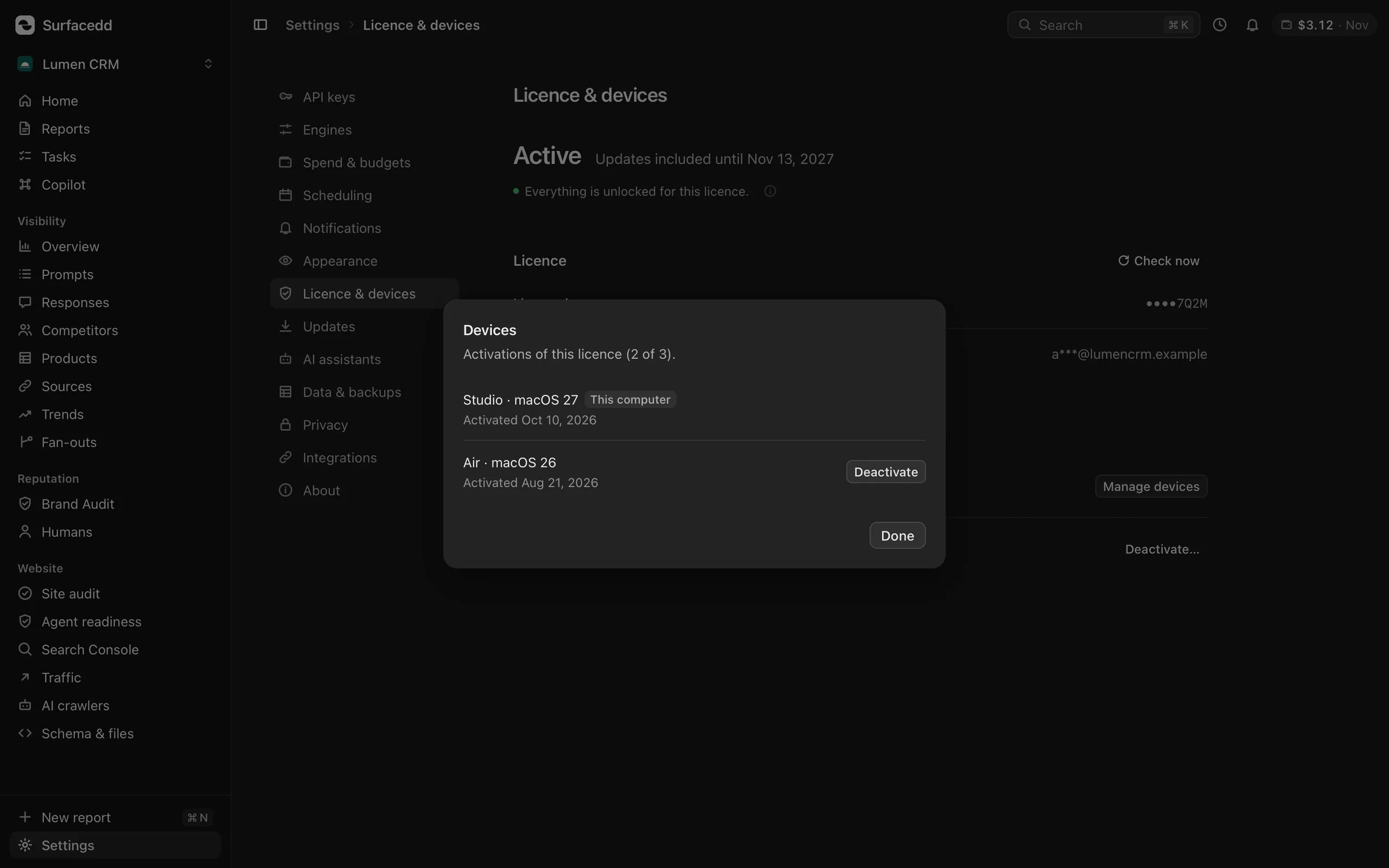
You can free a slot in two places: Deactivate next to a device in the app, or the Manage devices page on our website, which takes your licence key and works from any browser. A deactivated computer keeps all its data and becomes read-only until it is activated again.
Licence states
Settings › Licence & devices shows one of four states, with the reason in plain words and a Check now button that re-checks immediately.
| State in Settings | When | What works |
|---|---|---|
| Active | The last check confirmed the licence | Everything |
| Active · offline | The last check couldn't reach our server, and you're within 30 days of the last successful check | Everything; Settings shows the date it works offline until |
| Inactive · read-only | 30 days passed without a check, the licence was refunded or deactivated, or the computer's clock was set back | Viewing, search, filters, exports, MCP reads and editing local details. No new runs, schedules or paid calls |
| Not activated | No key entered on this computer | The sample workspace, plus activation |
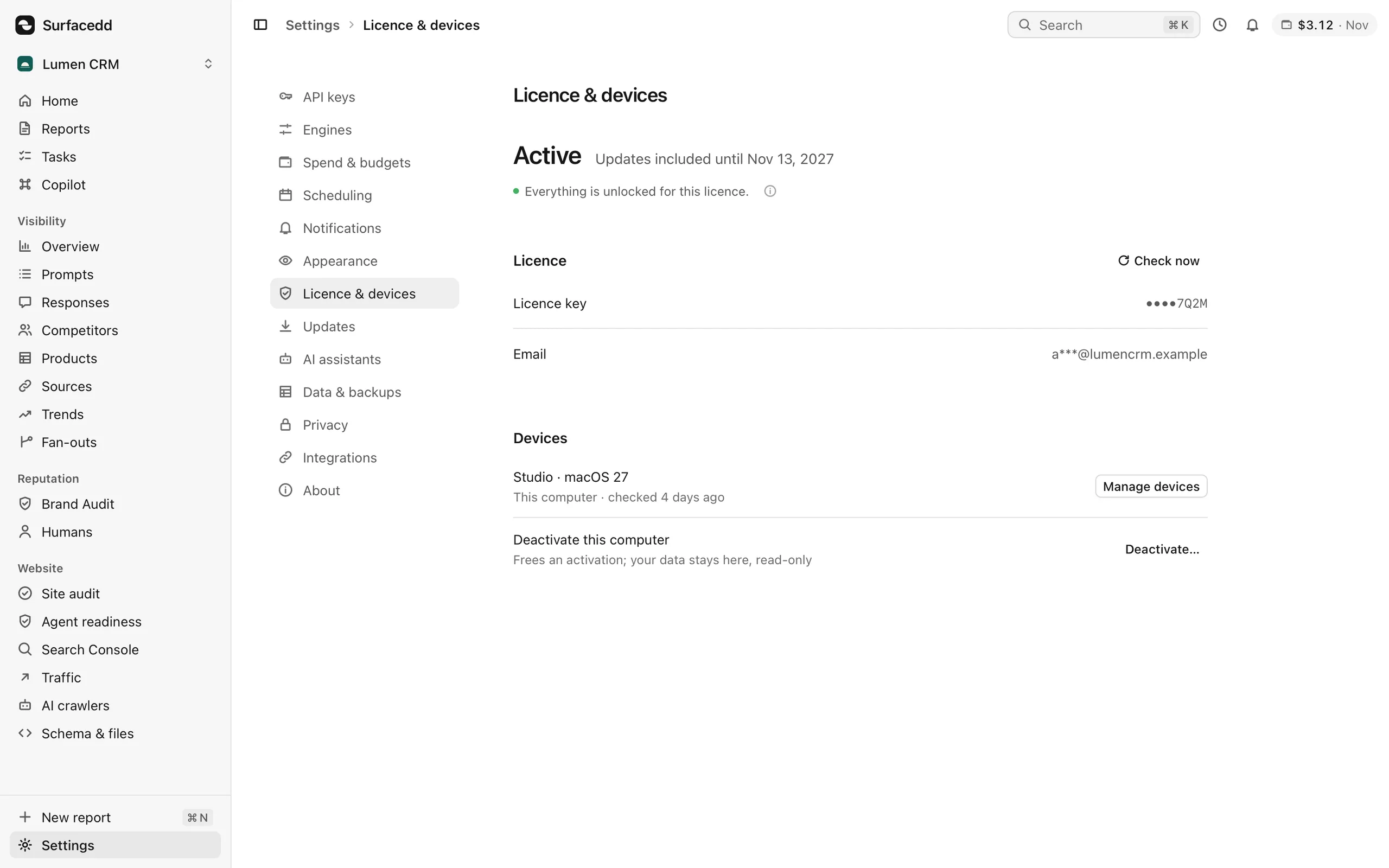
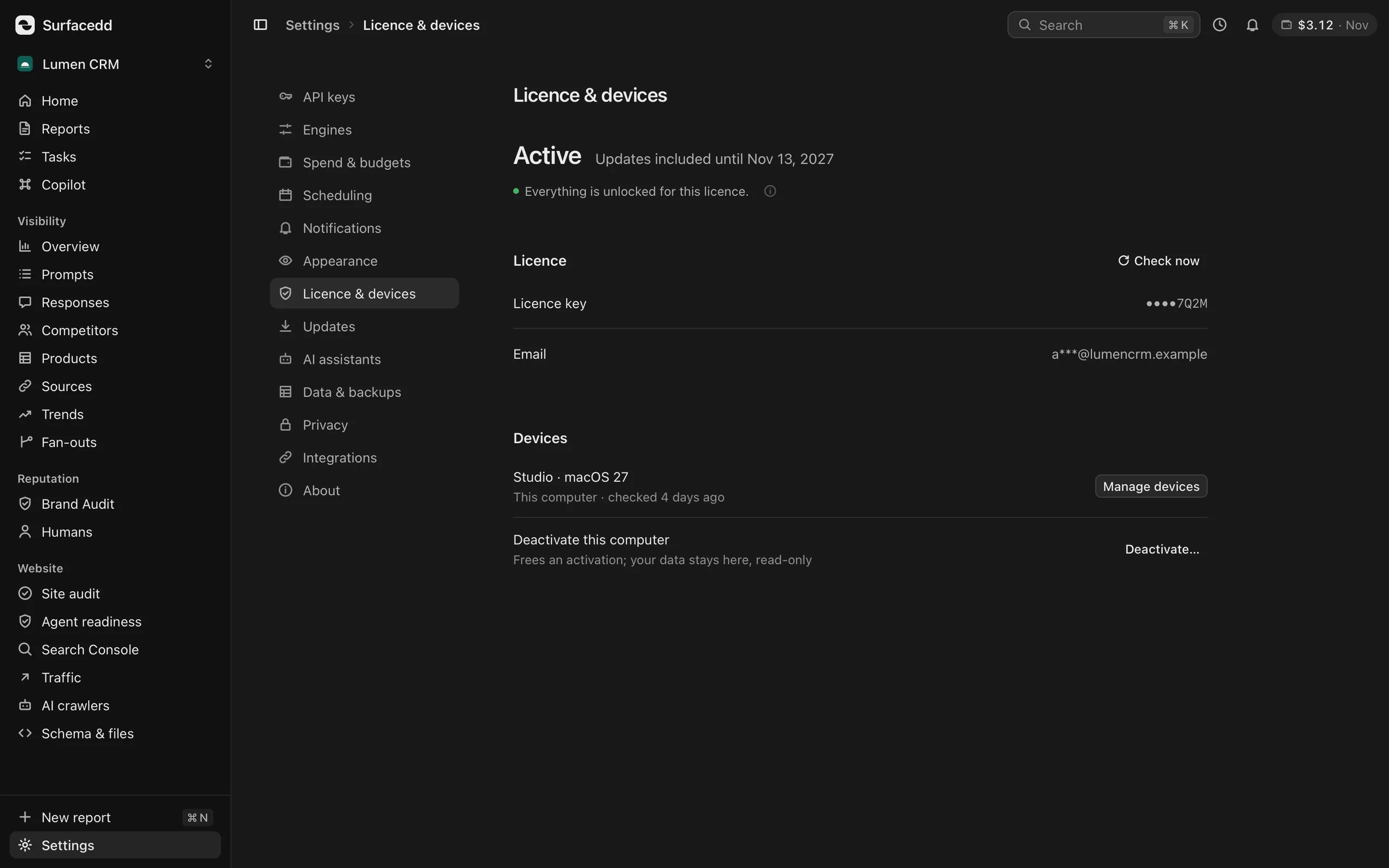
The app never deletes your data and never quits over a licence problem. Reconnecting, fixing the clock or activating again restores full use. Read-only mode is there so a refund, a lost connection or an expired check can't hold your own data hostage.
How licence checks work
The app checks the licence when you launch it, and roughly once a day once a check is due (a token is refreshed after about a week). It doesn't contact us for each action you take. Between checks it verifies a signed token offline, which is why a train ride or a flight doesn't matter.
Each check sends the licence key, this computer's activation ID, a one-way hash of the device identifier, the app version and the platform. It does not send prompts, answers, brands, competitors or API keys. The full list of what leaves your computer is in What leaves your computer.
Move to a new computer
Your data lives in a database on your computer, not with us, so moving takes two parts: the licence slot and the data.
- On the old computer, export your workspace. Open Settings › Data & backups › Export workspace, optionally set a passphrase, and save the file somewhere you can reach from the new computer. See Import and export your data for what the file contains.
- Deactivate the old computer. In Settings › Licence & devices, choose Deactivate this computer. It frees an activation; the data on the old machine stays there, read-only. If the old computer is already gone, deactivate it from Manage devices on the new one, or from the Manage devices web page.
- Install and activate on the new computer. Download Surfacedd and activate with the same key (see Activate your licence).
- Import the workspace. In Settings › Data & backups › Import workspace, pick the file and enter its passphrase if it has one.
- Add your API keys again. Keys stay in each computer's keychain and are never exported, so paste them in Settings › API keys and test them.
If you skip step 2 and the new computer would be a fourth activation, the app shows the device list during activation so you can free the old slot there.
Troubleshooting
| Problem | Cause | Fix |
|---|---|---|
| "This licence is active on too many computers" | All 3 slots are in use | Deactivate an unused device in the dialog or on Manage devices |
| Read-only after a long trip | No successful check for 30 days | Connect and click Check now |
| Read-only right after changing the date | The clock is behind the last check | Set the correct date and time, then Check now |
| Old computer still listed after reinstalling the OS | A reinstall doesn't free the slot | Deactivate it from Manage devices |
| Runs are paused but data is visible | The licence is read-only | See the reason in Settings › Licence & devices |
No trial, and refunds
There is no free trial; the sample workspace lets you see the app with realistic data first. If Surfacedd isn't right for you, ask for a refund within 14 days of purchase (how refunds work). A refunded licence becomes read-only at its next check, and your data stays on your computer.
Related docs
- Updates and renewal: the updates rule with dated examples.
- Backups and restore: daily copies and restoring on a new device.
- One-time purchase: why Surfacedd is a licence, not a subscription.
Keep reading
- DocsActivate your licence and start running reportsPaste the key once per computer, or open it from the purchase page. If the key is already on three computers, the app lists them so you can free one on the spot.Read
- DocsKeep every feature you paid for, and renew only if you want what's newYour licence includes a year of updates. Everything released in that year stays yours in every later version, and a renewal adds a year from whichever is later: today or your current end date.Read
- DocsGet your data back after a mistake, a crash or a new computerSurfacedd makes a compacted copy of its database every day and before every upgrade, import, restore or reset. Each copy has a Restore button, and a restore can itself be undone.Read
- ProductTrack AI visibility without a monthly billBuy the licence once. Every feature released in your first year stays yours in every later version, and the app never stops working if you don't renew.Read
How we research, write and correct pages: read our editorial policy.