Price AI visibility into every retainer, client by client
One brand per client, no seat fees, and every run priced before it starts, so the AI line on your retainer has a known cost and a deliverable behind it.
By the Surfacedd teamUpdated 8 min readMarkdown
On this page
Short answer
Consultants can add AI visibility to a retainer without a new subscription. Surfacedd tracks each client as its own brand, at a few dollars a month in provider fees for 20 weekly prompts on four engines, and adds a PDF report with methodology, a local site audit and AI crawler logs.
The three jobs
Clients have started asking a new question: "What does ChatGPT say about us?" For a consultant that turns into three jobs:
- Answer it with evidence. Which AI engines name the client, for which buyer questions, and who gets named instead, with the answers and cited pages to show for it.
- Find the fixes that are yours to make. Technical blockers (an AI crawler blocked in robots.txt, a page agents can't read), pages that competitors get cited for, and gaps in the client's own content.
- Report it monthly at a cost you can price. A deliverable the client can read, and a provider bill you know before the run.
Surfacedd is a desktop app that does this per client brand on your own API keys. Nothing is billed per seat, per brand or per credit.
Growing past solo work? AI visibility for agencies covers team set-ups and a cost model for 10 to 50 clients, and the use cases page lists every role.
One brand per client, no seat fees
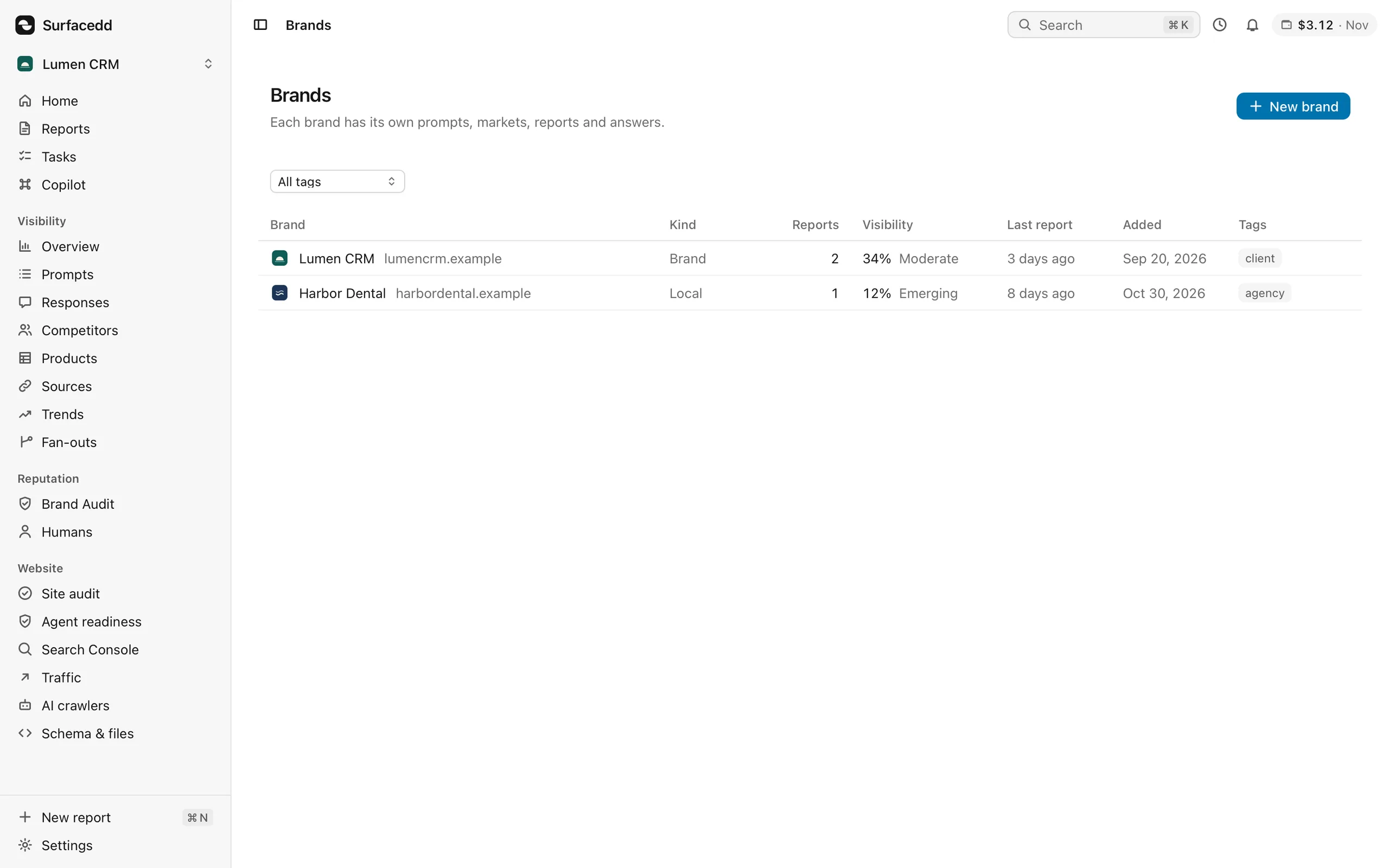
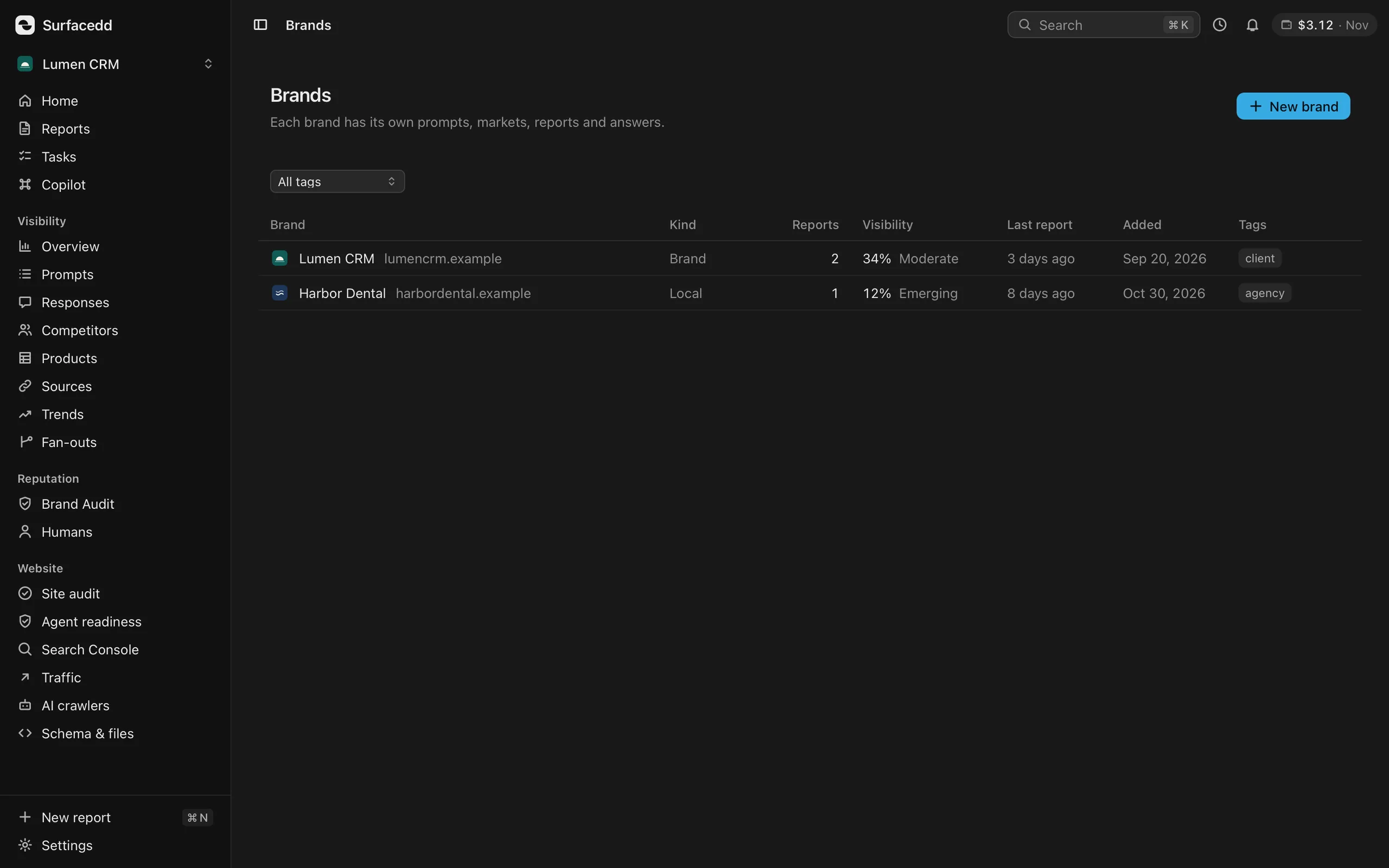
Each client is a brand with its own prompts, markets, reports and answers. Brands are unlimited; the top-bar switcher has search, pins and tags, so "client", "prospect" and "paused" can be filters, not separate accounts.
Two features save most of the setup time across clients:
- Duplicate to brand. Build a good report for one client, duplicate it to another, and the brand name in every prompt is rewritten for the new client.
- Local brands. For a dentist, a law firm or a trades business, add the brand as Local and give it a market with a city, so "best {service} in {city}" prompts are asked with that location wherever the engine supports one. Each answer is labelled with whether the location was applied.
The licence (Launch price $29, $79 after 23:59 UTC on January 30, 2027.$79 once.) covers 3 active devices, and the licence terms allow you to use it to provide services to your clients.
Setup for a new client in five steps
- Add the brand. Name, website, country, and at least one category ("CRM for small teams", "emergency dentist").
- Confirm what Surfacedd read. It analyses the client's home page and up to eight linked pages, suggests aliases and competitors, and you prune them. A new alias later triggers a free recount of every past answer.
- Write 15 to 25 prompts with the client. The questions their buyers ask, tagged by funnel stage. Start from the CSV below.
- Price it and schedule it. The run sheet shows the estimate with a range, per engine. Set the report to weekly or monthly; runs missed while your laptop sleeps catch up on wake.
- Run the site audit and import logs. The audit crawls up to 500 pages locally, free. If the client can export server logs, import them for the AI crawler view.
Starter prompts for a client
Download a template with placeholders for category, audience, city and competitor, plus a column to record who asked for each prompt: b2-consultant-client-prompts.csv. Keep each client's set stable for a quarter. Changing prompt wording resets like-for-like comparisons, and comparisons are what the client is paying you for.
Cost per client
Provider fees for weekly runs on the four default engines (ChatGPT, Claude, Perplexity and Google AI Mode), at today's list prices, including the step that reads each answer. You pay the providers directly; we don't mark them up.
| Clients | Prompts each, weekly | Provider fees a month | Per client a month |
|---|---|---|---|
| 3 | 20 | $8.99 | $3.00 |
| 8 | 20 | $23.97 | $3.00 |
| 15 | 20 | $44.94 | $3.00 |
Add-ons per client, per month:
| Deliverable | Provider cost | Notes |
|---|---|---|
| Brand Audit (what AI says about the brand, from memory and from the web) | about 8 cents per audit, plus a fraction of a cent per cited page analysed | Monthly is plenty for most clients |
| Site audit, including AI crawler access and agent readiness | none | Runs locally |
| AI crawler log analysis | none | Logs never leave your computer |
| Search Console and GA4 views | none | Read-only Google connection |
Per-provider budget caps keep one client's runs from eating another's month: a run that would cross a hard cap is blocked unless you override it. The cost calculator models other mixes, and pricing has the licence details.
Deliverables
A monthly report in your branding. The client report builder writes it as a PDF, an editable PowerPoint deck or one HTML file with your logo, colours and footer, from the same numbers as the app; the "Made with Surfacedd" credit can be switched off (setup steps). The PDF includes a methodology appendix per engine: the collection mode, the model and how location was handled. Every number in the body is backed by stored answers, and changes are marked significant only when the 95% ranges say so; otherwise the report says "no clear change". That keeps you from selling noise as progress. See AI visibility reports for what goes in one.
Raw data. One Excel workbook with a sheet per table, or CSV, JSON and NDJSON exports with every answer, citation and mention, for clients who want the data in their own tools.
Google rankings next to AI answers. Weekly positions per keyword and device as the median of three reads, the AI Overview flag, and the keywords a competitor wins in Google's top 20 where the client has nothing (Google rank tracking). Fifty keywords checked weekly cost about $0.98 a month on your DataForSEO key. For local clients, add a Business Profile audit and a Maps rank grid (local SEO); for slow money pages, page speed shows which fail Core Web Vitals for real visitors, free with a Google API key.
A technical audit with AI readiness. The site audit checks AI crawler access per key page, snippet controls, structured data, canonicals and llms.txt (labelled informational). The new Agent readiness check scores whether AI agents can reach the site, understand it and act on it, with the evidence and a copyable fix for each issue, at no cost per check. It doesn't promise more recommendations; it finds what blocks or confuses agents.
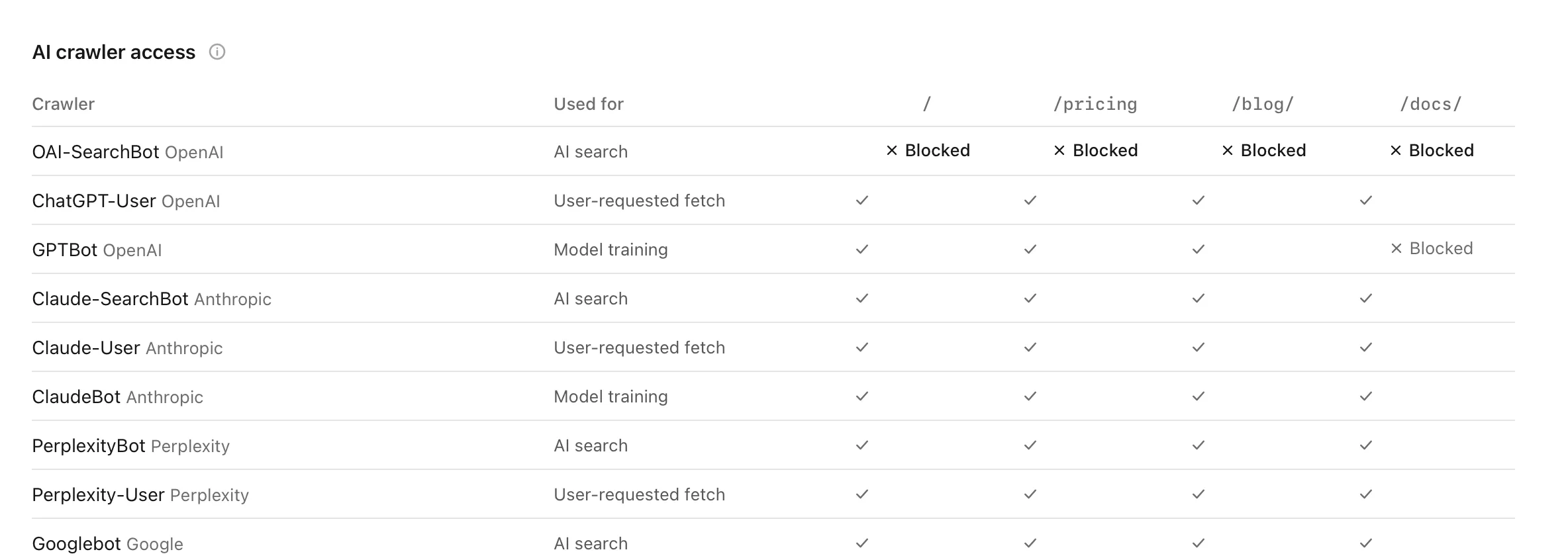
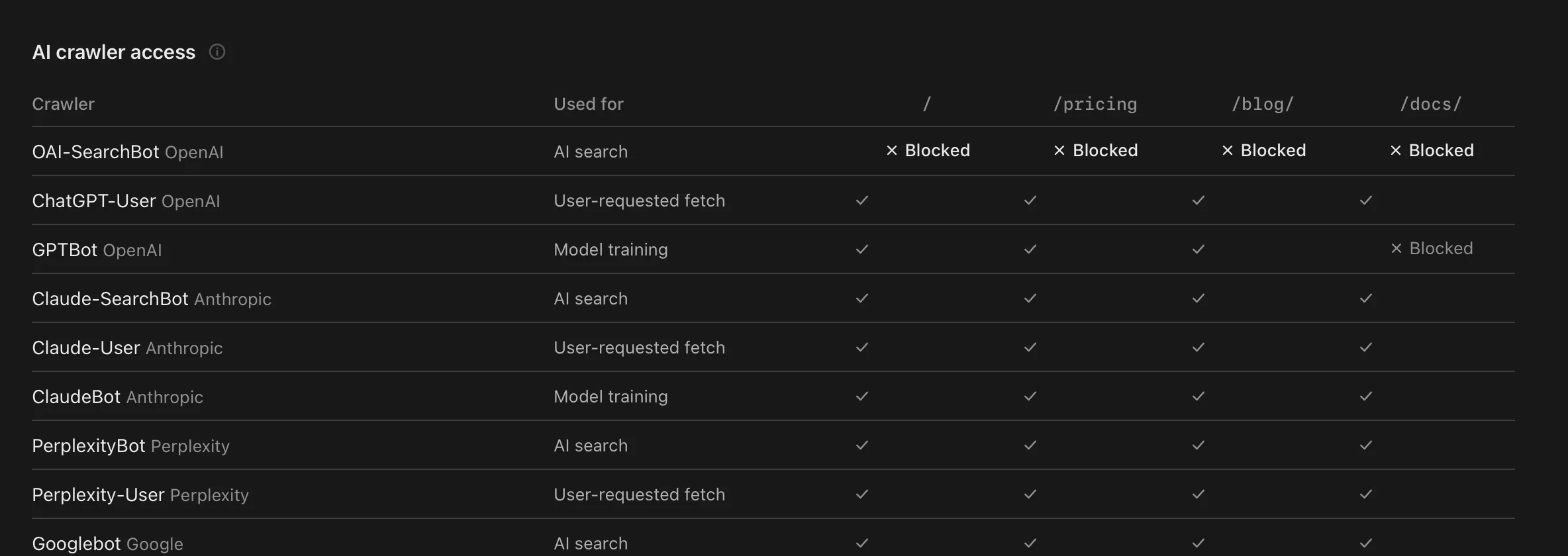
Crawler logs. Import the client's access logs to see which AI crawlers actually fetched which pages, labelled verified, unverifiable or spoofed against published IP ranges, with no IPs stored. The AI visibility audit feature explains the rule set.
An example month
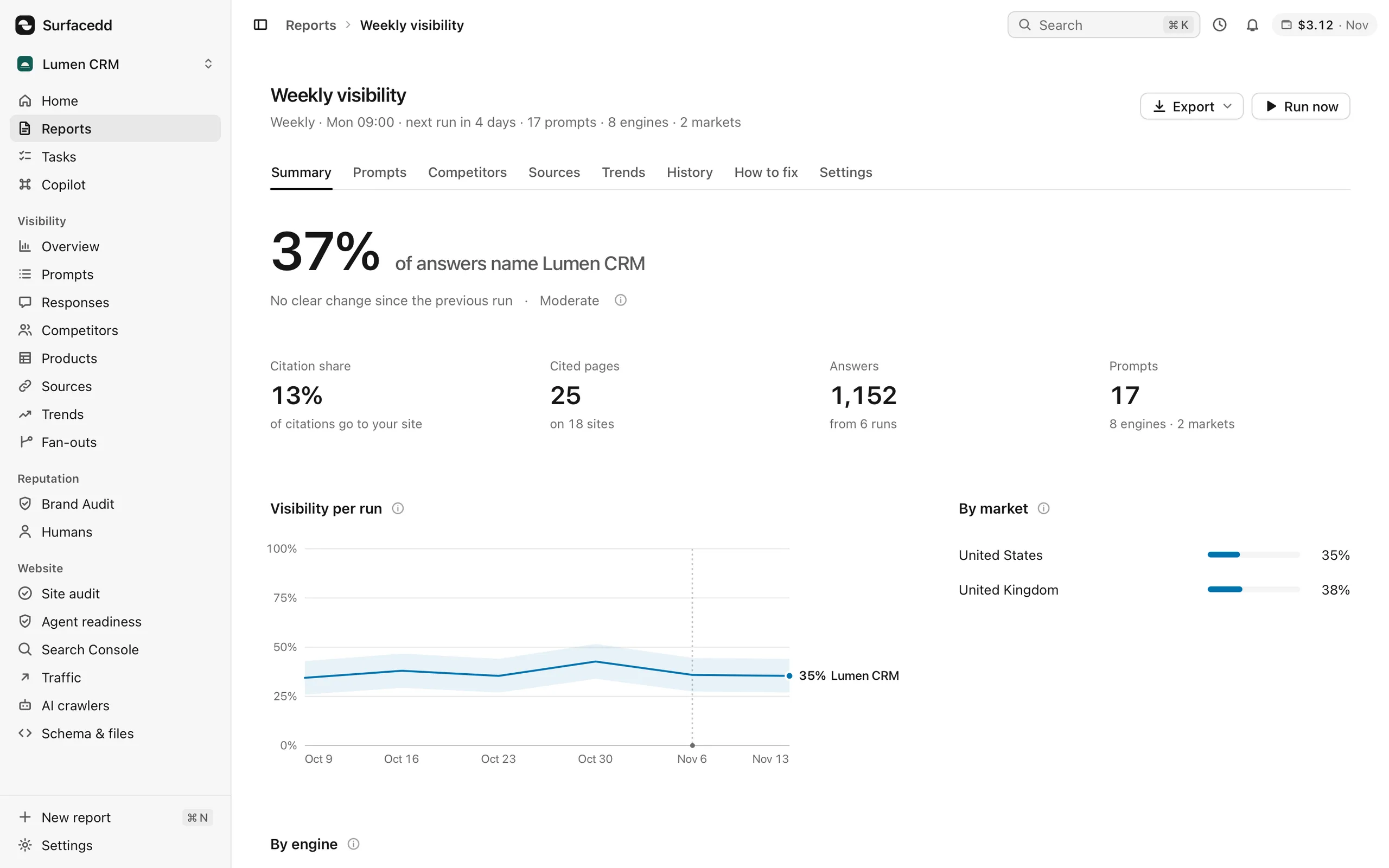
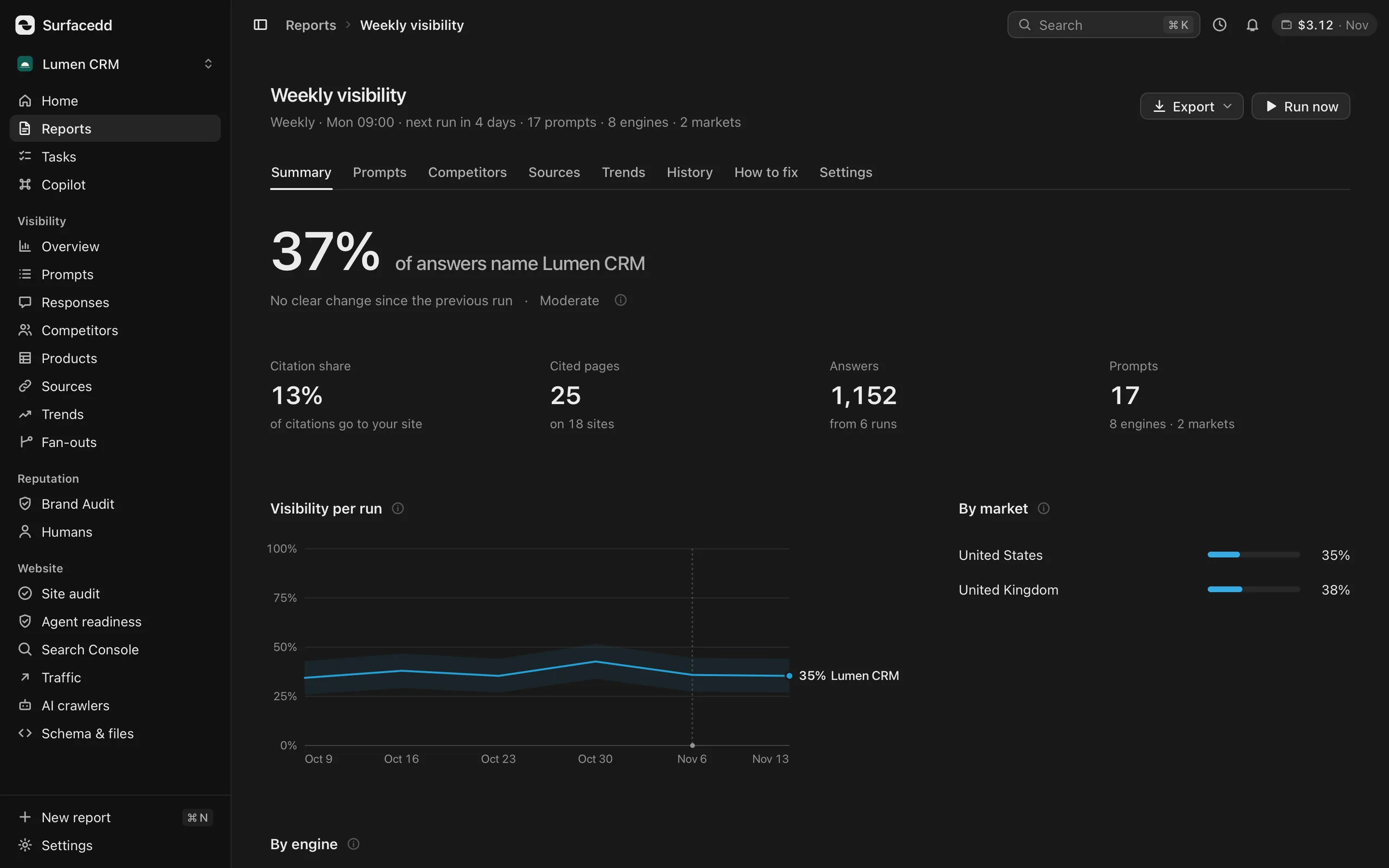
The sample workspace's client, Lumen CRM, shows what a first report says. 40% of answers name the brand, with no clear change since the previous run. The client's site gets 15% of citations, on 25 cited pages across 18 sites. The audit's crawler matrix shows OAI-SearchBot blocked on every key path, which becomes task one, with the robots.txt line as evidence. The report's history tab lists every run with its cost, so the client sees exactly what the month cost in provider fees. A partial run can retry just the failed answers, and only those are charged again.
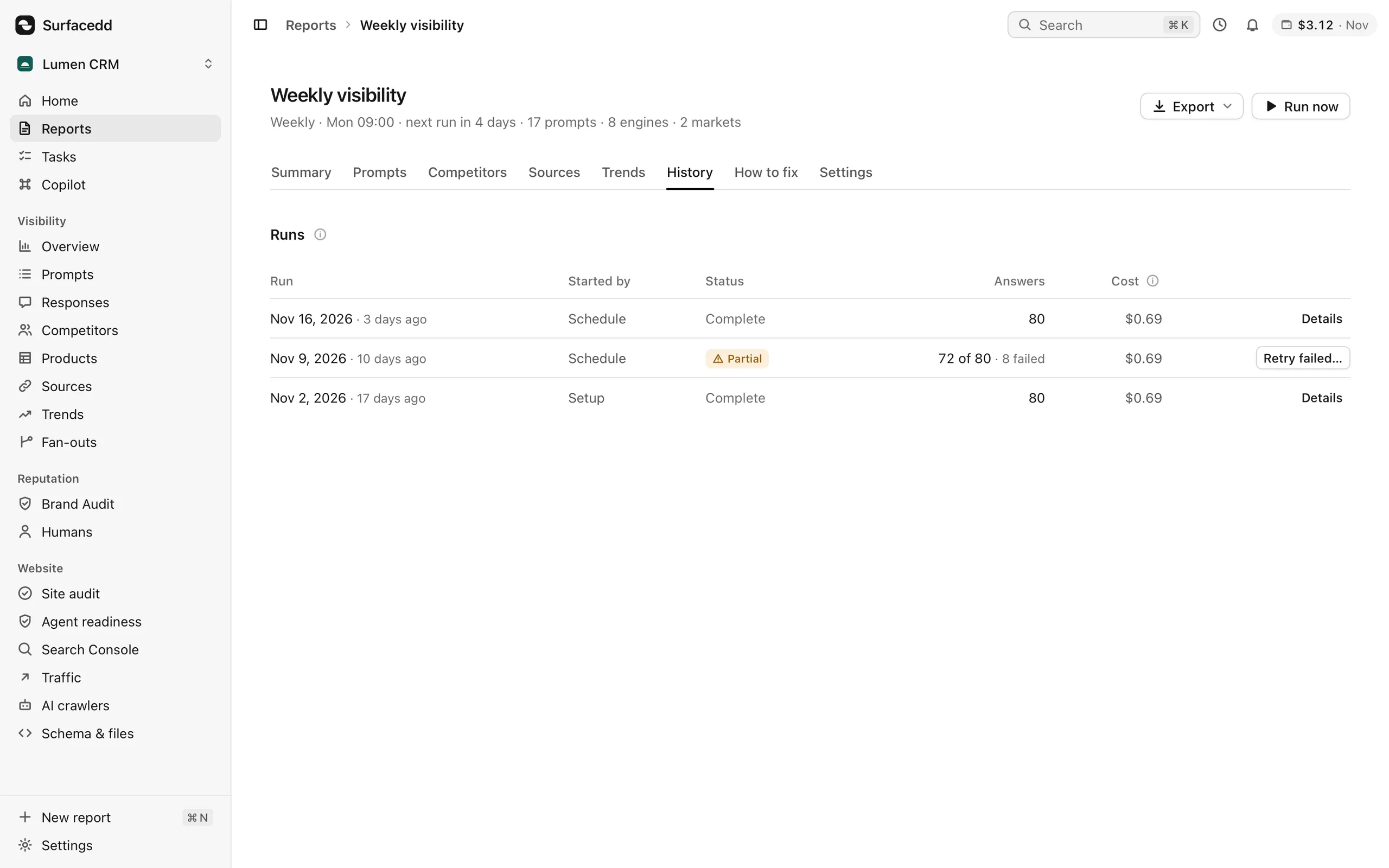
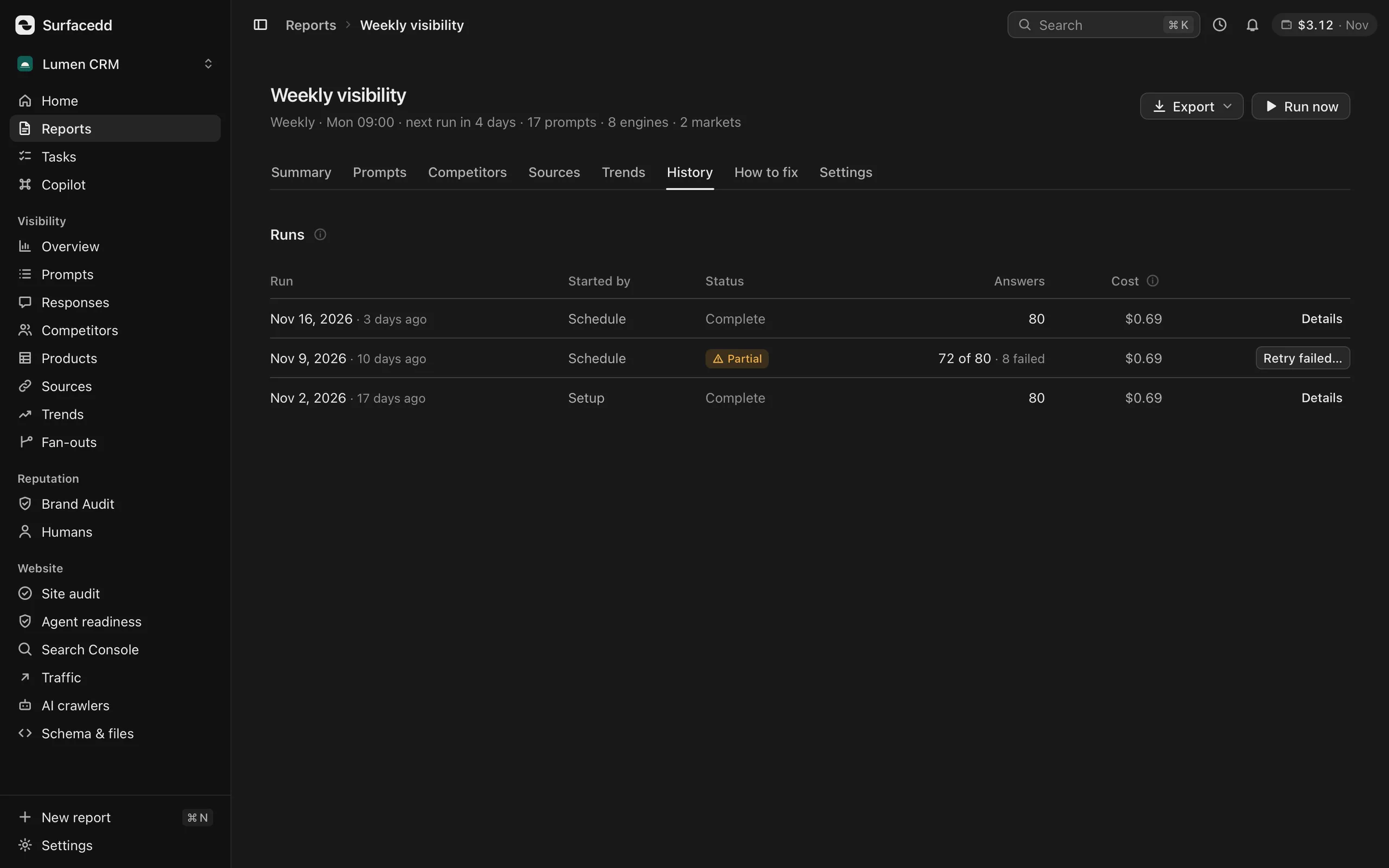
That's a retainer conversation with a fix in it, not a score.
Pricing it in a proposal
A worked line for a client proposal, using today's list prices:
AI visibility tracking: 20 buyer questions tracked weekly on ChatGPT, Claude, Perplexity and Google AI Mode, with a monthly report. Provider fees passed through at cost, estimated at $3.00 a month and shown before each run.
Write the fee for your time separately. Clients understand pass-through costs when they're small, stable and shown, and Surfacedd gives you all three: the estimate before each run, the actual cost after, and per-run costs in each report's history.
Humans for clients
Some clients will want the same check on their founder or CEO. Humans profiles are allowed for clients only with their written authorization, which you attach when you create the profile: name, scope, date and how to revoke it. See Humans for founders and executives. To check whether AI names you as an expert in your field, set up your own profile and read expert discovery.
What it doesn't do
If clients expect to log in and see their numbers between reports, a hosted tool fits better today. Compare options on alternatives.
Fair questions
What do I tell a client AI visibility costs?
Separate your fee from the provider fees. At 20 weekly prompts on four engines, providers charge about $3.00 a month per client at today's list prices, plus a few cents for a monthly Brand Audit. Surfacedd shows the estimate before every run and the actual cost after, so you can pass it through or absorb it.
Can I use one licence for all my clients?
Yes. The licence covers unlimited brands on 3 active devices, and its terms allow consultants and agencies to use it to provide services to clients. You can't share one licence across more than 3 active devices, so a team that needs more machines needs more licences.
How do I keep client data separate?
Each client is its own brand with its own prompts, reports and answers. Everything is stored in one database on your computer. To hand a client's data over, use the CSV, JSON or NDJSON exports. Deleting a brand has a 48-hour undo, then it's purged.
Whose API keys should I use?
Usually yours, billed into your retainer, because it keeps one bill and one setup. Some clients prefer their own keys for budget or compliance reasons. Keys are stored in your operating system's keychain, apply per computer rather than per brand, and are never included in exports.
How is this different from my SEO platform's AI features?
Many SEO platforms now report AI mentions inside a subscription. Surfacedd is a one-time licence with your own keys, stores every answer and cited page locally, prices each run before it starts, and adds a local site audit, crawler logs and Humans. Choose by the deliverable you sell, and check each vendor's current pages for what they include.
Will the reports stand up to a sceptical client?
They're built to. Every figure links to the stored answers behind it, ranges show how sure each number is, "no clear change" appears when nothing moved, and the PDF appendix states how each engine was asked. If a client asks "says who?", you can open the answer.
How we research, write and correct pages: read our editorial policy.