Connect Anthropic so you can see what Claude says about you
Create the key, add credit, check one organisation setting most guides skip, and paste. The key stays in your system keychain and is sent only to Anthropic.
By the Surfacedd teamUpdated 3 min readMarkdown
On this page
Short answer
To get a Claude API key, sign in to the Claude Console at platform.claude.com, buy prepaid credit, and create a key on the API keys page. Check web search hasn't been disabled for your organisation, then paste the key into Surfacedd. A Claude.ai subscription doesn't include API credit, and the API has no free tier.
Your Anthropic key lets Surfacedd ask Claude your prompts with Anthropic's web search tool on, and record what Claude says, which passages it cites, which results it read and which searches it ran. Calls go from your computer to api.anthropic.com and nowhere else.
Like an OpenAI key, an Anthropic key can be your analysis key: the small per-answer call that reads which brands an answer names and in what order. You need one analysis-capable key, OpenAI or Anthropic, to run reports.
Create the key
- Sign up or sign in to the Claude Console.
- Buy prepaid credit in the console's billing settings. Anthropic's API has no free tier, and new organisations need credit before the first call works. A Claude.ai Pro or Max subscription doesn't include API usage.
- Open platform.claude.com/settings/keys and create a key. Naming it "Surfacedd" helps you find its spend later.
- Copy the key; it's shown only once.
Check the web search setting
This is the step that blocks most first runs. Anthropic's web search docs say web search "is enabled for your organization unless an administrator has disabled it in the Claude Console". When it's off, every request that uses the tool fails with a 400 error saying web search isn't enabled.
If your Anthropic organisation was set up by someone else, ask an admin to open the console's capabilities settings and confirm web search is on. Admins can also restrict which domains it searches there; leave that unrestricted for tracking, or answers won't reflect what Claude normally reads.
Set a spend limit at Anthropic
Set a monthly spend limit in the console before you schedule recurring reports. Surfacedd estimates each run before it starts and can stop schedules at an in-app budget, but the provider limit protects you independently. When Anthropic's limit is reached, it returns a 429 with no retry hint, and Surfacedd shows "Raise your provider spend limit" rather than retrying.
Paste and test
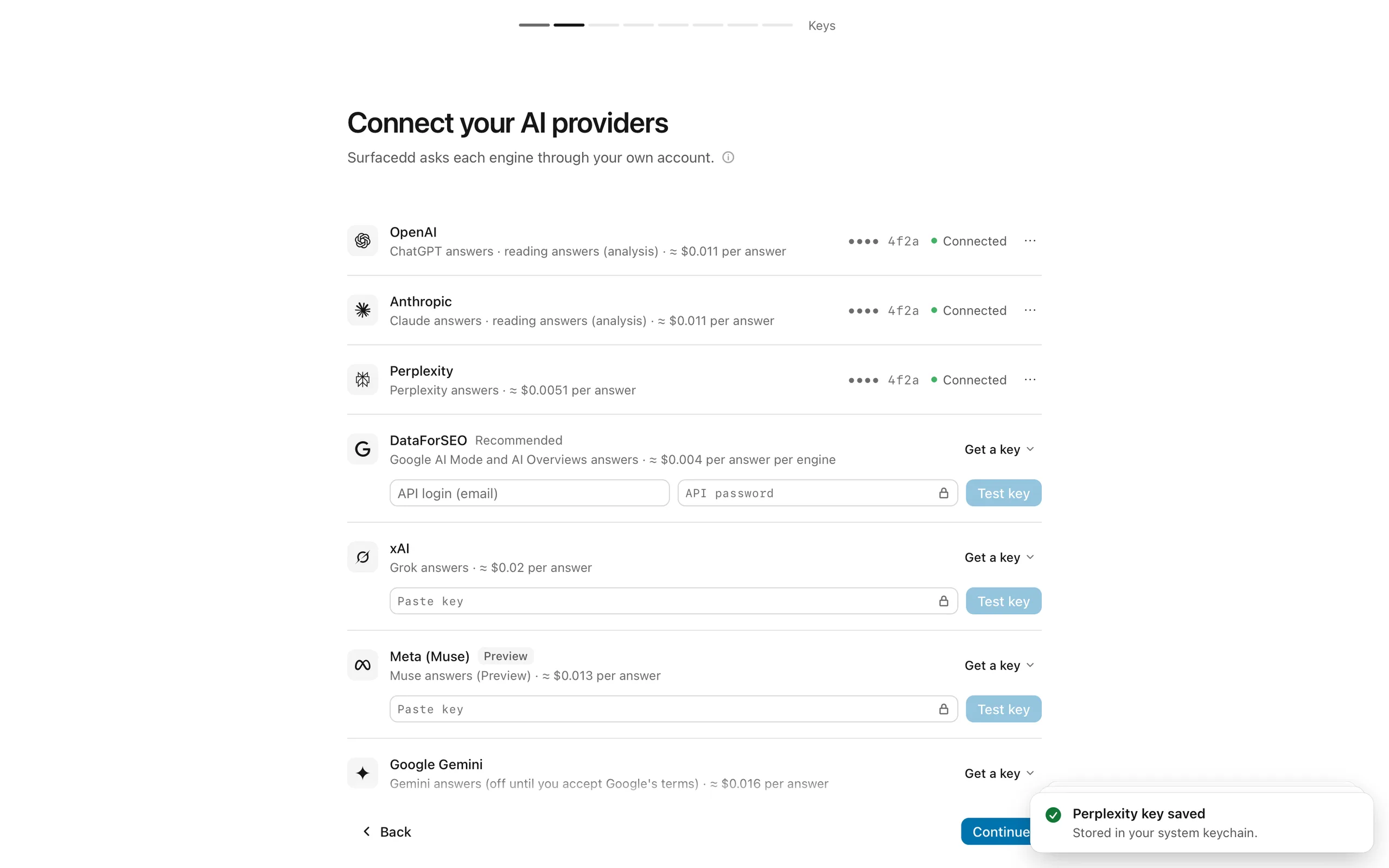
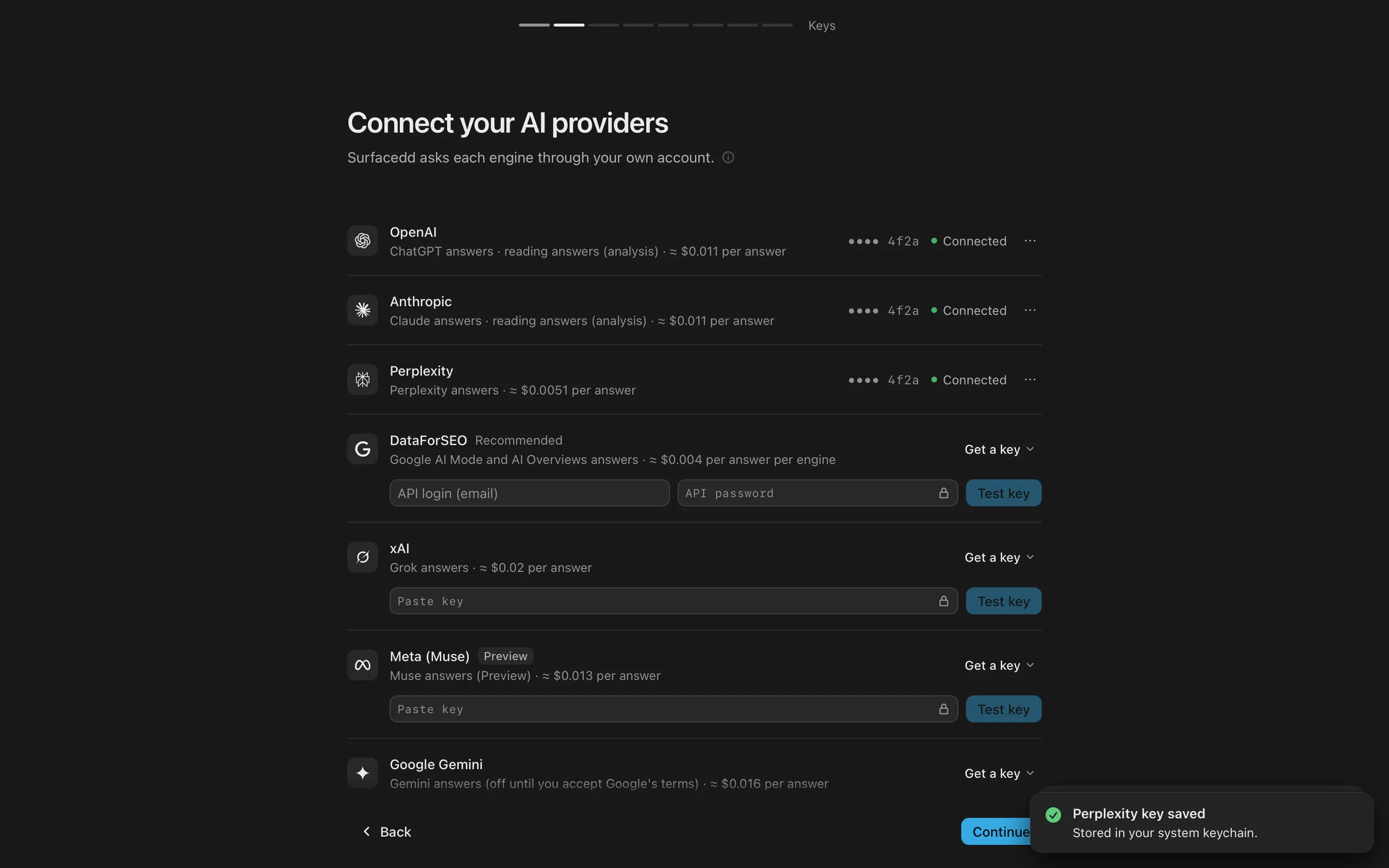
Paste the key into the Anthropic card in onboarding or in Settings › API keys.
- Free check. Surfacedd lists the models available to your key. If that works, the card shows Connected, and the key is saved to Keychain or Credential Manager.
- Test search (optional). One grounded answer with a single web search on the cheapest Claude model, with the exact cost shown. This is the test that catches a disabled web search setting, and the card links straight to the capabilities page if so.
From then on the app shows only the key's last four characters. Rotate or remove it from the card's menu.
What web search costs here
Anthropic charges per search and bills the search results as input tokens, so the model's input price matters more than usual. Surfacedd caps Claude at three searches per answer to keep that predictable.
| Model | Tier | Input per 1M tokens | Output per 1M tokens | Per 1,000 searches | Est. per answer |
|---|---|---|---|---|---|
| Claude Haiku 5.5 (default) | cheap | $0.10 | $0.50 | $10.00 | $0.0112 |
| Claude Sonnet 5.5 | mid | $2.00 | $10.00 | $10.00 | $0.0346 |
| Claude Opus 5.5 | flagship | $4.00 | $20.00 | $10.00 | $0.0592 |
Estimates assume about 8,300 input and 800 output tokens and 1 search per answer, at Anthropic's list prices on 2026-11-23 (UTC), price table 2026-11-13.1.
On the default model (Claude Haiku 5.5) one answer costs about $0.0112. Failed searches aren't billed, per Anthropic.
Troubleshooting
| What you see | What it means | What to do |
|---|---|---|
| Invalid | Anthropic rejected the key (401) | Re-enter it or create a new key |
| Billing needed | The credit balance is too low (400 credit-balance error) | Buy credit in the Claude Console |
| Web search disabled | An admin turned web search off for the organisation | Turn it on in the console's capabilities settings, then re-test |
| Spend limit reached | Your Anthropic spend limit is used up | Raise it in the console |
| Rate limited | Too many requests at once | Surfacedd retries; if it continues, lower Anthropic's parallel requests in Settings |
| Location not applied | Anthropic doesn't support the report's country for location | Nothing; the answer is kept without location and labelled |
| Search error inside an answer | One search failed but Claude still answered | Nothing; the answer is kept and the error noted |
| Refused | Claude declined to answer | Stored as an answer that doesn't name you |
Notes specific to Claude
- Long answers can pause mid-turn; Surfacedd resumes them, up to four times, and adds up usage so the cost covers the whole answer.
- Claude decides whether to search. Some answers come from training data with no citations; that's a result, not an error. See the Claude tracking page.
Related docs
Sources
Keep reading
- EnginesSee when Claude recommends you, and the exact passages it citesSurfacedd asks Claude your buyers' questions with Anthropic's web search tool, then stores the answer, the passage each citation quotes, every result Claude received and the searches it ran.Read
- GuidesClaude SEO: get cited by Claude, and put Claude to work on your SEO dataPeople searching "Claude SEO" want one of two things: to be cited when Claude answers, or to use Claude as an SEO analyst. This guide covers both, with what Anthropic documents and prompts you can run today.Read
- DocsKnow what a report will cost before you run itEvery run shows an estimate with a range before it starts, every answer records what it actually cost, and budgets can pause schedules before they overspend. You pay providers their list price; Surfacedd adds nothing.Read
- DocsFix provider errors fast: what each message means and what to doSurfacedd turns every provider error into one sentence and one button. This page lists them all, per provider, with the underlying code, whether Surfacedd retries, and what to do.Read
How we research, write and correct pages: read our editorial policy.