Connect OpenAI so you can see what ChatGPT says about you
Five minutes at OpenAI, one paste in Surfacedd. The key stays in your system keychain and is sent only to OpenAI.
By the Surfacedd teamUpdated 3 min readMarkdown
On this page
Short answer
To get an OpenAI API key, sign in at platform.openai.com, add credit under billing, then create a secret key on the API keys page and copy it once. Paste it into Surfacedd's OpenAI card; a free test confirms it works. A ChatGPT Plus or Pro subscription doesn't include API credit.
Your OpenAI key lets Surfacedd ask ChatGPT's models your prompts with web search on, through OpenAI's Responses API, and store the answer, the pages it cited, the pages it read but didn't cite and the searches it ran. Requests go from your computer straight to api.openai.com; the key is never sent to us.
The same key is also an analysis key. After each answer is stored, Surfacedd makes one small call to a cheap model to read it: which brands it names, in what order, and whether it recommends them. You need at least one analysis-capable key, OpenAI or Anthropic, to run reports, which is why OpenAI is one of the keys we suggest adding first.
Create the key
You create the key in OpenAI's developer platform, not in ChatGPT.
- Sign in at platform.openai.com.
- Open billing and add a payment method and credit. API usage is billed separately from any ChatGPT subscription. Web search needs a funded account to work reliably.
- Open platform.openai.com/api-keys and create a new secret key. Creating it inside a project named "Surfacedd" makes the spend easy to find later.
- Copy the key. OpenAI shows the full value only once.
Set a spend limit at OpenAI
Set a monthly budget in OpenAI's billing settings before you schedule anything. Surfacedd shows its estimate before every run and can pause schedules at a budget you set in the app, but a limit at the provider is the backstop that doesn't depend on our software. If you hit it, Surfacedd says "Raise your provider spend limit" instead of retrying.
Paste and test
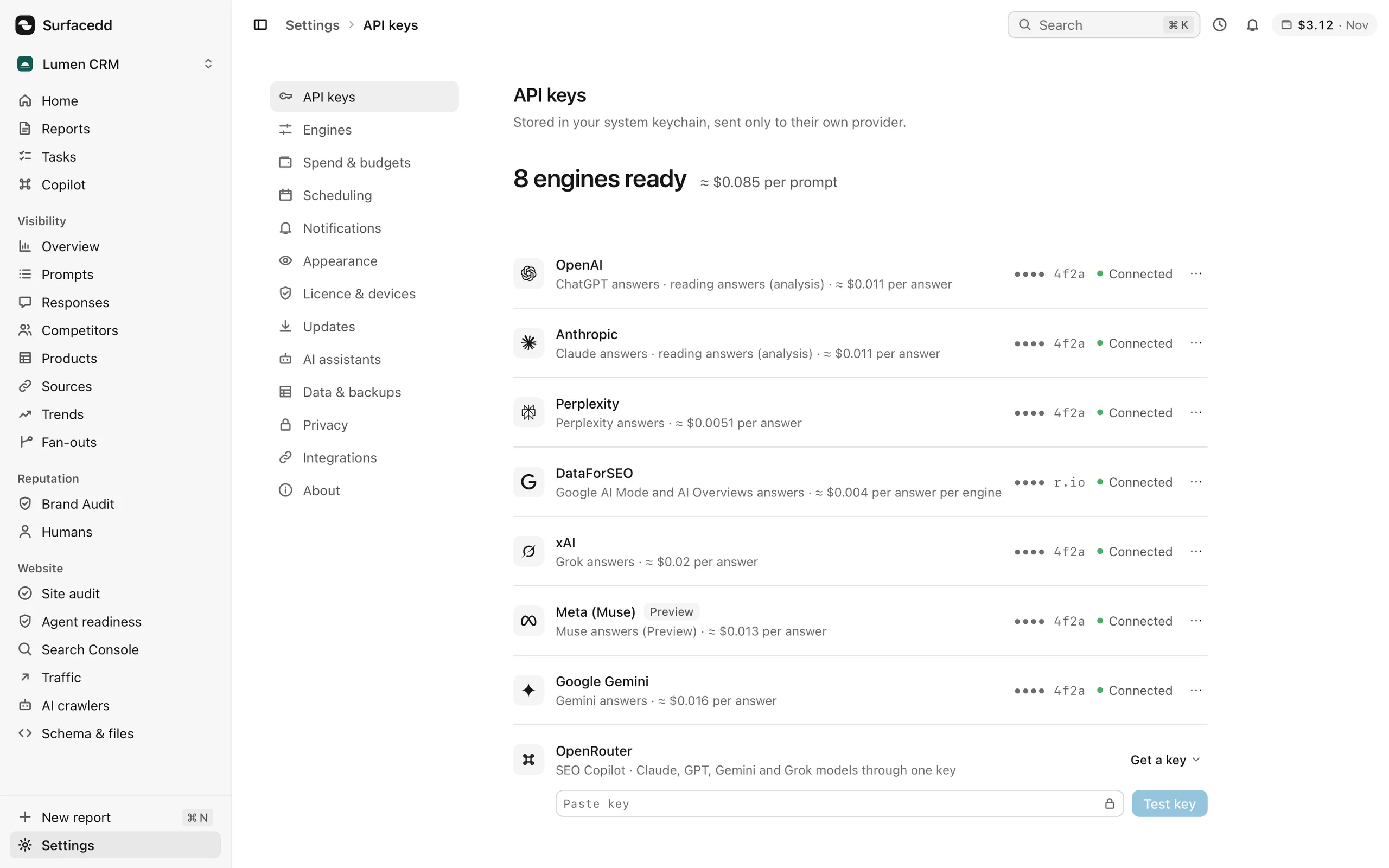
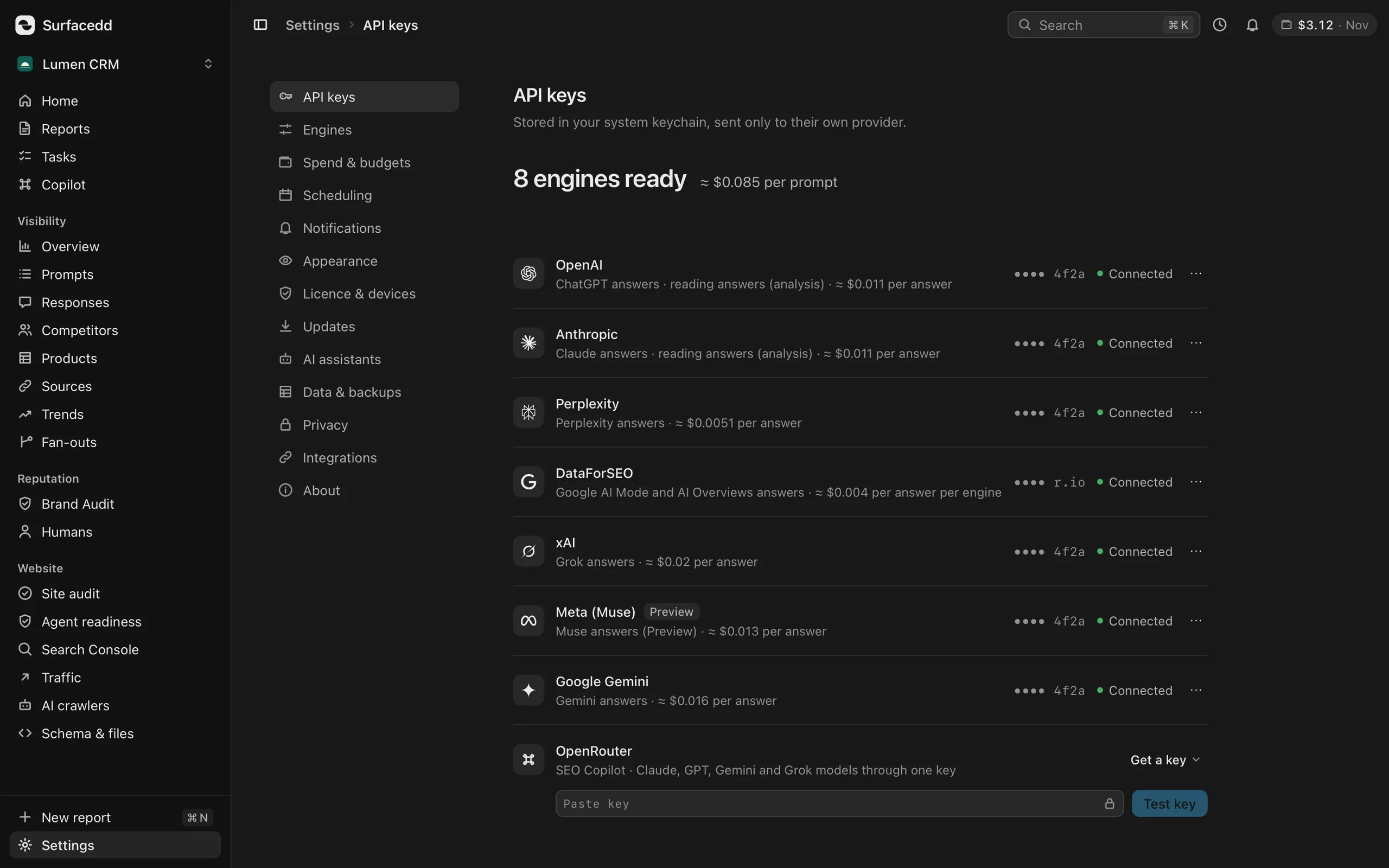
Paste the key into the OpenAI card during onboarding or later in Settings › API keys.
- Free check. Surfacedd lists the models your key can use. If that works, the card shows Connected. Only then is the key saved, to Keychain on macOS or Credential Manager on Windows.
- Test search (optional). One real answer with web search on, using a neutral question, with the exact cost shown afterwards. It confirms web search works on your account before you run a full report.
After saving, the card shows only the last four characters. Rotate or delete the key from the same card's menu at any time.
What web search costs here
OpenAI charges per web search call, plus the search content the model reads at the model's input rate, plus its output. Surfacedd's default model keeps that low; the table is rendered from our price table, so it shows today's figures.
| Model | Tier | Input per 1M tokens | Output per 1M tokens | Per 1,000 searches | Est. per answer |
|---|---|---|---|---|---|
| GPT-6 Luna (default) | cheap | $0.10 | $0.50 | $10.00 | $0.0109 |
| GPT-6.1 Terra | mid | $1.00 | $5.00 | $10.00 | $0.0193 |
| GPT-6.1 Sol | mid | $2.00 | $10.00 | $10.00 | $0.0286 |
| GPT-6 Astra | flagship | $10.00 | $50.00 | $10.00 | $0.1030 |
Estimates assume about 5,300 input and 800 output tokens and 1 search per answer, at OpenAI's list prices on 2026-11-23 (UTC), price table 2026-11-13.1.
On the default model (GPT-6 Luna) one answer costs about $0.0109. Reading it with the analysis model adds a fraction of a cent. The cost per prompt guide explains estimates, ranges and budgets.
Troubleshooting
| What you see | What it means | What to do |
|---|---|---|
| Invalid | OpenAI rejected the key (401) | Re-enter it, or create a new key |
| Billing needed | The account has no credit (insufficient_quota) | Add credit at OpenAI. Surfacedd doesn't retry these, because they can't succeed |
| Spend limit reached | Your OpenAI budget is used up for the period | Raise the limit at OpenAI, or wait for the next period |
| Rate limited | Too many requests at once | Surfacedd retries automatically with backoff; if it persists, lower OpenAI's parallel requests in Settings |
| Model unavailable | The report's model isn't available to your account | Pick another model; the list comes from Surfacedd's engine config |
| Refused | The model declined to answer | Stored as an answer that doesn't name you, visible in the answer drawer |
The full list, for every provider, is in provider errors.
Notes specific to ChatGPT
- The model is chosen per report: the cheap default, a mid tier or the flagship. The exact model OpenAI reports is saved with every answer.
- ChatGPT search takes an approximate location (country, city, region, time zone). Surfacedd passes the market you set.
- Answers are requested with stored responses off, so OpenAI is asked not to keep them for later retrieval.
- API answers can differ from the ChatGPT app; see the ChatGPT tracking page for why and how Surfacedd labels them.
Related docs
- Bring your own key: how it works and what it costs
- Anthropic API key, the other analysis key
- Cost per prompt
- Provider errors
Sources
Keep reading
- EnginesSee when ChatGPT recommends you, and which pages it readSurfacedd asks ChatGPT's models your buyers' questions with web search on, then keeps the answer, the pages it cited, the pages it read but didn't cite, and the searches it ran.Read
- ProductPay AI providers at cost, and see the price before every runSurfacedd runs on your own OpenAI, Anthropic, Perplexity, Google, xAI, Meta and DataForSEO keys. Each provider bills you its list price, and the app prices every run before it starts.Read
- DocsKnow what a report will cost before you run itEvery run shows an estimate with a range before it starts, every answer records what it actually cost, and budgets can pause schedules before they overspend. You pay providers their list price; Surfacedd adds nothing.Read
- DocsFix provider errors fast: what each message means and what to doSurfacedd turns every provider error into one sentence and one button. This page lists them all, per provider, with the underlying code, whether Surfacedd retries, and what to do.Read
How we research, write and correct pages: read our editorial policy.