Bring your own key
Pay AI providers at cost, and see the price before every run
Surfacedd runs on your own OpenAI, Anthropic, Perplexity, Google, xAI, Meta and DataForSEO keys. Each provider bills you its list price, and the app prices every run before it starts.
Short answer
Bring your own key (BYOK) means Surfacedd calls each AI provider with your API key, so you pay the provider's list price with nothing added. One OpenAI or Anthropic key is enough to start; DataForSEO adds Google AI Mode and AI Overviews. Keys stay in your operating system's keychain and every run shows its price first.
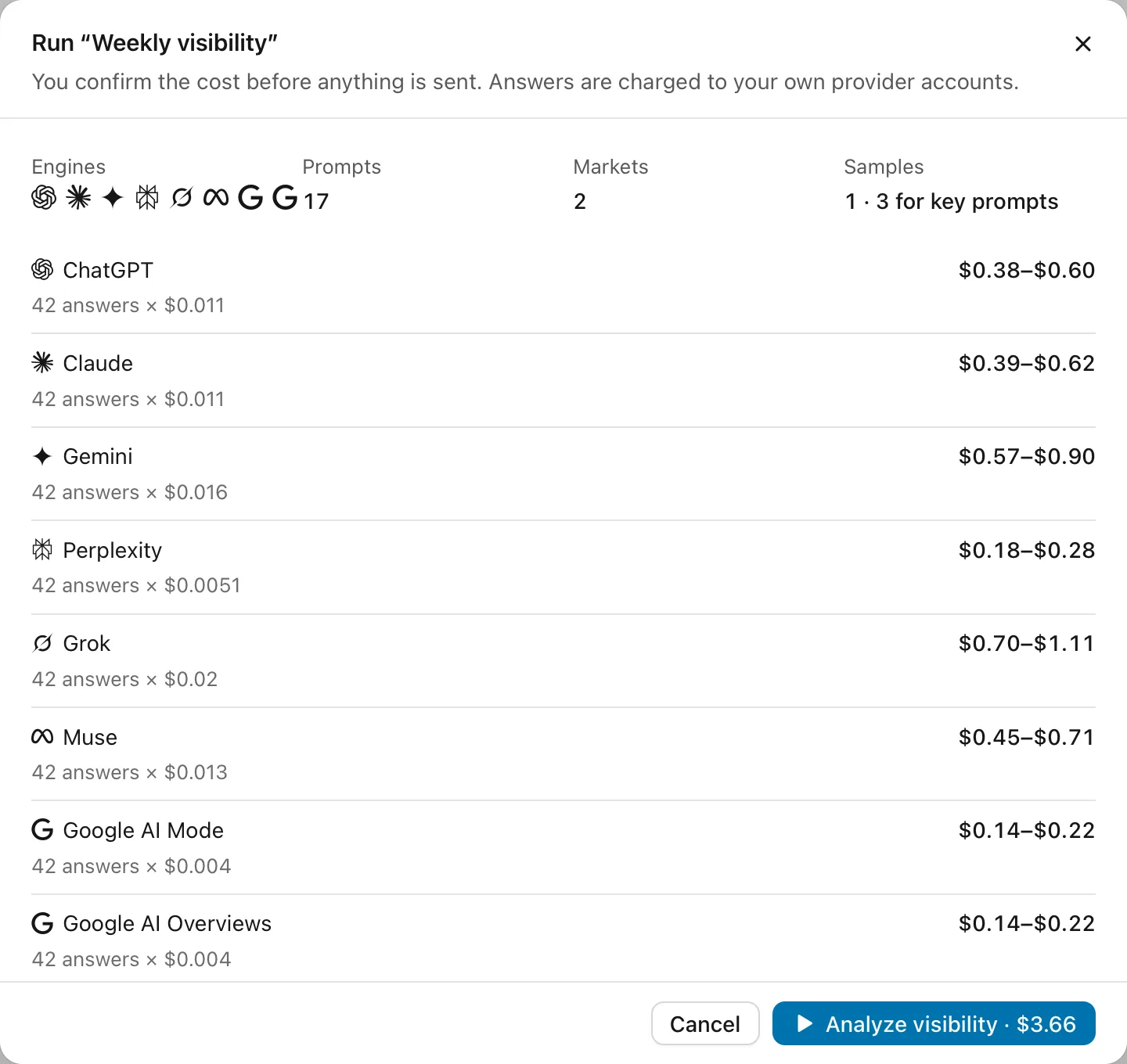
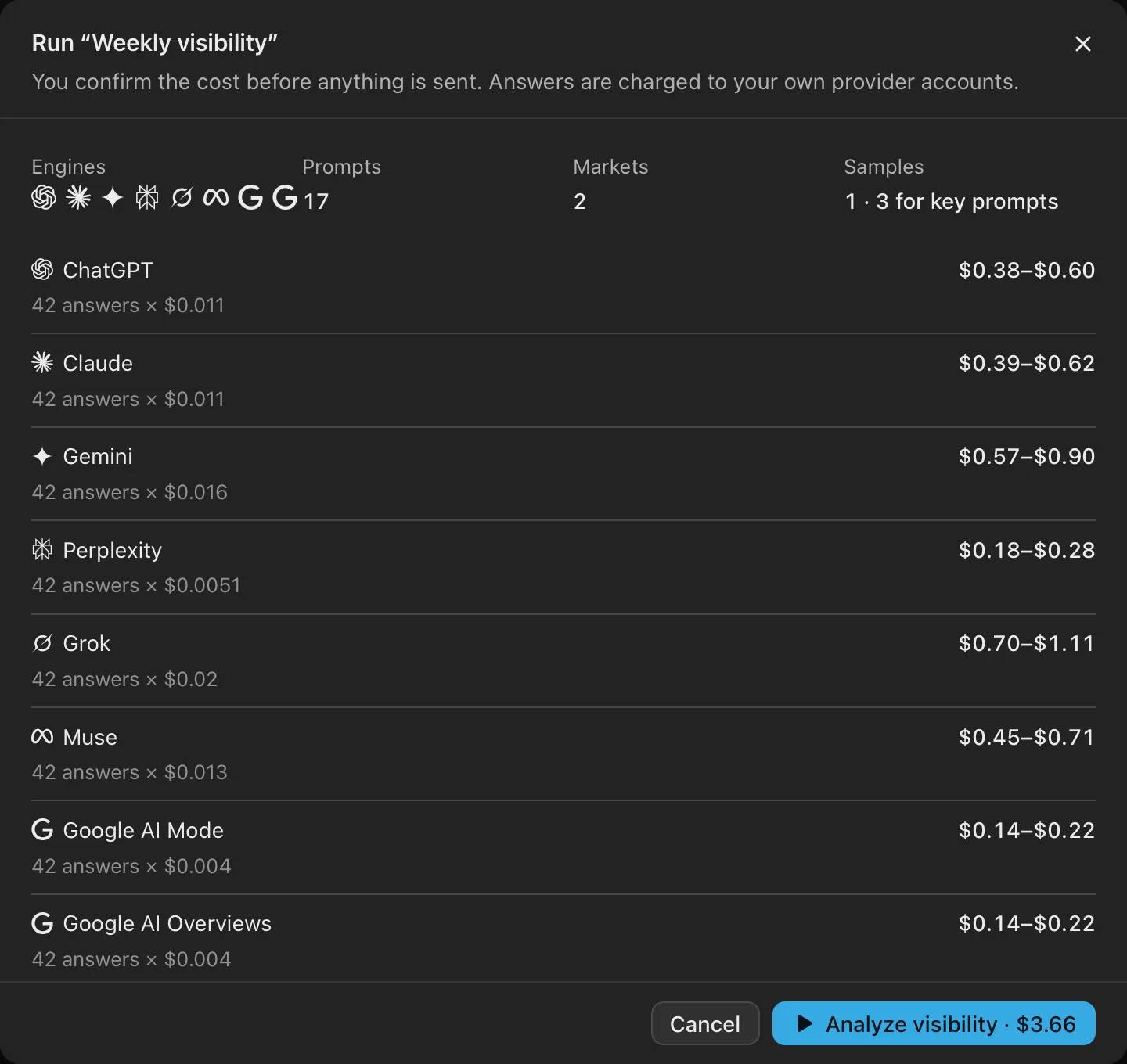
Surfacedd doesn't resell AI answers. When it asks ChatGPT, Claude or Perplexity a question for you, the request goes from your computer to that provider, on your account and your API key, and the provider bills you its published price. That is what "bring your own key" (BYOK) means here. It is why the licence can be a one-time payment, and why you can see exactly what each answer cost.
Which keys do what
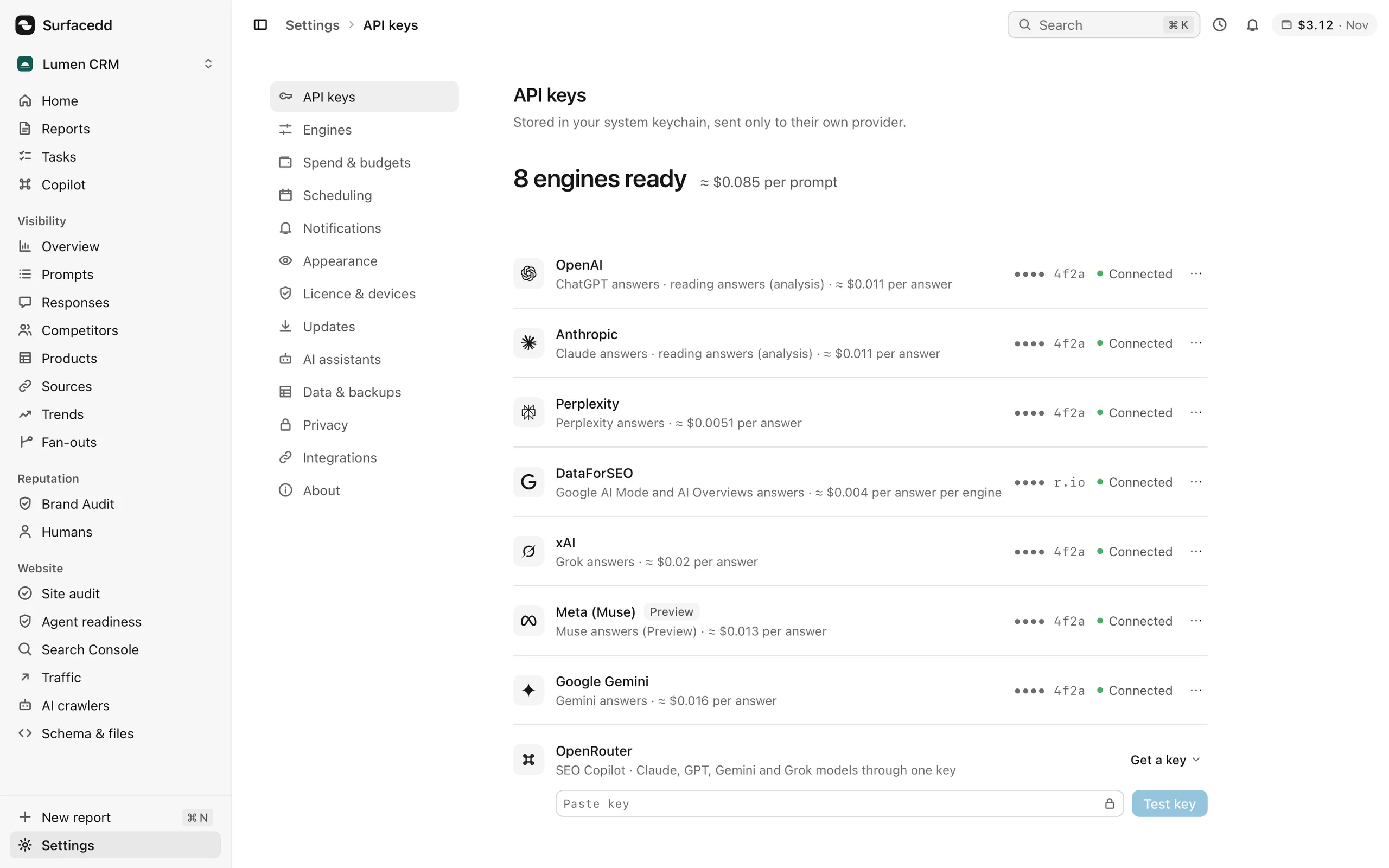
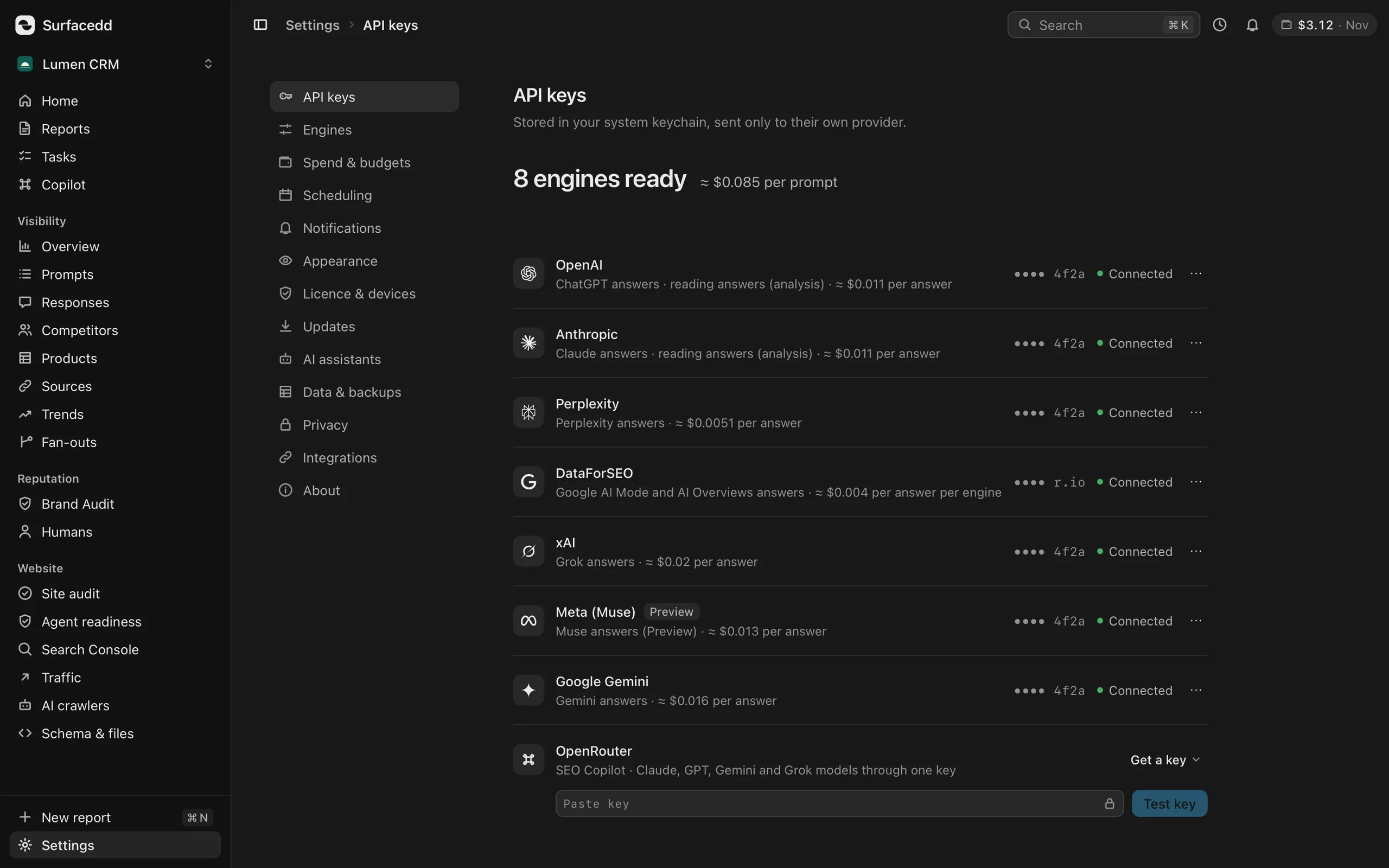
Each key powers specific parts of the app. You only need keys for the engines you want to track, plus one key the app can use to read answers.
| Key | Engines it tracks | Reads answers (analysis model) | SEO Copilot | Brand Audit |
|---|---|---|---|---|
| OpenAI | ChatGPT | Yes, first choice | Yes | Yes (web and memory runs) |
| Anthropic | Claude | Yes, second choice | Yes | Yes (memory run; web run when Gemini is off) |
| Perplexity | Perplexity | Fallback | No | Yes (web run) |
| Google Gemini | Gemini (off until you accept Google's terms) | Fallback | No | Optional |
| xAI | Grok | Fallback | No | No |
| Meta | Meta AI (Preview, opt-in) | Fallback | No | No |
| DataForSEO | Google AI Mode and AI Overviews | No | Paid lookups you approve | No |
| OpenRouter | None | No | Yes | No |
The analysis model is the small, cheap model that reads every answer and returns the brands it names, their order and sentiment, and that analyses your website and suggests prompts. It uses the first key you have in this order: OpenAI, Anthropic, Meta, Gemini, Perplexity, xAI. You can change it in Settings › Engines › Reading answers.
OpenRouter appears only for the SEO Copilot. It does not run tracking engines in 1.0: a gateway key can't show you which search an engine really used, and tracking needs the native answer.
The minimum setup
You can start with a single key. An OpenAI or Anthropic key tracks one engine and reads the answers, which is enough for a first report. Setup asks for at least one key the app can analyse with.
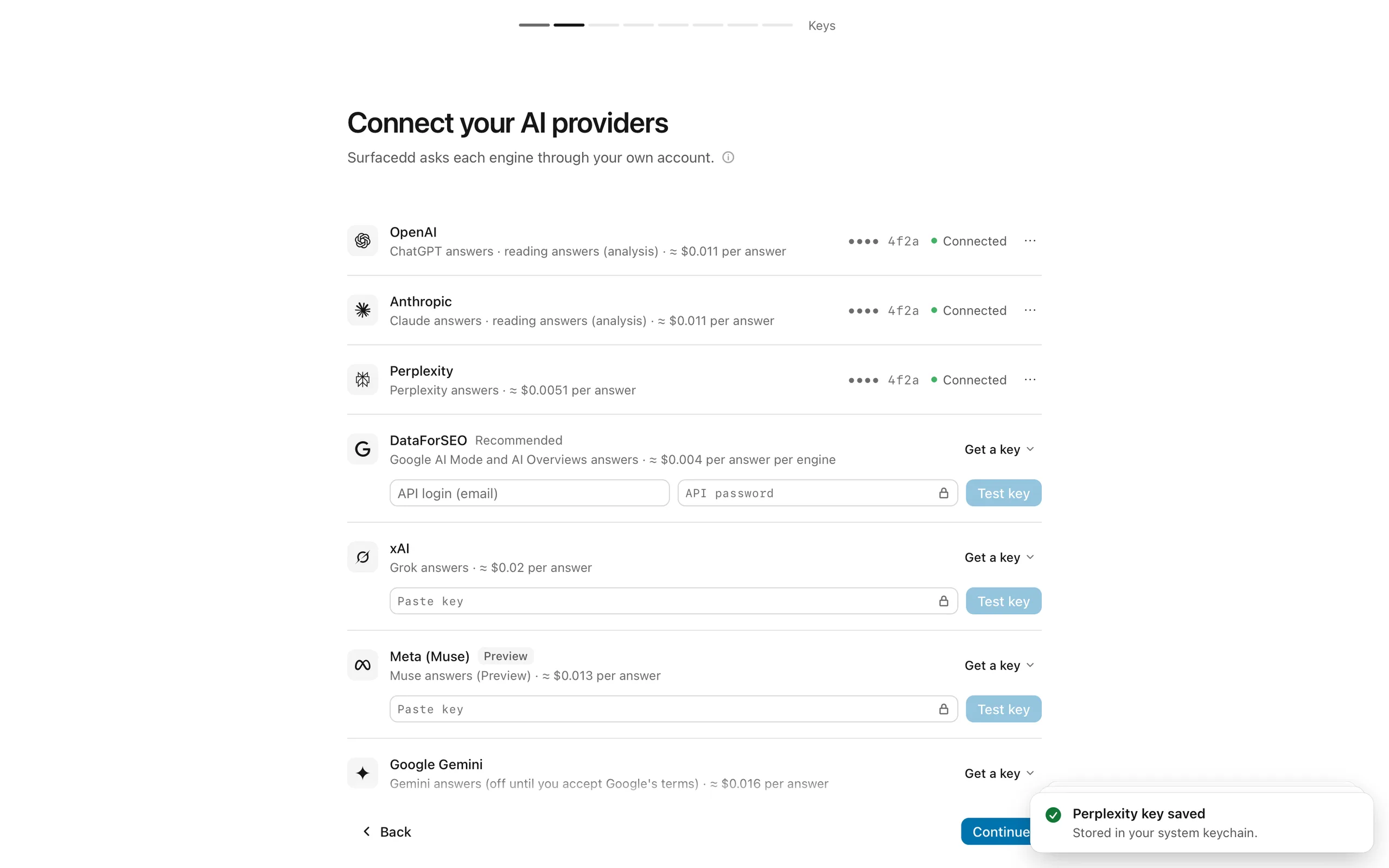
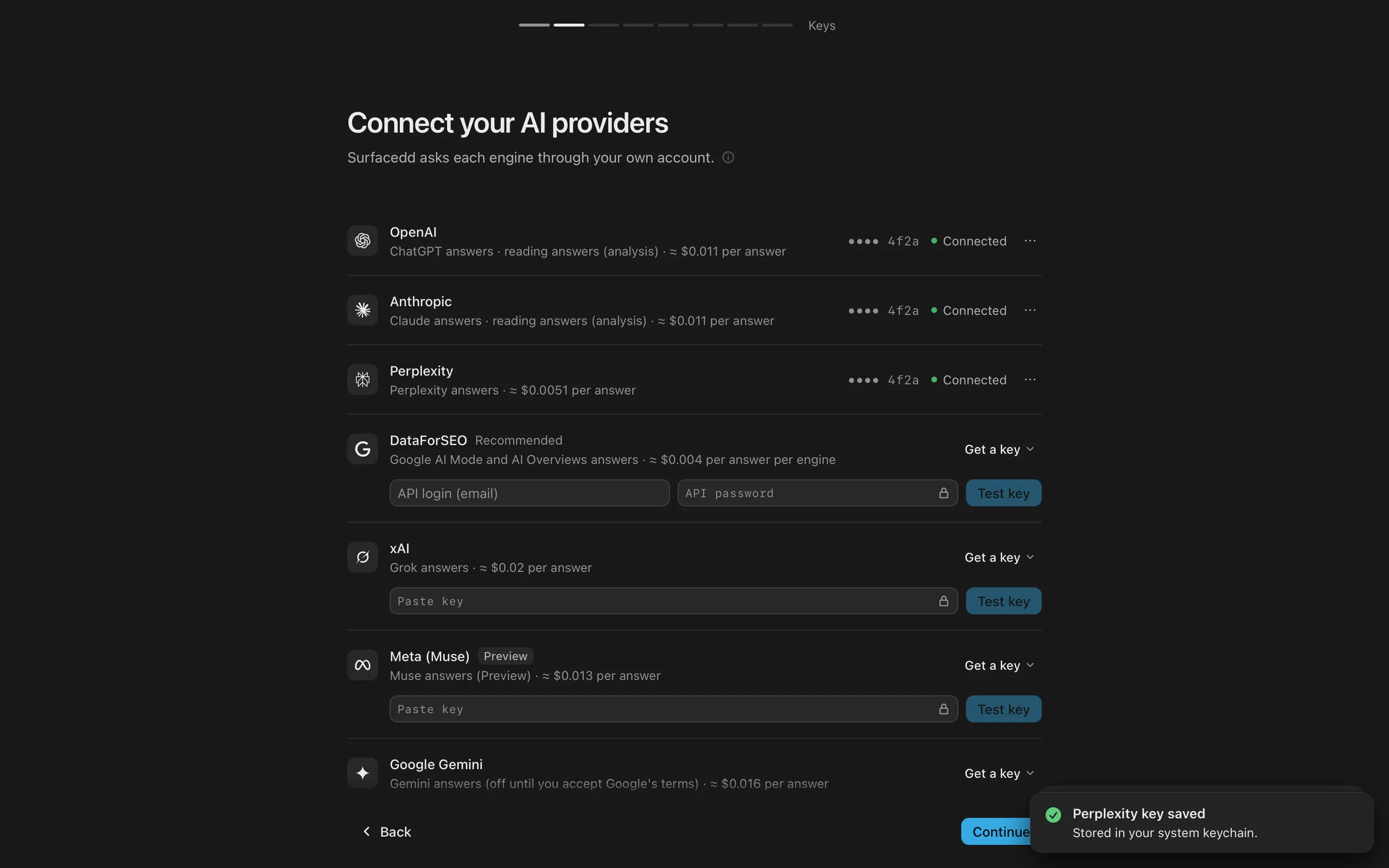
Setup recommends four providers, in this order: OpenAI, Anthropic, Perplexity and DataForSEO. Together they cover ChatGPT, Claude, Perplexity, Google AI Mode and AI Overviews. At today's default models one answer costs about $0.0109 on ChatGPT, $0.0112 on Claude, $0.0051 on Perplexity and $0.0012 on AI Mode. xAI, Meta and Gemini come after; Gemini stays off until you read and accept a short note about Google's grounding terms.
Each key card has a Test key button, which makes a free check such as listing models, and an optional Test search, which asks one real grounded question and shows its exact cost. A key is saved only after a successful test.
What each answer costs
These are the default models for each engine and today's list prices, from the price table the app uses. One answer includes the model's tokens and its web search fee.
| Engine | Default model or source | Est. per answer | Per 100 answers |
|---|---|---|---|
| ChatGPT | GPT-6 Luna | $0.0109 | $1.09 |
| Claude | Claude Haiku 5.5 | $0.0112 | $1.12 |
| Gemini | Gemini 3.5 Flash-Lite | $0.0163 | $1.63 |
| Perplexity | Sonar | $0.0051 | $0.51 |
| Grok | Grok 4.3 | $0.0201 | $2.01 |
| Meta AI | Muse Spark 1.3 | $0.0129 | $1.29 |
| Google AI Mode | DataForSEO SERP (standard queue) | $0.0012 | $0.12 |
| AI Overviews | DataForSEO SERP (standard queue) | $0.0012 | $0.12 |
Estimates use typical token counts and one search per answer, at list prices on 2026-11-23 (UTC) from price table version 2026-11-13.1. Reading each answer (extraction on GPT-6 Luna) adds about $0.0015 per answer. The app recalibrates from your own last 50 answers and always shows its own estimate before a run.
Reading each answer adds a fraction of a cent on the analysis model. Over a month, 25 prompts asked weekly on ChatGPT, Claude, Perplexity and AI Mode come to about $3.75, and the cost calculator prices any other mix.
Cheap or premium models: when to pay more
Every engine offers a cheap default and pricier tiers, and you pick one per engine for each report. The defaults are the cheapest models that still use the engine's own web search, so they show what that engine's search retrieves and cites. Here is ChatGPT's range:
| Model | Tier | Input per 1M tokens | Output per 1M tokens | Per 1,000 searches | Est. per answer |
|---|---|---|---|---|---|
| GPT-6 Luna (default) | cheap | $0.10 | $0.50 | $10.00 | $0.0109 |
| GPT-6.1 Terra | mid | $1.00 | $5.00 | $10.00 | $0.0193 |
| GPT-6.1 Sol | mid | $2.00 | $10.00 | $10.00 | $0.0286 |
| GPT-6 Astra | flagship | $10.00 | $50.00 | $10.00 | $0.1030 |
Estimates assume about 5,300 input and 800 output tokens and 1 search per answer, at OpenAI's list prices on 2026-11-23 (UTC), price table 2026-11-13.1.
Pay for a flagship model when you need to match what a paying user of the assistant sees for a handful of high-stakes prompts, or when an engine's default answers are thin. For tracking trends across many prompts, the default is usually the better spend: more prompts and more samples narrow your ranges more than a bigger model does.
Budgets and hard caps
BYOK only works if spending stays predictable, so the app enforces it:
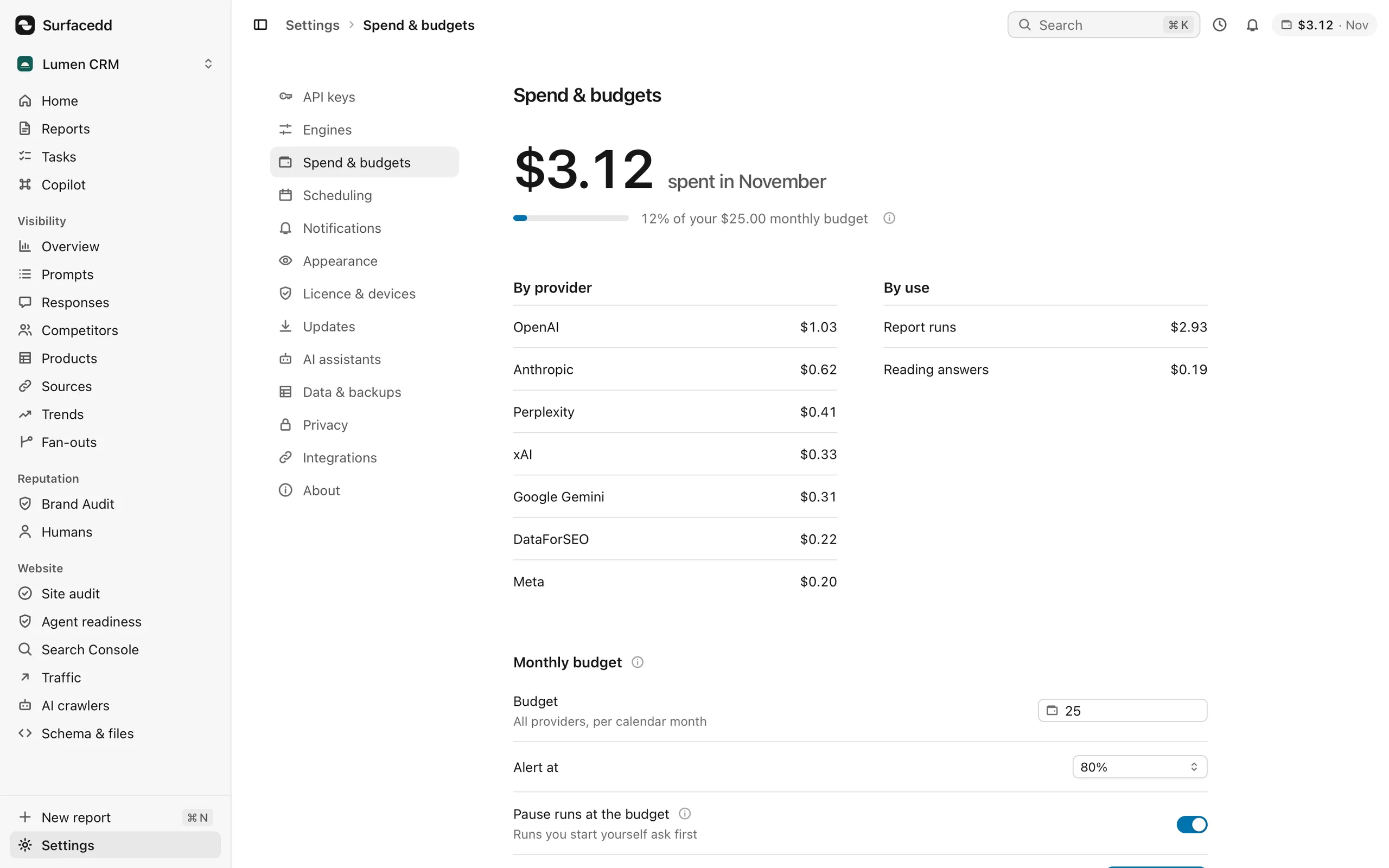
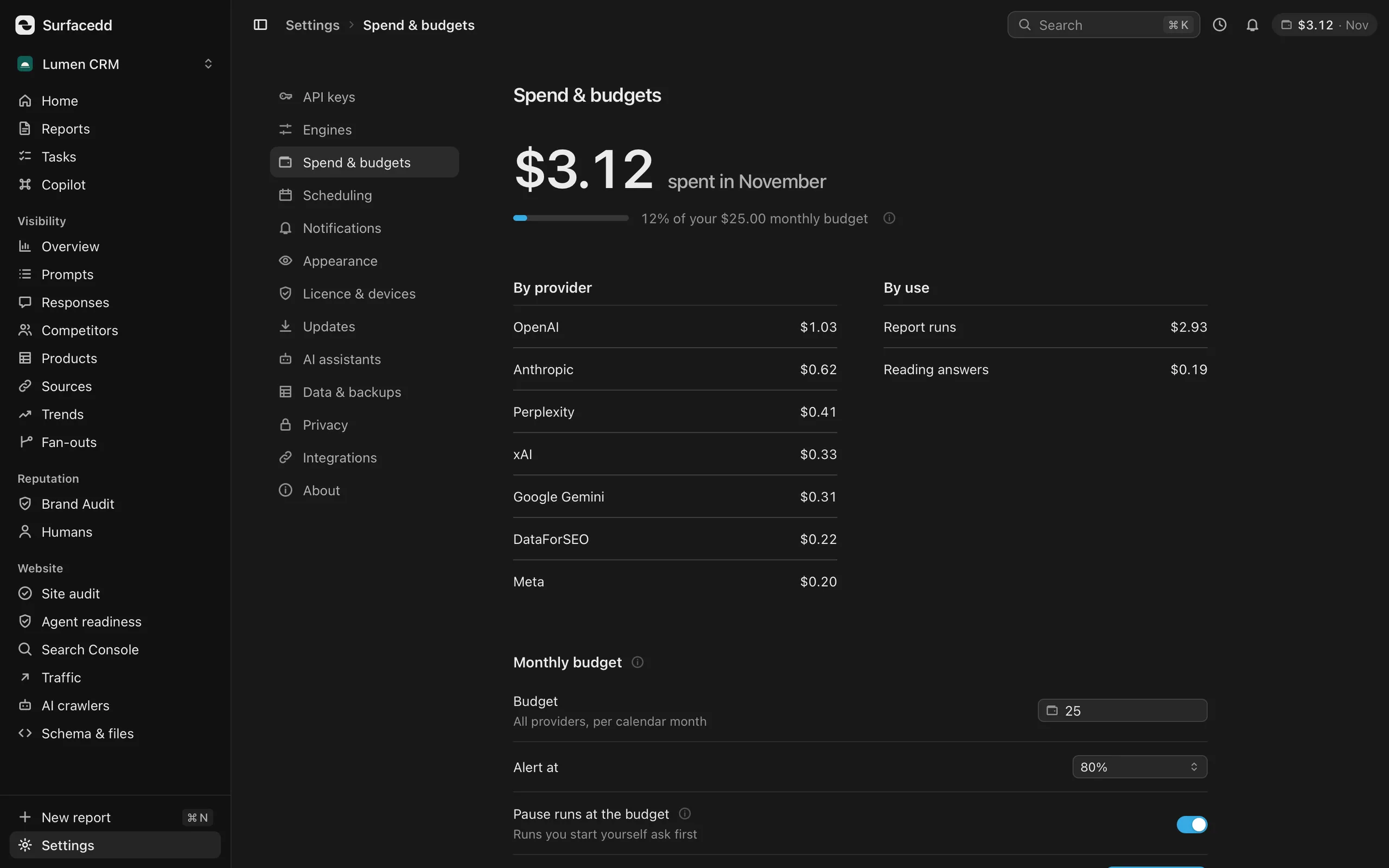
- Estimate first. Every paid action shows a price with a p25–p75 range before it runs, and asks for confirmation above your threshold.
- Monthly caps. Set a budget and alert percentage per provider and overall in Settings › Spend. A run that would cross a hard cap is blocked unless you override it for that run, and a schedule that would cross it pauses itself and tells you.
- Actual cost after. Perplexity, xAI and DataForSEO report cost directly; for the others the app computes it from the token usage the API returns. You see the estimate next to the actual.
- No surprise retries. Billed requests are never retried automatically after a server error, and a failed run lets you retry only the failed items.
Where your keys live
Keys are stored in your operating system's credential store: the Keychain on macOS, Credential Manager on Windows. The app's Rust core reads a key only to send a request to its provider over HTTPS. Keys never enter the app's interface layer, the database, the logs, exports or our servers, and after saving, the app shows only the last four characters. Logs redact authorization headers.
The local MCP server, which lets Claude or Cursor read your Surfacedd data, never reads keys and never makes network calls, so an assistant connected to it can't spend on your accounts.
Provider gotchas that stop first runs
Most failed first runs are billing settings at the provider, not bad keys. The app maps each provider's error to a plain status (Valid, Billing needed, Region unavailable, Invalid) with a link to fix it.
| Provider | What goes wrong | What to do |
|---|---|---|
| OpenAI | 429 insufficient_quota: the account has no credit | Add billing and buy credits; the app stops instead of retrying |
| Anthropic | Credit balance error, or web search disabled for the organisation | Buy credits; ask your admin to enable web search in the Claude Console capabilities settings |
| Perplexity | Slow runs: new accounts are limited to 1 request a second | The app throttles to match; the limit rises at Perplexity's Tier 1 (see below) |
| Gemini | Grounded requests fail on a free-tier key | Link a billing account and prepay the minimum in Google AI Studio (see below) |
| Meta | "Meta's API isn't available for your account's region yet" | Turn the engine off; it's an opt-in Preview |
| DataForSEO | Error 40200 or 40210 | Top up the balance; use the API password, not the account password |
Two of those thresholds are set by the providers and can change. Perplexity moves an account from Tier 0 (1 request a second) to Tier 1 once its lifetime credit purchases reach $50. Google's paid Gemini tier needs a linked billing account and a minimum $5 prepayment, and serves requests only while the prepaid balance is positive.
Step-by-step key guides for every provider are in the docs, starting with getting an OpenAI key, and provider errors covers every error the app can show.
Sources
Fair questions
Does Surfacedd add a markup to API costs?
No. Each provider bills your own account directly, at its published price, and Surfacedd never sees or handles that payment. The app's estimates use the same public price table, and after each run it records the actual cost: reported by the provider where it does so, otherwise computed from the usage the API returns.
What is the cheapest way to start?
One OpenAI or Anthropic key. It tracks one engine and reads the answers. Setup's first report asks 9 prompts; on ChatGPT's default model at $0.0109 an answer, that is about ten cents. Add Perplexity and DataForSEO later to cover more engines at roughly a cent or less per answer.
Can I use one OpenRouter key for everything?
Not for tracking. In 1.0, an OpenRouter key powers only the SEO Copilot. Tracking needs each engine's native API, because a gateway can silently fall back to another search provider and doesn't expose the searches an engine ran. A labelled, approximate gateway mode is planned for after 1.0.
Are API answers the same as what people see in ChatGPT?
Not always. Surfacedd asks engines through their official APIs with web search on, and the consumer apps can use different models, settings and personalisation. The app says so on every answer and records the model, location handling and collection mode, so you compare like with like over time.
Is it safe to give Surfacedd my API keys?
Keys stay on your computer, in the macOS Keychain or Windows Credential Manager. Only the app's core reads them, to call that provider over HTTPS. They are never written to the database, logs or exports, never shown in full after saving and never sent to us. You can rotate or delete a key at any time in Settings › API keys.
What stops a run from costing more than I expect?
Three controls. The run sheet shows the estimate with a range before you confirm. Hard monthly caps per provider block any run that would exceed them, unless you override that run. And billed requests are never retried automatically after a server error, so a provider outage can't multiply your bill.
Set-up guides for each key
See who AI recommends instead of you.
On your own keys, with every run priced before it starts.
Launch price $29, $79 after 23:59 UTC on January 30, 2027.$79 once. One-time licence. No subscription.