Delete a brand, a person or everything, and know what's left
Brands wait 48 hours in case you change your mind. A Humans profile goes at once. This page also lists the copies that outlive a delete, so nothing is left by surprise.
By the Surfacedd teamUpdated 5 min readMarkdown
On this page
Short answer
In Surfacedd, deleting a brand stops its schedules at once and keeps it restorable for 48 hours. Deleting a Humans profile removes it and every answer immediately. Settings › Data & backups › Reset app deletes all data, and optionally your API keys and backups, in one step. Files you exported stay until you delete them.
This page covers the three kinds of delete in Surfacedd, what each removes, and the copies you also need to delete if you want data gone completely.
All of it happens on your computer. We don't hold your brands, prompts or answers, so there is nothing to ask us to delete except the licence and payment record described at the end.
Delete a brand (48 hours to undo)
- Open the brand, then Brand settings.
- In Danger zone, click Delete brand… and confirm.
- A notice appears with Undo. Click it to bring the brand straight back.
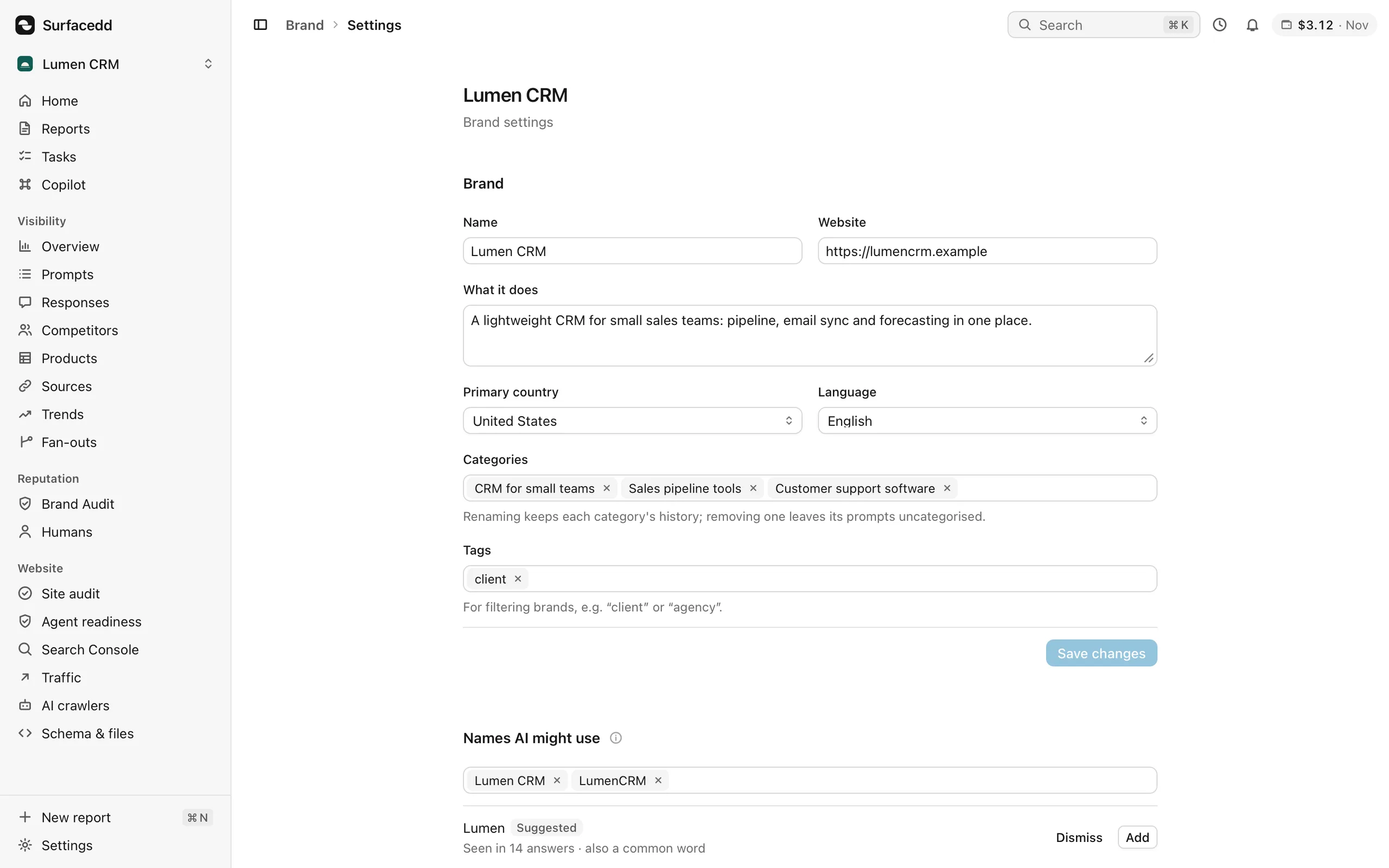
The brand disappears from every list at once. Its schedules stop and any run in progress is cancelled, so nothing more is spent on it. For the next 48 hours it waits in Settings › Data & backups › Recently deleted, where Restore brings back the brand, its reports and answers. A restored brand's schedules resume from their next time slot; a slot missed while it was deleted doesn't trigger a catch-up run, so restoring never spends money by itself.
After 48 hours the brand and everything attached to it are removed for good by a clean-up job that runs every hour while Surfacedd is open. If the app is closed when the 48 hours end, the purge happens the next time it runs.
Reports work the same way: deleting one stops its schedule, cancels its unfinished runs and keeps it restorable for 48 hours.
Delete a Humans profile (immediate)
A Humans profile holds answers about a real person, so its delete is immediate and can't be undone.
- Open the person in Humans, then the Verification & data tab.
- Under Delete this profile, click Delete profile and all answers.
- Confirm with Delete everything.
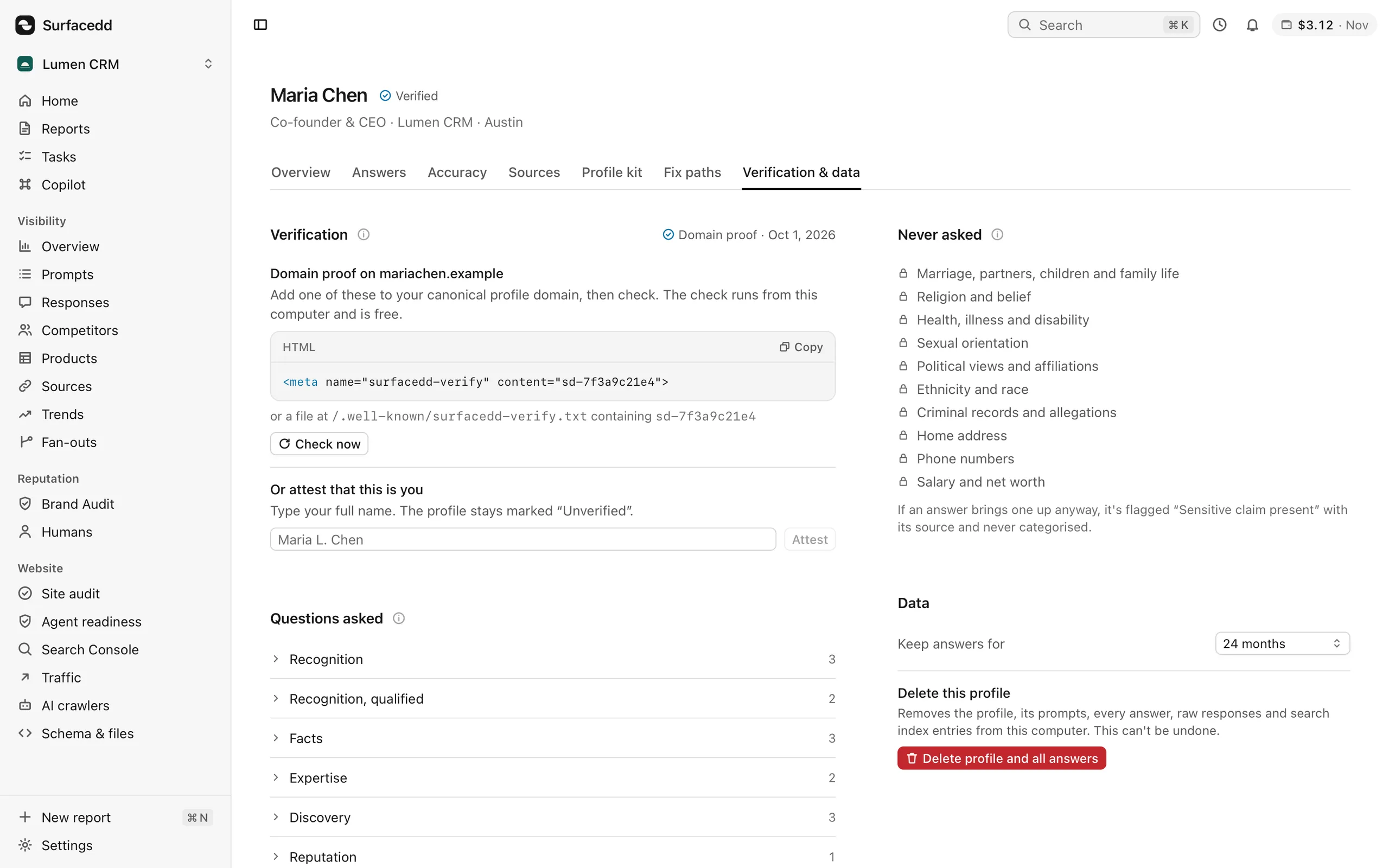
This removes, in one step:
- the profile and its fact sheet;
- its prompts, runs, answers and the raw responses;
- the search index entries for those answers;
- cited pages that only this person's answers referred to;
- its notifications, dismissed findings, saved views and job history;
- the client authorization file, if you uploaded one.
Unfinished runs are cancelled first. Your spend history keeps the amounts, so monthly totals stay correct, but they are no longer linked to the person.
If you'd rather keep a rolling window than delete, the same tab has Keep answers for: 6, 12 or 24 months, or until you delete them. Older runs are removed by the hourly clean-up job.
Copies that outlive a delete
Deleting removes rows from the live database. Copies made earlier still contain them until you delete those files:
| Copy | Where | How long it lasts |
|---|---|---|
| Daily backups | The backups folder in the data folder | Up to 7 days, as newer copies replace them |
| Before-upgrade and before-import copies | Same folder | Until 3 newer ones of the same kind exist |
| Workspace exports, CSV, NDJSON and PDF files | Wherever you saved them | Until you delete them |
| Your computer's own backups | Time Machine, File History or similar | Your backup tool's settings |
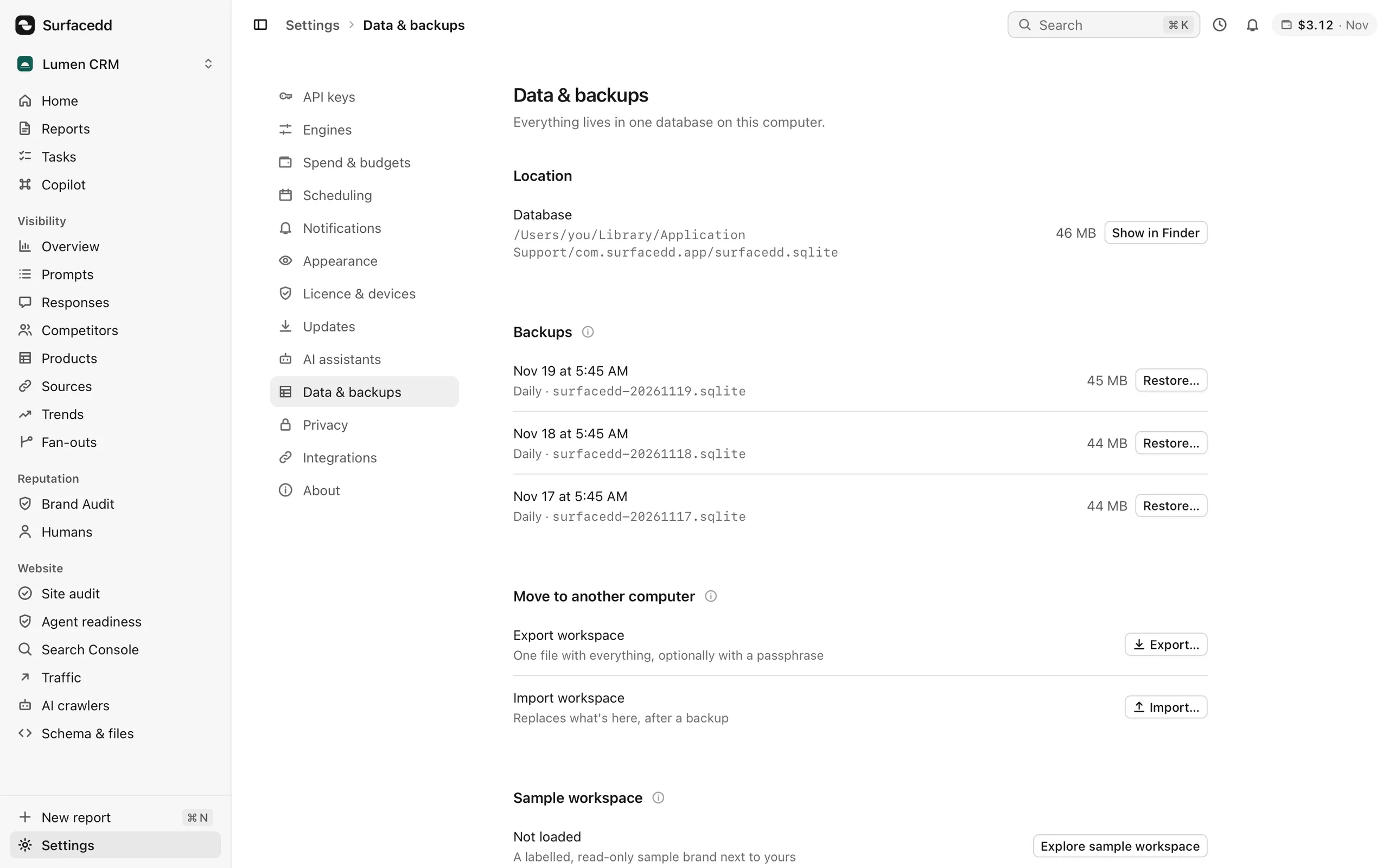
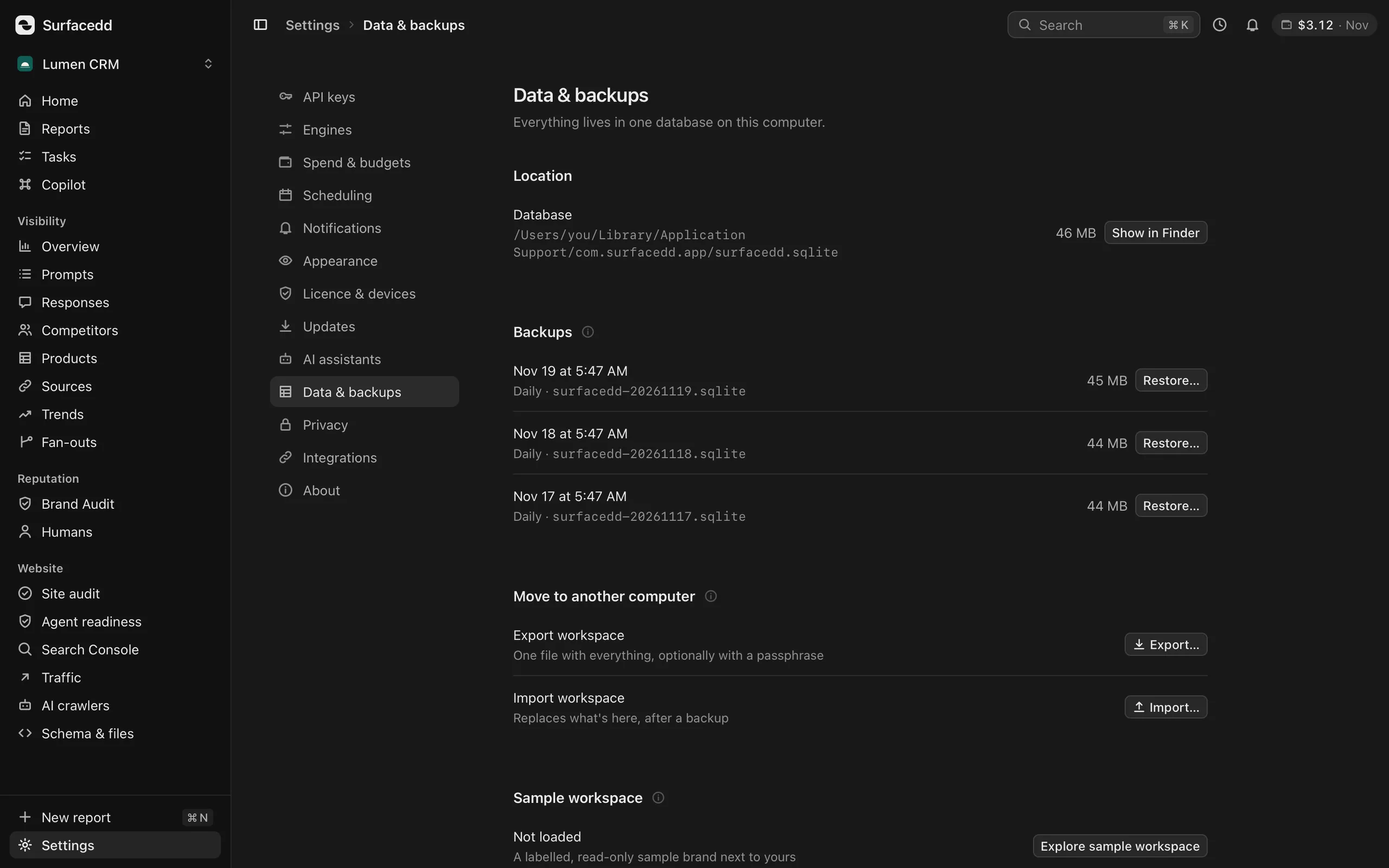
To remove a person or brand from those too, open Settings › Data & backups, click Show in Finder or Show in File Explorer, and delete the files in backups. The next daily copy is then made from the cleaned database. Delete everything (below) can also remove every backup for you.
SQLite reuses the space freed by a delete rather than shrinking the database file, so the file size may not drop straight away. The daily backups are compacted copies, so they show the smaller size.
Delete everything (reset the app)
Settings › Data & backups › Reset app › Delete everything… removes everything Surfacedd stored on this computer in one step and starts setup again.
- Open Settings › Data & backups and scroll to Reset app.
- Click Delete everything….
- Choose what goes with the data:
- Delete API keys and disconnect Google (on by default): removes every provider key from the system keychain and revokes Surfacedd's Google access.
- Delete backups (on by default): removes the daily copies, the before-upgrade and safety copies, and cached site icons. Turn it off to keep them; Surfacedd then saves one more safety copy first, so you can undo the reset with Restore… in the Backups list.
- Type delete everything and click Delete everything.
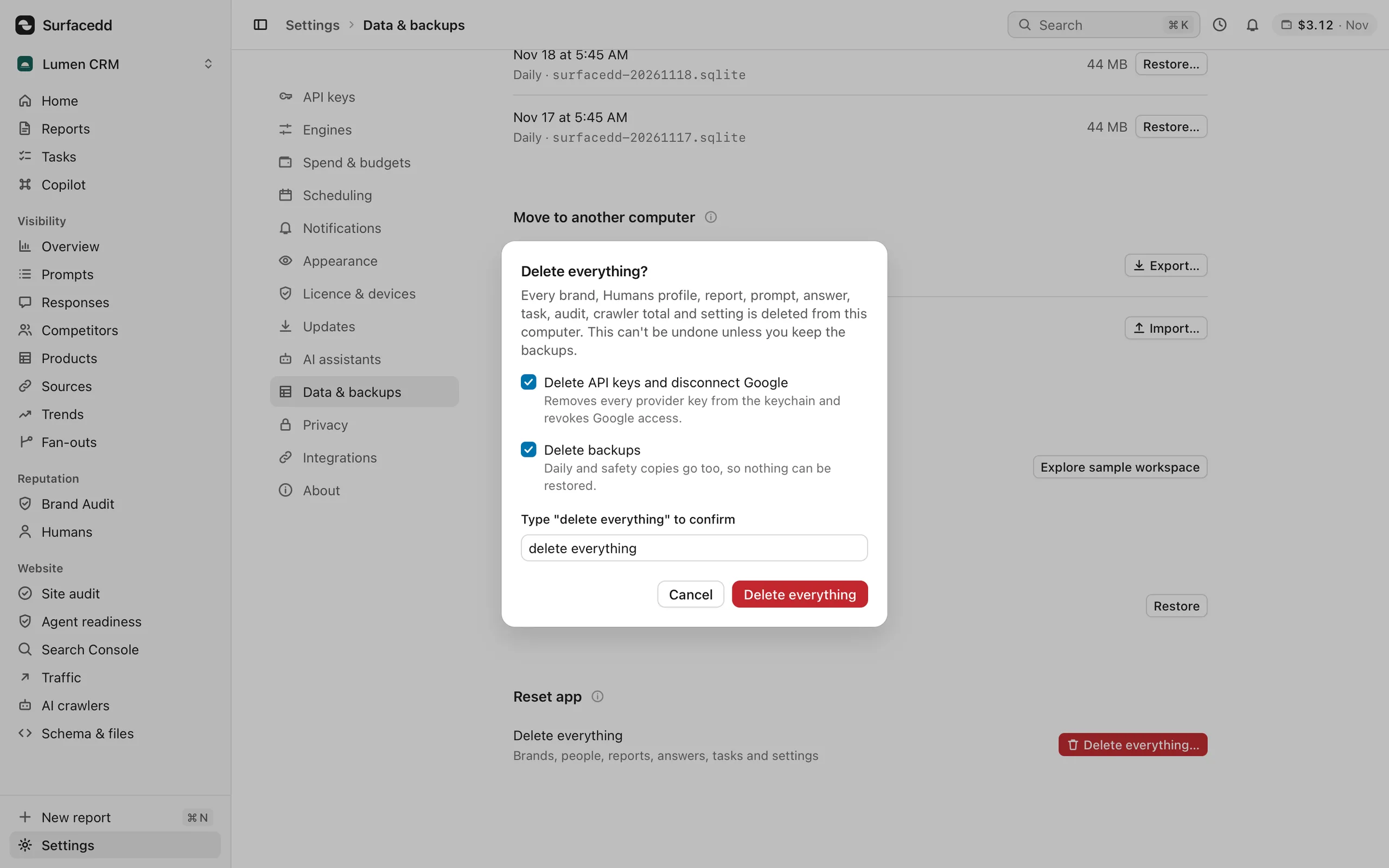
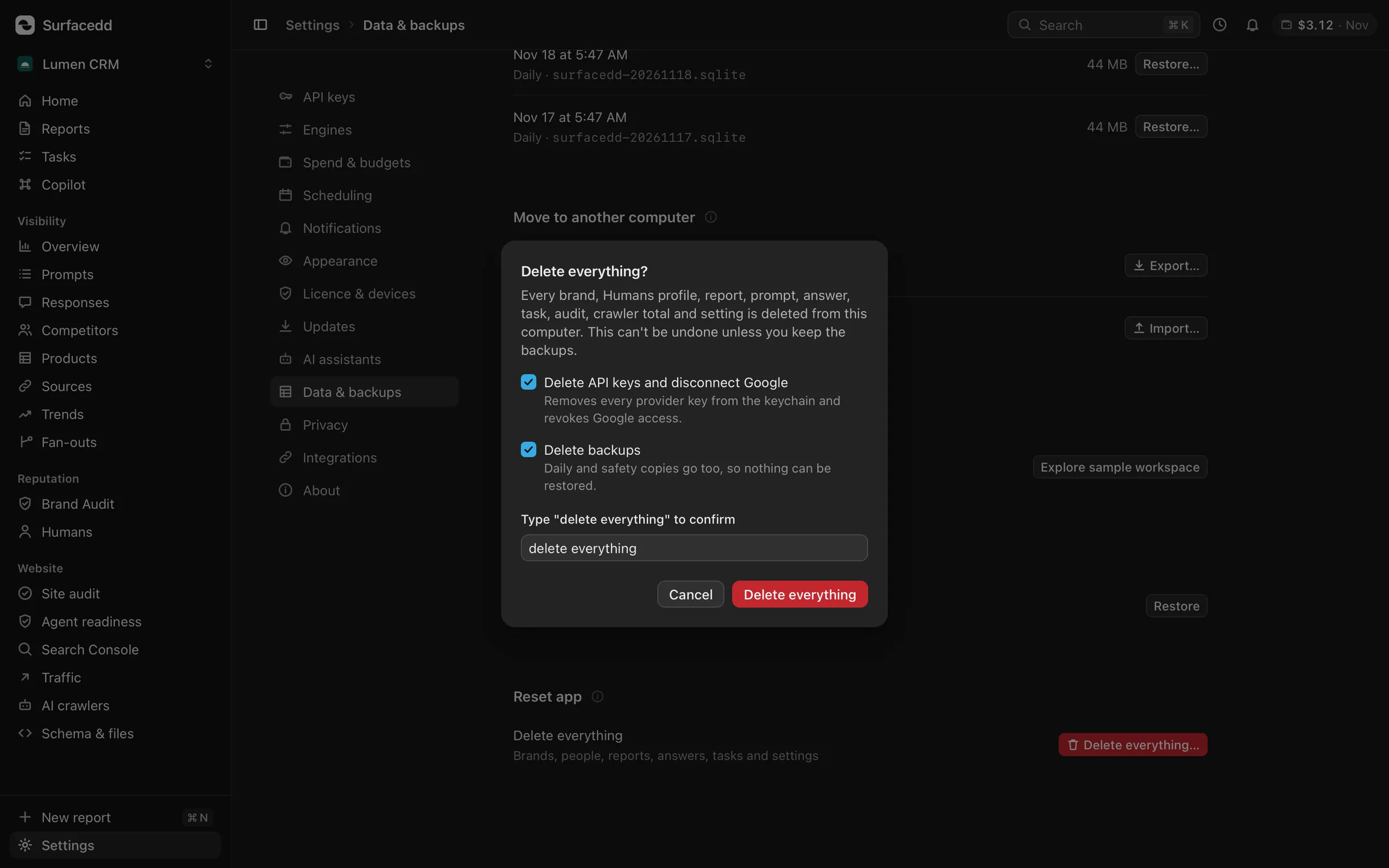
Every brand, Humans profile, report, prompt, answer, citation, task, audit, crawler-log total, spend record and setting is deleted, the search index is emptied and the database file is compacted, so deleted text doesn't linger in free space. The app then opens setup as on first launch.
The reset is refused while a report is running; stop it first. It doesn't touch:
- Your licence. This computer stays activated. To free its licence slot too, choose Deactivate this computer in Settings › Licence & devices before or after the reset.
- Files you saved elsewhere: workspace exports, CSV, JSON, NDJSON and PDF files, and your computer's own backups (Time Machine, File History).
- AI assistants' settings. If you connected Claude Desktop, Claude Code or Cursor, the
surfaceddentry stays in their MCP settings; remove it there.
Remove Surfacedd from a computer
To leave nothing behind:
- Keep what you need. Export a workspace with a passphrase if you might want the data later (see Import and export your data).
- Free the licence slot. In Settings › Licence & devices, choose Deactivate this computer. This releases the activation and removes the licence key and token from this computer.
- Delete everything as above, with both options on.
- Quit Surfacedd from the menu bar or tray icon, so it isn't running in the background.
- Delete the data folder if you want the empty database gone too. On a Mac it's
~/Library/Application Support/com.surfacedd.app; for the direct Windows installer it's%APPDATA%\com.surfacedd.app. The Microsoft Store version keeps it in a folder Windows manages for the app: find it with Show in File Explorer in Settings › Data & backups before step 4. - Uninstall the app. Drag it to the Trash on a Mac; on Windows, uninstall it from Settings › Apps.
- AI assistants. Remove the
surfaceddentry from Claude Desktop, Claude Code or Cursor's MCP settings.
What other companies may still hold
The prompts you ran were sent to the AI providers whose keys you used, under your own account with them. Their retention rules apply, not ours; check each provider's data settings. We hold only licence and purchase records: your key, its activations and the email you bought with, plus the payment record held by Polar, our merchant of record. See the privacy policy for how to ask us to delete those, and what leaves your computer for every request the app makes.
Troubleshooting
| Problem | Cause | Fix |
|---|---|---|
| A deleted brand isn't in Recently deleted | More than 48 hours have passed | Click Restore… next to a daily backup from before the delete (see Backups and restore) |
| Deleted a Humans profile by mistake | That delete is immediate | Restore the newest daily backup; it replaces the whole workspace, after saving a copy of the current one |
| Reset by mistake | Backups were kept | Restore the safety copy at the top of the Backups list |
| "A report is running" when resetting | A run is still writing answers | Stop it, or wait for it to finish, then reset |
| The database file is the same size | Freed space is reused, not returned | Normal; the next daily backup is compacted |
Related docs
- Backups and restore: where the backup files are.
- Humans: what Humans measures and its self-only rule.
- Privacy policy: what we hold and how to ask us to delete it.
Keep reading
- DocsGet your data back after a mistake, a crash or a new computerSurfacedd makes a compacted copy of its database every day and before every upgrade, import, restore or reset. Each copy has a Restore button, and a restore can itself be undone.Read
- ProductGet AI to describe you correctlyHumans asks AI assistants the questions people ask about you, checks every answer against your own fact sheet, and shows the page behind each wrong fact so you know what to fix first.Read
- CompanyPrivacy policySurfacedd keeps your data on your computer, including Google Search Console and GA4 data. We see licence and payment data only. No product analytics.Read
- DocsWhat leaves your computer when you use SurfaceddA request-by-request list of what the app sends, to whom and when, with the settings that reduce it.Read
How we research, write and correct pages: read our editorial policy.