Install the surfacedd command and read your AI visibility from the terminal
One button in Settings puts the surfacedd command on your PATH. Every read command is free, read-only and gives the same numbers as the app and its MCP tools.
By the Surfacedd teamUpdated 4 min readMarkdown
On this page
Short answer
To install the surfacedd command, open Surfacedd › Settings › AI assistants & CLI and click Install command-line tool. On a Mac it links /usr/local/bin/surfacedd (or ~/.local/bin/surfacedd) to the tool inside the app. Run surfacedd doctor to check it, then surfacedd visibility --range 30d for your first numbers.
The surfacedd command gives you the data in your Surfacedd workspace from a terminal, a script, a CI job or an AI coding agent. It ships inside the desktop app, so there's nothing extra to download or buy. This page installs it, checks it and runs the first few commands. For what each command does, see the command reference.
Install the command
- Open Surfacedd and go to Settings › AI assistants & CLI.
- Under Command-line tool, click Install command-line tool.
- Confirm. Surfacedd creates a link to the tool inside the app, so your terminal can run
surfacedd.
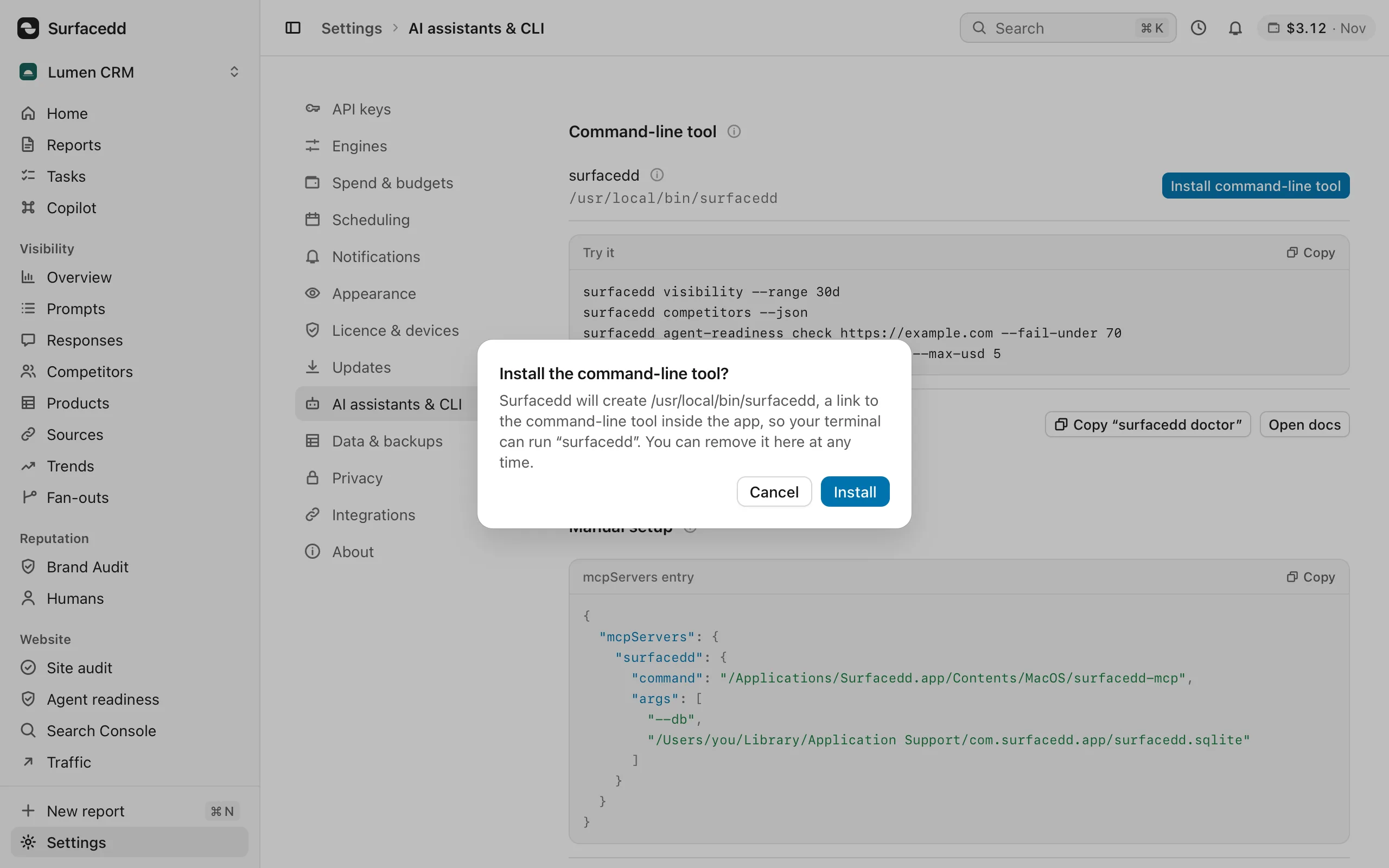
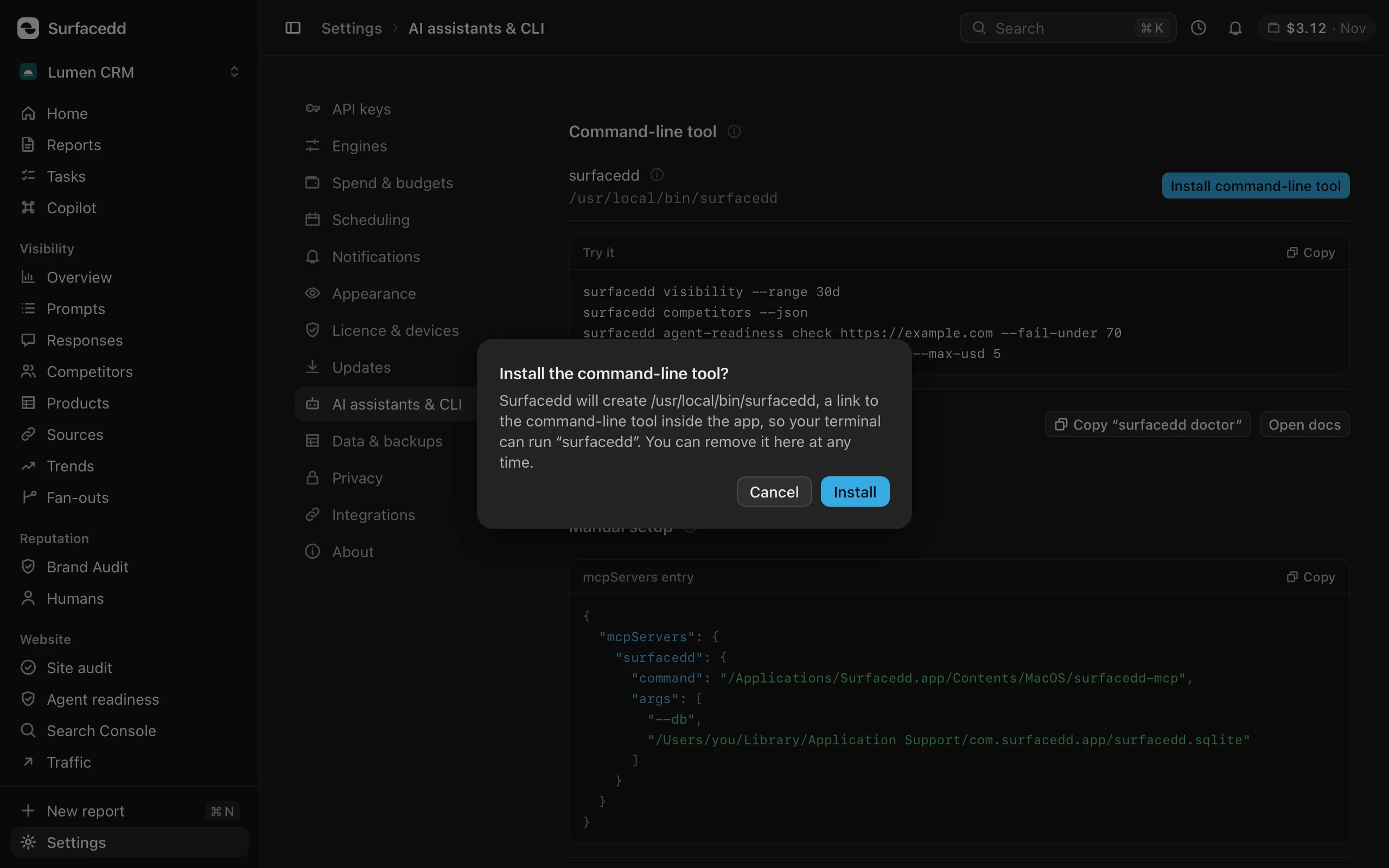
Where it goes depends on your computer:
| Computer | What the button does |
|---|---|
| Mac | Adds /usr/local/bin/surfacedd. If that folder isn't writable, it uses ~/.local/bin/surfacedd and shows a one-line PATH tip to copy |
| Windows, direct download | Adds a surfacedd launcher in %LOCALAPPDATA%\Surfacedd\bin and puts that folder on your user PATH |
| Windows, Microsoft Store | Nothing to do: the Store app already includes surfacedd. The row says "Included with the Microsoft Store app" |
Remove in the same row undoes it. Surfacedd never overwrites a different program that's already called surfacedd; the row explains the conflict instead.
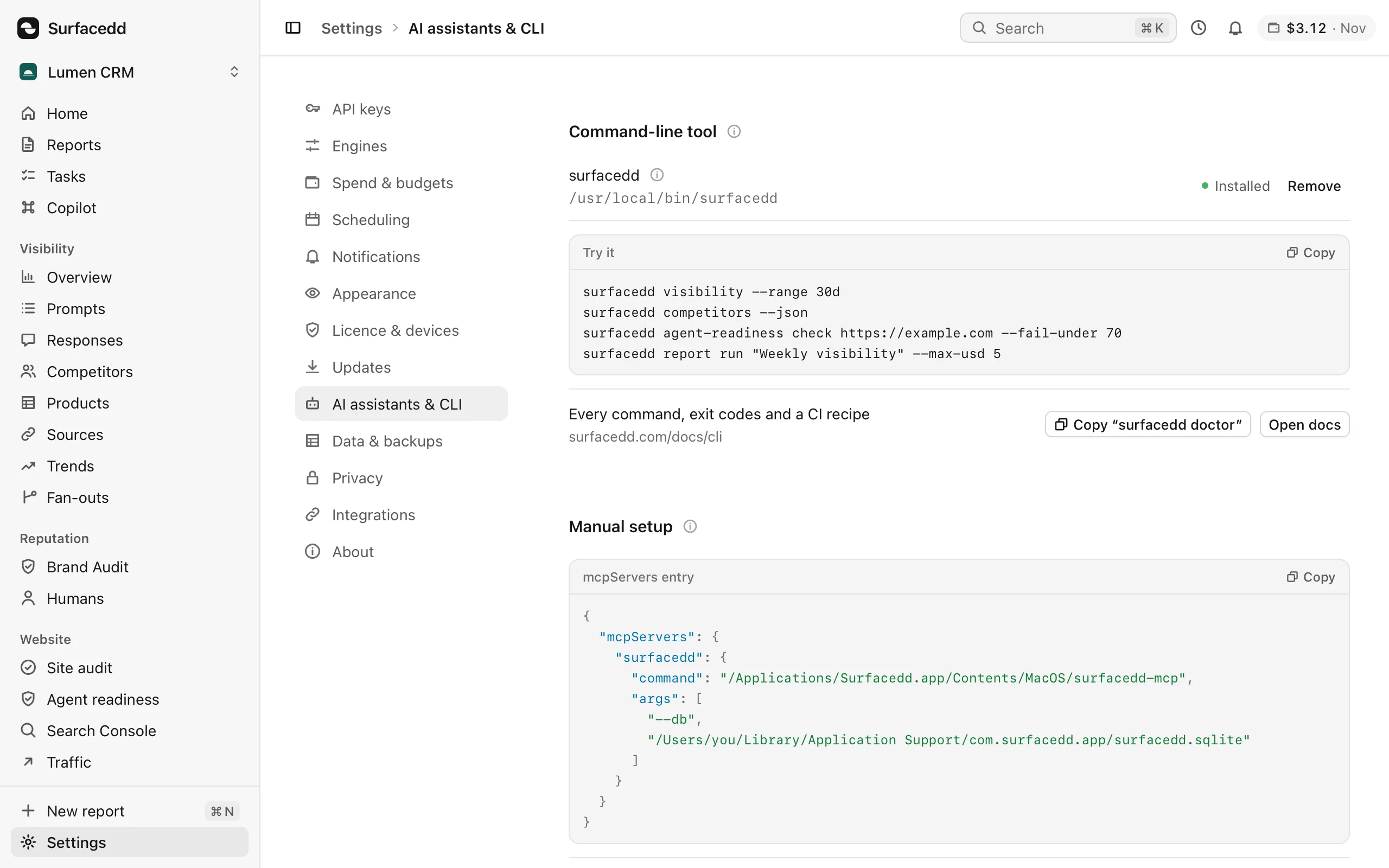
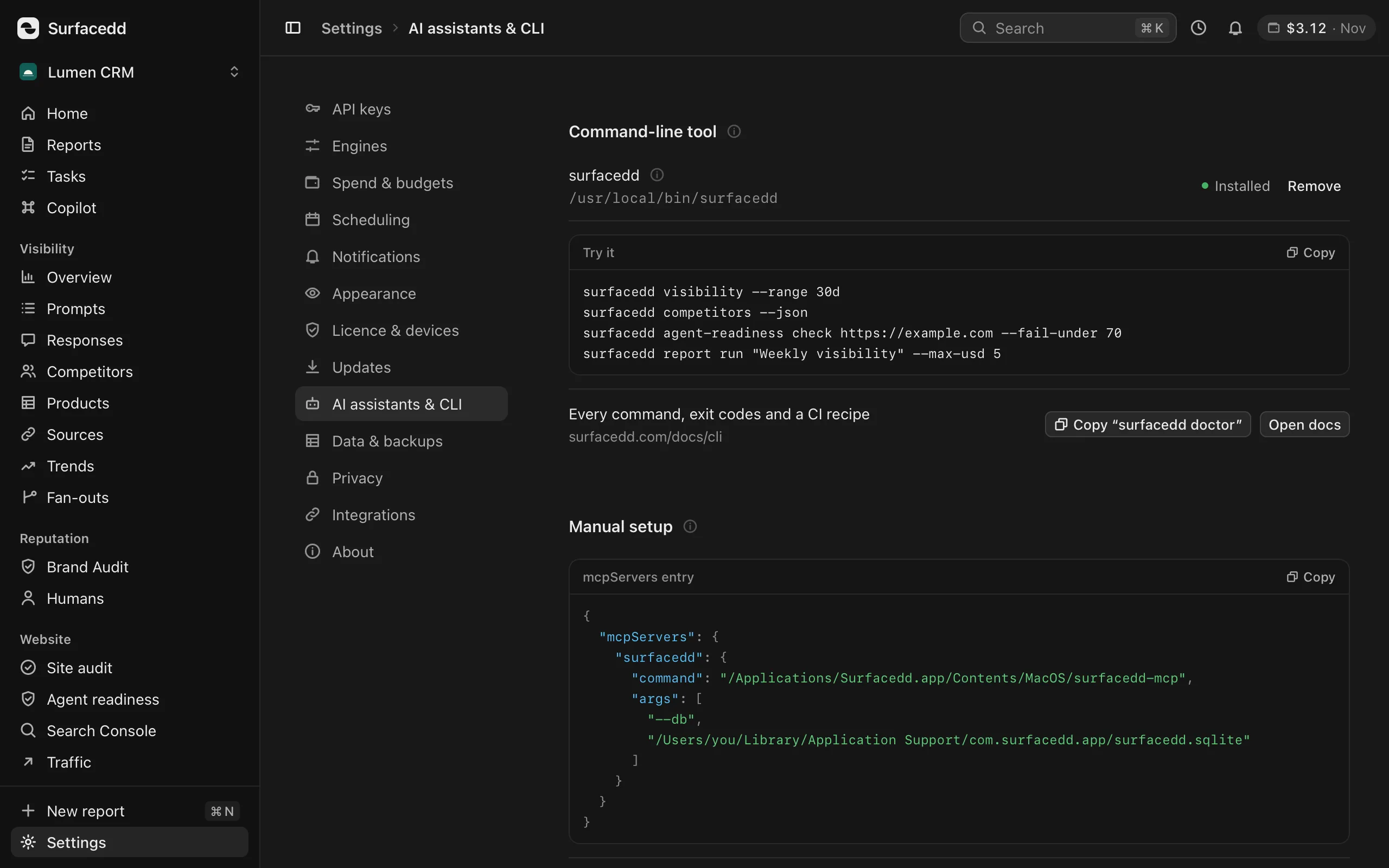
Open a new terminal window afterwards, so it picks up the PATH change.
Check it with surfacedd doctor
surfacedd doctor checks the licence, the database, which provider keys are saved (names only), whether the app is running, your PATH and the MCP server. It never reads a key from the keychain, so it doesn't trigger a macOS keychain prompt.
$ surfacedd doctor
    CHECK     DETAIL
ok  version   surfacedd 0.1.0 (output schema surfacedd.cli/v1)
ok  database  ~/Library/Application Support/com.surfacedd.app/surfacedd.sqlite · 2 brands · 2,952 answers · schema v9
ok  licence   development build without an entitlement key (not verified)
!   keys      No API keys saved (Settings › API keys). Reads and audits don't need any.
ok  app       Surfacedd isn't running: runs and audits run here, headless.
!   path      `surfacedd` isn't on PATH. Surfacedd › Settings › AI assistants & CLI › Install command-line tool.
ok  mcp       `surfacedd mcp` and /Applications/Surfacedd.app/Contents/MacOS/surfacedd-mcp serve the same tools
That output came from a development build run from the repository, so the licence line says "not verified" and the PATH line warns. A release build says active · updates until <date> or read-only: …. doctor exits with code 1 when a check fails, such as a missing database.
Your first three commands
Which brands are in the workspace:
$ surfacedd brands
NAME          KIND       VISIBILITY  LAST RUN          ID
Maya Linwood  person              –  2026-11-18 09:01  01a1f315-6101-7759-a12b-b196c1f95c42
Tallyfox      brand   41.9% (30–53)  2026-11-18 10:01  01a1f315-4dca-7769-a972-a260bfb8c145
Visibility for the last 30 days, per engine, with 95% ranges. A * marks a change that is significant against the previous period:
$ surfacedd visibility --range 30d
Tallyfox · last 30 days

2,160 answers from 5 runs over 18 prompts

Visibility         30.3% (21–41)  +10.6 pts *  (moderate)
Share of voice     9.1%  +3.1 pts
Rank among brands  #5 of 9 (Northwind CRM leads by 56.9 pts)
Who AI names instead of you:
$ surfacedd competitors --range 30d
BRAND           SHARE OF VOICE    CHANGE  VISIBILITY  WON WITHOUT YOU  TYPE
Northwind CRM            26.2%  -1.3 pts       87.3%            1,316  direct
Pipewell                 18.3%  -1.4 pts       60.9%              942  direct
The examples use Surfacedd's sample workspace: Tallyfox and its rivals are fictional, and the output is shortened.
Tables for people, JSON for scripts
In a terminal you get aligned tables. When the output goes to a pipe, a file, a CI log or an AI agent, you get JSON instead, without adding a flag. --json and --human force one or the other. Progress lines and notes go to stderr, so stdout holds only the result.
surfacedd visibility --range 7d > visibility.json   # JSON, because stdout is a file
surfacedd visibility --range 7d --human | less      # tables, even through a pipe
The JSON format is stable and versioned: see JSON output.
Pick the brand, period and workspace
| Option | What it does |
|---|---|
--brand <id or name> | An id, a name, or a unique start of the name, in any case. Without it you get your only brand (your own brand is chosen over the sample) |
--range 7d|30d|90d|<from>..<to> | The period. Dates are YYYY-MM-DD and inclusive. Answer data defaults to 90 days, Google data to the 28 days ending on the latest synced day |
--db <path> | Another workspace file. SURFACEDD_DB does the same |
--quiet | No progress or notes on stderr |
What it costs and what it needs
Reading, exporting and doctor are free and work on every licence state once this computer is activated, because the data is yours. Commands that start jobs, such as a run or a site audit, need an active licence (or the 30-day offline grace). Only a run spends money: on your own provider keys, after the estimate is shown and you confirm. See exit codes for what each refusal returns.
Troubleshooting
| Symptom | Fix |
|---|---|
command not found: surfacedd | Open a new terminal. On a Mac using ~/.local/bin, paste the PATH line from the settings row into ~/.zshrc |
| The settings row reports a conflict | Another program called surfacedd is in the way. Rename or remove it, then click Install again |
database check fails | Open Surfacedd once so it creates its workspace, or pass --db |
| Exit code 3 | This computer isn't activated, or the licence is read-only and you started a job |
Next: let Claude Code, Cursor and your scripts use the same data.
Keep reading
- IntegrationsLet Claude Code, Cursor and your scripts work with your AI visibility dataOne command, installed from Surfacedd's settings, reads the same numbers as the app and its MCP tools. Agents and scripts get JSON, CI gets exit codes, and paid runs always wait for your confirmation.Read
- DocsEvery surfacedd command, its options and the MCP tool behind itRead commands are free and read-only and return exactly what the matching MCP tool returns. Actions say what they need and what they cost before they start.Read
- DocsRead surfacedd's JSON output in scripts, CI and AI agentsEvery command prints exactly one JSON document on stdout, in a format named surfacedd.cli/v1. Within v1, fields are only ever added, so a script you write today keeps working.Read
- IntegrationsAsk Claude Code which prompts you lose, then fix the pages in the same sessionThe Surfacedd plugin gives Claude Code your stored AI answers, competitors, cited pages, Search Console data and agent readiness issues, plus skills that turn them into reviewed diffs in your repository.Read
How we research, write and correct pages: read our editorial policy.