Find the slow pages that cost you visitors, and see when a fix worked
The Speed tab of the site audit checks up to 10 money pages, puts what real Chrome users experienced ahead of lab tests, and turns each slow metric into a task that closes when a later check passes.
By the Surfacedd teamUpdated 6 min readMarkdown
On this page
Short answer
Surfacedd checks up to 10 key pages for Core Web Vitals with Google's PageSpeed Insights and shows 25 weeks of real-user LCP, INP, CLS and TTFB from the Chrome UX Report. It's free with your own Google API key, re-checks weekly, and turns slow metrics into tasks that close themselves when a later check passes.
A slow pricing page loses visitors whether they came from Google, an AI answer's citation or an ad. The question a site owner needs answered isn't "what's my Lighthouse score", it's "which of my money pages are slow for real visitors, which do I send to the developer first, and did the fix work". The Speed tab answers those three, using Google's own data.
What you can decide with it
| Question | What answers it | Decision |
|---|---|---|
| Do my money pages pass Core Web Vitals for real users? | The headline "N of M key pages pass Core Web Vitals on mobile", from Chrome's real-user data where it exists | Which page goes to the developer first |
| Did last month's fix move what visitors experience? | 25 weeks of real-user LCP, INP, CLS and TTFB for the site | Whether to keep going or try something else |
| What exactly should be fixed? | The page drawer's Biggest fixes from Lighthouse, also added to Tasks | A concrete to-do that closes itself when a later check passes |
Real users first, lab second
There are two kinds of speed data. Lab data is one simulated page load on Google's servers: useful for finding causes, but it isn't what your visitors experienced. Field data is what real Chrome users experienced on your pages over the last 28 days, at the 75th percentile, which is how Google judges Core Web Vitals.
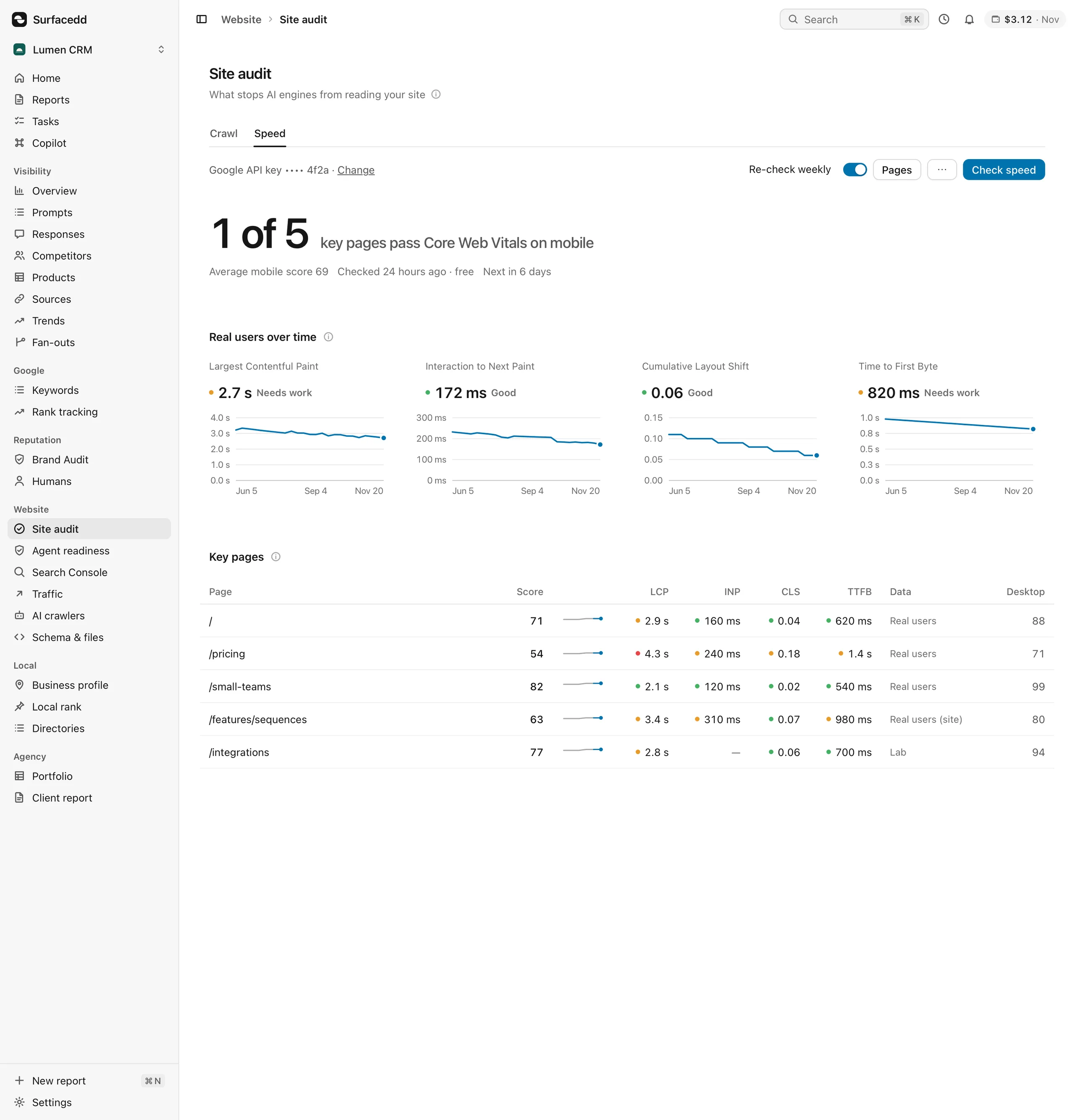
Surfacedd prefers field data in every verdict. A pricing page with a poor real-user LCP goes above a page with a lab-only warning, because the first is costing you visitors now. When Chrome has no real-user data for a page, which is common on small sites, the verdict falls back to lab LCP and CLS, and the page drawer shows real-user and lab values side by side.
| Metric | What it measures | Good at the 75th percentile |
|---|---|---|
| Largest Contentful Paint (LCP) | When the main content appears | 2.5 s or less |
| Interaction to Next Paint (INP) | How quickly the page responds to taps and clicks | 200 ms or less |
| Cumulative Layout Shift (CLS) | How much the layout jumps while loading | 0.1 or less |
| Time to First Byte (TTFB) | How quickly the server starts responding | 0.8 s or less |
See whether a fix worked
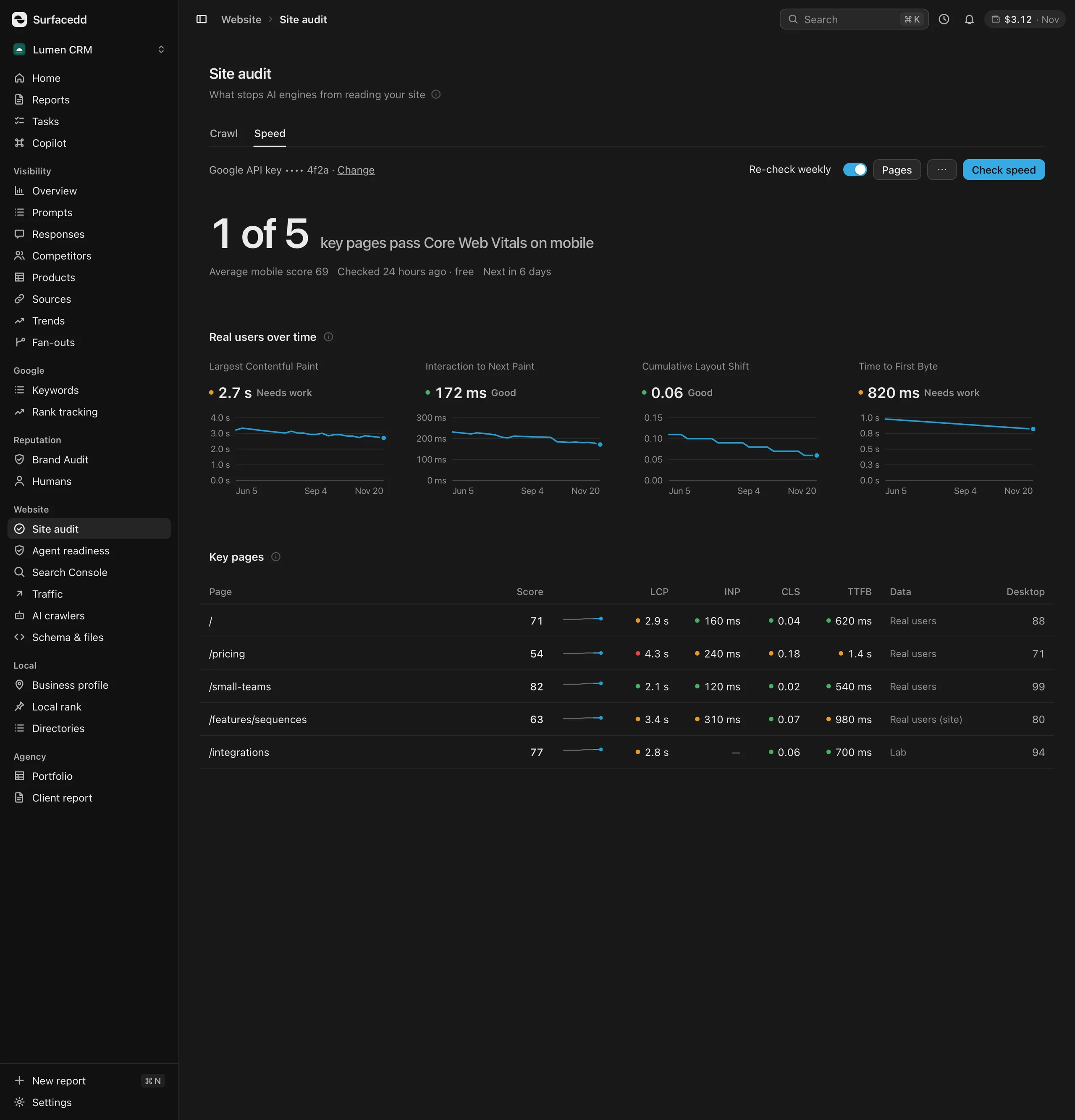
The four Real users over time charts show your site's real-user values week by week for the last 25 weeks, from the Chrome UX Report history API, starting with your first check. You don't need to have been tracking before: the history is Google's, not ours.
Each weekly point covers the previous 28 days, so a fix shipped today shows up gradually over about four weeks rather than overnight. If LCP drops after you compress the hero images or add caching, you'll see the curve bend; if it doesn't, you know before the client asks.
Fixes become tasks
Each slow metric on a key page becomes a task with the top Lighthouse fixes attached, such as oversized images or render-blocking scripts, in the same task list as your AI visibility work. When a later check passes, the task closes itself. If the page slows down again, it reopens. You don't keep a separate list of speed tickets.
Which page to fix first
Not every red number deserves a developer's afternoon. A simple order works for most sites:
| What the Speed tab shows | What to do |
|---|---|
| A money page fails for real users on mobile | Fix it first: send the developer the page and the top item under Biggest fixes |
| A money page passes for real users but fails in the lab | Lower priority; real visitors are fine today. Recheck after the next release |
| Real-user TTFB is slow across the whole site | Ask your host or developer about server response and caching before tuning single pages |
| A page has no real-user data and a poor lab LCP | Fix it if it earns money; it may simply be too new or too quiet for Chrome's data |
| Every key page passes | Leave weekly re-checks on and spend the time elsewhere |
What it costs
| Check | Cost |
|---|---|
| PageSpeed Insights and Chrome UX Report with your Google API key | free |
| Weekly re-check | free (PageSpeed Insights only) |
| Without a key | free, at a low shared quota and without real-user history |
| DataForSEO Lighthouse fallback, when PageSpeed Insights is out of quota | $0.005 per page × device, lab data only; 10 pages on both devices is $0.10 |
The Google API key is free to create and is used only for those two Google APIs. It's stored in your system keychain. The steps are in the page speed docs. The app itself is a one-off purchase; see pricing.
In the app
Open Website › Site audit and choose Speed. You'll see the headline count of passing pages, the four real-user trend charts, a table of key pages with mobile and desktop results, and a drawer per page with real-user values next to lab values and the biggest fixes. By default it checks the home page and the shallow pages your last site audit found; Pages lets you choose up to 10 URLs yourself.
Assistants and scripts can read the same results: surfacedd speed on the command line and the read-only page_speed MCP tool.
What it doesn't do
Sources
Fair questions
Is it really free?
Yes, with your own Google API key. PageSpeed Insights and the Chrome UX Report are free Google APIs, and the key costs nothing to create. Surfacedd adds no charge per check. The only paid option is the DataForSEO Lighthouse fallback, at $0.005 per page and device, for days when PageSpeed Insights is out of quota, and it asks before spending.
Why does my page pass in the lab but fail for real users?
A lab test loads the page once on a fast simulated connection. Your visitors use older phones, slow networks and pages with consent banners and third-party scripts that load after the test stops. Field data is what they actually experienced over 28 days. When the two disagree, trust the field data: it's what Google uses to judge Core Web Vitals.
Why is there no real-user data for my site?
The Chrome UX Report only includes pages and origins with enough real-user visits from Chrome. Small or new sites often don't qualify. Surfacedd then shows lab values from PageSpeed Insights, which still point to the right fixes. Real-user history appears once Chrome has enough data.
Which pages should I check?
The pages that earn money or leads: pricing, product, booking or contact pages, and your top landing pages from search and AI citations. By default Surfacedd checks your home page and the shallow pages from your last site audit. You can choose up to 10 URLs yourself under Pages.
How often does it re-check?
After the first successful check, a free weekly re-check turns on. It uses PageSpeed Insights only, so it never spends money. You can switch it off with Re-check weekly. Because Chrome's real-user data covers 28 days, checking more often than weekly wouldn't show you anything new.
Does page speed affect AI visibility?
We don't know of public evidence that AI engines rank sources by Core Web Vitals, and we don't claim it. Google's Search documentation does recommend that site owners achieve good Core Web Vitals. The direct reason to fix a slow page is the visitors it loses, wherever they came from.
How we research, write and correct pages: read our editorial policy.