See the searches AI ran before it answered, and cover them
ChatGPT, Claude, Gemini, Perplexity and Grok report the searches behind each answer. Surfacedd stores them, counts them across runs, and turns any of them into a tracked prompt in one click.
By the Surfacedd teamUpdated 3 min readMarkdown
On this page
Short answer
A fan-out is a web search an AI engine runs while composing an answer. Surfacedd stores the fan-outs that ChatGPT, Claude, Gemini, Perplexity and Grok report with each answer, ranks them by how often they recur, and lets you track any search as a prompt. Google AI Mode, AI Overviews and Meta AI don't expose them.
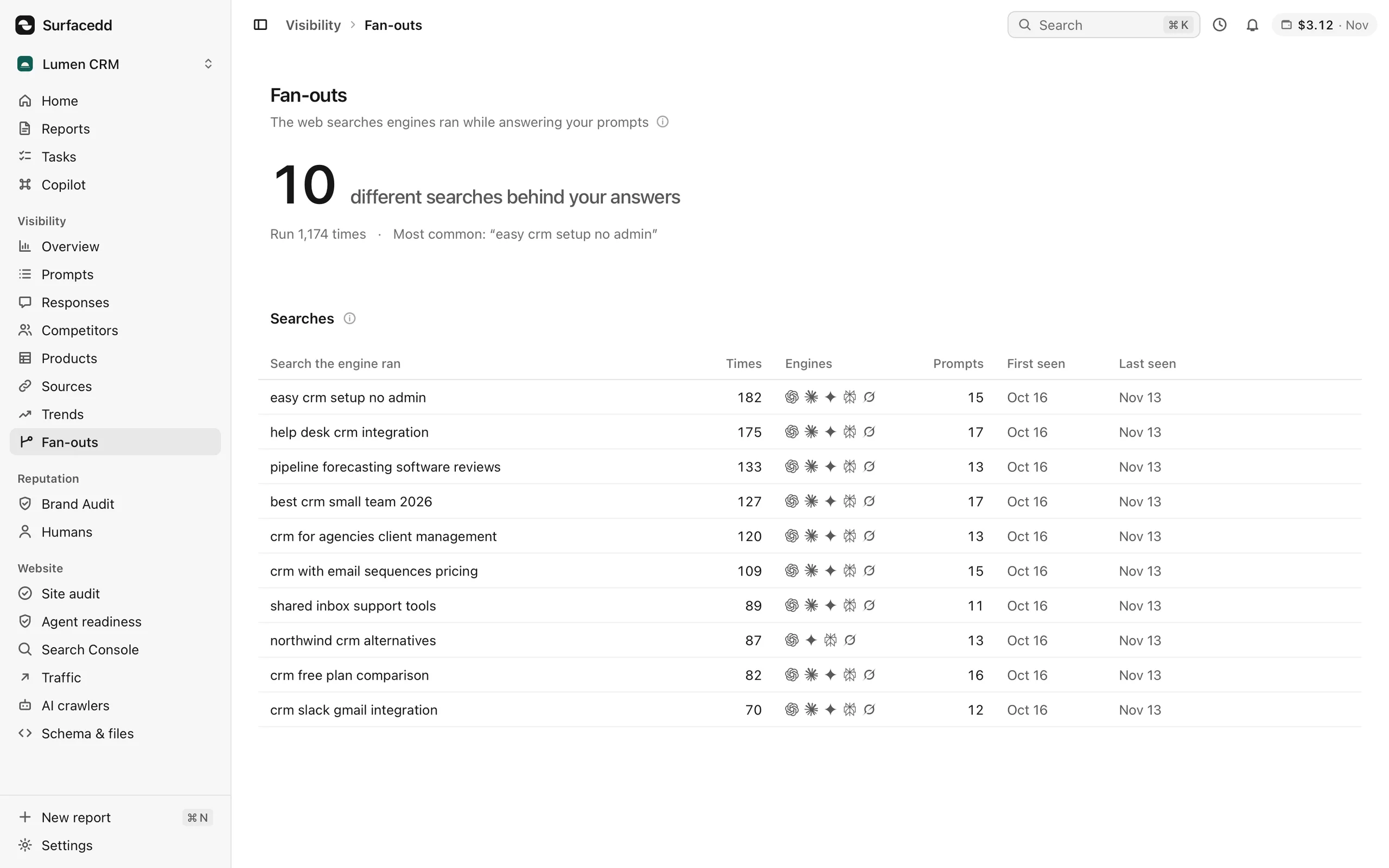
When an engine answers "Which CRM is best for a five-person team?", it often runs its own searches first, such as "best crm small team 2026" or "crm free plan comparison". These are fan-outs. They show the topics the engine thought it needed to cover, which makes them a direct list of content gaps. The strategy behind them is in the query fan-out guide.
Which engines report them
| Engine | Fan-outs stored |
|---|---|
| ChatGPT | Yes |
| Claude | Yes |
| Gemini | Yes |
| Perplexity | Yes |
| Grok | Yes, when xAI returns them |
| Google AI Mode | No: Google doesn't report the searches |
| AI Overviews | No |
| Meta AI | No: the API doesn't return them |
If a view only contains answers from engines that don't report searches, the Fan-outs screen is empty and says so.
Read the Fan-outs screen
- Open Visibility › Fan-outs. The filters at the top (reports, markets, engines, dates) apply as on every Visibility page.
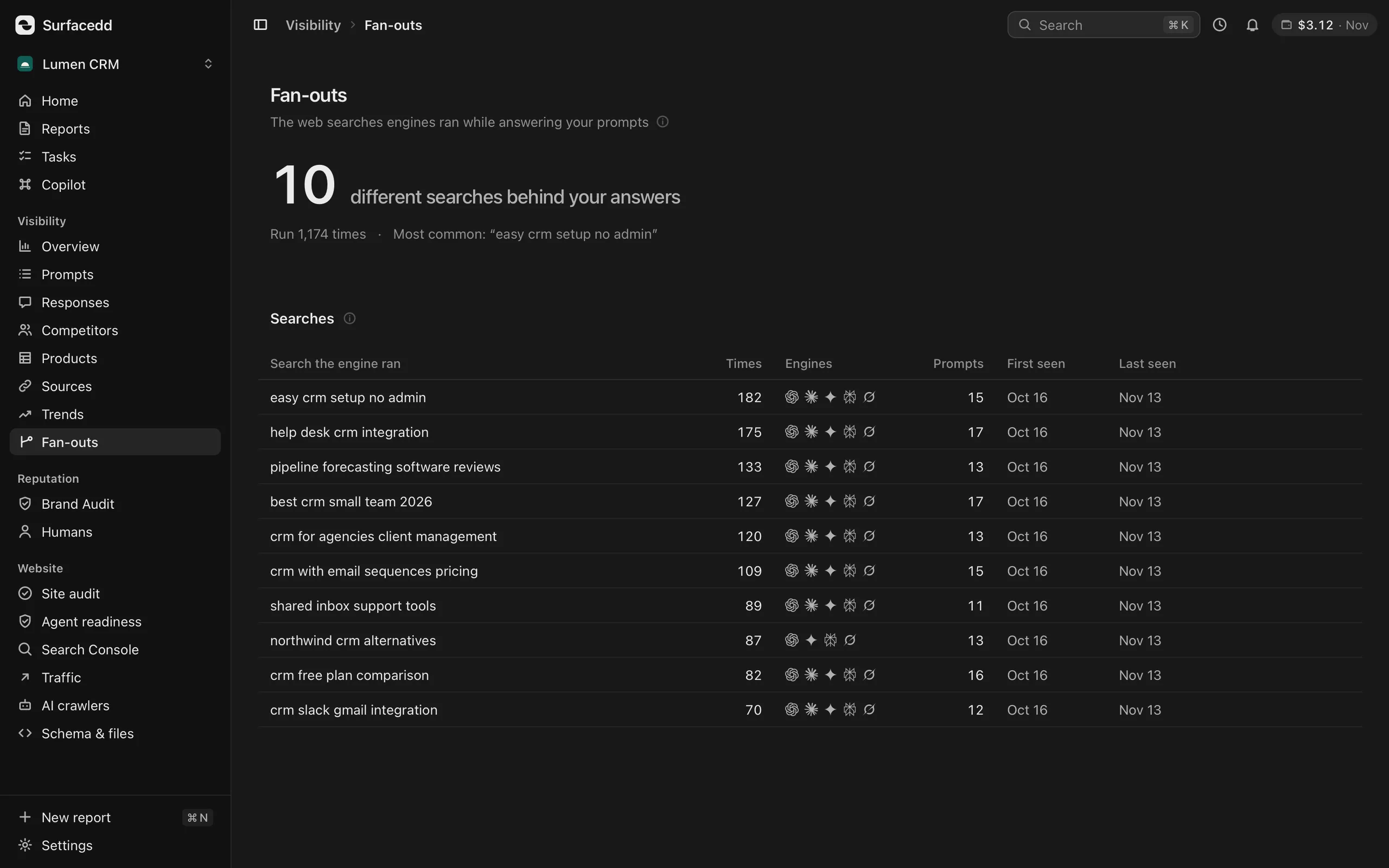
- The headline counts the distinct searches and how many times they ran, and names the most common one.
- The table lists each search with Times (how often it ran), Engines, Prompts (how many of your prompts triggered it), First seen and Last seen, most frequent first.
- Click a count to read the answers that ran that search.
Track a search as a prompt
Hover a row and press Track as prompt. The search becomes a prompt for this brand and is asked from your next run ("Tracking as a prompt: it's asked from your next run. Edit it in Prompts."). Rewrite it as a buyer would ask it before that run: "crm free plan comparison" works better as "Which CRMs have a real free plan?".
Searches that recur across many prompts are the ones worth acting on. Three or more occurrences with no page of yours cited is what the Fan-out gap finder looks for when it suggests tasks.
A worked example
In the sample workspace (a fictional CRM brand), ten distinct searches ran 1,174 times between 16 October and 13 November, on the five engines that report their searches. The second most common, "help desk crm integration", ran 175 times and was triggered by 17 different prompts, the joint highest. That pattern says something specific: whatever buyers asked, the engines kept checking whether a CRM connects to a help desk.
Reading it takes three steps:
- Open the answers behind the count. Click 175 and read which pages those answers cited. If a competitor's integration page keeps appearing and yours doesn't, that is the gap.
- Check your own coverage. Do you have one page that clearly answers "does it integrate with my help desk, and how"? A paragraph buried in a features page is easy for an engine to miss.
- Track the search as a prompt ("Which CRMs integrate with a help desk?") so the next runs show whether a new or improved page changes who gets named.
How to use the list
| If you see | It usually means | Try |
|---|---|---|
| A search naming a competitor ("northwind crm alternatives") | Engines look for comparisons with that brand | A fair comparison page, and check who is cited for it |
| A search with a year ("best crm small team 2026") | Engines want current information | Keep dates and pricing on your key pages up to date |
| A feature plus "integration" | Buyers ask whether you connect to their tools | A page per important integration |
| The same search across many prompts | A core topic for your category | Make sure one strong page covers it |
Fan-outs also differ by market and language, so check them per market when you track several. See markets and location.
Export
Fan-outs export as CSV (Search, Times, Engines, Prompts, First seen, Last seen) from the Export menu, and every fan-out is included per answer in the NDJSON export. Details: exports.
Troubleshooting
| What you see | Cause | What to do |
|---|---|---|
| "No engine in this view reported its searches" | Only Google AI Mode, AI Overviews or Meta AI answers are in scope | Add ChatGPT, Claude, Gemini, Perplexity or Grok to the view |
| Fewer fan-outs from Grok than expected | xAI doesn't return searches on every answer | Expected |
| "Couldn't add the prompt" | The save failed; the message under it says why | Fix the cause, or add the prompt by hand in Prompts |
| A tracked search wasn't asked yet | Tracked prompts join from the next run | Run the report, or wait for the schedule |
Related docs
- Competitors and sources: who gets cited for the topics fan-outs reveal.
- Metrics reference: how prompts and answers are counted.
Keep reading
- GuidesFind the hidden searches AI runs before it answersWhen ChatGPT, Claude or Google's AI answer a question, they first run several narrower searches. Those sub-queries decide which pages get cited, and most of them never show up in a keyword tool.Read
- DocsSee what AI recommends to buyers in each country and cityA market asks your prompts as someone in that place would. Engines differ in how much of the location they accept, and every answer records whether it was applied.Read
- ProductSee who AI recommends instead of you, and which pages convinced itShare of voice, head-to-head and co-occurrence for every competitor, plus the pages each engine cited or read to decide: from your own site, rivals, Reddit, reviews and the press.Read
- DocsKnow what to fix first, with the evidence behind every taskTasks come from deterministic checks on your own answers, logs and audits. Each one carries the evidence that justified it, and closes itself when the next run shows the fix worked.Read
How we research, write and correct pages: read our editorial policy.