See which AI crawlers reach your site through Cloudflare, and which you block
Logpush writes every edge request to a gzipped NDJSON file. Surfacedd reads that file on your computer and keeps only daily counts per crawler, status and page.
By the Surfacedd teamUpdated 6 min readMarkdown
On this page
Short answer
To analyse AI crawlers behind Cloudflare, create a Logpush job for the HTTP requests dataset with the user agent, path, edge status, timestamp and client IP fields, send it to R2 or another bucket, download the files and drop them into Surfacedd's AI crawlers screen. Surfacedd verifies each bot and stores daily aggregates without IPs.
If your site sits behind Cloudflare, your origin server's access log only shows the requests Cloudflare passed through. Cached hits, and requests Cloudflare blocked, never reach it. To see every AI crawler visit, including the ones your settings turned away, you need Cloudflare's own logs. Logpush exports them, and Surfacedd's AI crawler analytics reads them.
Step 1: Create a Logpush job for HTTP requests
Logpush sends Cloudflare's logs in batches to a destination you choose. It doesn't store or search them, and it can't backfill: a job only captures requests from the moment you create it. Since 30 September 2026, Cloudflare offers Logpush on Free, Pro and Business plans as self-service with usage-based pricing. Each account includes 25 GB of exports a month. Above that, exports to R2 cost 0.03 dollars per GB and to other destinations 0.10 dollars per GB. Enterprise accounts arrange it through their account team.
In the Cloudflare dashboard, go to Logpush for your zone and choose Create a Logpush job:
- Destination: R2 Object Storage is the simplest; S3-compatible buckets and other storage also work. Enter a path such as
cloudflare-logs/http_requests/example.comand tick Organize logs into daily subfolders. - Dataset: HTTP requests (
http_requests). - Fields: Logpush has no "select all"; pick the ones you need. Surfacedd needs these five:
| Field | What it is | Why Surfacedd needs it |
|---|---|---|
ClientRequestUserAgent | User agent reported by the client | Matches the request to one of 32 AI and search crawlers |
ClientRequestURI (or ClientRequestPath) | Path requested, with or without query string | Pages each bot reads |
EdgeResponseStatus | Status Cloudflare returned to the client | Errors and blocks as the crawler saw them |
EdgeStartTimestamp | When the edge received the request | Daily totals |
ClientIP | IP address of the client | Checked against the operator's published ranges, then discarded |
- Timestamp format: leave the default. The dashboard uses RFC 3339 and the API uses Unix nanoseconds, and Surfacedd reads both.
Optional but useful: add OriginResponseStatus. Cloudflare sets it to 0 when the origin sent no response, which is the signature of a request stopped at the edge. Surfacedd uses the edge status when both are present.
Step 2: Download the files and import them
Logpush writes gzipped files of newline-delimited JSON, one request per line. Download a day or a week of them from your bucket. You don't need to unzip or merge them first.
In Surfacedd, open Website › AI crawlers and drop the files in (or use the file picker). Surfacedd recognises the Logpush format from its field names. It accepts .gz and files up to 2 GB, streamed so they never load into memory whole. The same screen takes nginx and Apache logs, generic JSON lines and CSV, so you can compare Cloudflare and origin logs.
What Surfacedd shows from Cloudflare logs
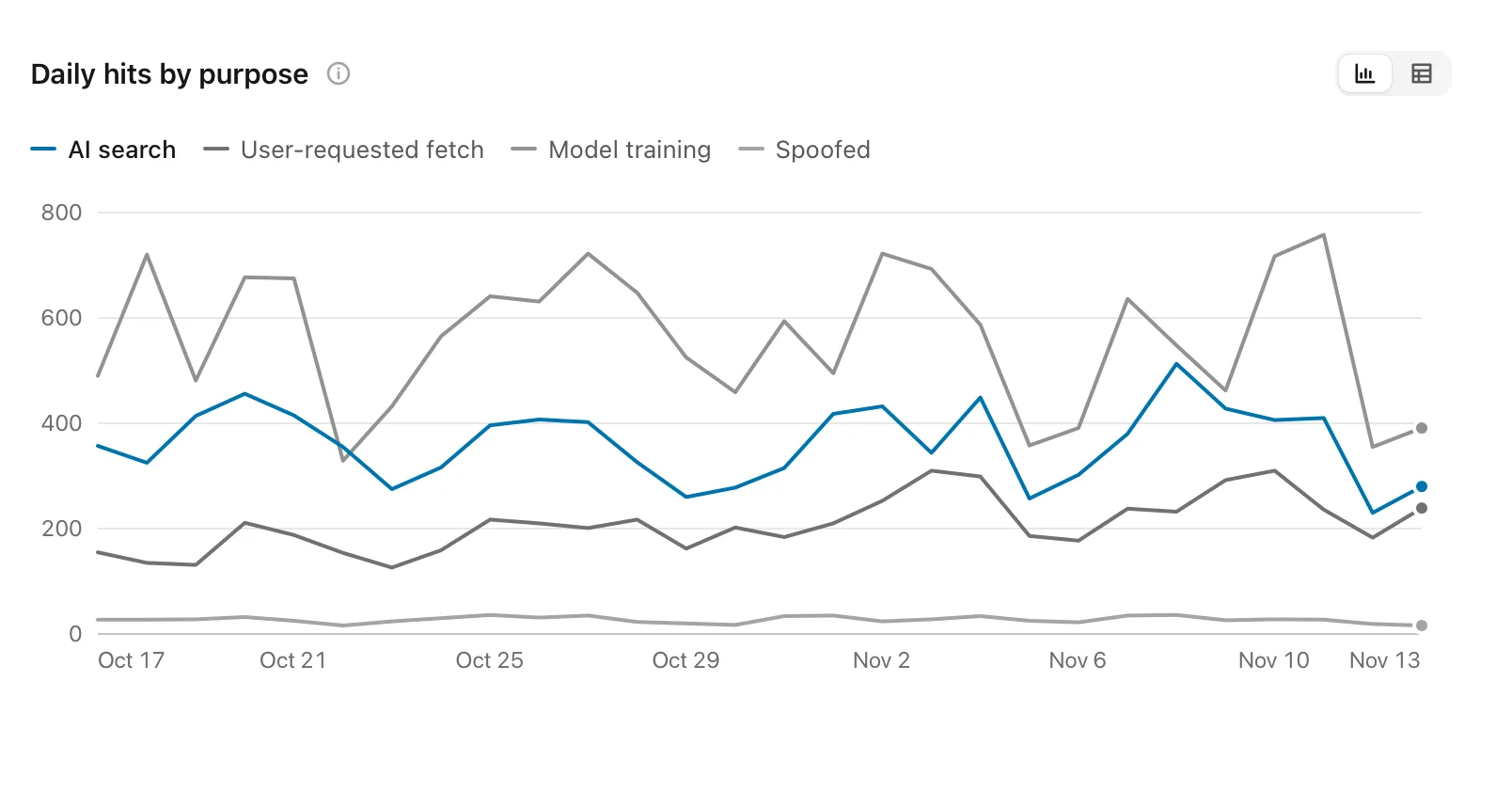
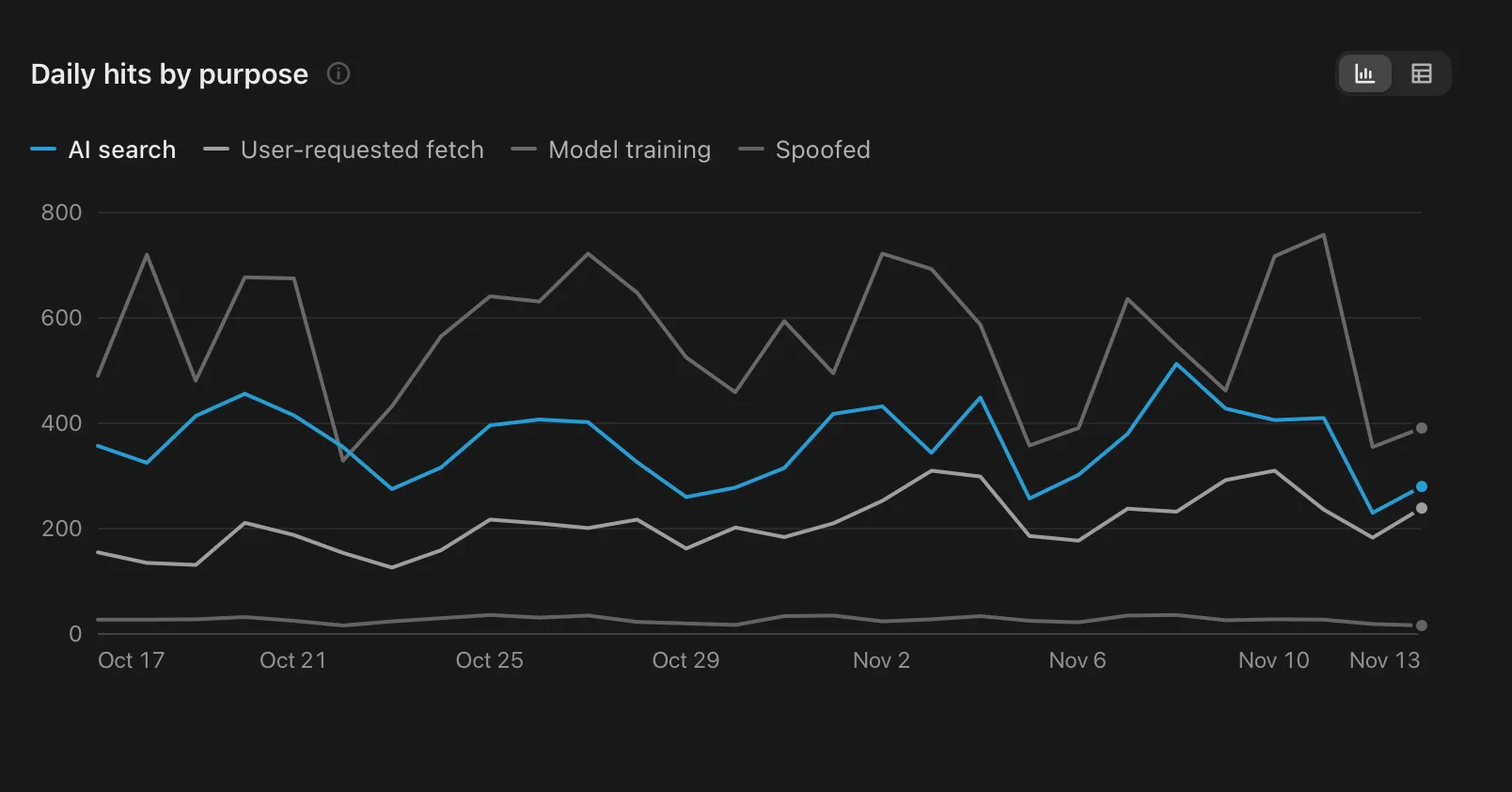
Each line is matched to a crawler and its purpose: AI search, user-requested fetch, model training and others. Then the IP is checked against the operator's published ranges. The result is one of four states. Verified: the IP is in the published ranges, or passes forward-confirmed reverse DNS. Spoofed: the operator publishes ranges and the IP isn't in them. Unverifiable: the operator publishes none, as with Meta, ByteDance and Cohere. Unchecked: ranges weren't available. Then the IP is dropped. Surfacedd keeps only daily counts per bot, verification state and status class, plus the top 200 paths per bot per day, for 13 months.
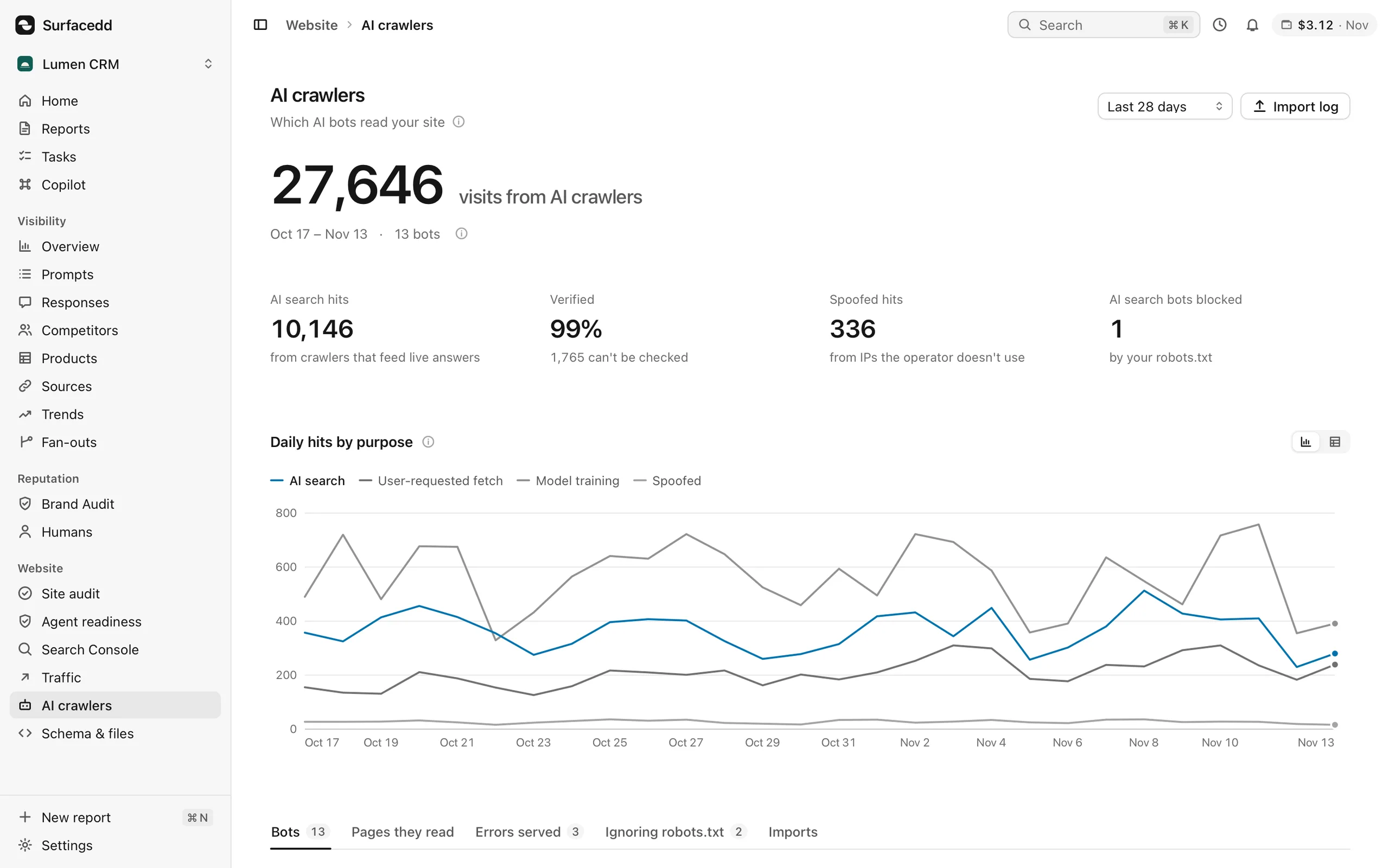
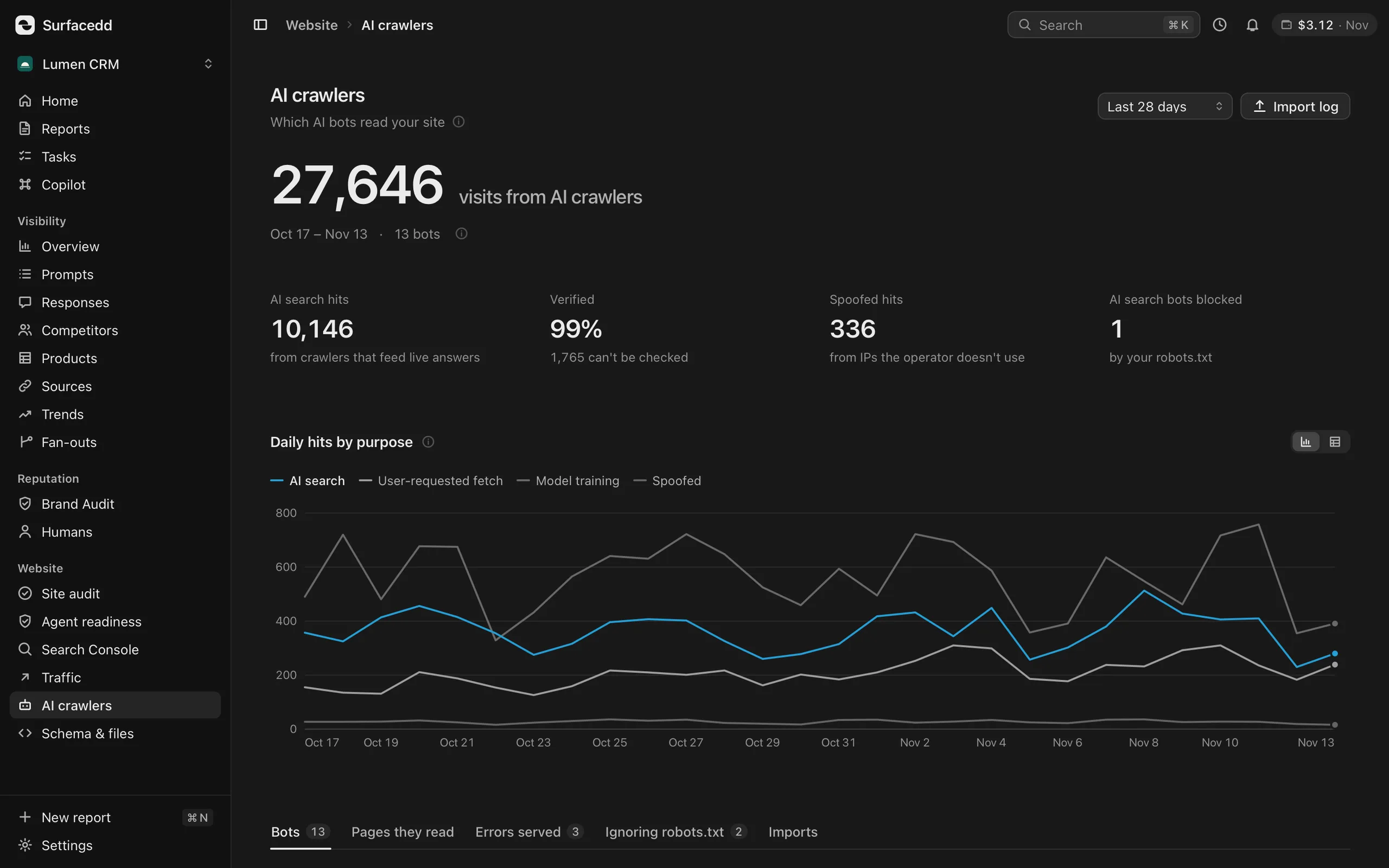
From there you can answer:
- Are OAI-SearchBot, Claude-SearchBot and PerplexityBot (the crawlers that decide whether you can be cited) reaching your key pages, or getting 403s?
- How much "GPTBot" traffic is spoofed, with a user agent claiming to be a bot and an IP outside the operator's ranges?
- Which pages return 4xx or 5xx to AI crawlers?
- Which bots your robots.txt blocks are still requesting pages?
For the method behind these questions, see the log file analysis guide and how to verify AI crawlers.
What AI Crawl Control blocks, compared with your robots.txt
Cloudflare's AI Crawl Control (formerly AI Audit), available on all plans, lists AI services crawling your zone and lets you allow or block each one. Blocking creates or updates a WAF custom rule on your zone. The crawler then gets a 403, or a 402 if you use pay per crawl, which is in private beta. Custom response bodies need a paid plan.
That is a different mechanism from robots.txt:
| robots.txt | AI Crawl Control block | |
|---|---|---|
| Where it acts | The crawler reads it and chooses to comply | Cloudflare's edge refuses the request |
| What a non-compliant bot gets | The page | 403 (or 402) |
| How it shows in Logpush | Normal status codes; the bot keeps requesting | Edge status 403 or 402, origin status 0 |
| How it shows in Surfacedd | "Blocked by robots.txt but still crawling" | A 4xx share for that bot |
A common surprise: a crawler you allowed in robots.txt shows a high 4xx rate in Surfacedd. That is usually a Cloudflare block (an AI Crawl Control rule or another WAF rule) catching a search crawler you want. If that crawler is OAI-SearchBot, Claude-SearchBot or PerplexityBot, the block can stop those engines from reading the pages they might cite. Use the free AI crawler checker to confirm what robots.txt says, then compare it with the edge status in your logs. Surfacedd's site audit also detects Cloudflare's challenge pages served with a 200 status.
The reverse also happens. A training crawler you disallowed in robots.txt keeps requesting pages, and Surfacedd flags it as blocked-but-crawling. AI Crawl Control's "Robots.txt violations" column counts the same behaviour from Cloudflare's side.
Privacy: keep aggregates, drop IPs
Logpush files contain client IPs of real visitors, not only bots. Surfacedd reads them on your computer and writes no IPs anywhere: its output contains only per-bot daily totals and paths. The files themselves stay wherever you downloaded them. Delete them after import if your retention policy requires it.
Want to try before installing anything? The free AI bot log analyzer parses a log file in your browser without uploading it. Log analytics is included in the desktop app at no extra cost; download Surfacedd to keep the history.
Sources
- Logpush, Cloudflare Logs docs
- Logpush is now available on all plans with usage-based pricing, Cloudflare changelog (2026-09-30)
- HTTP requests dataset fields, Cloudflare Logs docs
- Log output options (ndjson, timestamp formats), Cloudflare Logs docs
- Enable Logpush to R2, Cloudflare Logs docs
- AI Crawl Control, Cloudflare docs
- Manage AI crawlers (block rules, 403 and 402 responses), Cloudflare docs
Fair questions
Is Cloudflare Logpush available on the free plan?
Yes, as of 30 September 2026. Cloudflare's changelog says Logpush is available on Free, Pro, Business and Enterprise plans with usage-based pricing. Free, Pro and Business accounts enable it themselves, and each account gets 25 GB of exports a month before per-GB charges apply. Earlier guides that call it Enterprise-only are out of date.
Which Logpush fields does Surfacedd need?
Five: ClientRequestUserAgent, ClientRequestURI (or ClientRequestPath), EdgeResponseStatus, EdgeStartTimestamp and ClientIP. Logpush has no option to include every field, so you list them in the job. The IP is used only to verify the crawler against its operator's published ranges, and Surfacedd never stores it.
Does Surfacedd pull logs from Cloudflare automatically?
Not in 1.0. You download Logpush files from your bucket and import them; Surfacedd keeps the history, so weekly imports build up a trend. A scheduled pull through Cloudflare's API with your own token is planned for a later version. Surfacedd never changes your Cloudflare configuration.
If I block an AI crawler in Cloudflare, will it still appear in Surfacedd?
Yes, if your Logpush job covers the HTTP requests dataset. The request still reaches Cloudflare's edge, so it is logged with the edge status Cloudflare returned, typically 403. Surfacedd counts it under that bot's 4xx share. This lets you check that a block is working, and spot blocks that catch a crawler you meant to allow.
Can I do this without Logpush?
Partly. Your origin server's access log works if Cloudflare passes the traffic through, but it misses cached responses and anything blocked at the edge. AI Crawl Control's dashboard shows crawler activity inside Cloudflare without exporting anything. Logpush is the only way to get those edge requests into a file you can analyse alongside your other logs.
Is it safe to give Surfacedd files with visitor IPs?
The files never leave your computer. Surfacedd parses them locally and stores only aggregates: daily hits per bot, verification state, status class, and the top paths. No IP address is written to its database. If you'd rather not hold visitor IPs at all, keep the import short-lived and delete the downloaded files afterwards.
How we research, write and correct pages: read our editorial policy.