Ask Claude Code which prompts you lose, then fix the pages in the same session
The Surfacedd plugin gives Claude Code your stored AI answers, competitors, cited pages, Search Console data and agent readiness issues, plus skills that turn them into reviewed diffs in your repository.
By the Surfacedd teamUpdated 9 min readMarkdown
On this page
Short answer
To use Surfacedd in Claude Code, install the surfacedd command from Surfacedd's settings, then add the plugin with /plugin marketplace add surfacedd/claude-code-plugin and /plugin install surfacedd@surfacedd. Claude Code gets read-only tools over your local data and six skills, including a weekly briefing, agent readiness fixes and a competitor gap.
Claude Code works in your terminal, inside a repository. Connect it to Surfacedd and the session that edits your site can also read the evidence: which prompts AI engines answer without naming you, which pages they cite instead, which agents your firewall turns away. You can go from "where are we missing?" to a reviewed diff without switching windows.
There are two ways in. The plugin is the quickest: one install adds the MCP server and six skills. The manual MCP setup adds only the server, with one claude mcp add command or one click in Surfacedd.
Install the plugin
- In Surfacedd, open Settings › AI assistants & CLI and click Install command-line tool. The plugin runs the
surfaceddcommand, so it has to be on your PATH. The CLI getting started guide covers it. - In Claude Code, add the marketplace and install the plugin:
/plugin marketplace add surfacedd/claude-code-plugin
/plugin install surfacedd@surfacedd
On Claude Code 2.1.275 or later you can do both in one step with /plugin install surfacedd --marketplace surfacedd/claude-code-plugin. From your shell, claude plugin install surfacedd --marketplace surfacedd/claude-code-plugin does the same (2.1.292 or later). Run /reload-plugins or start a new session, then /mcp lists plugin:surfacedd:surfacedd.
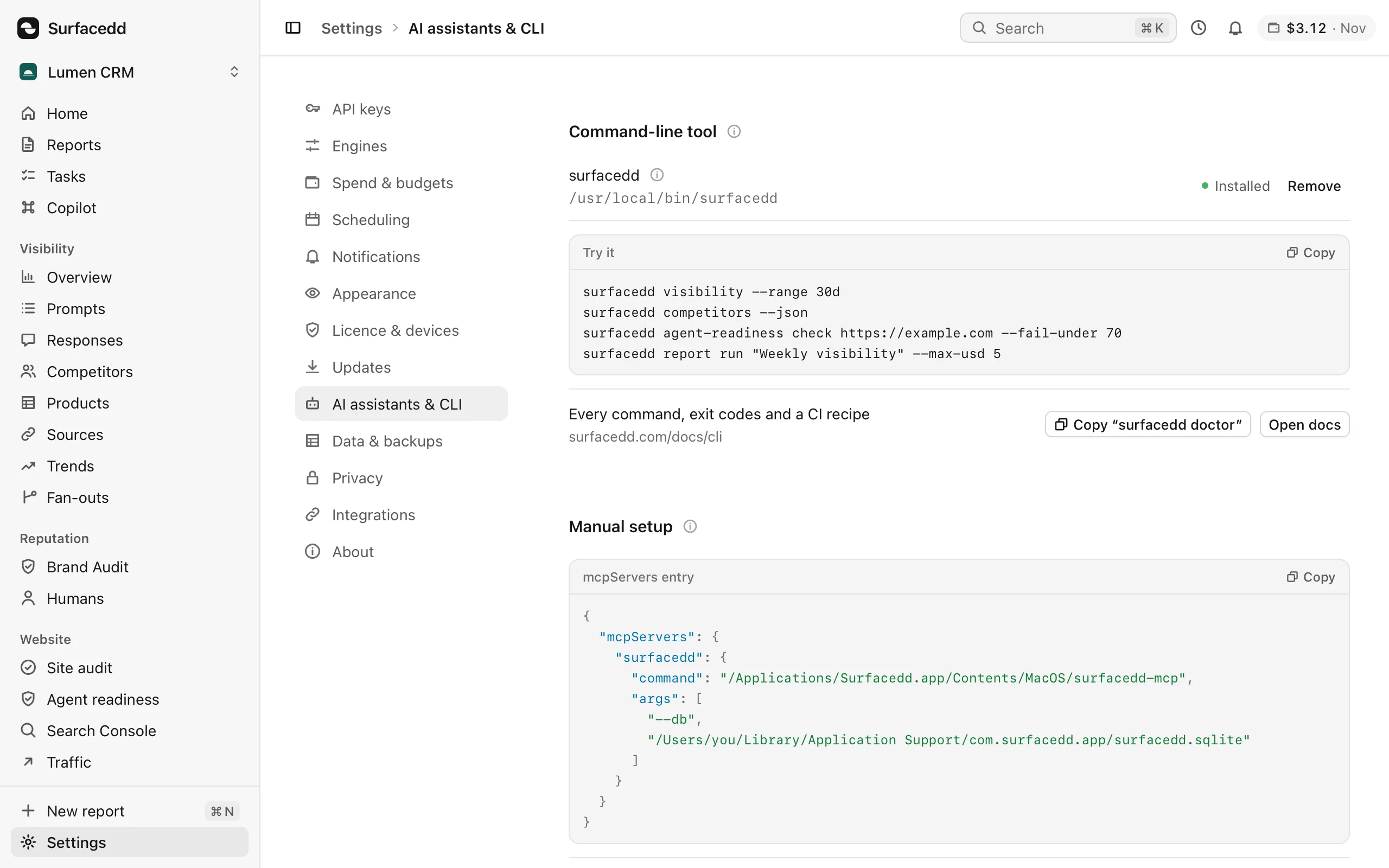
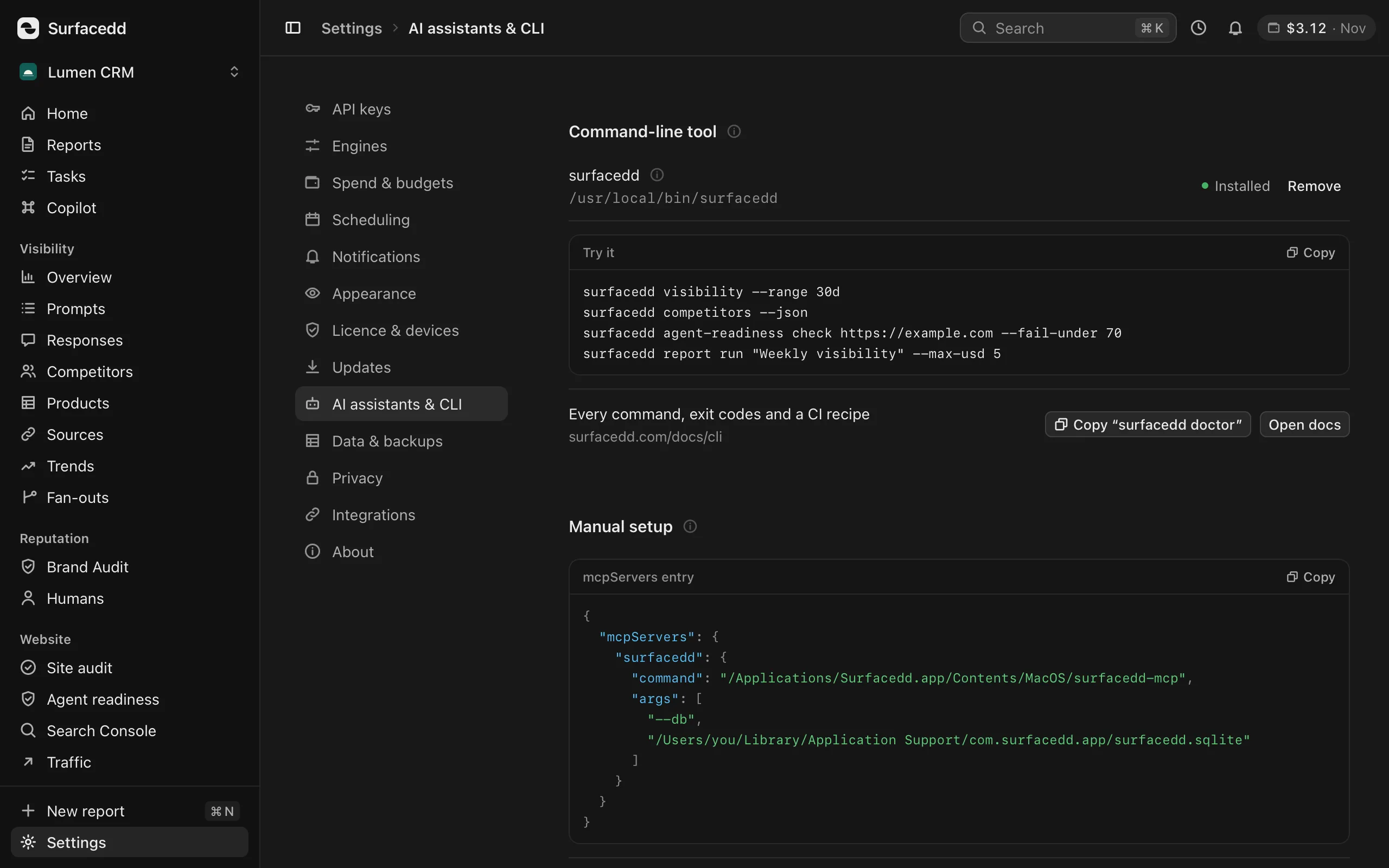
What we checked. We validated the plugin and marketplace manifests with claude plugin validate and loaded the plugin in Claude Code 2.1.328 against Surfacedd's sample workspace. The server connected, all 25 tools and all six skills loaded, and a question about visibility per engine returned the same figures as the app. Each skill also has an evaluation case that runs on answers recorded from the sample workspace, and all seven cases pass.
What the plugin adds
The MCP server. The plugin starts surfacedd mcp, the same read-only server the app ships. Claude gets 25 tools: visibility per engine with 95% ranges, prompt results, full stored answers, competitors' share of voice, cited sources, fan-out searches, products, tasks, runs, crawler visits, site audit issues and agent readiness. If you've connected Google in Surfacedd, it also gets Search Console and GA4 data. Arguments and return shapes are in the tool reference.
Six skills. Claude picks a skill from what you ask, or you run it as /surfacedd:<name>:
| Ask something like | What runs |
|---|---|
| "How did we do in AI answers this week?" | ai-visibility-briefing: a short note per engine with ranges, only the changes Surfacedd marks significant, answers won without you, and three tasks with their evidence |
| "Fix what stops AI agents reading our site" | fix-agent-readiness: maps each failing agent readiness rule to the file that causes it and proposes a diff. Settings outside the repo, such as a firewall rule, get instructions instead. It never deploys |
| "Why did our Google clicks fall?" | traffic-drop: splits a Search Console change into lost queries, position, click-through and anonymised clicks, names the pages that lost most, and checks recent commits to those files |
| "Who does AI recommend instead of us?" | competitor-gap: prompts a competitor wins without you, the answer text and cited pages behind each, and your closest page in the repo |
| "Which of our products does ChatGPT recommend?" | product-visibility: mention and recommended rates per product with ranges, the rival products in the same answers, and what the product page is missing |
| "Add an agent readiness check to our deploy workflow" | ci-agent-readiness: adds surfacedd agent-readiness check --fail-under after your deploy step, as a diff. See agent readiness in CI |
Every skill follows the same rules. Each claim names the prompt, engine, date and answer behind it. A change counts only when Surfacedd marks it significant. No skill promises more citations or traffic. The skills don't write articles, and code changes come as diffs for you to approve.
Spending. Every tool is free and read-only. The only paid action is a visibility run through surfacedd report run --max-usd. A skill shows you the estimate first and runs only after you say yes in the conversation, with a limit you agreed. --max-usd is a hard limit: the run never starts a call that could take it past it.
A session, step by step
This exchange uses the sample workspace, whose brand Tallyfox and its rivals are fictional.
"Who does AI recommend instead of Tallyfox, and which pages convinced it?" Claude runs competitor-gap. It reads share of voice with competitor_share: Northwind CRM leads at 26.2%, against Tallyfox's 9.1%. It takes the weakest prompts from list_prompts, such as "Help desk software that connects to a CRM" at 5.6%. Then it opens the answers that left Tallyfox out with prompt_results and get_answer, lists the pages they cite, and looks in your repository for the page that should compete. You get a table of gaps, each with its answer ids, and up to three next steps.
"Now fix the agent readiness issues." Claude runs fix-agent-readiness. The sample's latest check scores 80 overall, with Perplexity-User hitting a Cloudflare challenge on the home page, and a pricing page whose Product markup has no availability. Claude explains that the challenge is a firewall setting to change in Cloudflare, not in code. It then proposes a diff that adds availability to the Product JSON-LD in your pricing page, quoting the rule and evidence.
To get your brand cited inside Claude's own answers, a different job, see Claude SEO.
The surfacedd command in Claude Code
Claude Code can also run the surfacedd command directly through its shell. When the output isn't a terminal, the command prints JSON, so Claude reads structured data without extra flags. The skills fall back to it when the MCP tools aren't available. The command also does what the read-only server can't: exports, a free site audit, the agent readiness check, and confirmed paid runs.
surfacedd agent-readiness check https://www.example.com --fail-under 70
surfacedd export competitors --format csv --range 30d --out competitors.csv
Use with Code Mode (experimental)
Code Mode is an experimental Claude Code feature, off by default, in which Claude writes JavaScript that makes several tool calls in one step: it can run commands in parallel and return only the part of the output it needs. It needs Claude Code 2.1.323 or later and an interactive terminal session, and you turn it on with CLAUDE_CODE_EXPERIMENTAL_CODE_MODE=1. Anthropic says it may change or be removed in any release.
Code Mode runs shell commands as tool calls, so the surfacedd command works there as it does anywhere in Claude Code. For a question such as "Compare our visibility with the top three competitors this week", Claude might write:
const vis = JSON.parse(await $`surfacedd visibility --range 7d --json`.text());
const comp = JSON.parse(await $`surfacedd competitors --range 7d --json`.text());
({
  visibility: vis.data.visibility.rate.pct,
  rivals: comp.data.rows.filter((r) => !r.is_subject).slice(0, 3).map((r) => [r.name, r.sov_pct]),
});
Claude writes this code itself; you only ask the question. We checked the commands and JSON paths in that example through Claude Code's shell against the sample workspace. We haven't run a Code Mode session with the plugin, so treat it as experimental. Code Mode's documentation covers running shell commands from code, not calling MCP tools, so this example uses the command rather than the plugin's MCP tools. If Code Mode reports that it doesn't yet work with a plugin you have enabled, its message names the plugin; see Anthropic's troubleshooting table.
Manual MCP setup without the plugin
If you only want the tools, Surfacedd's Settings › AI assistants & CLI shows a ready-made command with your exact paths and a Copy button. On a Mac it looks like this:
claude mcp add --scope user surfacedd -- \
  /Applications/Surfacedd.app/Contents/MacOS/surfacedd-mcp \
  --db "/Users/you/Library/Application Support/com.surfacedd.app/surfacedd.sqlite"
--scope user registers the server for all your projects; the default local scope covers only the current one. A project scope would write .mcp.json into the repository, where your personal database path would be committed. Everything after -- reaches surfacedd-mcp untouched.
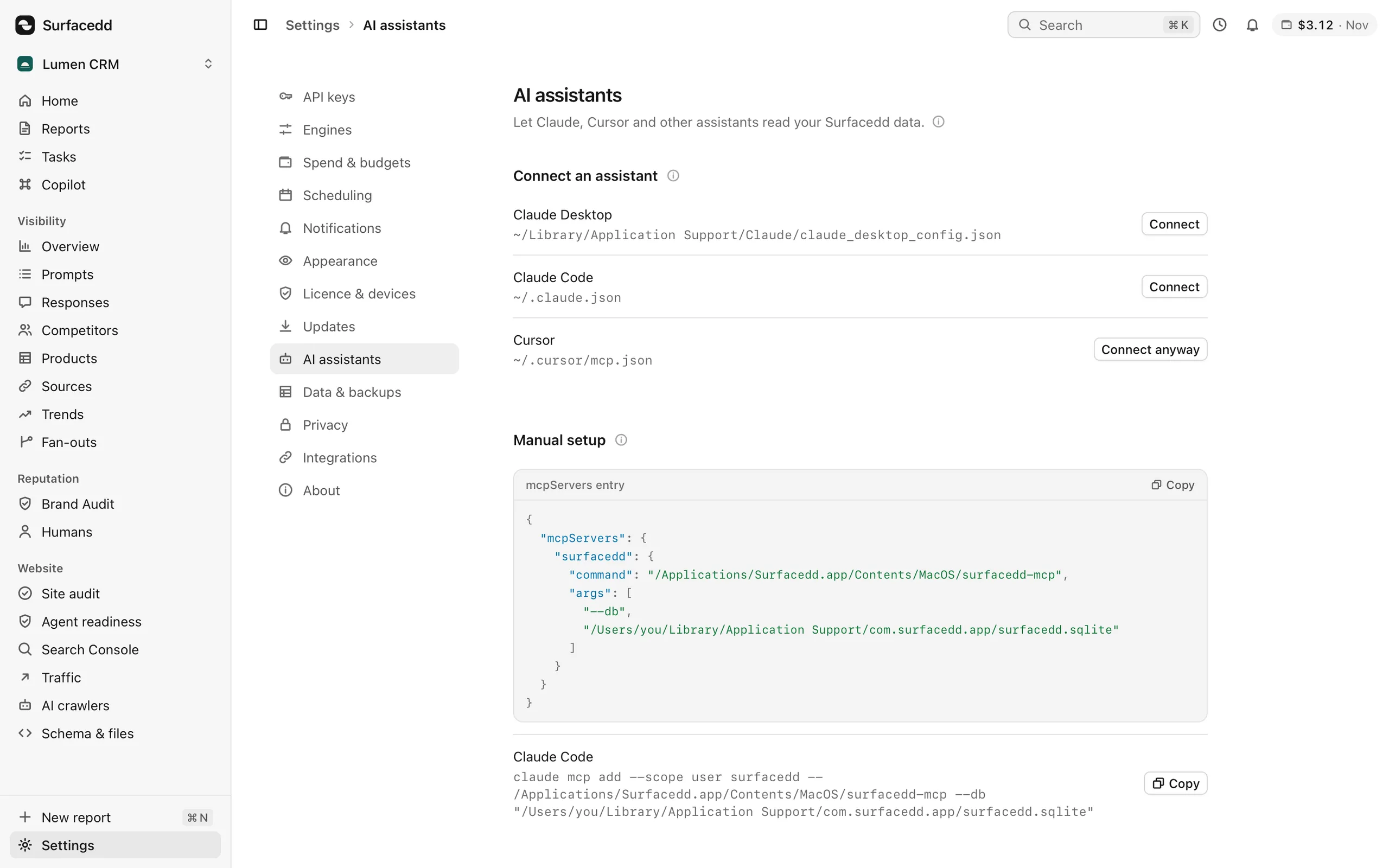
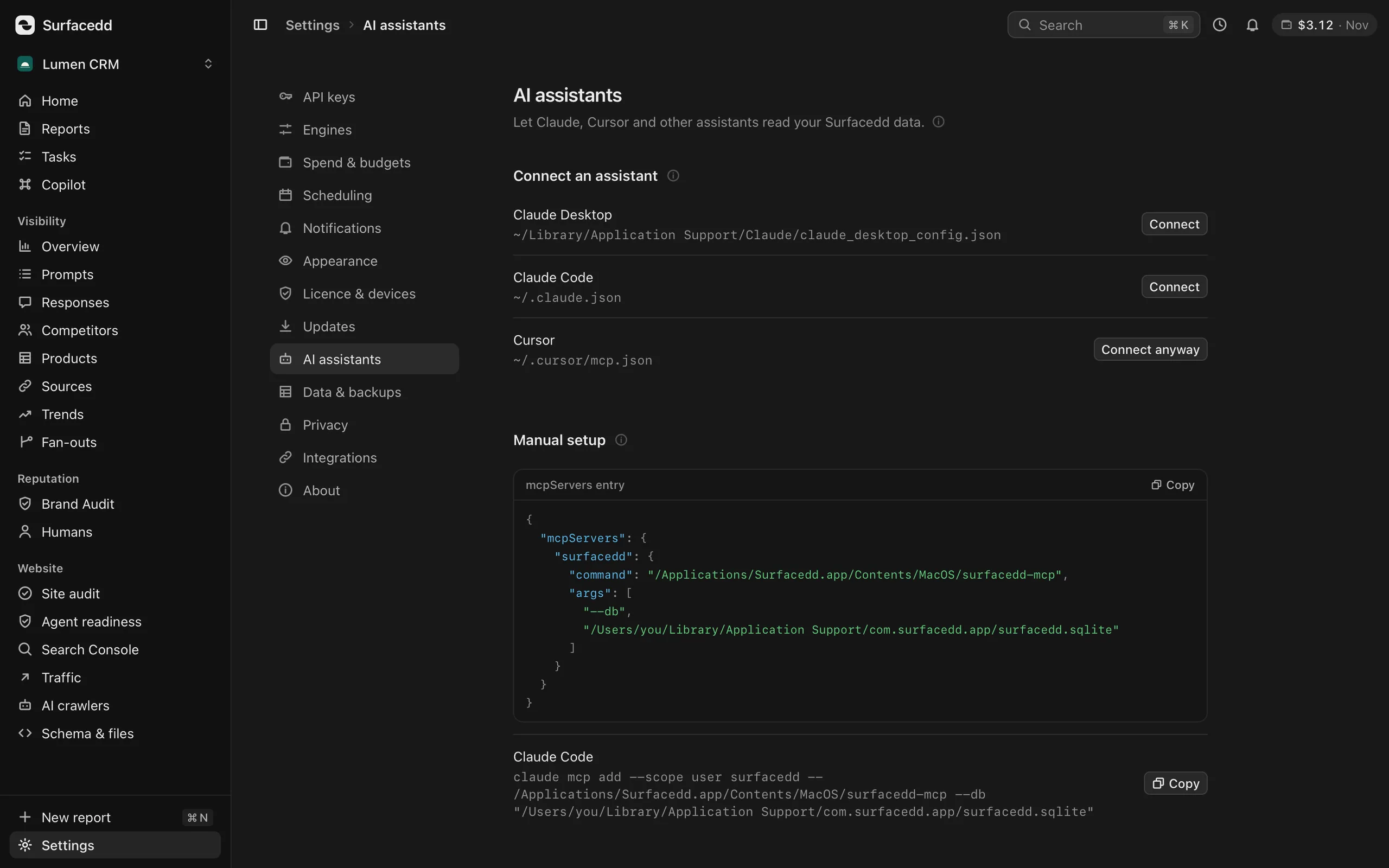
Or one click. Press Connect next to Claude Code in the same screen. Surfacedd adds a surfacedd server under mcpServers in ~/.claude.json, saves ~/.claude.json.surfacedd-backup first and keeps everything else in the file. Claude Code shows as detected once ~/.claude.json exists, which happens after you first run it. Use either the plugin or the manual entry, not both, or Claude sees every tool twice.
Limits
- Read-only, local, no network. The MCP server opens your database read-only, never reads provider keys and makes no network calls. Claude Code sends tool results to Anthropic's models as part of the session.
- The tools can't start runs.
estimate_run_costreturns an estimate only. New answers come from runs you start in the app, or from a run you confirm through the command. - Result size. Surfacedd caps each result at 64 KB and 200 rows per list and marks truncated results. Claude Code has its own output limit, 25,000 tokens by default (
MAX_MCP_OUTPUT_TOKENS). - Same computer only. The server reads a local file, so it works where Claude Code runs on the machine that has Surfacedd. A cloud session can't reach it.
- The marketplace is new. The plugin's install commands work once Surfacedd publishes the
surfacedd/claude-code-pluginrepository. Until then, use the manual setup above.
Troubleshooting
| Symptom | Likely cause | Fix |
|---|---|---|
/mcp shows plugin:surfacedd:surfacedd failed | surfacedd isn't on the PATH Claude Code sees | Install it from Settings, open a new terminal, run surfacedd doctor, then restart Claude Code |
| Server exits with "database not found" | Surfacedd has never been opened, or the path is wrong | Open Surfacedd once; for another workspace set SURFACEDD_DB |
| Google tools return an error | Google isn't connected | Connect it in Surfacedd › Settings › Google |
| A skill doesn't trigger | Your wording didn't match it | Run it directly, for example /surfacedd:traffic-drop |
✘ Failed to connect after claude mcp add | Path typo, or a path with spaces lost its quotes | Copy the command from Surfacedd again; it quotes paths with spaces |
Two Surfacedd servers in /mcp | Plugin and manual entry both installed | claude mcp remove surfacedd, keep the plugin |
Surfacedd is a one-time purchase (Launch price $29, $79 after 23:59 UTC on January 30, 2027.$79 once.); the MCP server, the command and the plugin are included. See pricing.
Sources
Fair questions
Should I use the plugin or the manual MCP setup?
Use the plugin if you want the skills: the briefing, agent readiness fixes, traffic-drop diagnosis, competitor gap, product visibility and CI step. It also updates through Claude Code's plugin commands. Use the manual setup if you only want the tools, or before the marketplace repository is published. Don't install both, or Claude sees every tool twice.
Can Claude Code change my Surfacedd data or spend money?
The MCP tools can't: the server opens the database read-only and every tool is marked read-only. Through the command, Claude can start a paid run only with --yes, and the skills ask you first, showing the estimate. --max-usd is a hard limit on what that run spends. Claude Code can still edit files in your repository with your approval.
What's the difference between this and the SEO Copilot inside Surfacedd?
The Copilot runs inside the app with your own model key, the same read tools, and network tools such as page fetches and paid keyword data behind a confirmation card. It turns answers into action plans and tasks. Claude Code works in your repository, so it can edit the code the evidence points to. Many people use both. See Surfacedd's SEO Copilot.
Does it work on Windows?
Yes. The command-line tool installs on Windows from the same settings screen, or comes with the Microsoft Store app, and the plugin runs it the same way. The manual setup shows a Windows-specific command with your installed paths, and the one-click install writes to .claude.json in your user folder.
Do I need Code Mode?
No. The plugin, its MCP tools and the command all work in a normal Claude Code session. Code Mode is an experimental way for Claude to batch several tool calls into one piece of code. The command works there because it's a shell command, but nothing in the plugin depends on Code Mode, and Anthropic may change or remove it.
Does any of this cost anything per query?
No. The tools read a file on your computer and make no network calls, so Surfacedd charges nothing per question. Your Claude Code usage is billed by Anthropic under your plan or API key, and each tool result adds to the tokens in the session.
How we research, write and correct pages: read our editorial policy.