Ask Claude Desktop how your brand shows up in AI answers
Surfacedd adds one entry to Claude Desktop's config file. Claude can then read your stored AI answers, share of voice, sources and tasks, and it can't start runs or spend money.
By the Surfacedd teamUpdated 7 min readMarkdown
On this page
Short answer
To connect Surfacedd to Claude Desktop, open Settings › AI assistants in Surfacedd, choose Connect next to Claude Desktop, and restart Claude. Surfacedd writes a surfacedd entry into claude_desktop_config.json, backing up the file first. Claude can then call read-only tools over your local Surfacedd data.
Claude Desktop can use tools from local programs through the Model Context Protocol. Surfacedd ships one of those programs, surfacedd-mcp, inside the app. Once it is connected, you can ask Claude "Which prompts did we lose on Perplexity this month?". Claude answers from the answers Surfacedd has stored on your computer, not from a web search or its own memory.
Install: one click, or paste the entry yourself
One click. In Surfacedd, open Settings › AI assistants. Next to Claude Desktop choose Connect, then confirm. Surfacedd adds a surfacedd server to Claude Desktop's config file. It keeps the existing file as claude_desktop_config.json.surfacedd-backup next to it, and leaves every other server in the file alone. Quit Claude Desktop completely and open it again.
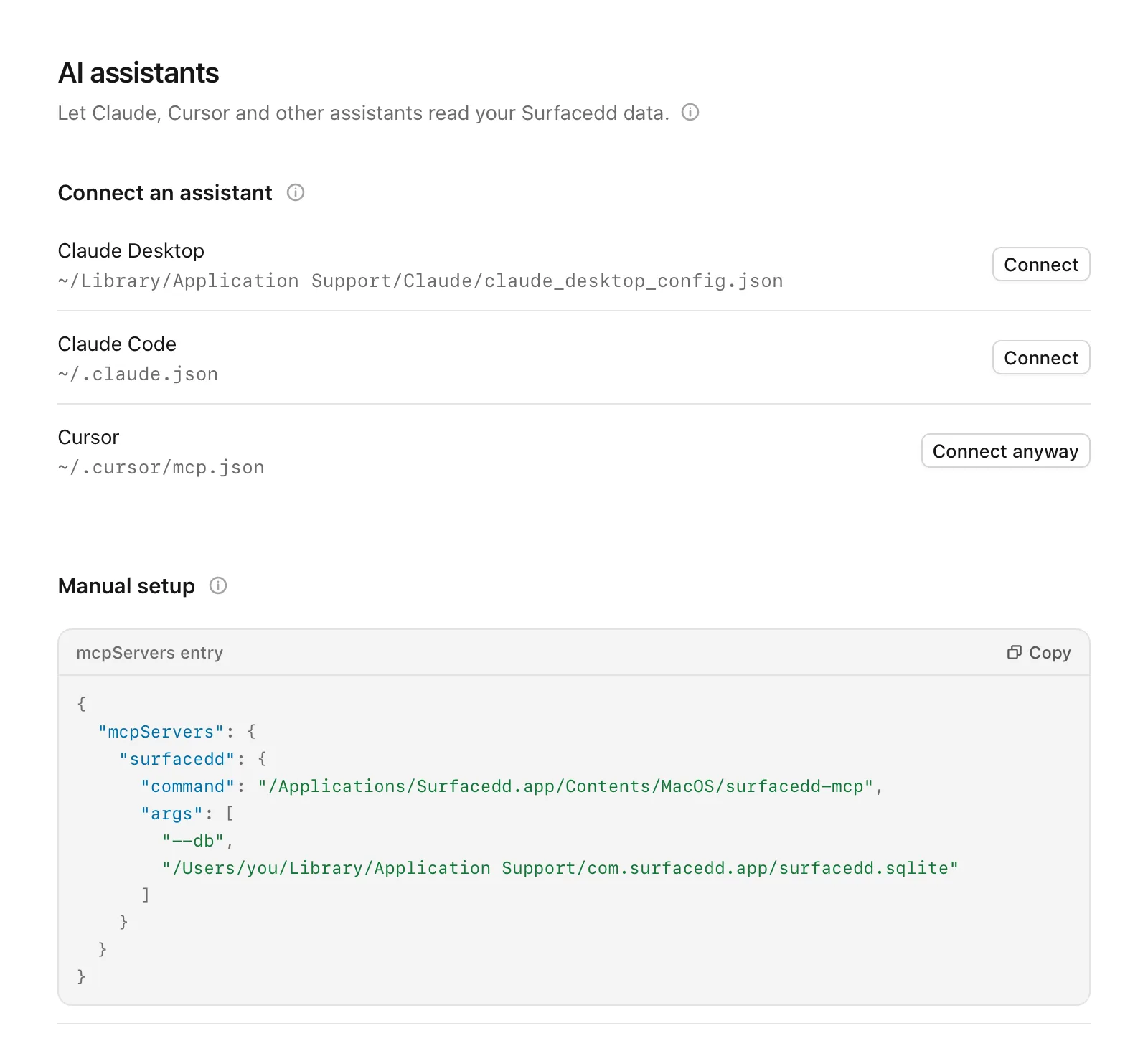
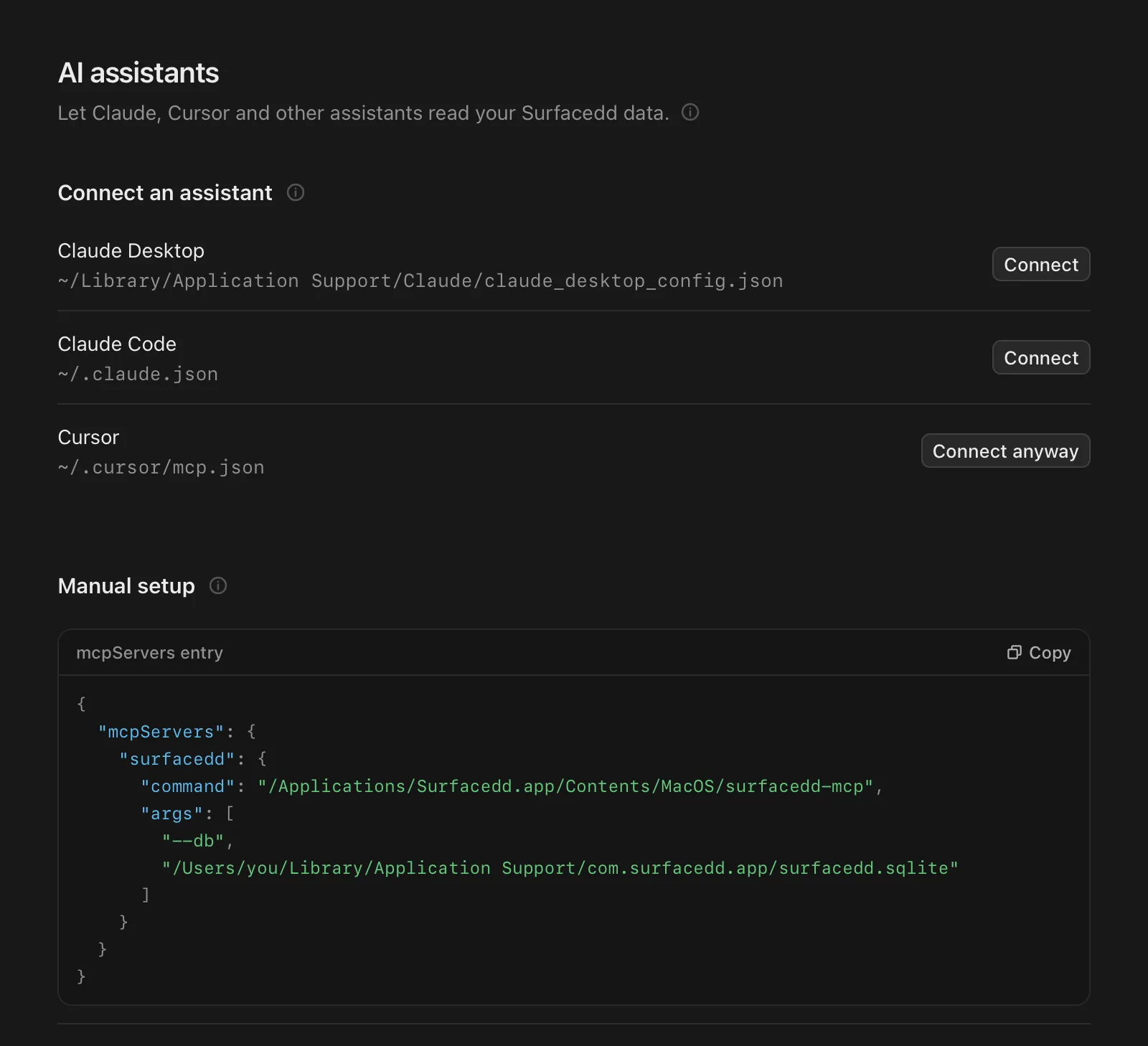
If the button reads Connect anyway, Surfacedd didn't find Claude Desktop's settings folder on this computer. Install Claude Desktop and open it once first.
Manually. In Claude Desktop, open Settings › Developer › Edit Config. Claude creates the file if it doesn't exist. Add this under mcpServers, using the exact paths shown in Surfacedd's Manual setup box:
{
  "mcpServers": {
    "surfacedd": {
      "command": "/Applications/Surfacedd.app/Contents/MacOS/surfacedd-mcp",
      "args": ["--db", "/Users/you/Library/Application Support/com.surfacedd.app/surfacedd.sqlite"]
    }
  }
}
The file lives at:
| System | Claude Desktop config file |
|---|---|
| macOS | ~/Library/Application Support/Claude/claude_desktop_config.json |
| Windows | %APPDATA%\Claude\claude_desktop_config.json |
On the Microsoft Store version of Surfacedd, the command is simply surfacedd-mcp.exe. The Store package registers it as a command, so you don't need a file path. Copy the entry from Surfacedd rather than typing it, because the database path differs per account.
What can Claude answer once it's connected?
Claude gets 25 tools. Each one reads a slice of your Surfacedd database. They fall into four groups:
- Visibility: how often each engine names your brand, its rank, recommendation and citation rates with 95% ranges, per prompt and per engine.
- Competitors and sources: share of voice per competitor, prompts competitors win without you, the domains and pages AI answers cite, and the searches engines ran while answering.
- Your website: AI crawler visits from imported logs, site-audit issues and the tasks Surfacedd recommends, with their evidence.
- Google data (if connected in Surfacedd): Search Console clicks, queries and drop diagnosis, GA4 traffic and visits from AI assistants.
The server also offers one resource, surfacedd://brand/{id}/report/latest. It is a Markdown summary of a brand's latest report that you can attach to a chat. The full list with arguments is in the MCP tool reference.
Eight questions to try in Claude Desktop
The examples below use Surfacedd's sample workspace: a fictional CRM brand, Lumen CRM, with fictional rivals Northwind CRM and Pipewell. Your answers will reflect your own data. Each question shows the tool Claude typically calls.
| You ask | Tool Claude calls | What comes back (sample workspace, fictional) |
|---|---|---|
| "How visible is Lumen CRM across AI engines this month?" | visibility_summary | Visibility, share of voice and citation rate per engine, each with its 95% range and answer count |
| "Which prompts does Northwind CRM win where we aren't named at all?" | competitor_share | The prompts and engines where Northwind CRM appears and Lumen CRM doesn't |
| "Show me the full ChatGPT answer for 'best CRM for small agencies' from the last run." | prompt_results, then get_answer | The answer text, the brands named in order, the cited URLs, the model and the cost of that answer |
| "Which of our pages get cited most, and which competitor pages are cited instead?" | top_sources | Cited domains or pages with citation counts and trend |
| "What did the engines search for while answering our prompts?" | fanouts | The fan-out queries the engines ran, by frequency |
| "What should we fix first?" | list_tasks | Open tasks, each with the evidence that produced it |
| "Is GPTBot or OAI-SearchBot hitting pages that return errors?" | crawler_stats | Visits per AI crawler and day from your imported logs, with status classes |
| "What would it cost to re-run the weekly report?" | estimate_run_cost | An estimate for the report, plus the note "Estimate only. Start runs from the Surfacedd app." |
Claude often chains tools by itself. Ask "Why are we behind Pipewell on Perplexity?" and it may call visibility_summary for the gap, competitor_share for the lost prompts, then top_sources for the pages Perplexity cited, before writing one answer. Claude Desktop asks for your approval before it runs a tool, so you see each call as it happens.
A useful habit: ask Claude to quote answer ids. The server tells the model to cite the id when it quotes a stored answer, so you can open the same answer in Surfacedd and check it.
Limits: what the Claude Desktop connection can't do
- No runs, no spending. The server can't start a run, schedule one or call a paid API.
estimate_run_costreturns an estimate only. Runs start in the Surfacedd app, where you see the cost first. - No keys. The server never reads your provider keys. They stay in your system keychain.
- No network. The server makes no network calls. Claude still sends the tool results to Anthropic to write its reply, under your Claude account's terms.
- Capped results. Each result is capped at 64 KB and 200 rows per list, and marked as truncated when cut. Ask for a narrower range or one engine for detail.
- Only what you've collected. Claude can only see runs you've already made. Fresh data needs a new run in Surfacedd (pricing explains what answers cost on your own keys).
- Not live-tested on every Claude version. The one-click install is built and unit-tested against the config format, but we haven't yet run it against a live copy of each Claude Desktop release. If Claude doesn't list the tools, use the manual entry.
Troubleshooting Claude Desktop and Surfacedd
| Symptom | Likely cause | Fix |
|---|---|---|
| No Surfacedd tools after Connect | Claude Desktop was still running | Quit Claude Desktop completely (not just close the window), then reopen |
| "Couldn't connect … isn't valid JSON" in Surfacedd | The existing config has a syntax error | Fix or remove the file, then press Connect again; Surfacedd won't overwrite a file it can't parse |
| Connect is greyed out, with a note that the server "isn't next to the app" | A development build without the bundled server | Install a release build from the download page |
| Tools listed, but every call fails with "database not found" | The --db path is wrong, or Surfacedd hasn't been opened yet | Open Surfacedd once, then copy the entry again from Settings › AI assistants |
| Server fails to start, nothing obvious | Look at the logs | macOS: ~/Library/Logs/Claude/mcp-server-surfacedd.log; Windows: %APPDATA%\Claude\logs |
To remove the connection, delete the surfacedd entry from claude_desktop_config.json, or restore the .surfacedd-backup copy, then restart Claude Desktop.
Sources
Fair questions
Does Claude see my API keys or my whole database?
No. The Surfacedd MCP server never reads your provider keys; they stay in your system keychain. It opens the database read-only and returns only what a tool asks for, capped at 64 KB per result. Claude sees those tool results, and Anthropic processes them like the rest of your chat. Don't connect it on an account whose data you can't share with your assistant's provider.
Can Claude start a run or spend money through Surfacedd?
No. Every tool is read-only. The nearest thing is estimate_run_cost, which tells you what a report would cost and says "Estimate only. Start runs from the Surfacedd app." Runs, schedules and paid calls happen only inside Surfacedd, where you see the cost before anything is charged to your provider keys.
Do I need a Claude Pro plan?
Surfacedd doesn't require one. Local MCP servers are configured in the Claude Desktop app itself, through Settings › Developer › Edit Config. What your Claude plan allows, such as message limits and model choice, is set by Anthropic and can change. Check Anthropic's current plan pages if you hit limits during long tool-heavy chats.
Does it work on Windows?
Yes. Surfacedd writes to %APPDATA%\Claude\claude_desktop_config.json on Windows. On the Microsoft Store version, the entry runs surfacedd-mcp.exe through the command the Store package registers, so you don't need an install path. On the direct download, the entry points at the server file next to Surfacedd's program.
What if I already use other MCP servers in Claude Desktop?
They're kept. Surfacedd reads your existing config, adds or replaces only the surfacedd entry under mcpServers, and saves a .surfacedd-backup copy of the original file first. If the file isn't valid JSON, Surfacedd stops and tells you rather than overwriting it.
Does it keep working if my licence lapses?
Yes, for reading. The MCP server needs Surfacedd to have been activated on this computer, which it checks offline. After that your data belongs to you, so it keeps answering from what is stored even when the app is in read-only mode or the licence was revoked. You need an active licence to collect new answers, and you need your own provider keys for those runs. See pricing for the one-time licence.
How we research, write and correct pages: read our editorial policy.