Run an agent readiness check in CI, so a release can't quietly lock AI agents out
AI crawlers and agents lose access to sites through ordinary changes: a robots.txt rule, a firewall setting, a page that moves to client-side rendering. A check after each deploy catches the regression the day it ships, not weeks later in your visibility numbers.
By the Surfacedd teamUpdated 9 min readMarkdown
On this page
Short answer
To run an agent readiness check in CI, add surfacedd agent-readiness check <url> --fail-under N after your deploy step. It crawls the live site, scores Reach, Understand and Act from 0 to 100 with Surfacedd's 33-rule table, and exits 5 under N, which fails the job. It costs $0, makes no AI calls and stores nothing.
Most sites don't decide to block AI agents. It happens as a side effect. Someone tightens bot protection after a scraping incident, and ChatGPT-User starts getting a challenge page. A redesign moves the pricing table into a client-side component, and the price disappears from the HTML an agent reads. A new robots.txt template ships with a blanket rule. None of these breaks a test, so nobody notices until AI answers stop citing the page.
A continuous integration check closes that gap. It runs the same rules every time you deploy and fails the build when the score drops. This guide covers what tends to regress, where the step belongs, how to pick a threshold you won't learn to ignore, and how to read a failure. If you haven't audited the site yet, start with the AI agent readiness checklist, then come back to lock in the result.
What breaks agent access between releases?
Agent readiness asks three questions: can AI crawlers and agents reach your pages, can they understand what each page offers, and can they act on it for a person? Each has a typical way to regress during normal work.
| What changed, and why review misses it | Rule that catches it |
|---|---|
| Bot protection turned up (WAF rule, bot management mode, rate limits). It's a dashboard setting, not code, and the site still works for everyone who checks it in a browser | reach.bot-wall: an agent user agent gets a challenge, 401, 402, 403 or 429 while a browser gets the page |
| A robots.txt rewrite or a new generator. Robots rules are rarely tested, and a wildcard can block fetchers you meant to allow | reach.robots-ai-search, reach.robots-user-fetchers |
| A page moved to client-side rendering. It looks identical in a browser; only the raw HTML is empty | reach.js-only-content |
| A redesign dropped structured data. Nothing visible changes | understand.organization-schema, understand.product-schema |
| Prices loaded by JavaScript. Same as above: the browser shows the price, the HTML response doesn't | understand.price-in-html |
| A new form or a CAPTCHA on the contact or booking flow. Placeholder text looks like a label to a person | act.form-labels, act.no-captcha |
The vendors behind these agents document the same failure modes. Google asks sites to allow Google-Agent through bot protection and interactive CAPTCHAs. Cloudflare documents how its challenge pages respond, which is how the bot-wall rule recognises them. Google's JavaScript SEO basics explains why content that only appears after JavaScript runs is at risk.
What does the CI step run?
The step is one command from Surfacedd's command-line tool:
surfacedd agent-readiness check https://www.example.com --fail-under 70 --json > agent-readiness.json
It crawls up to 50 pages (--max-pages changes that), respects robots.txt and runs the same rules as a Surfacedd site audit. It prints the Reach, Understand and Act scores, the failing rules with their evidence and a fix for each, and stores nothing. With a URL it needs no database, licence or API keys, and it makes no AI calls, so a check costs nothing. Exit code 5 means the score is under your threshold.
The scoring is deterministic: the same site gives the same score. Each category is round(100 × Σ weight × credit / Σ weight) over the scored rules that apply. Page-level rules earn partial credit (1 − affected/checked), so one bad page out of seven costs less than seven. The overall score is the mean of the categories that have a score. Rules that don't apply are left out. So are inconclusive bot-wall results, where a browser is blocked too.
Eight of the 33 rules are informational, such as llms.txt, agent cards, WebMCP and agentic-commerce feeds. Adoption of these is early. The check reports them but never scores them, so they can't fail a build.
Where should the step go?
Put it after the step that makes the URL live, because it checks a running site, not your source code. Two placements cover most teams:
- On every pull request, against the preview deployment. This catches code changes: rendering, structured data, robots.txt generated by the app, forms. It runs on the preview URL, so a regression shows up before the merge.
- On a schedule, against production. This catches changes made outside your repository: firewall rules, CDN bot settings, a plugin someone enabled. GitHub runs scheduled workflows on the default branch, at most every five minutes, and warns that runs can be delayed at busy times. Daily is plenty.
Check what your host puts in front of previews. Vercel's Standard Protection protects every deployment except production domains. The check can't log in, so a protected preview mostly tells you that it's protected. Run the pull-request check against a preview your host leaves public, or rely on the scheduled production check. Previews also rarely sit behind your production firewall, so only the production check sees the bot wall a real agent would hit.
The check refuses private and local addresses, so it can't test localhost. That's deliberate: the tool won't fetch internal hosts.
How do you choose the threshold?
Use a number you got from a real check, not a target you hope for. A threshold above today's score fails every build until someone lowers it, and then nobody trusts it.
- Run the check once against production and note the overall score.
- Set
--fail-underto that score rounded down to the nearest 5. A site at 82 gets 80. - Fix the failing rules the output lists, highest weight first.
- When the score settles higher, raise the threshold in the same pull request as the fix. It only ever goes up.
| Today's overall score | Start with | Why |
|---|---|---|
| 90 or more | 85 or 90 | A small margin absorbs page-level noise as the site grows |
| 70 to 89 | Rounded down to the nearest 5 | Catches regressions without failing on today's known issues |
| Under 70 | Today's score, rounded down | Fix the top-weighted rules first, then ratchet up |
Page-level rules earn partial credit, so adding pages can move the score by a point or two without anything breaking. Round down rather than setting the exact score.
The runner: what works today
On hosted runners such as ubuntu-latest, use the free standalone build, surfacedd-check. It runs the same check with the same rules and scores on Linux, macOS and Windows, installs in one line with a checksum check, and has a GitHub Action, surfacedd/agent-readiness-action@v1, that writes a job summary and fails under your threshold. It needs no account, licence or keys.
The surfacedd command itself ships inside the Surfacedd desktop app for Mac and Windows, so it runs on a self-hosted runner: a Mac or Windows machine with Surfacedd installed and the command added from Settings › AI assistants & CLI. GitHub routes jobs to it by runner labels, such as runs-on: [self-hosted, macOS]. The URL form of the check needs no licence on that machine.
The full GitHub Actions and GitLab jobs are in the CI recipe. The essential part:
    runs-on: [self-hosted, macOS]
    steps:
      - name: Check the site for AI agents
        run: surfacedd agent-readiness check "$SITE_URL" --fail-under 70 --json > agent-readiness.json
      - if: always()
        uses: actions/upload-artifact@v7
        with:
          name: agent-readiness
          path: agent-readiness.json
Keep the JSON as an artefact with if: always(). A failing run is exactly when someone needs to see which rules failed.
No self-hosted runner? Run the same command from your own computer before a release, in a pre-push hook or a release checklist. You lose the automatic gate but keep the check.
How do you read a failure?
The output lists each failing rule with its weight, then the verdict. This run was against a small local test site, with a development-only allowance for local addresses:
Overall     72/100
Reach       94/100
Understand  50/100
Act         not scored (no rule applies)

WEIGHT  AREA        RULE                            FINDING
     2  understand  understand.organization-schema  The home page has no Organization markup.
     2  understand  understand.landmarks            1 of 2 pages lack a main or navigation landmark.
     1  reach       reach.sitemap                   No sitemap found in robots.txt or at /sitemap.xml.

Failed (overall 72 against --fail-under 80)
surfacedd: Agent readiness 72/100 is under --fail-under 80.
Triage it in this order:
- Exit 1 is not a failing site. It means the check didn't run: the URL didn't load, or it was refused. Fix the pipeline, not the site. See exit codes.
- Exit 5: start with the highest weight.
reach.bot-wall(weight 4) means real agents are being turned away, so fix it first. The JSON has the evidence (the URL, the header such ascf-mitigated: challenge, the status) and a copyable fix indata.problems[].fix. - Settings, not code. Bot walls usually live in the firewall or CDN, so the fix is a rule that lets verified agents through, made by whoever owns that dashboard.
- Re-run before you lower the threshold. A flaky preview or a deploy that hadn't finished can fail a check once.
How Surfacedd fits in
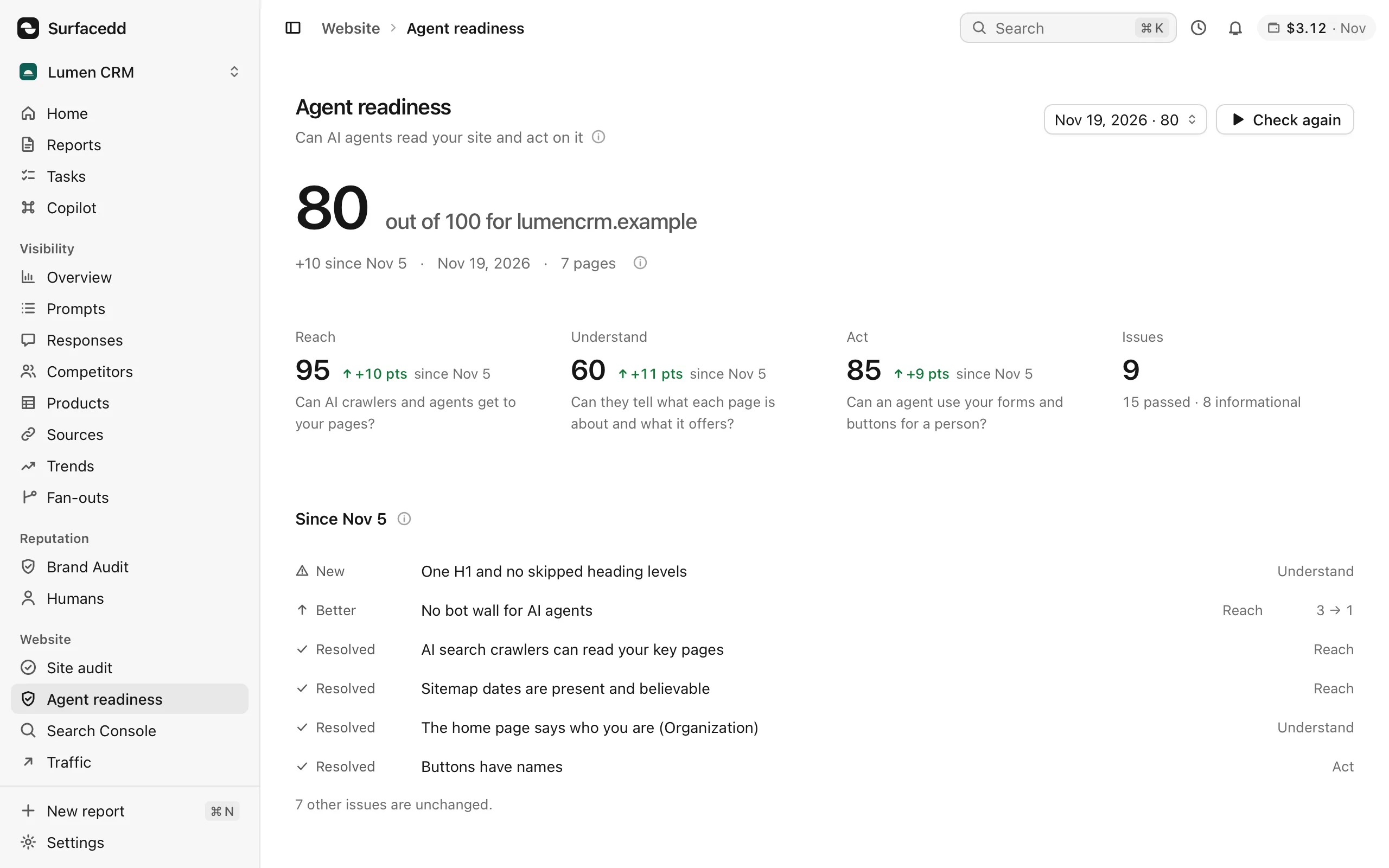
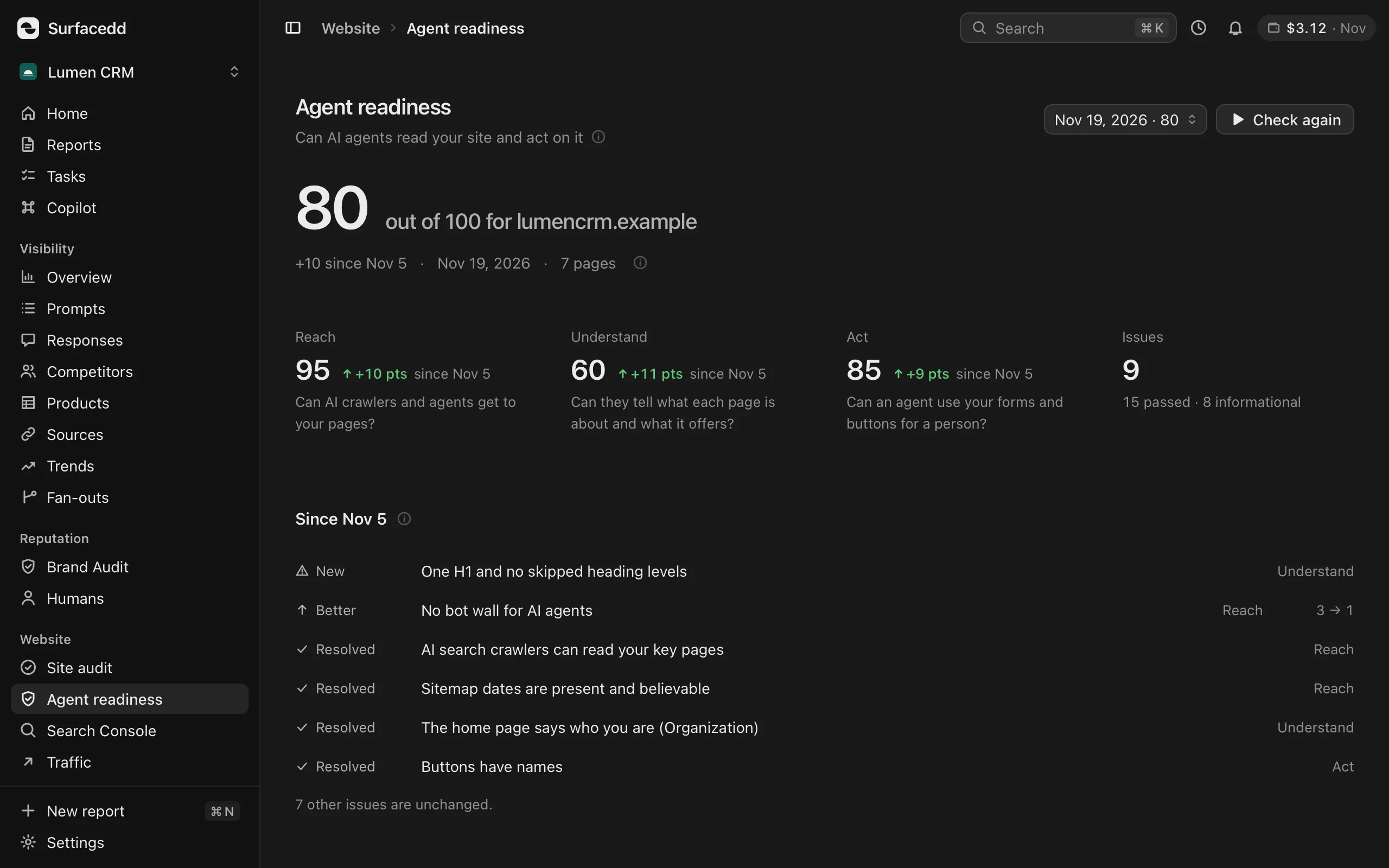
The CI check is the narrow, automatic version. Inside Surfacedd, the same rules run with every site audit, on a weekly schedule if you set one. The Agent readiness screen keeps the history and shows what changed since the previous check: new, worse, better or resolved. Use the app to see the trend and the evidence, and CI to stop a release from undoing the work.
If you use Claude Code, the Surfacedd plugin includes a ci-agent-readiness skill. Ask it to add the check to your pipeline: it finds the workflow, runs the check once to suggest a threshold and proposes the change as a diff for you to approve. A second skill, fix-agent-readiness, maps failing rules to the files in your repository that cause them. To try the rules on a single page first, the free agent readiness checker runs a lite version in your browser.
What it doesn't do
- It doesn't raise AI citations by itself. A passing score means agents aren't blocked or confused by what the rules check. Whether an answer cites you depends on much more. No rule claims to raise citations.
- It doesn't run JavaScript. Content checks read the server HTML, which is what many fetchers see.
- It can't impersonate verified agents. The bot-wall test sends user agents that carry each operator's token. It can't reproduce IP-range or signature checks, or geography-based rules.
- The app's
surfaceddcommand doesn't run on hosted CI runners. It ships with the desktop app; on hosted runners use the free surfacedd-check build, which runs the same check.
The command, the plugin and the app are part of the same one-time licence. See pricing.
Sources
- Allow Google-Agent, Google for Developers
- Detect a Challenge Page response, Cloudflare Docs
- JavaScript SEO basics, Google Search Central
- Events that trigger workflows: schedule, GitHub Docs
- Apply labels to self-hosted runners, GitHub Docs
- Deployment Protection, Vercel Docs
- Continuous integration, GitHub Docs
Fair questions
Does a passing agent readiness check mean AI will cite my site?
No. The check confirms that crawlers and agents can reach your pages, read what they offer and use your forms, as far as its rules can test. Whether an AI answer names or cites you depends on the question, the competition and the sources the engine trusts. Treat a pass as removing a reason to be skipped, and measure citations separately.
Why fail the build instead of just reporting the score?
Because reports get ignored and failed builds don't. A regression in agent access is cheap to fix the day it ships and expensive to discover weeks later. A failing job names the rule and the page while the person who made the change still remembers it. If failing feels too strict at first, run the step without --fail-under and keep the JSON.
Can I run it on GitHub's hosted runners?
Yes, with the free surfacedd-check build for Linux, macOS and Windows, or its GitHub Action. It runs the same rules and scores as the app's command and needs no licence, database or API keys. The surfacedd command itself ships inside the desktop app, so it needs a self-hosted Mac or Windows runner.
What threshold should I start with?
Run the check once against production and round its overall score down to the nearest 5. That fails on regressions, not on problems you already know about. Raise the number in the same pull request that fixes a rule. A threshold above today's score fails every build, and the team learns to bypass it.
Will the check slow down my pipeline or hit my site hard?
It fetches up to 50 pages by default and respects robots.txt, plus a handful of extra requests to test bot walls with agent user agents. That's lighter than a typical crawler visit. Use --max-pages to lower it for quick pull-request checks and keep the full crawl for the scheduled production job.
Does it cost anything per run?
No. It runs locally on the runner, makes no AI calls and uses no API keys, so there's nothing to bill. The only paid thing the surfacedd command can do is start a visibility run, which needs your confirmation and its own --max-usd cap. The CI check never does that.
Free tools for this guide
How we research, write and correct pages: read our editorial policy.