Get AI assistants to describe you the way you'd describe yourself
Assistants describe people from training data and from what they find when they search your name. You can't control the answer, but you can shape the pages it's built from, and measure whether it changes.
By the Surfacedd teamUpdated 9 min readMarkdown
On this page
Short answer
Your AI personal brand is how assistants such as ChatGPT, Claude and Perplexity describe you when someone asks. It comes from training data and live search. Improve it with one canonical profile page, identical facts across your profiles, two-way sameAs links, clear disambiguation from namesakes, and correction requests where the law allows.
What does ChatGPT say about you, and why?
Ask an assistant "Who is {your name}?" and it answers from two places: what the model absorbed in training, and what it finds when it searches your name, often combined with your employer or role. Training data leans on Wikipedia, major press and high-authority profiles. Live search leans on whatever ranks for your name today.
That gives you four levers, in order of how much you control them:
- A canonical profile page you own.
- Consistent facts across the profiles search finds: LinkedIn, Crunchbase, your company's team page, podcasts, conference bios.
- Signals that separate you from people with the same name.
- Independent coverage, which shapes what models know and whether reference sites will include you.
We found no public study of which sources drive "who is {person}" answers specifically. The closest evidence is that LinkedIn is the most cited domain for professional queries in Profound's data. The rest of this guide is our reasoning from how retrieval works, and we label it that way.
Step 1: Build one canonical profile page
Your canonical profile is a page on a domain you control that states who you are in plain, consistent terms. It can be your own site (yourname.com) or a page on your company's site (/about/your-name). Assistants and search engines need one authoritative place to reconcile everything else against.
Write it answer-first:
- Open with one sentence that states your name, role, organization, location and area of expertise. Make it the sentence you would want an assistant to repeat.
- Follow with a short bio, a dated career timeline, three to five areas of expertise, selected press and podcasts with links, publications and talks, a real photo, and a contact route.
Then add structured data: a ProfilePage whose mainEntity is a Person, following Google's profile page guidelines. Useful properties:
| Property | What to put in it |
|---|---|
name, alternateName | Your preferred name; maiden names, transliterations, handles |
description | The one-sentence bio |
jobTitle, worksFor | Current title and organization (with the organization's URL) |
alumniOf, knowsAbout, award | Education, topics, recognitions |
image | A real photo, never a placeholder |
sameAs | Your own profiles elsewhere (see Step 2) |
identifier | Stable IDs such as a Wikidata QID, ORCID or ISNI, if you have them |
The Person schema generator produces this markup from a short form, in your browser, and the Person schema guide explains each property and the mistakes that break it.
Step 2: Make your facts identical everywhere
Keep one fact sheet and copy it everywhere, because conflicting facts across profiles are a likely source of wrong or outdated answers. The fact sheet holds your legal and preferred name, title, employer, start dates, location, education, three to five topics and the one-sentence bio.
| Profile | Why it matters | What to do |
|---|---|---|
| Heavily cited for professional queries | Match headline and About to your bio; publish original posts on your topics; use a custom URL | |
| Crunchbase (founders, executives, investors) | Structured career data | Claim and complete it with the same titles and dates |
| Company team page | Confirms your role and employer | Same name format, same bio, Person markup that links to your canonical page |
| Podcast show notes, press | Independent coverage | Ask hosts and editors to use your exact name and title and to link your canonical page |
| Author bylines | Signals expertise on a topic | Same name format and bio link on every publication |
| Conference talks on YouTube | Video pages with transcripts can be found and cited like any other page | Title videos with your name and topic; include a transcript |
| ORCID, Google Scholar | Strong disambiguation for researchers | Link both ways |
Old bios are a common reason assistants describe someone by a past job (our inference, but an easy one to test). Find stale speaker pages and directory listings and ask for updates.
Link profiles both ways. List only profiles that are yours and that link back to your canonical page. Add rel="me" to those links; it is used for verification by Mastodon and the IndieWeb, and two-way links make it easier for any system to tell your profiles apart from a namesake's.
Step 3: Separate yourself from people with the same name
If someone more famous shares your name, a bare "Who is {name}?" will usually describe them. Don't try to win that question head-on. Instead, make the qualified question unambiguous and measure that.
Disambiguating anchors to use consistently:
- A middle initial or middle name, if you use one.
- "{Name}, {role} at {company}" as the standard way you are introduced.
- Your city or region.
- A distinctive topic you are known for.
Put them in the title and first line of your canonical page, your LinkedIn headline and your author bios. Add machine-readable IDs (Wikidata, ORCID, ISNI) in identifier and sameAs where you have them.
Wikipedia and Wikidata, realistically
Wikipedia is not something you can write your way into. Its notability guideline for people requires significant coverage in multiple reliable sources that are independent of you and of each other. Your own site, press releases and interviews mostly in your own words don't count. Wikipedia's conflict of interest guideline strongly discourages writing about yourself, and paid editing must be disclosed.
What to do instead:
- Don't create your own article.
- Earn independent coverage first.
- If an article about you exists and is wrong, request corrections on its Talk page with sources.
Wikidata has a lower bar. An item can exist when the entity is clearly identifiable and described by serious, publicly available references, or when it is needed structurally, for example as the founder of a company that already has an item (Wikidata notability). Cite independent references, keep descriptions neutral, and follow its policy on living people. Because Wikidata feeds knowledge graphs, an accurate item helps with disambiguation (our inference).
Google knowledge panels can be claimed by the person they describe after verifying through an official profile, and then you can suggest edits. Not every panel can be claimed (Google). The knowledge panel guide covers what Google will and won't change.
Step 4: Measure what assistants say
Measure your AI profile with a fixed set of prompts, asked repeatedly, across the engines people use. Group them so the numbers stay comparable:
| Group | Example prompts | What it tells you |
|---|---|---|
| Recognition (bare) | "Who is {name}?", "What is {name} known for?" | Are you recognized, and is it the right person? |
| Recognition (qualified) | "Who is {name}, {role} at {company}?" | Accuracy when context is given; your main KPI if you have a namesake |
| Facts | "Where does {name} work?", "What companies has {name} founded?" | Field-by-field accuracy against your fact sheet |
| Expertise | "Is {name} an expert on {topic}?" | Topic association |
| Discovery | "Who are the leading experts on {topic}?", "Best {role} in {city}" | Whether you're named when people don't already know you |
| Reputation | "What do people say about {name}?" | Sentiment and the sources of any negative claims |
| Company linkage | "Who founded {company}?" | Whether you and your company are connected correctly |
Don't ask assistants to guess sensitive things about anyone, such as health, religion, politics, family or home address. Those prompts invite speculation and create personal data you don't need.
Step 5: Fix wrong answers the honest way
You can't make an assistant say what you want, and anyone promising to "remove" or "control" AI answers about you is overselling. What works is a sequence of fixes, starting with the most effective:
- Fix the cited source. If an answer cites a stale bio or a wrong article, getting that page corrected is the most direct fix.
- Update your canonical page and profiles so the correct facts are easy to find and consistent.
- Use knowledge panel feedback, if you've claimed your panel.
- Ask the provider. AI providers list a privacy contact in their privacy policies, and OpenAI runs a privacy request portal for personal data. Each provider decides each request; no outcome is promised.
- Use your data rights where they apply. In the EU and UK, GDPR gives you rights to rectification (Article 16) and, on specific grounds, erasure (Article 17). In April 2024 noyb filed a complaint with the Austrian data protection authority arguing that ChatGPT's false output about a person breaches GDPR's accuracy requirement; its page reported no outcome when we checked (noyb). The guide how to fix what ChatGPT says about you walks through each route by cause.
If an answer contains damaging false claims, keep evidence (the answer, its date and its sources) and talk to a lawyer. This guide isn't legal advice.
Only for yourself, or with permission
Monitor your own profile, or a client's with their written authorization. Tracking what AI says about other people, such as competitors, candidates or employees, raises privacy and legal problems, and it isn't what these methods are for.
Which kind of person are you?
The same levers apply to everyone, but the questions that matter differ:
| You are | The question to win | Start with |
|---|---|---|
| Job seeker | "Who is {name}, {role} at {company}?" with your current role | The pre-interview AI check |
| Founder or executive | "Who founded {company}?" and "Who is the CEO of {company}?" | Executive reputation in AI |
| Consultant, author or speaker | "Who are the leading experts on {topic}?" | Expert discovery |
In Surfacedd
Humans in Surfacedd is a self-only profile monitor. You enter your own fact sheet (nothing is scraped), and you confirm the profile is yours by domain proof on your canonical site or by self-attestation with your typed full name (labelled unverified). Profiles for clients require an uploaded written authorization. The app runs the prompt groups above on your chosen engines with your own API keys and reports recognition rate, correct-person rate, namesake confusion, field-by-field accuracy, discovery mentions with ranges, and the sources behind each wrong claim.
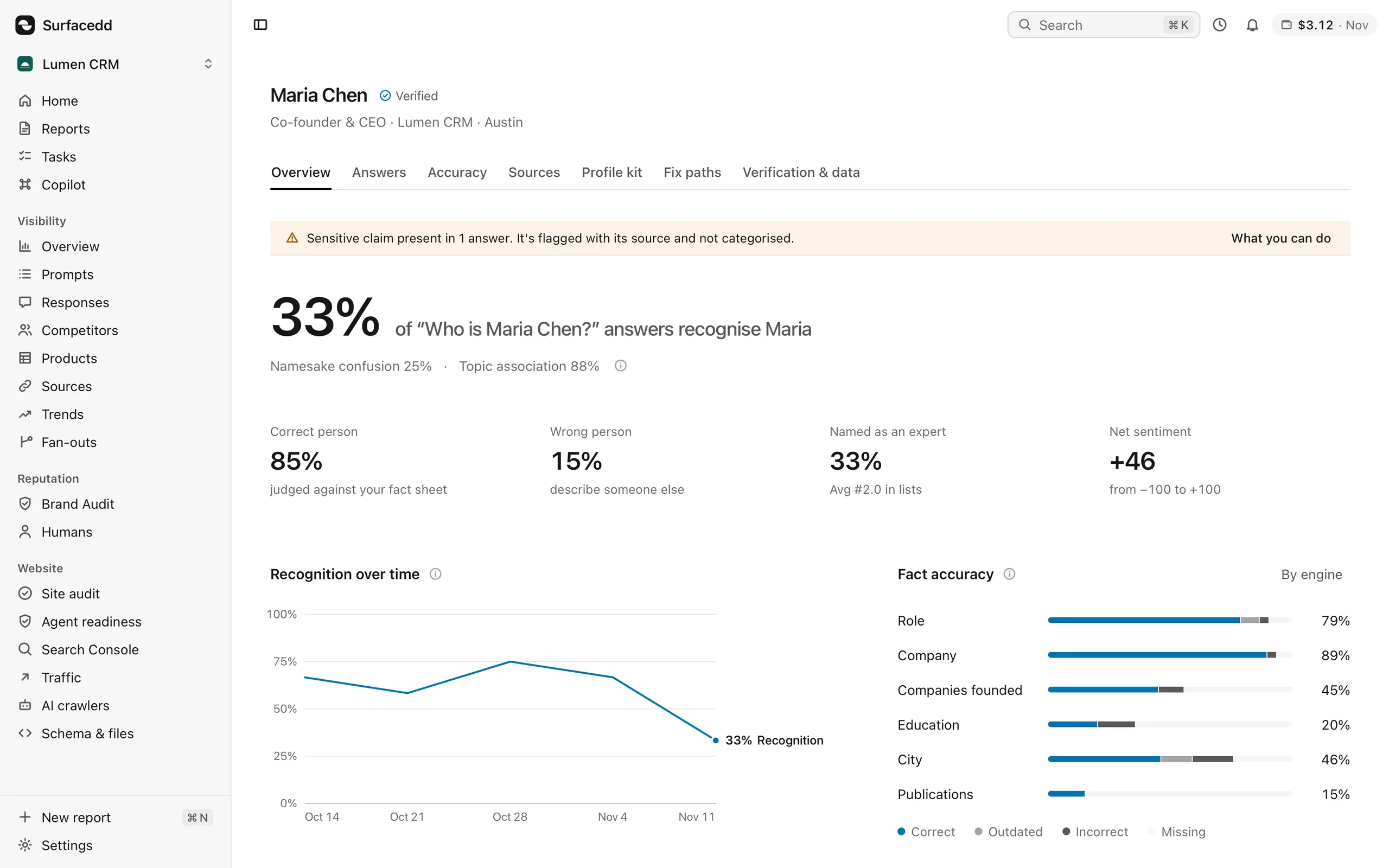
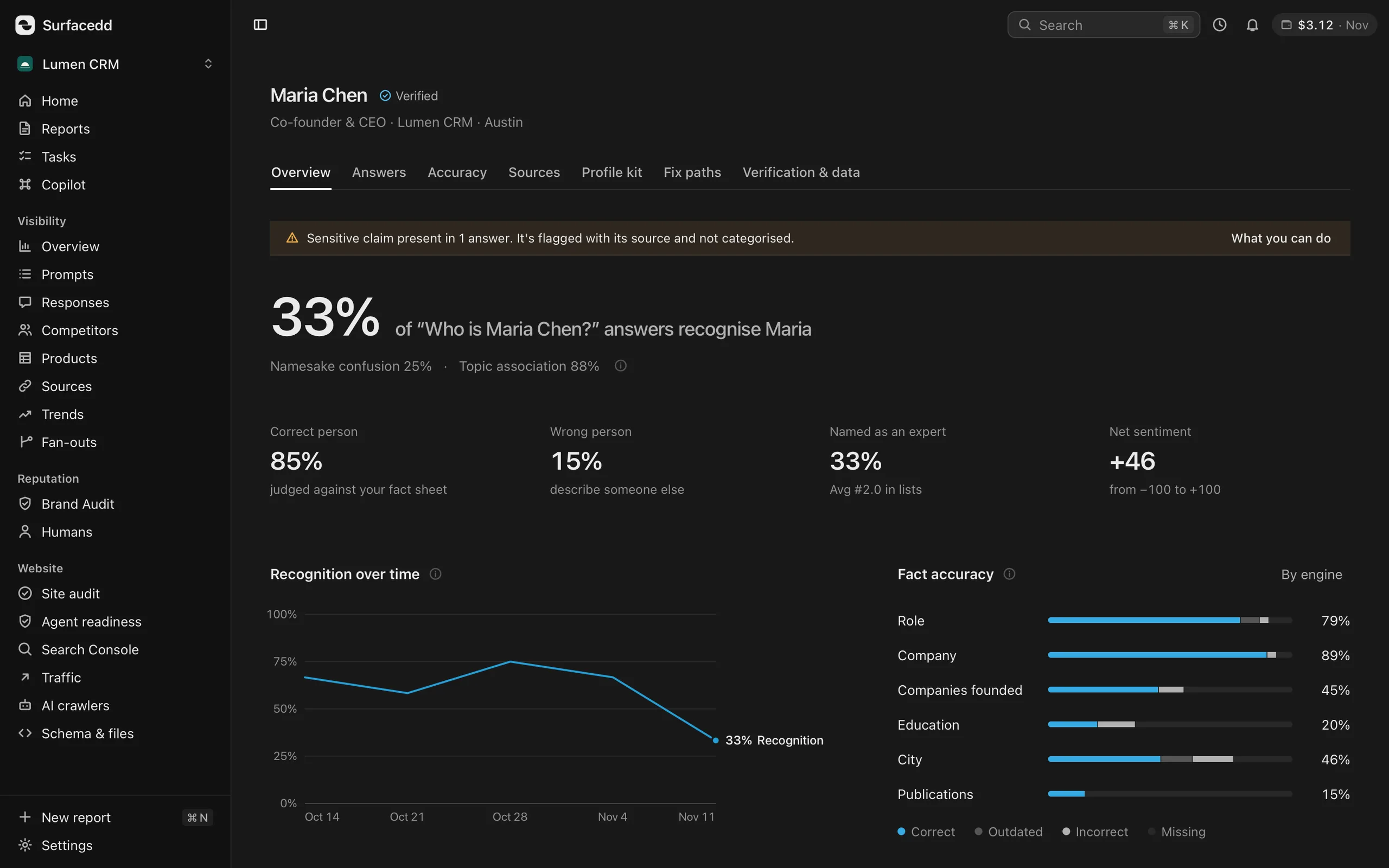
Prompts that ask about sensitive traits are blocked. Other people who appear in answers are stored only as names in the answer text, with no profiles or alerts. A profile kit generates your canonical one-sentence bio and ProfilePage JSON-LD, and checks pasted bios for conflicts. All of it stays on your computer, and one action deletes the profile and every answer.
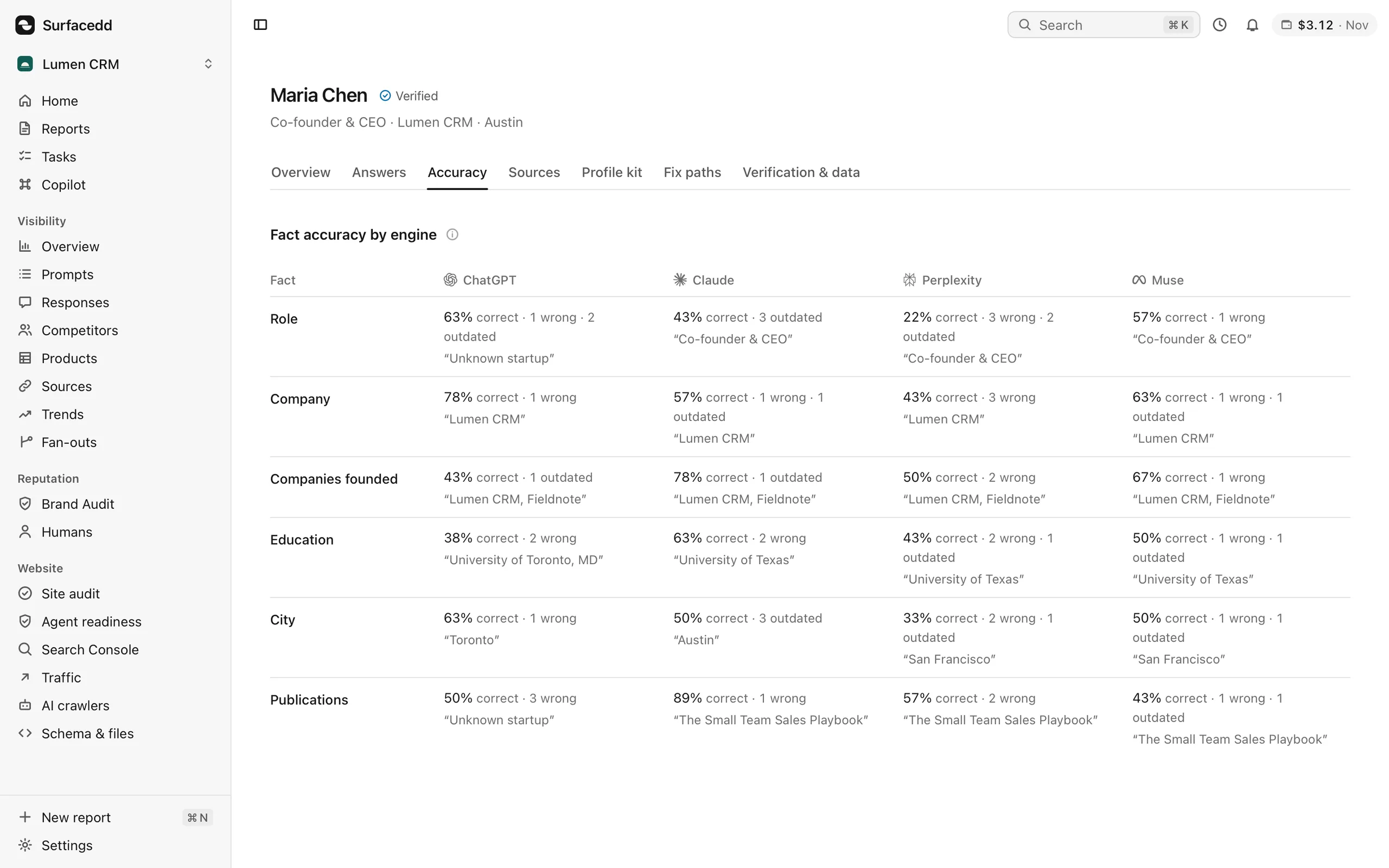
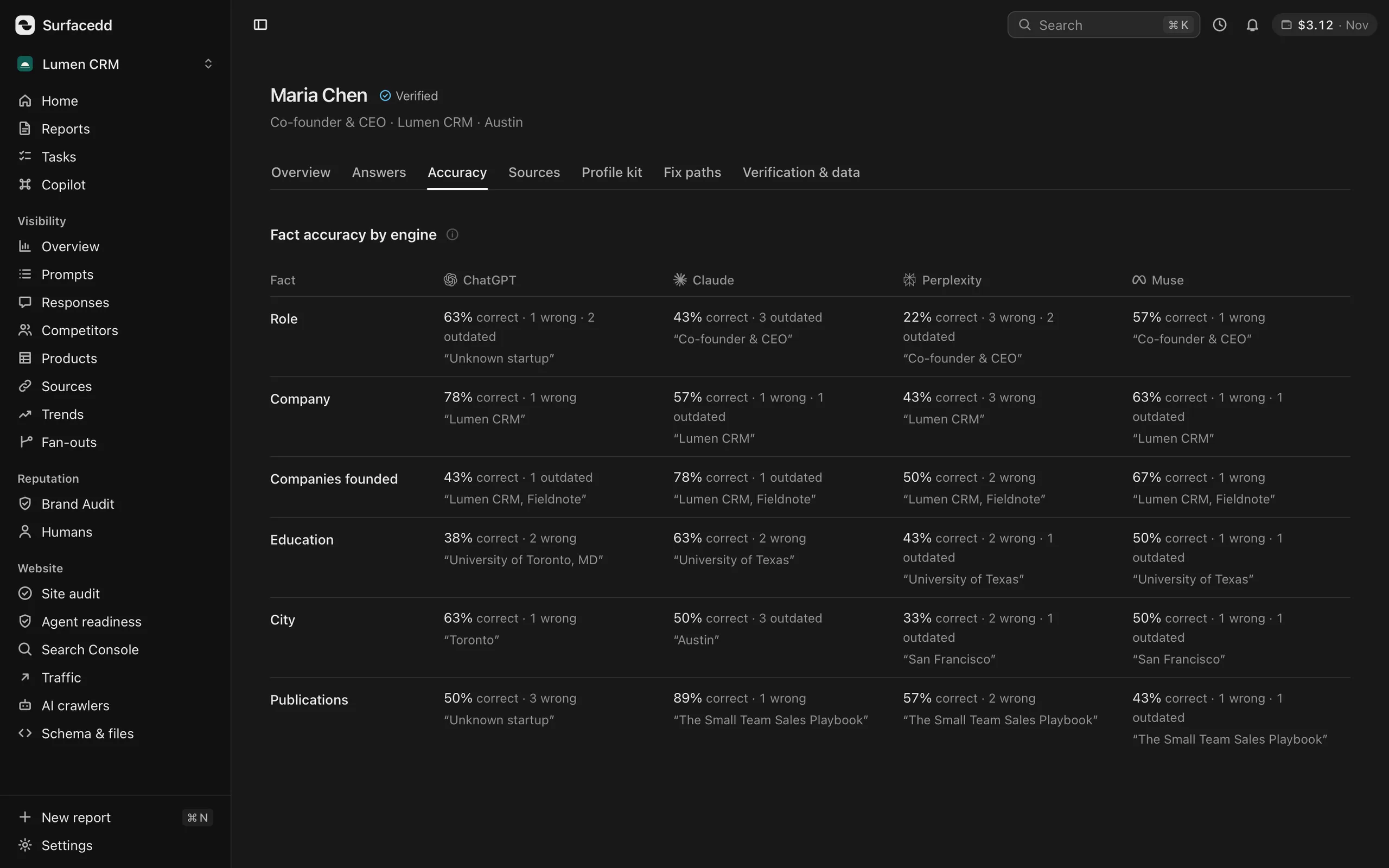
An essentials run of eight questions on three engines costs $0.25 at today's list prices, paid to the providers. See Humans for the full method.
Summary
Own one canonical profile, keep your facts identical everywhere, link your profiles both ways, disambiguate from namesakes, earn independent coverage before expecting Wikipedia, measure with grouped prompts, and fix wrong answers at their source.
Sources
- Google Search Central: Profile page (ProfilePage) structured data
- Profound: LinkedIn is the most cited domain for professional queries in AI search
- Wikipedia: Notability (people)
- Wikipedia: Conflict of interest
- Wikidata: Notability
- Google: Get verified on Google (knowledge panels)
- GDPR Article 16
- noyb: ChatGPT provides false information about people, and OpenAI can't correct it
Fair questions
What is an AI personal brand?
It's how AI assistants describe you when someone asks about you by name, or whether they name you when someone asks for an expert in your field. It's built from what models learned in training and what they find when they search the web, so it reflects the public pages about you and how consistent they are.
How long does it take to improve how AI describes me?
Answers that cite web pages can change within days to weeks of those pages being updated. Answers from training memory change only when providers release newer models, which can take months. Independent coverage, which shapes both, takes longest. Measure the same questions before and after each change.
Do I need a personal website?
You need one page you control that states your facts plainly. A personal site is best because you own the domain and can verify it, but a well-maintained page on your employer's site works too. LinkedIn helps, but you don't control its markup or its future.
Is LinkedIn enough?
It's the most important single profile for professional questions, so keep it consistent and active. It isn't enough on its own: assistants also read company pages, bios, directories and articles, and any of those can contradict LinkedIn. A canonical page with Person markup gives everything else something to agree with.
What if a famous person has my name?
Don't measure yourself on "Who is {name}?", because the better-known person will win it for years. Use a consistent qualifier everywhere, such as a middle initial or "{name}, {role} at {company}", add two-way profile links and stable identifiers, and track the qualified question as your main result.
Can I pay someone to fix my AI reputation?
You can pay for help with the work in this guide: writing your canonical page, updating profiles, earning coverage. Be wary of anyone who promises to remove AI answers about you or decide what they say. No one can, and the methods that claim to, such as fake reviews or undisclosed paid edits, tend to backfire.
Free tools for this guide
How we research, write and correct pages: read our editorial policy.