Find out what AI knows about you, and what it tells other people
"What does AI know about me?" hides two questions: what an assistant remembers from your own conversations, and what it tells anyone who asks about you by name. Here's how to check each one, and what to do about what you find.
By the Surfacedd teamUpdated 9 min readMarkdown
On this page
Short answer
AI knows about you in two ways. Memory features keep facts from your own chats, which you can view and delete in your account settings. Separately, any assistant can describe you to strangers from its training data and a live web search. Check the second with a fixed set of questions, asked logged out or through an API.
Two questions, not one
People who search "what does AI know about me" usually mean one of two things, and they need different answers.
- What does the assistant remember about me from my own use? This is about privacy. If you've told ChatGPT, Claude or Gemini about your job, your family or a health worry, some of that may be kept and used in later chats. You can see and control it.
- What does the assistant tell other people about me? This is about reputation. A recruiter, client or journalist who types your name gets an answer built from the model's training data and a live web search. You can't see it from your own account, and you can't switch it off, but you can measure it and influence the pages it comes from.
The first is a setting. The second is a public record you only partly control. This guide covers both, starting with the quicker one.
What your assistant remembers from your own chats
Most assistants now offer some form of memory: facts saved from earlier conversations, or the ability to search your past chats, so answers can be personalised. What's kept, and where the controls live, differs by product and changes often, so check the provider's own help page rather than a third-party summary.
Claude documents its controls in detail. Memory is on by default for Free, Pro, Max and Ultra users on web, desktop and mobile, and is saved as individual topics during chats. You can view, edit or delete each topic under Settings › Your Claude by choosing "Manage" next to "Your memory". Switching off "Generate memory from chats" gives two options: pause memory (existing memories are kept but not used) or reset it, which "permanently deletes all memories including project memories". You can also turn memory off for a single chat from the "+" menu before the first message. By default Claude doesn't store topics like health or politics unless you opt in. Searching past chats is a separate setting on paid plans (Claude Help Center).
ChatGPT and Gemini have their own memory and personal-context controls, documented in OpenAI's and Google's help centres. Both sites blocked our automated check on the day we updated this guide, so we don't reproduce their menu paths here; open your account settings and look for "memory", "personalization" or "personal context", or search the provider's help centre for those words.
A quick test works on any assistant. In a normal signed-in chat, ask:
What do you remember about me? List every saved memory or fact you use to personalise answers.
Then do the same in a temporary, incognito or memory-off chat. The difference between the two answers is roughly what personalisation adds. If the first list includes things you'd rather it didn't keep, delete them in settings; asking the assistant to "forget" something in chat may work, but the settings page is the record you can check.
What AI says about you to other people
When someone else asks "Who is {your name}?", the assistant has two sources:
- Training data. What the model absorbed before its cut-off date. It leans on pages that are widely linked and repeated: Wikipedia, major press, high-authority profiles. If you're not in those, the model may know nothing, or something stale.
- Live search. Many assistants now search the web for questions about people and cite what they find. Whatever ranks for your name (and for your name plus your employer) feeds the answer: a LinkedIn profile, a company team page, a conference bio, a directory listing, or a namesake's site.
So the answer a stranger sees depends on which pages are findable for your name today, and how consistent they are. That's why two assistants can give two different descriptions of the same person, and why the same assistant can change its answer from one week to the next.
Asking your own signed-in assistant won't show you this cleanly, because memory and chat history can colour the answer. Use one of these instead:
- a logged-out or temporary chat, with memory off;
- a different account that has never talked about you;
- the provider's API, which answers without your personal context.
Run the 12-prompt self-audit
Ask the same questions, the same way, on at least three assistants, and write down what you get. Download the set with a column for each engine and the fact each prompt tests: b2-self-audit-12-prompts.csv.
| # | Question | What it tests |
|---|---|---|
| 1 | Who is {name}? | Recognition: does it know you, or a namesake? |
| 2 | What is {name} known for? | The one-line story it tells |
| 3 | Who is {name}, {role} at {company}? | Accuracy when it has context |
| 4 | Where does {name} work? | Current employer, or a past one |
| 5 | What is {name}'s background and education? | Education and earlier roles |
| 6 | What books or articles has {name} written? | Publications, or invented ones |
| 7 | Is {name} an expert on {topic}? | Topic association |
| 8 | Who are the leading experts on {topic}? | Whether you're named when nobody asks for you |
| 9 | Who should I follow to learn about {topic}? | Same, for people who post or speak |
| 10 | What do people say about {name}? | Tone, and the sources behind it |
| 11 | Who founded {company}? | Whether you're linked to your company (founders) |
| 12 | What do you remember about me? | Memory only: ask in your own signed-in account |
Prompts 1 to 11 are about your public picture; ask them logged out or through an API. Prompt 12 is about memory; ask it signed in. Leave out anything you wouldn't want a stranger to ask, such as questions about family, health, religion, politics or where you live: they invite the model to speculate, and they create data about you that you don't need.
How to read the answers
For each answer, check four things.
- Is it you? If the answer describes someone else with your name, note it. That's namesake confusion, and it needs a different fix from a wrong fact about you.
- Is each fact correct, outdated, wrong or missing? "Outdated" (a job you left) is the most common result for working professionals, and the easiest to fix.
- Which pages did it cite? Assistants that search the web usually list the sources they used. Write them down: they're your to-do list.
- Does it hedge or invent? "I don't have information about this person" is a better result than a confident paragraph about a stranger.
One run is a sample, not a verdict. The same question can get a different answer on a second try, so run each prompt at least twice before deciding something has changed.
Where wrong facts come from
When an answer cites a page, the wrong fact usually comes from that page. Typical culprits:
| Source | Typical wrong fact | Fix route |
|---|---|---|
| An old employer's team page | Previous job stated as current | Ask the employer to remove or update the page |
| A conference or podcast bio | Title from several roles ago | Ask the organiser to update it, citing your current page |
| A company or people directory | Wrong city, wrong employer | Edit the listing, or contact the directory |
| A namesake's profile or news coverage | Their education, job or story | Strengthen your own disambiguation (below) |
| Your own site | Stale "About" page | Update it today |
When nothing is cited, the answer probably came from training data. That changes only when a newer model is released, which is out of your hands. What you can do is make sure the pages a future model will learn from are correct now.
What you can change
Work from the things you control outwards:
- One canonical page about you, on a domain you control, that opens with one plain sentence: name, role, organisation, city, field. Add
ProfilePageandPersonmarkup; the Person schema guide has a template. - The same facts everywhere, starting with LinkedIn and your company's team page. Profound's study of 1.4 million citations from November 2025 to February 2026 found LinkedIn was the most cited domain for professional queries across six models (Profound).
- The stale pages from your audit. Update the ones you can edit; ask the owners of the rest.
- Disambiguation, if a namesake keeps appearing: a middle initial, your role and company, and two-way links between your profiles.
- Formal correction routes when a wrong fact is personal data and the pages above don't explain it. The guide how to fix what ChatGPT says about you covers provider requests and, in the EU and UK, GDPR rectification (Article 16) and erasure (Article 17).
The AI personal brand guide goes further on building a profile assistants describe accurately.
Tracking it over time
A one-off check tells you where you stand today. If you're job hunting, raising money or building a public profile, re-run the same questions after each fix and every few weeks, the same way each time, and compare like with like. Keep a dated copy of any answer that contains a damaging false claim, with its sources, before it changes: if you ever need to escalate, that's your evidence.
In Surfacedd
Surfacedd's Humans module runs this audit for you, for your own profile or a client's with written authorization. You type a fact sheet (nothing is scraped), and it asks up to 22 questions on ChatGPT, Claude, Perplexity and Meta AI through their APIs, checks every answer against your facts field by field, flags namesakes, and lists the pages behind each wrong fact. It doesn't touch your chat memory: it measures what assistants tell other people.
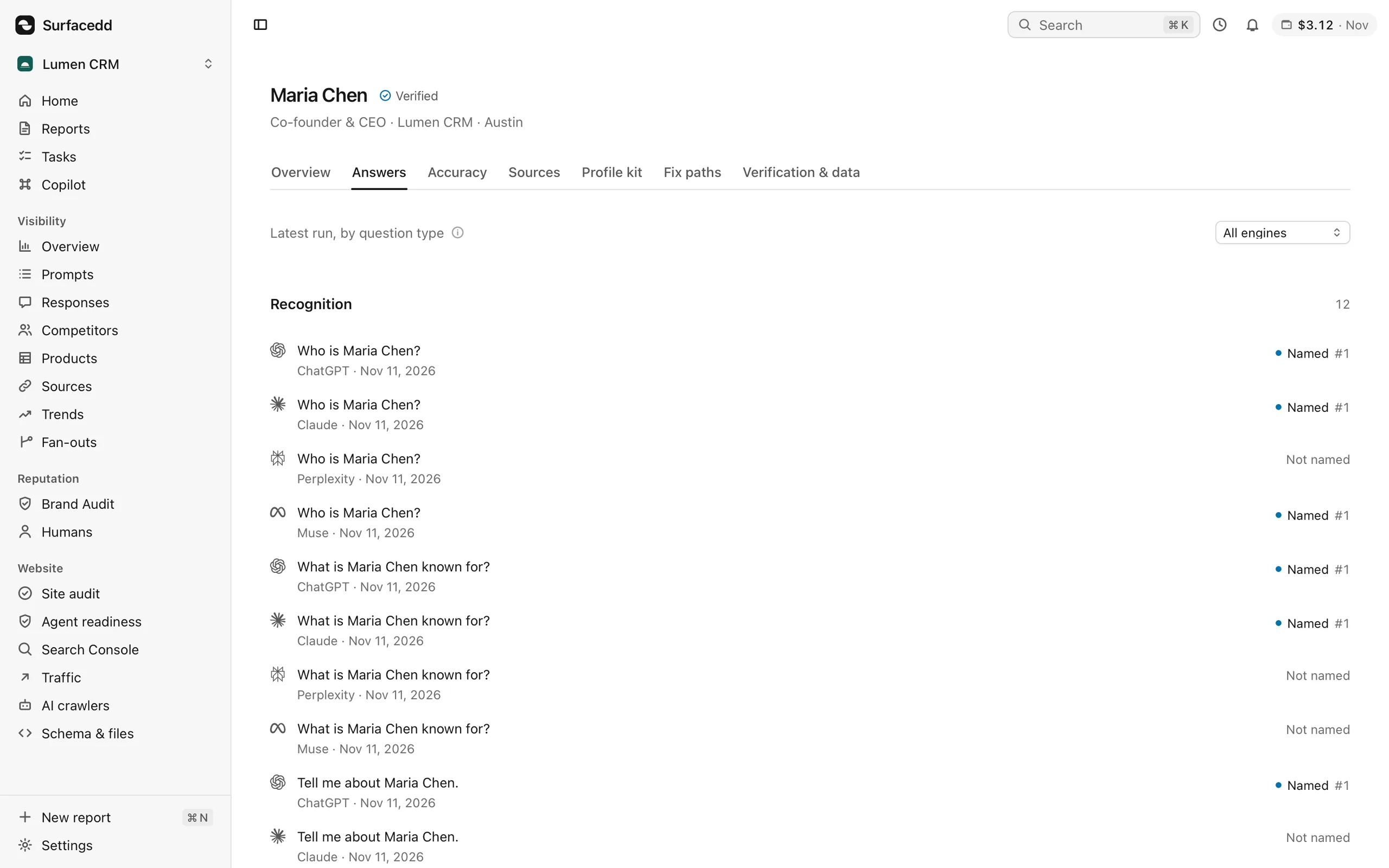
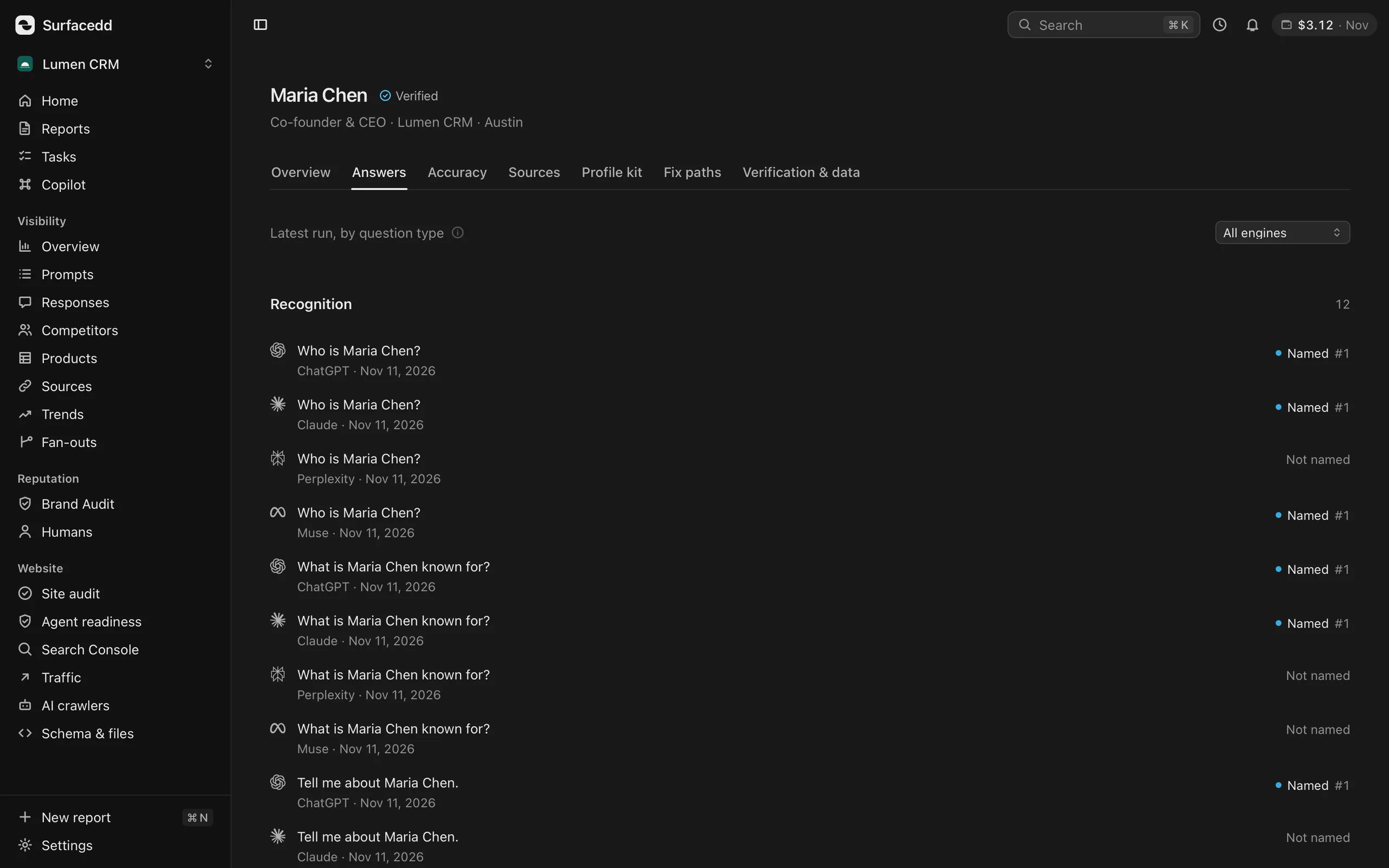
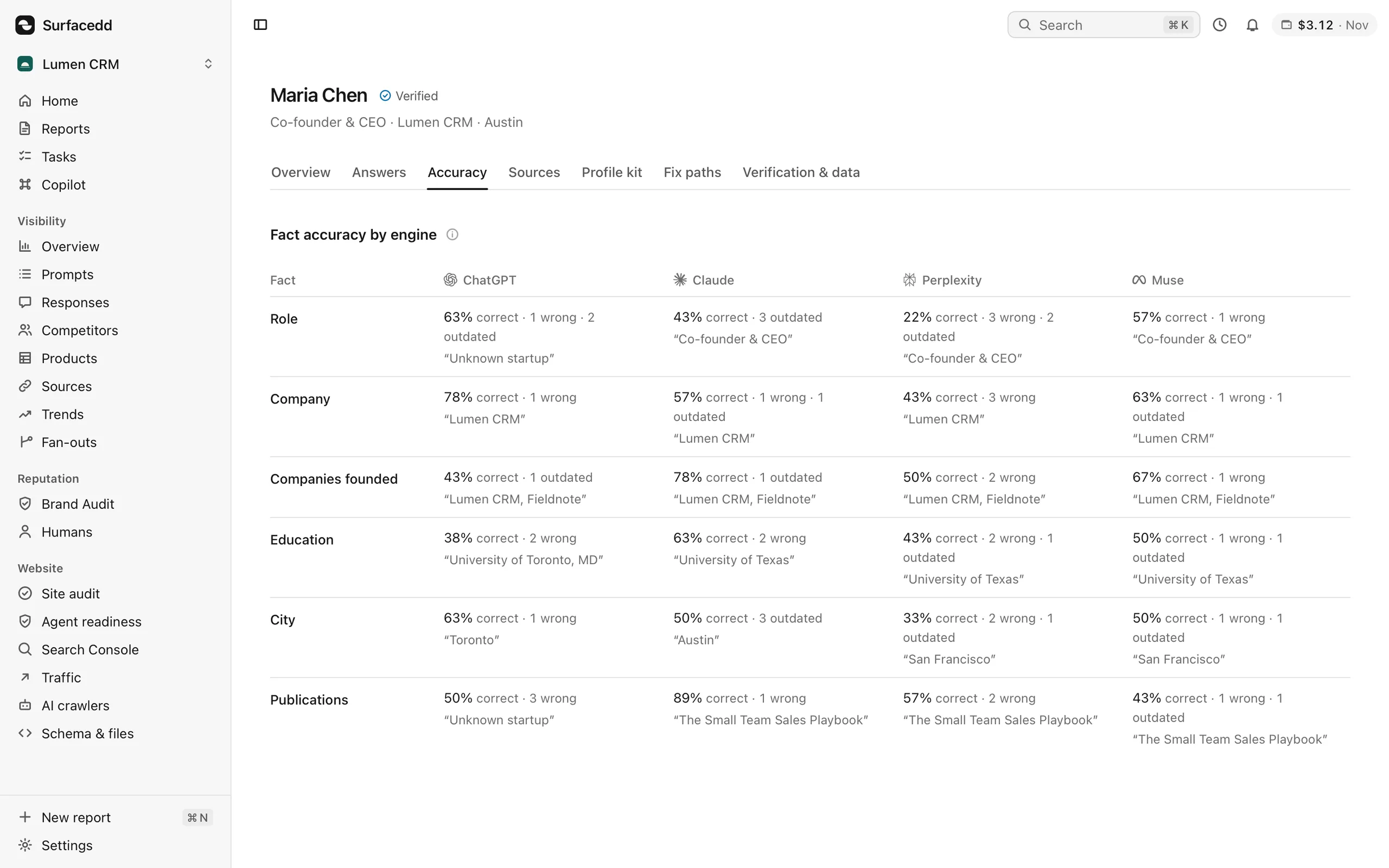
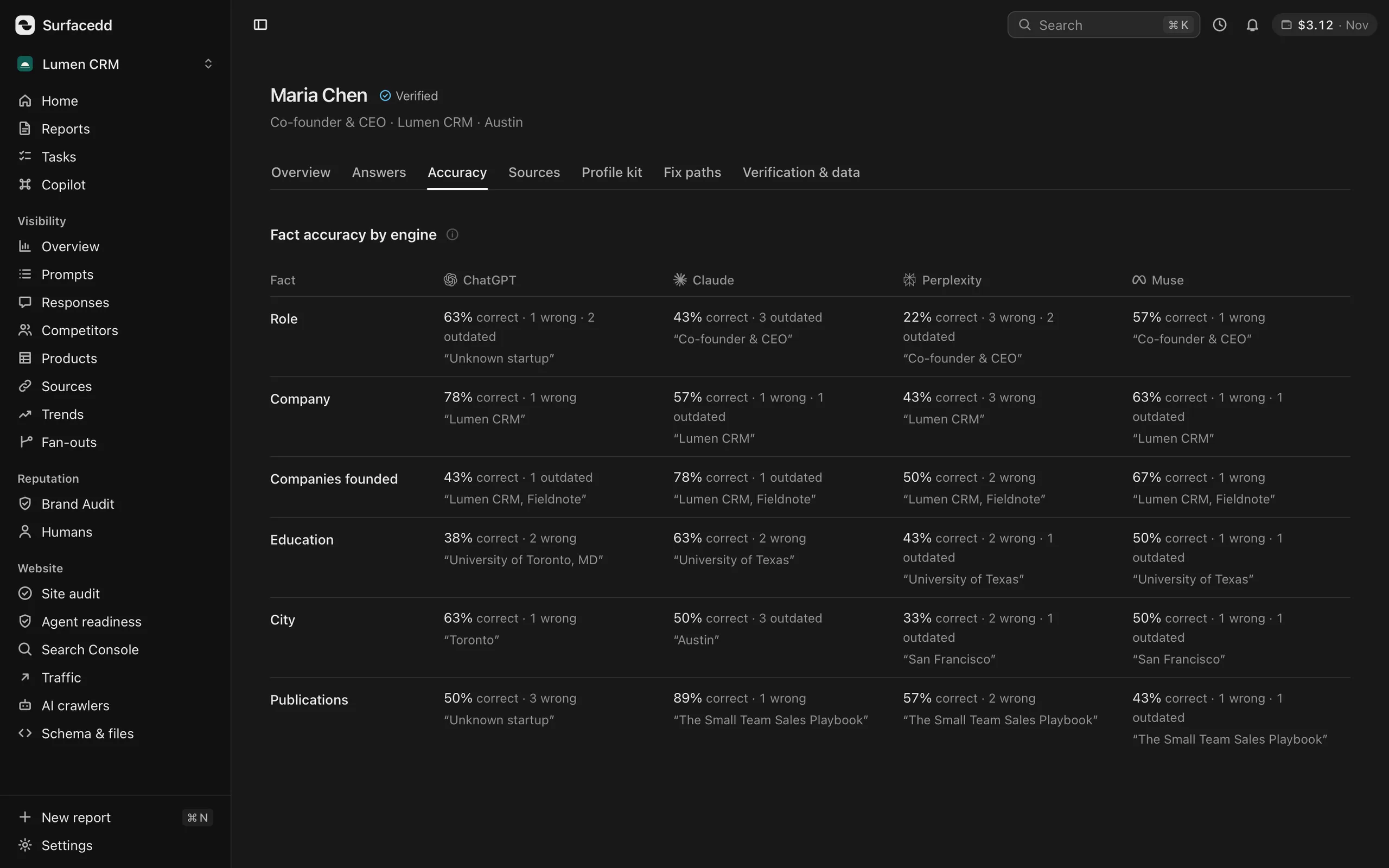
An essentials run of eight questions on three engines costs $0.25 at today's list prices, paid to the providers on your own keys, and everything stays on your computer. See Humans for how verification and deletion work, or the pre-interview AI check for a job-search version.
Sources
Fair questions
Does ChatGPT know who I am?
It depends on how much public, consistent information about you exists. Without context, assistants often don't recognise private individuals, or confuse them with someone better known. With web search on, they may find your LinkedIn or company page. Ask "Who is {name}, {role} at {company}?" in a logged-out chat to see what a stranger would get.
Can I see everything an AI company has stored about me?
For your own account data, each provider's privacy policy explains how to request a copy of what it holds. For what a model learned in training, providers generally can't list what it "knows" about a specific person. What you can always see is how it describes you, by asking.
Will deleting my ChatGPT memory change what it says about me to others?
No. Memory affects only your own conversations. What someone else gets when they ask about you comes from the model's training data and a live web search, neither of which uses your saved memories. To change that answer, change the pages it finds.
Why does each assistant say something different about me?
They use different training data, different search back-ends and different rules for when to search. One may find your LinkedIn, another a namesake's article, another nothing. That's why a self-audit should cover at least three assistants and note the sources each one cites.
How often should I check?
Before anything where people will look you up, such as a job search, a fundraise or a launch, and then every few weeks while you're fixing things. Answers that cite web pages can change within days of those pages changing; answers from training memory change only with new model versions.
Is it legal to check what AI says about someone else?
Asking a public assistant a question isn't illegal in itself, but systematically monitoring another person raises privacy and data-protection issues, especially in the EU and UK. This guide, and Surfacedd's Humans module, are for checking yourself, or a client who has given written authorization.
Free tools for this guide
How we research, write and correct pages: read our editorial policy.