See how many visitors AI assistants send you, in GA4
GA4 now has an AI Assistant channel. Here's what it counts, what it leaves out, a tested regex for a custom channel, and how to read the numbers next to your AI visibility.
By the Surfacedd teamUpdated 9 min readMarkdown
On this page
Short answer
AI traffic is visits that arrive by clicking a link in an AI assistant such as ChatGPT, Perplexity or Claude. GA4's default channel group now has an AI Assistant channel for referrers on Google's list. It excludes AI Overviews and AI Mode, and clicks without a referrer land in Direct, so a custom regex channel and annotations fill the gaps.
What counts as AI traffic
AI traffic is a session that starts when someone clicks a link inside an AI assistant's answer and lands on your site. ChatGPT, Perplexity, Claude, Gemini, Microsoft Copilot and others all show source links, and when a reader clicks one, the visit carries a referrer or a UTM tag your analytics can recognise.
Three things look similar but are not AI traffic in this sense:
- Crawler visits. OAI-SearchBot or PerplexityBot reading your page is a bot request. GA4 never sees it, because crawlers don't run your analytics tag. Count those in your server logs instead; our log file analysis method shows how.
- Google AI Overviews and AI Mode clicks. These arrive from google.com and GA4 counts them as Organic Search. Google's own definition says the AI Assistant channel "excludes Google's AI Overviews and AI Mode". (Google Analytics Help)
- Mentions without clicks. An assistant can recommend you by name with no link, or the reader can type your URL later. That influence is real, but it lands as Direct or branded search, not as AI traffic.
So AI traffic is a floor, not the full picture. It measures the clicks you can attribute. To see how often assistants mention you at all, you need to ask them, which is what measuring AI visibility covers.
The GA4 AI Assistant channel
GA4's default channel group now includes a channel called AI Assistant. Google defines it as "the channel by which users arrive at your site from sources like ChatGPT, Gemini, Deepseek, Copilot, or Grok". The rule behind it: when the referrer matches Google's list of AI assistants, GA4 sets the medium to ai-assistant and the campaign to (ai-assistant), and the channel is any session whose medium exactly matches ai-assistant. (Google Analytics Help)
Where to find it: Reports › Acquisition › Traffic acquisition, with the primary dimension set to "Session default channel group". AI Assistant appears as its own row next to Organic Search, Referral and Direct.
What the built-in channel does well:
- No setup, and it applies to every property.
- It changes the medium itself, so filters on
medium = ai-assistantwork in explorations and audiences. - Sessions move out of Referral, so your Referral numbers stop including assistants.
Its limits:
- Google doesn't publish the full list of assistants it recognises. The definition names examples only. If a smaller assistant isn't on the list, its clicks stay in Referral.
- It can't see what has no referrer. Some apps and privacy settings strip the referrer, and those clicks land as Direct.
- It started recently. Earlier periods were classified under the old rules, so a year-on-year comparison of the AI Assistant row shows a jump that is partly just the new rule. Compare like with like, or use a custom group, which can be applied retroactively.
Building your own channel group (regex)
A custom channel group lets you control the list, apply it to past data, and include assistants Google's list misses. GA4 custom channel groups "can be applied to your reports retroactively", and standard properties can have 2 custom groups of up to 50 channels each. (Google Analytics Help)
Steps:
- Go to Admin › Data display › Channel groups and click Create new channel group. This starts from a copy of the default group.
- Click Add new channel and name it "AI assistants".
- Add a condition: Source, matches regex, then paste the regex below.
- Click Reorder and drag "AI assistants" above Referral. GA4 puts each session in the first channel it matches, so below Referral your channel would stay empty.
- Save the group, then pick it as the dimension in Traffic acquisition.
Here is a compact regex covering the main assistants, tested against sample source values:
^((.*\.)?(chatgpt\.com|chat\.openai\.com|perplexity\.ai|claude\.ai|gemini\.google\.com|copilot\.microsoft\.com|grok\.com|meta\.ai|chat\.deepseek\.com)|chatgpt|perplexity|claude|gemini|copilot)$
Why it's written this way:
- It is anchored with
^…$. Google Analytics regex is "full regex and case sensitive" by default, so the pattern has to describe the whole source value. (Google Analytics Help) (.*\.)?allows subdomains such aswww.perplexity.ai, but not look-alikes such asnotchatgpt.com.- The bare words (
chatgpt,perplexity…) catch links where the source was set by autm_sourcewithout a dot. - ChatGPT tags its own links. OpenAI says ChatGPT automatically adds
utm_source=chatgpt.comto referral URLs, so ChatGPT search clicks arrive with a clean source even when the referrer is stripped. (OpenAI)
Google's help page has its own example regex for an AI assistants channel. It is much broader: it includes patterns like .*gpt.*, .*gemini.* and ^.*ai, which can catch unrelated sources whose names happen to contain those letters. (Google Analytics Help) Ours trades a little reach for fewer false matches. Check your own Referral list for a month before choosing.
For every assistant in the referrer table below, rather than the compact list above, the free GA4 AI traffic regex generator builds the expression and the channel rule from the same referrer list our app uses. If GA4 rejects a long pattern, split it across two conditions joined with OR.
Referrer table: what each assistant sends
This is the referrer list Surfacedd uses when a GA4 property has no AI Assistant channel. A session matches an assistant when its source equals one of the hosts, ends in . plus a host, or equals one of the source tokens. The list is version 2026-11-17.1.
| Assistant | Referrer hosts | utm_source tokens |
|---|---|---|
| ChatGPT | chatgpt.com, chat.openai.com | chatgpt, openai |
| Perplexity | perplexity.ai | perplexity |
| Claude | claude.ai | claude, anthropic |
| Gemini | gemini.google.com, bard.google.com | gemini, bard |
| Microsoft Copilot | copilot.microsoft.com, copilot.cloud.microsoft, m365.cloud.microsoft | copilot |
| Grok | grok.com | grok |
| Meta AI | meta.ai | meta.ai, metaai |
| DeepSeek | chat.deepseek.com, deepseek.com | deepseek |
| Le Chat (Mistral) | chat.mistral.ai | mistral, lechat |
| You.com | you.com | — |
| Phind | phind.com | phind |
| Poe | poe.com | — |
| Duck.ai | duck.ai | — |
| Kimi | kimi.com, kimi.moonshot.cn | kimi |
| Qwen Chat | chat.qwen.ai | qwen |
Two notes. Gemini's referrer is gemini.google.com, not google.com, which is why Gemini app clicks can be separated from AI Overviews clicks while AI Overviews can't. And the bare tokens are only as reliable as whoever set them. A newsletter tagged utm_source=claude would be counted as Claude, so check odd spikes before celebrating.
Known gaps and outages
Even a perfect channel misses some AI influence, and some swings in the numbers aren't caused by AI at all. Keep this list next to your reports.
| Gap | What happens | What to do |
|---|---|---|
| No referrer | Some assistant apps and browsers strip the referrer, and the click lands in Direct | Watch Direct to your deep pages; a rise there alongside AI mentions is a hint, not proof |
| AI Overviews and AI Mode | Counted as Organic Search, by Google's definition | Use Search Console's data on Google's AI features instead |
| Recommended but not linked | The reader searches your name later | Track branded search clicks in Search Console |
| Consent banners | Visitors who decline analytics aren't counted, on any channel | Compare channel shares, not raw totals, across consent changes |
| Google updates | Core and spam updates move organic traffic, which shifts AI's share of the total | Annotate them |
Recent Google events worth annotating, from the list Surfacedd ships with the app:
| Event | Dates | Affects |
|---|---|---|
| November 2026 core update | from 2026-11-10, ongoing at the list's last update | Search Console and GA4 |
| September 2026 spam update | 2026-09-24 to 2026-10-08 | Search Console and GA4 |
| August 2026 spam update | 2026-08-18 to 2026-08-21 | Search Console and GA4 |
| June 2026 spam update | 2026-06-24 to 2026-06-26 | Search Console and GA4 |
| May 2026 core update | 2026-05-21 to 2026-06-02 | Search Console and GA4 |
Each entry links to Google's status dashboard in the app. When the AI share of your traffic jumps during a core update, check whether AI traffic actually rose or organic traffic fell.
Reading AI traffic next to AI visibility
AI traffic tells you what clicked through. AI visibility tells you how often assistants mention and cite you in the first place. You need both, because they move for different reasons:
| AI visibility | AI traffic | Likely reading |
|---|---|---|
| Up | Up | Assistants cite you more, and readers click |
| Up | Flat | You're named but not linked, or cited on prompts with little click intent |
| Flat | Up | A few heavily used prompts started linking you, or one page went viral in an assistant |
| Down | Flat | A lag: traffic usually follows visibility after a few weeks |
The landing pages report is the bridge. If AI visitors land on /pricing and comparison pages, assistants are sending buyers. If they land on old blog posts, find out which prompts cite those posts and whether the pages are still accurate.
In Surfacedd
Surfacedd connects to GA4 with read-only access and shows AI traffic on the Website › Traffic screen: visits from AI assistants, their share of all visits, change against the previous period, a split by assistant and the landing pages they reach. When your property reports GA4's AI Assistant channel, the app uses it. Otherwise it applies the referrer table above. The data is stored only on your computer.
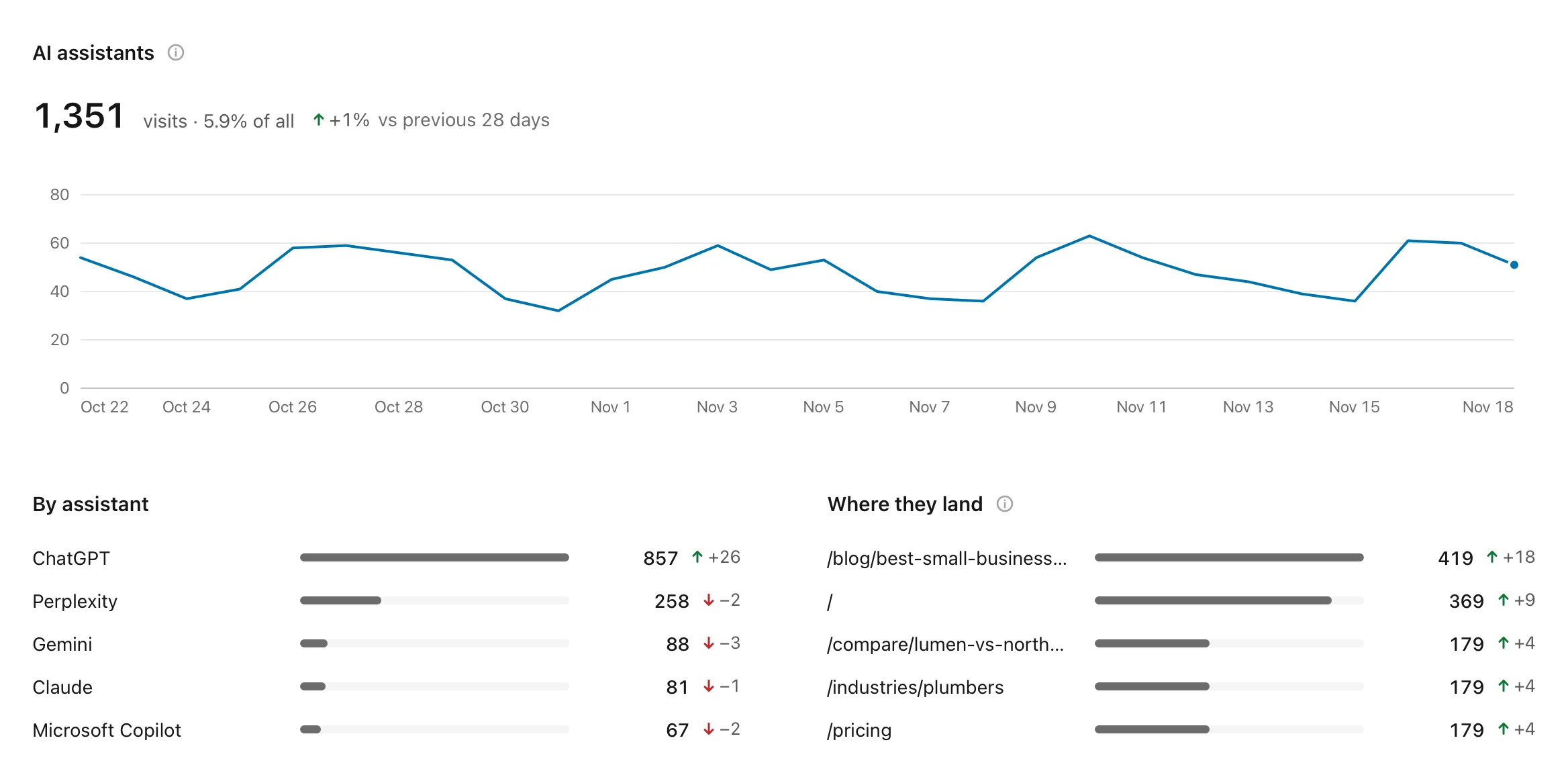
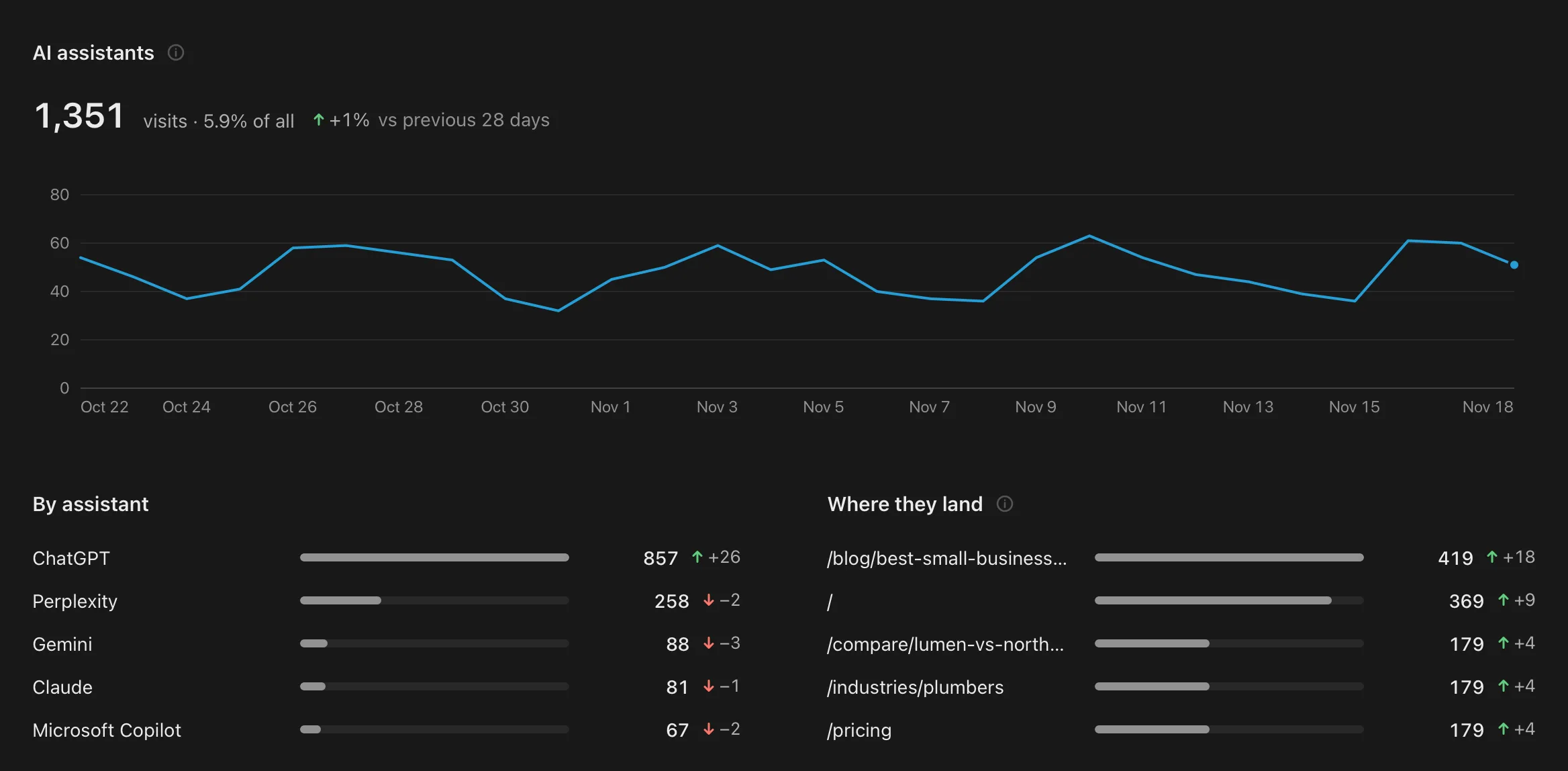
The same app runs the prompts that produce those visits, so you can see an AI visibility change and an AI traffic change on one timeline. The Search Console and GA4 feature covers the Google connection and drop diagnosis in detail. Marketing teams reporting both numbers monthly will find a setup in our guide for marketing teams. The app is a one-time purchase; see pricing.
Sources
- Google Analytics Help: Default channel group (AI Assistant definition and rule)
- Google Analytics Help: Custom channel groups (AI assistants example, limits, retroactive use)
- Google Analytics Help: About regular expressions
- OpenAI: Publishers and developers FAQ (utm_source=chatgpt.com)
- Google Search Status Dashboard
Fair questions
How do I see ChatGPT traffic in GA4?
Open Reports, then Acquisition, then Traffic acquisition. ChatGPT clicks now appear in the AI Assistant row of the default channel group. For ChatGPT alone, add a filter or secondary dimension on Session source and look for chatgpt.com. ChatGPT adds utm_source=chatgpt.com to its referral links, so the source is labelled even when the browser strips the referrer.
Does GA4 count AI Overviews as AI traffic?
No. Google's definition says the AI Assistant channel excludes Google's AI Overviews and AI Mode. Clicks from those features come from google.com and are counted as Organic Search, mixed with ordinary search clicks. Search Console is the place to look for Google's AI features, not GA4.
Why is my AI traffic so low compared with AI mentions?
Assistants often answer completely in the chat, so many readers never click. Some recommend a brand by name without a link, and some clicks arrive with no referrer and land in Direct. Low AI traffic next to frequent mentions usually means you're named but not cited with a link. Improving the pages assistants cite is the lever.
Is the GA4 AI Assistant channel retroactive?
The default channel group classifies sessions as they are processed, so periods before the channel existed were classified under the old rules, mostly as Referral. Custom channel groups are different: Google says they can be applied to reports retroactively. Build a custom AI assistants channel if you need a like-for-like trend over the past year.
Which AI assistant sends the most traffic?
It varies by audience and by site, so measure your own. In our fictional sample workspace ChatGPT sends the most, followed by Perplexity, which matches what many site owners report, but that is an illustration, not research. Your Traffic acquisition report filtered to the AI Assistant channel gives the real split for your site in a minute.
Do I need a custom channel if GA4 already has AI Assistant?
Not always. The built-in channel is enough if you only want a total and you're happy with Google's list. Build a custom one when you need assistants Google's list misses, a trend that starts before the built-in channel existed, or a stricter regex you control. Standard properties allow two custom groups.
Free tools for this guide
How we research, write and correct pages: read our editorial policy.